Play Free Online Games from Your Chrome New Tab
How a Chrome new tab gaming shortcut or extension can turn your browser into a faster way to discover free online games.

Why Chrome new tab gaming is useful
A Chrome new tab page is one of the fastest places to begin a short gaming session. Instead of searching from scratch every time, a gaming-focused new tab shortcut can put free online games, recently played titles, and popular categories close to the browser address bar.
That matters because browser games are built for speed. When you want a quick race, puzzle, rhythm challenge, or casual arcade round, the best experience is the one with the fewest steps between opening Chrome and pressing play.
What a good Chrome games extension should do
A useful Chrome games extension should feel lightweight, clear, and respectful of the browser. It should help players find games faster without slowing down normal browsing, covering the screen with clutter, or pushing downloads that are not needed.
The best setup is simple: open a new tab, choose a game or category, and continue into a browser game that runs with no installation. A strong new tab experience should also make it easy to return to familiar games while still surfacing new titles worth trying.
Advertisement
Safety and performance come first
Before using any Chrome extension, check what permissions it asks for and whether the source is trustworthy. A gaming shortcut usually should not need broad access to private browsing data. If an extension asks for more than it needs, pause and review it carefully.
Performance matters too. Browser games already share memory with your tabs, so a new tab gaming tool should stay lightweight. For smoother play, keep Chrome updated, close heavy background tabs, and disable extensions that interfere with graphics, audio, or keyboard input.
Best game types for a new tab shortcut
Short-session games work especially well from a Chrome new tab. Endless runners, rhythm games, bike stunt games, bubble shooters, and simple racing games all make sense because they start quickly and are easy to replay.
For longer sessions, puzzle and strategy games are a good fit because you can return when you have more time. The ideal new tab mix includes fast games for breaks, relaxing games for focus, and popular titles for when you simply want a reliable choice.
How to use ZGames.io as your browser gaming hub
Even before using a dedicated extension, you can make ZGames.io easy to reach from Chrome by bookmarking the homepage, pinning a favorite game tab, or adding a shortcut to your browser toolbar. That gives you a clean path to free online games without extra setup.
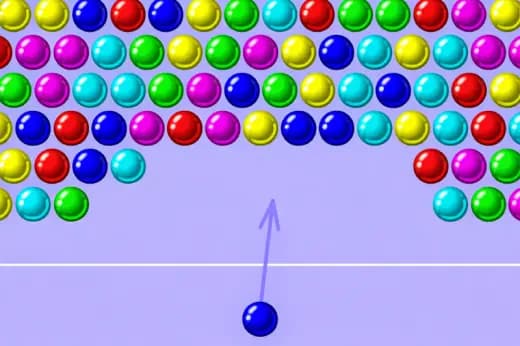
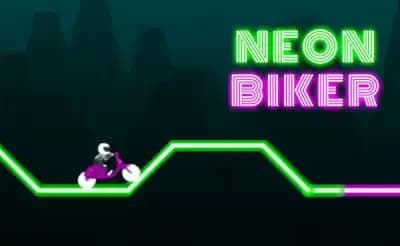
Start with quick-play titles like Slope Rider, Geometry Dash, Bubble Pop Mania, or Neon Biker, then branch into categories when you want something new. The goal is the same as a good new tab gaming experience: open Chrome, find a game quickly, and play without downloads.
Quick Answers
Can I play free online games from a Chrome new tab?
Yes. You can use bookmarks, shortcuts, pinned tabs, or a trusted Chrome new tab extension to reach browser games quickly from Chrome.
Do Chrome browser games need downloads?
Most HTML5 browser games run directly in Chrome without a separate game download or installer.
What should I check before installing a games extension?
Review the publisher, permissions, ratings, privacy details, and whether the extension asks for access that is not needed for a simple gaming shortcut.