Play Geometry Dash Online Free
Play Geometry Dash, a Rhythm Games game available in your browser. Review the controls, features, and compatibility notes below, then choose Play when you are ready.
Advertisement










Advertisement
Most Popular This Month
View All results »

































- Home
- Rhythm Games
- Geometry Dash
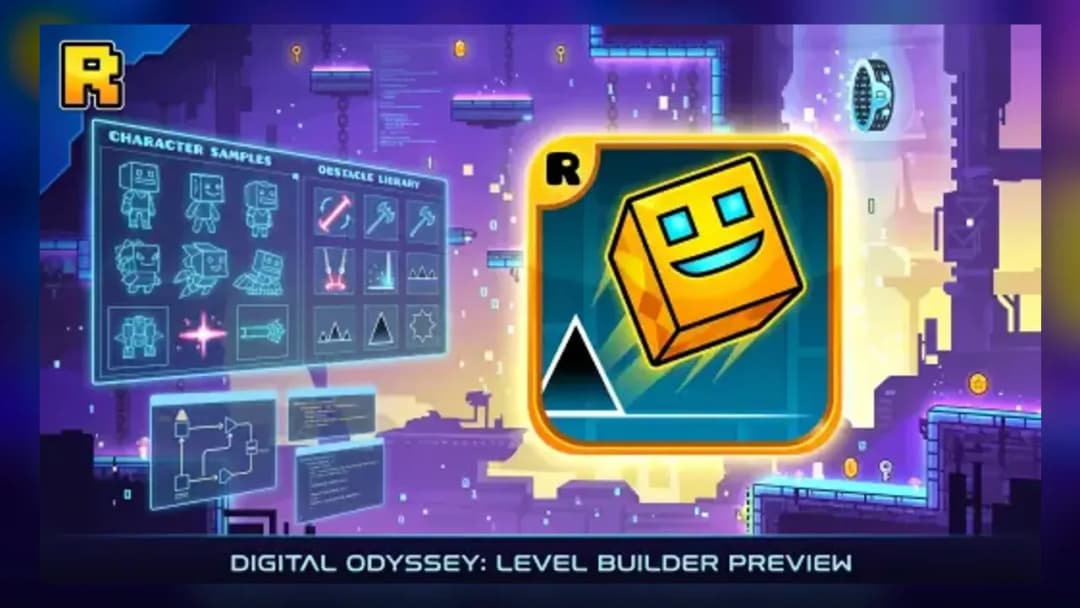
Geometry Dash
TECHNICAL SPECIFICATIONS
OPERATIONAL GUIDE
CORE FEATURES
Advertisement
About Geometry Dash
Play Geometry Dash online free with no download. Time jumps to the beat, dodge spikes, and survive unblocked browser rhythm platforming on PC and...
What's in this guide

Geometry Dash is a rhythm-driven precision platform game built around one brutal rule: one mistake ends the run. This browser version uses modern HTML5 delivery, allowing instant play on desktop browsers, mobile devices, tablets, and Chromebooks without installing a separate executable. The player controls a geometric icon that moves automatically through levels packed with spikes, platforms, portals, jump pads, and music-synced hazards.
As a Geometry Dash browser game, the experience depends on sharp input timing, stable frame pacing, and clean collision feedback. The loop feels simple in the hands: press, click, or tap at the exact moment the level demands it. The depth comes from memorizing patterns, reading portals, and treating the soundtrack as a timing grid. It is free-to-play here, Chromebook compatible, and designed for no download instant play.
Game NameGeometry DashCategoryGamesTechnologyHTML5 / Browser NativePlatformsPC, Mobile, Tablet, ChromebookRequires Download?No, Instant PlayWhat's In This Guide
- About Geometry Dash
- Complete Controls & Mechanics
- Advanced Strategies & Tips
- How to Play Unblocked at School
- Known Glitches & Quirks
- Top Alternatives & Competitors
About Geometry Dash
Geometry Dash began as a compact rhythm platformer from RobTop Games and grew into one of the most recognizable skill games on the web. Its design rejects soft failure. The level scrolls forward, the character never stops, and the player must solve each obstacle sequence through timing rather than exploration. That clarity helped the game spread across mobile gaming, PC play, school Chromebooks, and HTML5 game portals.
The physics model uses predictable arcs and binary collisions. Spikes kill. Saw blades kill. Walls kill if the current form cannot pass through the gap. That strictness gives every attempt useful information. The player learns where to tap, where to hold, and where silence matters more than action. The best levels feel like sheet music translated into platforming geometry.
Culturally, Geometry Dash became a proving ground for reaction speed and persistence. Its community values completion percentage, demon-level clears, custom level routing, and frame-perfect consistency. Even simplified browser builds preserve the important identity: fast restarts, visible hazards, electronic music, and a difficulty curve that rewards memory as much as reflex.
- Engine & Tech: Browser editions typically rely on HTML5 canvas or WebGL-style rendering, which keeps 2D shapes crisp and reduces loading overhead.
- Accessibility: The simple geometry, limited texture load, and compact input system allow smooth play on low-end Chromebooks and older laptops.
- Updates: The wider Geometry Dash ecosystem evolved through new modes, portals, icons, music tools, and community-made levels.
Complete Controls & Mechanics for Geometry Dash
The control scheme looks almost comically small, but that is the point. Use Space, the up arrow, mouse click, or touchscreen tap to jump or activate movement. The character moves automatically, so your hands control timing rather than direction. In practice, each input becomes a commitment. Press too early and the arc peaks before the gap. Press too late and the cube clips a spike.
Input latency matters. A clean Geometry Dash HTML5 game needs quick response from browser to frame. On a keyboard, the action feels crisp because the tap maps directly to a jump state. On mobile, the larger touch surface helps casual play, but sweaty sections demand controlled taps instead of frantic screen mashing. Chromebook users should close heavy tabs if the frame rate stutters.
Portals define the deeper mechanics. The cube jumps in arcs. The ship rises while held and falls when released. The ball flips gravity. The wave creates angled movement. The UFO hops in midair. Speed portals compress reaction windows, while size portals change clearance. Collision detection remains unforgiving because the game teaches precision through failure.
- Movement: Press Space, up arrow, mouse click, or tap to perform the current form’s movement action; the level scrolls automatically.
- Action: Hit jump orbs only when overlapping them, ride pads automatically, and release inputs quickly when low ceilings appear.
- Mechanics: Gravity, speed, and form portals alter momentum instantly, so prepare before crossing portal edges.
Advanced Strategies & Tips for Geometry Dash
Advanced Geometry Dash play is not random reaction time. It is route construction. Strong players divide levels into sections: opening cube timing, first portal transition, ship corridor, orb chain, gravity flip, and final memory sequence. This mental map reduces panic because every obstacle belongs to a known phrase in the song.
Frame-perfect sections punish hesitation. The best approach is to anchor inputs to visible landmarks: the front edge of a block, the center of an orb, the first beat after a drop, or the moment the character crosses a background pillar. If you rely only on instinct, speed changes will beat you. If you use landmarks, the same pattern becomes repeatable.
High-score routing focuses on survival percentage and consistency. Do not spam clicks during orb chains. Do not hold jump after a pad unless the next platform requires it. Do not stare at the character; scan ahead. Geometry Dash gives enough warning if your eyes read the next obstacle instead of mourning the last one.
- Perfect Your Timing: Practice tapping at the latest safe moment on spike jumps; late jumps preserve flatter arcs for tighter landings.
- Manage Resources/Speed: Treat speed portals as rhythm changes and shorten your reaction window before they arrive.
- Avoid Common Mistakes: Never double-tap jump orbs unless the route explicitly demands it; extra taps often launch you into ceilings.
- Optimize Runs: Learn difficult transitions in chunks, then connect them only after each chunk feels automatic.
How to Play Unblocked at School
A Geometry Dash unblocked version works well in school and library environments because it runs as a browser-native HTML5 game rather than a downloaded program. Older Flash games required plugins, and executable games needed local installation. Modern browser games load assets through standard web pages, then execute inside the browser sandbox.
This difference matters on restricted devices. A Chromebook usually blocks installers but allows approved web browsing. When you play Geometry Dash online through ZGames, the browser handles rendering, input, and audio in memory. That makes the game practical for quick sessions, mobile gaming breaks, and Chromebook compatible play without changing system settings.
- Chromebook Support: Fully compatible with school devices because it runs locally in RAM through the browser.
- Browser Native: No executables are required, which avoids the problems linked to blocked installers or unsafe files.
Known Glitches & Quirks
Geometry Dash feels precise, but every rhythm platformer has edge cases. At high speeds, visual perception can make a death look unfair even when the collision box touched a spike. Browser frame pacing can also create tiny differences in how smooth a jump appears, especially on devices under heavy CPU load.
Players sometimes notice portal desync, clipping-looking deaths, or animation overlap during rapid transitions. These quirks rarely break the core rules. Most failures still come from early taps, late releases, or missed orb inputs. Serious players reduce quirks by using a stable browser, keeping the tab focused, and avoiding background video playback.
- Physics Quirks: Tight slopes, speed portals, and gravity flips can create deaths that appear visually close but follow strict hitbox logic.
- Visual Desync: Minor graphic clipping may appear during rapid form changes, especially on slower devices.
Top Alternatives & Competitors
Geometry Dash competes with endless runners, reaction games, and arcade platformers, but its identity sits closer to rhythm execution than distance chasing. Games like Slope test steering under speed, while Geometry Dash tests exact single-button decisions. Both punish mistakes instantly, but the pressure feels different in the hands.
Temple Run 2 and Subway Surfers use lane switching, coins, and long-run scoring. Geometry Dash uses fixed obstacle choreography and completion percentage. That makes it harsher but cleaner. You do not lose because of a random spawn. You lose because the level asked a question and your input answered late.
- Slope: Faster camera motion and steering physics, but less music-synced memorization.
- Subway Surfers: More collectible-focused and forgiving, with a broader arcade runner structure.
Similar Games on ZGames
If you enjoy Geometry Dash, you may also like these games:
Conclusion
Geometry Dash remains one of the cleanest examples of rhythm platforming because it strips play down to timing, memory, music, and nerve. The browser format preserves the instant restart loop that makes failure useful instead of slow.
Play Geometry Dash free in your browser when you want a no download skill test that works on PC, mobile, tablet, and Chromebook. Every tap matters. Every crash teaches the next attempt. That is why the formula still hits.
Advertisement
More Games You'll Love
Controls
Frequently asked questions
How many official levels does Geometry Dash have?
Why does the cube jump differently after portals in Geometry Dash?
What is the difference between orbs and pads in Geometry Dash?
How do you improve at harder Geometry Dash levels?
"Geometry Dash" and related names may be trademarks of their respective owners. This page is an informational game directory only; ZGames.io is not sponsored by or affiliated with trademark holders unless a specific game page says otherwise.
Gameplay Video: Geometry Dash
OFFICIAL SOURCES & SITES
Player Reviews
No Reviews Yet
Be the first to share your feedback and rate this game!
Submit Your Review
Keep exploring