Play free chess classic Online Free
Play free chess classic, a Puzzle game available in your browser. Review the controls, features, and compatibility notes below, then choose Play when you are ready.
Advertisement


















Advertisement
Most Popular This Month
View All results »


































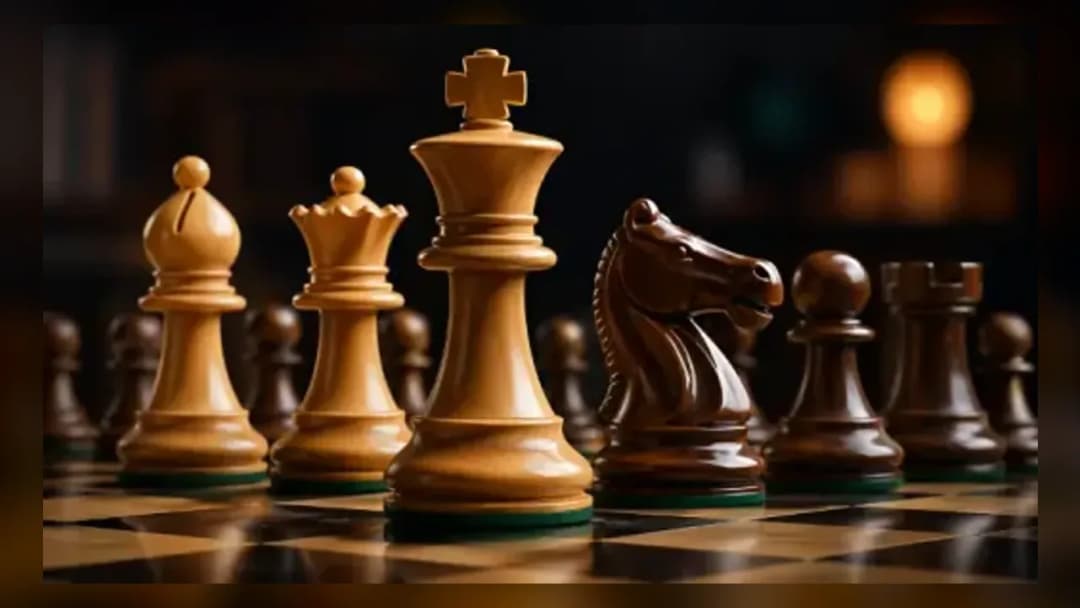
free chess classic
TECHNICAL SPECIFICATIONS
OPERATIONAL GUIDE
- 1. Choose your opponent
Select whether to play against the computer at your chosen difficulty level or against a friend in local two-player mode.
- 2. Control the center
On your first move, push a central pawn to e4 or d4 to open lines for your bishops and knights.
- 3. Develop your pieces
Bring your knights and bishops off the back rank before launching any attack so your army is coordinated.
- 4. Castle your king
Move your king two squares toward a rook to castle and tuck the king safely behind a wall of pawns.
- 5. Deliver checkmate
Coordinate your pieces to attack the enemy king so it has no legal escape, ending the game in checkmate.
CORE FEATURES
Advertisement
About free chess classic
Move pieces with a click and outsmart the AI in free chess classic online. Practice across difficulty levels, undo mistakes, and battle a friend on one...
What's in this guide

What You Actually Do in Free Chess Classic
In free chess classic you sit down at a full 8x8 board, pick a side, and try to trap the opposing king in checkmate before your opponent traps yours. Every turn you click a piece, watch its legal squares light up, and click again to move — no rulebook memorization required, because illegal moves simply won't register. That single detail is what separates a browser chess game from a physical set: the board enforces the rules for you, so beginners can learn purely by trying moves and seeing what sticks.
The appeal of free chess classic online is that it drops you straight into a real game with zero setup. There's no account, no download, and no waiting for a match to fill. You choose whether to face the computer or a friend on the same device, adjust the challenge, and start pushing pawns within seconds. It's the same 1,500-year-old game your grandparents played, rebuilt so you can lose (and learn) as many times as you want at no cost.
Because the rules are the classic tournament rules — castling, en passant, pawn promotion, and stalemate all included — the skills you build here carry over to any physical set or competitive platform. This is training-wheels chess only in convenience, not in depth.
| Game | free chess classic |
|---|---|
| Category | puzzle |
| Genre | Board / Strategy |
| Modes | Single-player vs. computer, local two-player chess |
| Controls | Mouse click or touch tap |
| Platforms | PC, Mobile, Chromebook |
The Core Chess Loop: Turn, Threat, Checkmate
Each match of free chess classic follows the same rhythm. White moves first, then players alternate turns. On your turn you develop a piece, create a threat, or defend against one. The game ends when a king is placed in check with no legal escape — that's checkmate — or when a player runs out of legal moves without being in check, which is a draw by stalemate.
How Every Piece Moves
If you're learning how to play chess, the pieces break down like this:
- Pawn — steps forward one square (or two from its starting row) but captures diagonally. Reach the far rank and it promotes, usually to a queen.
- Knight — jumps in an L-shape and is the only piece that leaps over others.
- Bishop — slides any distance diagonally, staying on one color forever.
- Rook — slides straight along ranks and files; two rooks working together are brutal.
- Queen — combines rook and bishop movement, the most powerful piece on the board.
- King — moves one square in any direction and must always be protected.
Scoring and Winning
Chess has no points system during play — the only score that matters is checkmate. However, players track material value informally: pawn = 1, knight/bishop = 3, rook = 5, queen = 9. Trading a knight for a rook is a good deal; hanging your queen is a disaster. Watching this balance is how you know whether you're ahead.
Chess Controls: Moving Pieces with Click or Tap
The chess controls in the browser are deliberately simple. On desktop, click a piece to select it — its legal destination squares highlight — then click the target square to complete the move. On mobile or Chromebook, tap to select and tap again to move. There are no keyboard shortcuts to memorize; the entire game runs on point-and-click or touch. Special moves are automated: to castle, move your king two squares toward the rook and the rook jumps into place; pawn promotion triggers a small menu when a pawn reaches the last rank.
Difficulty Levels and Two Player Chess
What keeps free chess classic replayable is choosing your opposition. Playing chess against computer lets you set the AI strength — lower chess difficulty levels make the engine play loose, forgiving moves ideal for chess for beginners, while higher levels punish every mistake and force you to calculate deeper. Ramping up gradually is the fastest way to improve.
Prefer a human? Two player chess on the same device turns your screen into a shared board, passing control back and forth after each move — perfect for teaching a friend or settling a rivalry without needing two computers. Because it's chess classic unblocked and runs in the browser, it works on school or office networks where installed programs are blocked.
Checkmate Strategy: Winning Faster
Generic advice like "think ahead" won't help. Here's what actually wins games in free chess classic online:
- Control the center early. Push a central pawn (e4 or d4) on move one so your bishops and knights have room to develop toward the middle.
- Develop before you attack. Get knights and bishops off the back rank before hunting for tactics — an underdeveloped army loses to a coordinated one.
- Castle before move ten. Tucking your king behind a wall of pawns is the single best defensive habit; an exposed king loses fast.
- Use the undo button to study lines. Take back a move to test whether a sacrifice actually works, then decide with information you didn't have before.
- Look for undefended pieces before every move. Most beginner losses come from leaving a piece hanging where the opponent can take it for free.
Similar Games on ZGames
If you enjoy the calm, thinking-cap challenge of chess, ZGames has plenty of other puzzle games and best games in the same spirit. Try these picks:
- Chiikawa Puzzle — a tile-matching brain teaser that rewards the same patient, plan-ahead mindset chess demands.
- Squid Scape — a strategic escape challenge where reading the board pays off just like in chess.
- Moto X3M 2 — a change of pace with fast, skill-based stages when you want action between matches.
- Stack Ball — a quick-reaction arcade game to unwind after a tense endgame.
Browse more HTML5 games or the full popular games list to keep the collection fresh.
At its heart, free chess classic is still that same simple ask: click a piece, plan a threat, and hunt the enemy king. Whether you're grinding through chess difficulty levels against the computer or settling a match of two player chess on one screen, the board is always ready and the next checkmate is only a few clicks away.
Advertisement
More Games You'll Love
Controls
Frequently asked questions
How do I move pieces in free chess classic?
Can I play two player chess on the same device?
How do the chess difficulty levels work against the computer?
Is free chess classic unblocked at school or work?
Can I undo a move in free chess classic?
What's the fastest way to improve as a beginner?
"free chess classic" and related names may be trademarks of their respective owners. This page is an informational game directory only; ZGames.io is not sponsored by or affiliated with trademark holders unless a specific game page says otherwise.
Gameplay Video: free chess classic
OFFICIAL SOURCES & SITES
Player Reviews
No Reviews Yet
Be the first to share your feedback and rate this game!
Submit Your Review
Keep exploring