Play Basketball Stars Online Free
Play Basketball Stars, a Sports game available in your browser. Review the controls, features, and compatibility notes below, then choose Play when you are ready.
Advertisement








Advertisement
Most Popular This Month
View All results »

































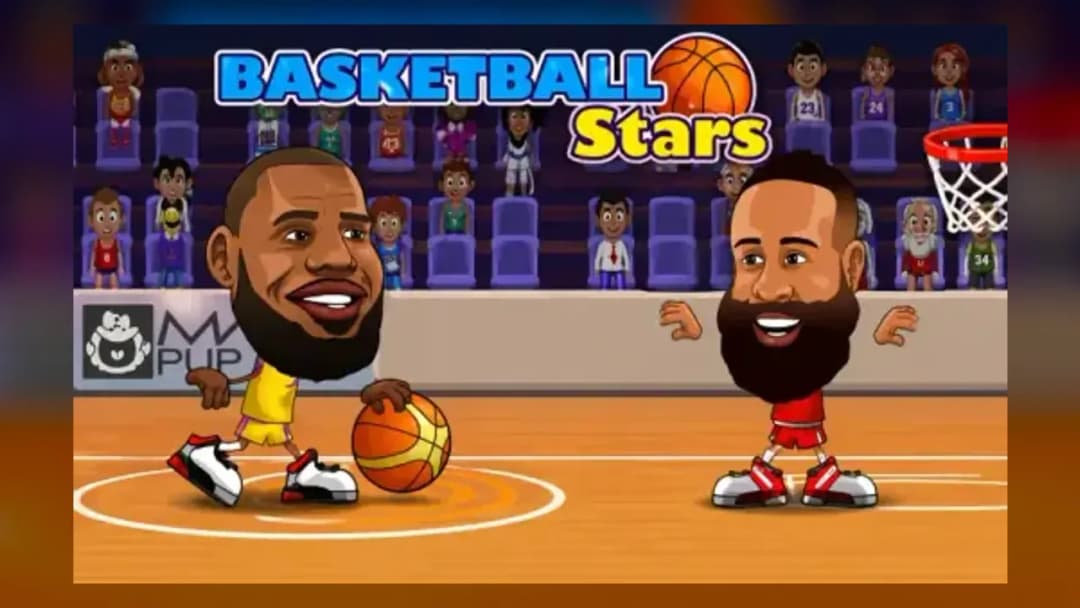
Basketball Stars
TECHNICAL SPECIFICATIONS
OPERATIONAL GUIDE
- 1. Create space with a Basketball Stars dash
Double-tap Left or Right on the arrow-key layout, or A or D on the WASD layout. Dash away from a defender before beginning your shot rather than jumping directly into a waiting block.
- 2. Shoot with the possession-sensitive controls
Use Up or X in single-player, depending on the action and position. In two-player mode, the WASD set uses W or B, while the arrow set uses Up or L; the action key becomes a steal when the opponent has possession.
- 3. Disrupt a Basketball Stars shot
Press Down on the arrow layout or S on the WASD layout to defend and block. Wait for the opponent’s actual shooting jump so a pump fake does not pull you out of position.
- 4. Trigger the Basketball Stars super move
When the special meter is ready, press Z in single-player, V with the WASD set, or K with the arrow set. Activate it with a clear lane so the limited opportunity is not wasted into defensive pressure.
- 5. Protect the Basketball Stars lead
After moving ahead on the scoreboard, challenge open attempts without repeatedly gambling on steals. Make the opponent spend the remaining match time creating a clean shot.
CORE FEATURES
Advertisement
About Basketball Stars
Dash, steal, block and charge a supershot in timed 1v1 or 2v2 games. Win tournament rounds or sharpen your timing in training. Play Basketball Stars...
What's in this guide

Basketball Stars online turns every possession into a compact duel: move into a lane, shoot or dunk, then immediately switch to stealing and blocking when the ball changes hands. Its defining twist is a meter-based super move, backed by double-tap dashes and pump fakes that let a short, timed match swing on one well-planned sequence.
This is the stylized 2D HTML5 game made by MadPuffers, not Miniclip’s separate 3D mobile title of the same name. You can face the CPU or share one keyboard with another player, with 1v1 and 2v2 configurations, tournament advancement, quick matches and training. This Basketball Stars guide explains the verified modes, complete keyboard layouts, tactical decisions, device differences and common loading or input problems.
| Game | Basketball Stars |
|---|---|
| Category | Sports |
| Developer | MadPuffers |
| Initial release | May 2019 |
| Technology | HTML5 |
| Platforms | Desktop web browser; touch support is reported on some mobile builds |
| Modes | Single-player, local two-player, 1v1, 2v2, tournament, quick/random match and training |
| Match objective | Outscore the opposing side before the timer expires |
How Basketball Stars gameplay turns possession into a duel
The central Basketball Stars gameplay loop is easy to read but gives both players several answers. On offense, move laterally to escape the defender, jump or use the action key to attempt a shot, drive toward the basket for a dunk opportunity, or show a pump action to provoke a premature block. On defense, follow the ball carrier, use the context-sensitive action button to attempt a steal and use the defensive input to contest or block a committed shot.
A timed match ends with the higher-scoring side winning. The available evidence supports ordinary shots, dunks and special shots, but it does not reliably document a universal point table for every hosted build. The practical objective is therefore best understood through the visible scoreboard: generate better attempts than the opponent and protect the lead before time expires.
Basketball Stars shooting, stealing and changing roles
The action key has two jobs. When your side controls the ball, it acts as a shooting input; while defending, it attempts a steal. That context-sensitive design means rapid changes of possession can punish button mashing. Confirm who has the ball before pressing X, B or L, particularly when two players and AI teammates are moving together in 2v2.
Jump/shoot inputs offer another route to the basket. A defender who jumps too early becomes vulnerable to a delayed attempt or pump fake, while an attacker who shoots directly in front of a prepared blocker gives the defense a simple read. Create horizontal separation first, then commit to the scoring action.
Basketball Stars supershots and special abilities
The special move is tied to a meter rather than being endlessly available. The verified keyboard mappings use Z in the single-player arrangement, V for the WASD key set and K for the arrow-key set. Different characters are described as having different special abilities, so the exact animation can vary, but the tactical question remains consistent: spend the charged move when there is enough space for it to matter.
A supershot is most valuable when it changes the state of the match—breaking a tie, answering an opponent’s scoring run or extending a narrow lead late in the timer. Activating it into obvious defensive pressure wastes a limited resource. Watch the meter, establish possession and create a clean lane before committing.
Basketball Stars dashes, pump fakes and blocks
Double-tap a movement direction to dash. This is a burst rather than a separate dedicated key: use Left or Right twice quickly with the arrow layout, or A or D twice with the WASD layout. A dash can close defensive space, carry the ball away from a steal attempt or create the fraction of room needed to shoot.
The pump/block key also changes meaning with the play. Down serves this purpose on the arrow layout and in the supported single-player mapping; S serves it on the WASD layout. An attacker can invite an early defensive reaction, while the defender should track the real shooting commitment instead of responding to every motion.
Complete Basketball Stars controls for one or two players
These are the best-supported Basketball Stars controls. Some portals reverse the labels “Player 1” and “Player 2,” but the actual WASD and arrow-key sets remain consistent. Identify each player by key set rather than relying on a number shown by a particular host.
| Context | Move | Jump / shoot | Pump / block | Shoot / steal | Super | Dash |
|---|---|---|---|---|---|---|
| Single player | Left / Right arrows | Up arrow | Down arrow | X | Z | Double-tap Left / Right |
| WASD key set | A / D | W | S | B | V | Double-tap A / D |
| Arrow-key set | Left / Right arrows | Up arrow | Down arrow | L | K | Double-tap Left / Right |
If you are learning how to play Basketball Stars, begin with movement, one shooting input and the block button. Add dashing after you can recognize possession changes, then learn the special key. This order prevents the two context-sensitive actions from becoming confused during fast exchanges.
Basketball Stars touch input and keyboard focus
Major portals classify current versions as touch capable, but a reliable universal touch-button layout has not been documented. On a phone or tablet, use the controls presented by the loaded build rather than expecting keyboard labels to map to fixed screen positions. If no touch overlay appears, that host’s version may require a keyboard or may not have loaded its mobile controls correctly.
On desktop, click once inside the game area before using the keys. Browsers do not always give an embedded game keyboard focus automatically, and arrow keys may scroll the surrounding page until focus is established. Fullscreen can reduce accidental scrolling, but exit fullscreen while diagnosing an input problem.
Basketball Stars game modes and team configurations
Basketball Stars 1v1 matches
One-on-one play keeps every decision visible. There is no teammate to cover a missed challenge, so a failed steal or early block can open the route to the basket. This is the clearest format for learning spacing, dash timing and the relationship between pump fakes and defensive jumps.
Basketball Stars 2v2 matches
Two-on-two introduces positioning beyond the immediate ball carrier. In supported local 2v2 configurations, the human controls the player marked on the court while a teammate may be handled by AI. Poki also describes a cooperative 2v2 option. Pay attention to the control marker rather than pressing inputs for whichever character is nearest the ball.
Players searching for 2 player basketball games should note that this is local keyboard sharing, not verified internet matchmaking. Two people can compete on one device with separate key clusters, making it well suited to short head-to-head sessions without account setup.
Basketball Stars tournament progression
Tournament mode provides match-to-match advancement. Win the current contest to continue the run; losing stops that attempt rather than feeding into an equipment or role-playing upgrade tree. No reliable evidence supports currencies, gear upgrades or a persistent career system in the MadPuffers browser game.
Basketball Stars quick matches and training
A quick or random match gets to a standalone contest without committing to tournament advancement. Training is the controlled place to test how far a dash travels, distinguish a pump from a true shot and recognize when the special meter is ready. Use training to isolate inputs, then move to quick play to test them against active opposition.
Advanced Basketball Stars tips for winning timed matches
- Dash before the shot, not during panic. Double-tap away from the defender while there is still lateral room. If you wait until the defender overlaps the ball carrier, a steal attempt may arrive before the dash creates separation.
- Make the block respond to a commitment. Hold Down or S until the attacker begins a genuine shooting action. Repeated early blocks allow the offense to delay or move around the contest.
- Use one pump fake with a purpose. A pump is effective when the defender is close enough to react. Faking from open space only delays an already clean attempt and lets the defender recover.
- Do not spend the super automatically. Check possession, spacing and the remaining match situation. A charged move is leverage; keeping it available can influence how aggressively the opponent defends.
- Defend the lead differently. When ahead late, prioritize staying between the attacker and the basket over low-percentage steal attempts. A failed gamble gives away both position and valuable clock control.
- Track the marked player in 2v2. Your AI teammate may make an off-ball decision that you cannot directly control. Follow the indicator beneath your assigned character and cover the space that player can actually reach.
- Separate movement taps clearly. A dash requires a double-tap, not a held direction. Release briefly between taps if the game registers normal movement instead of the burst.
Basketball Stars unblocked searches and safe network access
Basketball Stars unblocked is a common search phrase, but “unblocked” does not identify a special official edition or guarantee access on a restricted network. School, workplace and public networks may filter gaming sites according to local policy. Use an allowed browser and network, follow the administrator’s rules and do not treat third-party claims as a promise that restrictions can be bypassed.
The HTML5 game normally runs in a web browser without a separate installation. If a permitted network still shows a blank player, refresh once, allow the page to finish loading, turn off an overly aggressive content blocker for the trusted page and test another modern browser. Persistent failure may be caused by host availability, browser storage settings or the network rather than the game’s controls.
Fixing Basketball Stars loading, lag and rotation problems
- Blank game area: reload the page, confirm JavaScript and required site content are allowed, then try a private window or another current browser to isolate cached data and extension conflicts.
- Keys scroll the page: click the playable area before pressing a movement key. If necessary, enter fullscreen after the game receives focus.
- One local player cannot act: verify that the players are using separate key sets. The WASD user needs B and V, while the arrow user needs L and K; X and Z belong to the supported solo layout.
- Dash does not trigger: tap the same direction twice quickly instead of holding it. Test the timing in training where defensive pressure will not mask the result.
- Touch buttons are missing: rotate the device, reload in the supported orientation and check whether that hosted build actually exposes touch controls. Portal support can differ.
- Input delay or lag: close demanding tabs, leave high-overhead fullscreen effects if performance worsens and use a stable connection. Avoid repeating action keys rapidly, because queued-looking inputs make timing harder to diagnose.
MadPuffers Basketball Stars versus the Miniclip game
The game covered here is MadPuffers’ 2019 HTML5 release: stylized 2D matches, local shared-keyboard multiplayer, CPU opposition, tournaments, dashes, blocks and meter-based special moves. Miniclip’s Basketball Stars: Multiplayer is a different realistic 3D mobile product built around real-time online multiplayer, career progression, equipment, currencies and in-app purchases.
This distinction matters when reading a walkthrough or troubleshooting advice. Instructions involving X, Z, B, V, L and K apply to the MadPuffers browser title. Advice about upgrading equipment or spending currency belongs to the Miniclip game and should not be mixed into this Basketball Stars guide.
Basketball Stars browser and mobile version differences
The desktop browser version has the clearest verified control scheme and supports two people sharing a physical keyboard. Current major portals also report mobile or touch compatibility, but exact touch layouts can differ by host. There is no verified controller mapping, universal key-remapping option or authoritative accessibility statement for screen readers and reduced motion.
Portal update labels also conflict: different hosts display dates in 2020 and 2025. Those figures may describe each portal’s build or listing rather than a worldwide update history, so May 2019 is used here only for the strongly supported initial release period. The game’s underlying technology is HTML5, not Unity WebGL.
Basketball Stars information for parents
Matches present exaggerated, cartoon-style basketball competition involving stealing the ball and blocking shots; the reviewed sources do not establish graphic violence or a narrative with mature themes. The gameplay does require quick reactions and shared-keyboard coordination, and external hosting pages may display advertising or links beyond the game itself.
No universal age rating, parental-control system or purchase system was verified for this browser edition. Parents should evaluate the specific hosting page, its advertising and privacy practices, especially when a child is using a mobile device or school-managed computer.
More sports games after Basketball Stars
Players who enjoy the direct controls here can browse more arcade games, reaction-driven action games and curated popular games. ZGames also collects recent releases under new games, staff-oriented discovery under best games and instant-play titles under HTML5 games. These collections are useful when you want sports games or a different short competitive format.
- Football Legends — another stylized field-sport contest associated with quick local competition and special actions.
- Parkour Rooftop — replaces shooting lanes with movement timing for players who enjoy reaction-based dashes.
- Return Man 2 — focuses on reading defenders and finding space in an American-football run.
- Tennis Open 2024 — offers another court-based duel built around positioning and shot timing.
Choose training when you need to test a key, a quick match when you want an immediate contest, or a tournament when every win should lead into the next challenge. Once dashes, possession-sensitive actions and the supershot become one connected system, play Basketball Stars becomes less about frantic inputs and more about forcing the defender to react first—exactly what gives this free online basketball duel its staying power.
Advertisement
More Games You'll Love
Controls
Frequently asked questions
How do you use the super move in Basketball Stars?
Can you play Basketball Stars with a friend on one keyboard?
How do you dash in Basketball Stars?
Which key steals the ball in Basketball Stars?
How do pump fakes and blocks work in Basketball Stars?
What is the difference between tournament, quick match and training in Basketball Stars?
Is this Basketball Stars the same game as Miniclip’s mobile version?
Why are the Basketball Stars controls not responding?
"Basketball Stars" and related names may be trademarks of their respective owners. This page is an informational game directory only; ZGames.io is not sponsored by or affiliated with trademark holders unless a specific game page says otherwise.
Gameplay Video: Basketball Stars
OFFICIAL SOURCES & SITES
Player Reviews
No Reviews Yet
Be the first to share your feedback and rate this game!
Submit Your Review
Keep exploring