Play Tennis Masters Online Free
Play Tennis Masters, a Sports game available in your browser. Review the controls, features, and compatibility notes below, then choose Play when you are ready.
Advertisement


















Advertisement
Most Popular This Month
View All results »


































Tennis Masters
TECHNICAL SPECIFICATIONS
OPERATIONAL GUIDE
- 1. Position under the ball
Use your move keys (W/A/D or the arrow keys) to slide beneath the incoming ball before it bounces twice.
- 2. Jump for high balls
Press jump (W or Up) as the ball rises so you can reach it at full height.
- 3. Time the extra-force smash
Hit the smash key (Z or K) at the peak of your jump to rocket the ball into an open corner.
- 4. Deploy a power-up
Trigger a transformation power-up when your opponent is out of position to freeze them or turn them into a snail and steal the point.
CORE FEATURES
Advertisement
About Tennis Masters
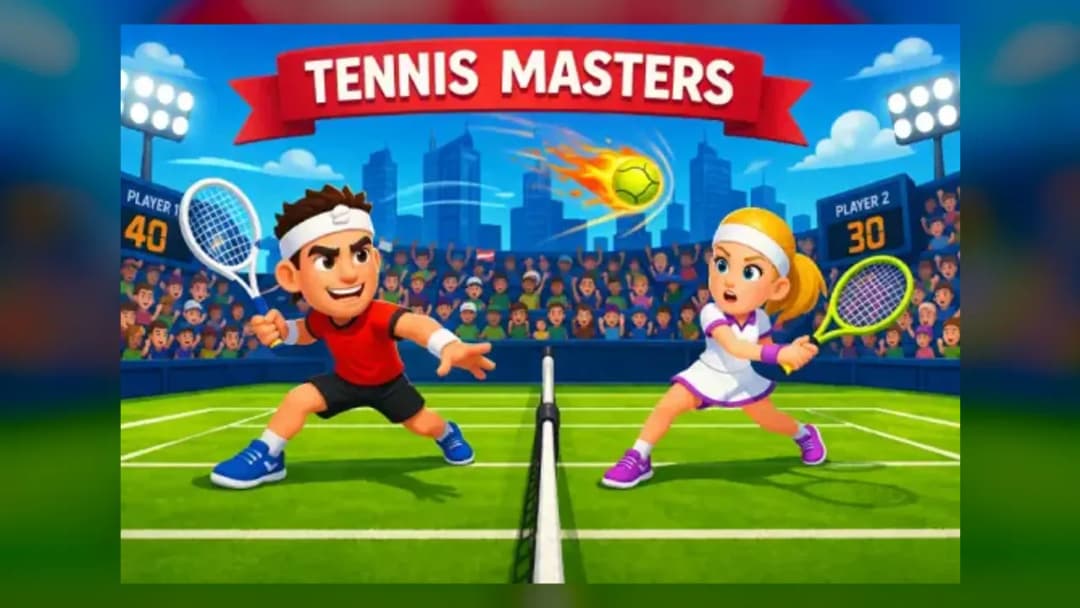
Rally in fast 1-on-1 matches, time your jump-smashes, and fire off power-ups that turn rivals into snails or ice blocks. Beat the CPU or a friend in...
What's in this guide

What You Actually Do in Tennis Masters
In Tennis Masters you control a single tennis player in fast, side-view 1-on-1 rallies, sprinting left and right along your baseline, jumping to reach high balls, and swinging at exactly the right moment to smash the ball past your opponent. The whole game lives or dies on timing: a mistimed swing floats a weak return, while a well-timed jump-smash rockets the ball into the corner your rival can't cover.
What makes this Tennis Masters game stand out from a plain tennis sim is its arcade personality. According to CrazyGames, it is a "competitive 1-on-1 tennis game in which you can play against a computer or a friend in 2 player mode," and portals like Silvergames describe chaotic bonuses that let you "turn them into sow snails, blocks of ice or crying babies." That mix of straight rallying and screwball power-ups is the reason people search for Tennis Masters online.
The developer credited across multiple portals is MadPuffers. This guide fills the biggest gaps left by competitor pages: it explains the conflicting control layouts honestly, breaks down power-up strategy, and covers how to play Tennis Masters as a beginner.
| Game | Tennis Masters |
|---|---|
| Category | sports |
| Developer | MadPuffers |
| Modes | vs CPU, 2 Player (local) |
| Platform | Browser (PC, Mobile, Chromebook) |
Winning the Rally: Core Gameplay of Tennis Masters
Each point plays like classic arcade tennis. You serve, the ball crosses the net, and you shuffle into position to return it before it bounces twice on your side. Miss the return and your opponent scores; force an error or an unreachable shot and the point is yours. Matches are short, which is why the Tennis Masters game rewards aggression over patience.
Movement, Jump Timing and Smashes
Hot Games notes that "mastering movement, jump timing, and powerful smashes is key to winning matches and outplaying your opponent." In practice that means three layered skills: get under the ball early, jump only when the ball is high, and unleash your extra-force smash at the peak of that jump for maximum speed and angle.
Power-Ups and Transformations
The chaos ingredient is the bonus system. Grabbing a Tennis Masters power-up can transform your opponent into a snail, freeze them in a block of ice, or reduce them to a helpless crying baby, temporarily wrecking their movement. Use these when your rival is out of position — a transformation during a long rally almost always hands you a free point.
Tennis Masters Controls (Both Layouts Explained)
Different host sites ship different key maps, so the honest answer to "what are the Tennis Masters controls" is: it depends on the version. Below are the two documented layouts so you can match whichever one loads for you.
| Action | Layout A (Player 1) | Layout A (Player 2) |
|---|---|---|
| Move | W, A, D | Arrow keys |
| Hit the ball | X | L |
| Hit with extra force (smash) | Z | K |
A second documented scheme (reported by Poki) uses: move left/right with A/D or the Left/Right arrows, jump with W or the Up arrow, and hit with V, L, or X. If your keys don't respond, try the alternate layout — the game does not use one universal control set across every portal.
Playing Tennis Masters 2 Player
The headline feature is local 2 player. Two people share one keyboard: Player 1 takes the left-hand keys and Player 2 the right-hand keys from the table above. This is why Tennis Masters 2 player games are so popular for quick couch matches — no account, no download, just one browser tab. You can also play solo against the CPU when no friend is around.
Advanced Tips & Strategy for Tennis Masters
- Hold the center: after every shot, drift back toward the middle of your baseline so you can cover both corners.
- Delay your smash input: press the extra-force key (Z or K) only at the top of your jump — early presses produce a soft, easily-returned shot.
- Bank power-ups for pressure moments: save a freeze or snail transformation for when your opponent commits to one side.
- Read the serve: watch your rival's movement before they hit; jumping too soon leaves you flat-footed for a low return.
- Short points win: because matches are quick, one aggressive smash rally is worth more than a cautious long exchange.
Device Support: PC, Mobile and Chromebook
Tennis Masters runs in the browser, so it plays on desktop PCs and works on Chromebooks with a stable connection. OnlineGames.io notes Chromebook support but adds that "some models may support only one player mode," so on lower-powered devices you may be limited to solo play against the CPU. Treat mobile and Chromebook 2-player as version-dependent rather than guaranteed.
Similar Games on ZGames
- Tennis Open 2024 — another browser tennis title if you want more rallies and serves.
- Champions FC — same quick-match, pick-up-and-play sports energy in football form.
- Basket Cats — arcade sports with the same silly, physics-driven charm.
- Moto X3M 5: Pool Party — timing-focused arcade action for fans of precise inputs.
Browse more in arcade games or check the popular games hub for other quick 2-player picks.
At its heart, Tennis Masters is a game of split-second timing wrapped in cartoon chaos: line up under the ball, jump, smash, and drop a power-up right when your rival least expects it. Learn the layout your version uses, save your transformations for the big moment, and every short match becomes a chance to outplay the CPU or the friend sitting next to you.
Advertisement
More Games You'll Love
Controls
Frequently asked questions
What are the two-player controls for Tennis Masters?
How do the power-ups work in Tennis Masters?
How do you hit a powerful smash in Tennis Masters?
Can you play Tennis Masters against the computer instead of a friend?
Who developed Tennis Masters?
"Tennis Masters" and related names may be trademarks of their respective owners. This page is an informational game directory only; ZGames.io is not sponsored by or affiliated with trademark holders unless a specific game page says otherwise.
Gameplay Video: Tennis Masters
OFFICIAL SOURCES & SITES
Player Reviews
No Reviews Yet
Be the first to share your feedback and rate this game!
Submit Your Review
Keep exploring