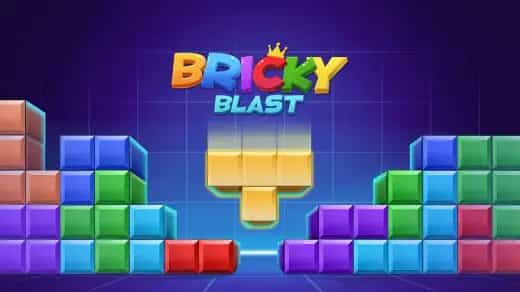
Play Bricky Blast Online Free
Play Bricky Blast, a Puzzle game available in your browser. Review the controls, features, and compatibility notes below, then choose Play when you are ready.

















Most Popular This Month
View All results »


















Bricky Blast
Game Details
How to Play
- 1. Pick a shape from the three options
Choose one of the three random block shapes offered at the bottom of the screen based on where it fits best.
- 2. Drag and drop onto the 10×10 grid
Hold the piece with your mouse or finger, drag it over empty cells, and release to lock it in place.
- 3. Complete a full row or column
Fill an entire horizontal row or vertical column to make it clear instantly and free up space.
- 4. Chain a double clear
Place a piece that finishes a row and a column at once to clear two lines together and boost your score.
Game Features
About Bricky Blast
Drag 3 random block shapes onto a 10×10 grid and clear full rows or columns at once. Chain line-clears into combos before space runs out. Play Bricky...
What's in this guide
What You Actually Do in Bricky Blast Online
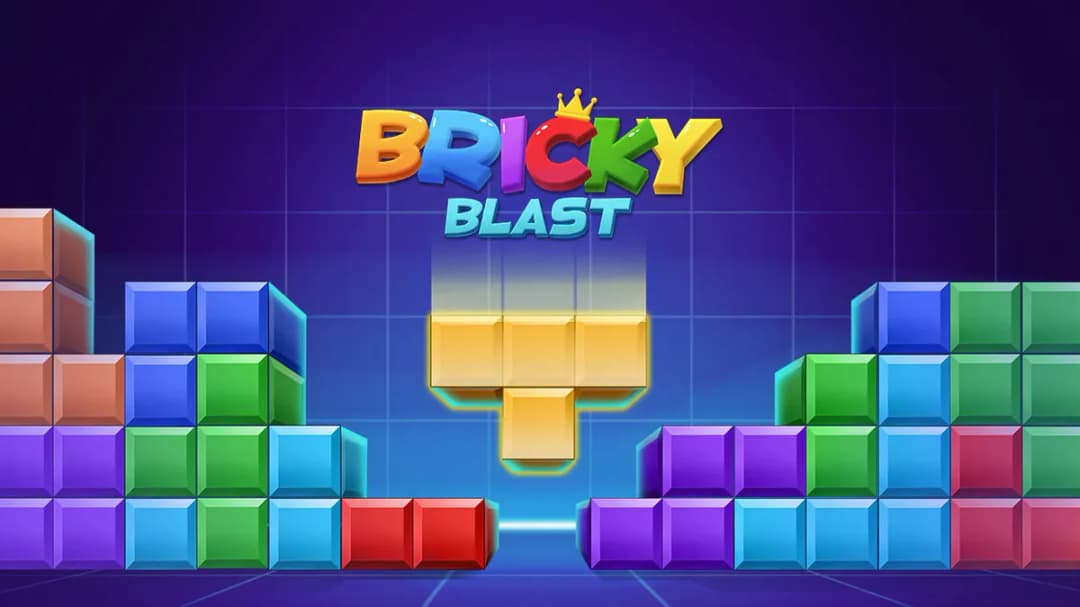
In Bricky Blast online you drag one of three randomly offered block shapes onto an open 10×10 grid and drop it into empty cells. Whenever a horizontal row or vertical column fills completely, that line pops and clears, freeing space for the next pieces. There is no falling timer like Tetris — pieces never auto-drop, so every placement is a deliberate decision.
The pressure comes from space, not speed. You only receive three shapes at a time, and you must place all three before a fresh set appears. If none of your current pieces can fit anywhere on the board, the run ends. This is why Bricky Blast rewards planners over fast fingers.
Because so many portals reuse the name, it is worth knowing which build this is: the ZGames version is the grid block puzzle game variant — drag-and-drop pieces, not a paddle-and-ball breakout clone.
| Game | Bricky Blast |
|---|---|
| Category | Puzzle |
| Grid | 10×10 cells |
| Pieces per set | 3 random shapes |
| Controls | Mouse drag / touch drag |
| Mode | Single player, endless |
Bricky Blast How to Play: The Core Placement Loop
The loop is simple to learn and hard to master. Pick any of the three shapes, drop it into the grid, and repeat until all three are used. A valid line — a full row OR a full column — vanishes the instant it completes. Clearing lines is the only way to recover board space, so your real job is keeping the grid open enough that the next random trio will always fit somewhere.
Win and Lose Conditions
There is no "win" screen — this is an endless survival puzzle. You lose the moment none of your remaining pieces has a legal placement. Your score at that point is your result, so every run is a push for a new personal best.
Bricky Blast Controls on Desktop and Mobile
The Bricky Blast controls are deliberately minimal. On desktop, click and hold a shape with the mouse, drag it over the target cells, and release to place it. On phones and tablets the same gesture works with a finger: press, drag, and lift. There are no keyboard shortcuts, rotation, or combos buttons — the simplicity is why it plays well on Chromebooks and small screens.
Bricky Blast Tips: Clearing Multi-Line Combos
If you want higher scores, think in terms of setting up several clears at once. Here are concrete Bricky Blast tips:
- Build toward the edges, keep the center open. Filling border rows and columns first leaves flexible room for awkward L and T shapes.
- Hold the big square for the big gap. When a 3×3 block appears, don't waste it filling scattered cells — save it for an open square pocket.
- Chase double clears. Completing a row and a column with the same piece clears two lines simultaneously, the fastest way to answer "how to score combos in Bricky Blast."
- Read all three shapes before placing the first. Placement order matters; a bad first drop can strand the other two.
Bricky Blast vs Block Blast and Tetris
Players often ask about Bricky Blast vs Block Blast. Both use a 10×10 grid, three offered pieces, and line-clears, so the feel is close. The key difference from Tetris is that nothing falls automatically — you control the entire pace. That makes Bricky Blast a calmer, more strategic block puzzle than reflex-based stackers.
Can You Play Bricky Blast Unblocked?
Because it is a lightweight HTML5 title with no download, Bricky Blast runs directly in a browser tab, which is why people search for Bricky Blast unblocked at school or work. On ZGames it loads instantly with no install. Use this quick Bricky Blast guide whenever you need a refresher on scoring.
Similar Puzzle and Arcade Games on ZGames
- The Cat in Yellow — another relaxed brain-teaser for players who like thinking over reflexes.
- Mini Mario Game: Mini's March Forever! — an endless-run challenge with the same one-more-try pull.
- Hot Air Solitaire — card puzzling that rewards planning placements ahead.
- Bubble Pop Mania Unblocked — a matching arcade game with satisfying chain clears.
Browse more in arcade games or the popular games and HTML5 games hubs. At its heart, Bricky Blast online is one decision repeated forever: which of three shapes, in which open cell, keeps the 10×10 grid alive for one more set.
More Games You'll Love
Controls
Frequently asked questions
How do you score combos in Bricky Blast?
Why did my Bricky Blast game end even though the board wasn't full?
Is Bricky Blast the same as Block Blast?
What are the controls for Bricky Blast on mobile?
Can you play Bricky Blast unblocked at school?
"Bricky Blast" and related names may be trademarks of their respective owners. This page is an informational game directory only; ZGames.io is not sponsored by or affiliated with trademark holders unless a specific game page says otherwise.
Gameplay Video: Bricky Blast
OFFICIAL SOURCES & SITES
Player Reviews
No Reviews Yet
Be the first to share your feedback and rate this game!
Submit Your Review
Keep exploring