Play Pixel Art 3D Online Free
Play Pixel Art 3D, a Coloring Games game available in your browser. Review the controls, features, and compatibility notes below, then choose Play when you are ready.

















Most Popular This Month
View All results »
































Related Tags
- Home
- Coloring Games
- Pixel Art 3D
Pixel Art 3D
Game Details
How to Play
- 1. Pick a color
Select a color from the palette before filling any blocks.
- 2. Fill matching blocks
Press and hold the blocks that show the same number to fill them with the chosen color.
- 3. Repeat for each color
Move on to the next color and fill its matching blocks until none are left.
- 4. Finish the 3D picture
Keep coloring until every block is filled and the artwork is complete.
Game Features
About Pixel Art 3D
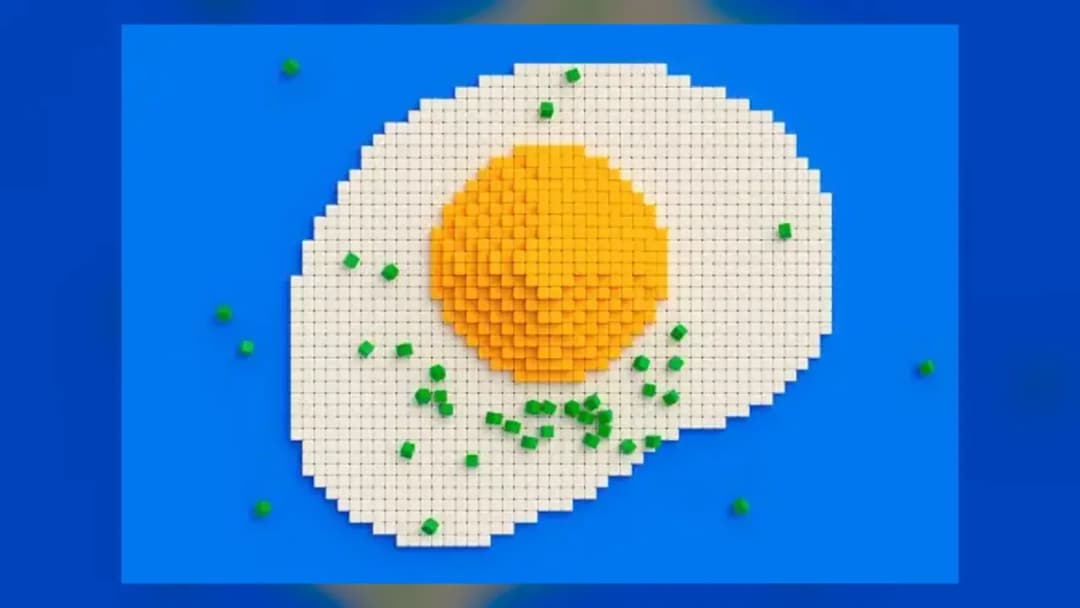
Pixel Art 3D is a browser coloring game where you click or tap blocks with the same number to fill in 3D pixel art scenes. Jump in and start coloring now.
What's in this guide

What You Do in Pixel Art 3D
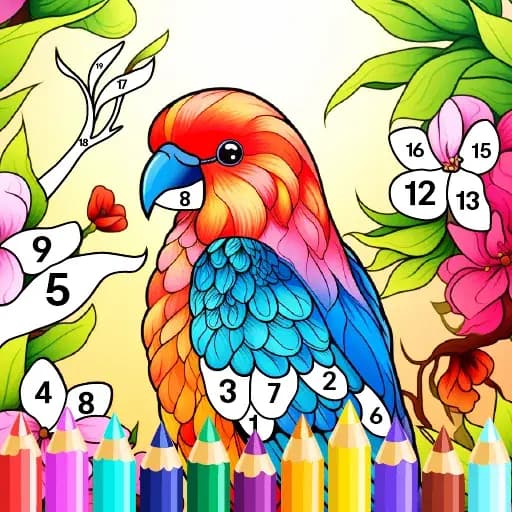
Pixel Art 3D is a coloring game built from 3D blocks, often called voxels. Each picture is made of blocks, and every block shows a number. You choose a color, then fill every block that carries the matching number. Once that color is done, you move on to the next one until the whole 3D pixel art is colored in. The game runs in a web browser and is built with HTML5, so you play it directly on the page.
The core loop is the same across the whole picture: pick a color, press and hold the matching blocks, check which numbers are still uncolored, and repeat. The game's goal is to bring a finished, colorful 3D image to life, so the play rewards steady, careful work more than speed. Because the color for each block is set by its number, the picture itself guides you from start to finish.
How to Play Pixel Art 3D
- Open the game in your browser and wait for the 3D picture to appear on screen.
- Select a color from the palette so that it is ready to apply.
- Press and hold the blocks that display the same number to fill them with that color.
- Move on to the next color and repeat until every block is filled and the 3D artwork is complete.
A round starts with a picture already loaded. The goal is to color every block, so there is no score to chase and no separate win or lose screen described in the game's instructions. If you lift your press before a block is filled, simply press and hold it again. Keep working color by color until no uncolored blocks remain.
Pixel Art 3D Controls
The game's instructions describe simple mouse clicks or touch controls. The table below lists the actions used to play.
| Action | Mouse / Touch |
|---|---|
| Choose a color | Click or tap the color in the palette |
| Fill matching blocks | Press and hold the blocks with the same number |
| Continue to the next color | Click or tap the next color, then repeat the fill |
The game does not list a two-player or local multiplayer control scheme, so the table covers one player.
What Changes Between Sessions
Each session gives you a picture to color, and the subject changes from one picture to the next. The game is described as offering a wide range of subjects, including animals, vehicles and food, so you can move between very different designs. Each picture is colored by number, which means the challenge comes from the picture's layout and the number of colors it uses rather than from timers or enemies. The game's listing does not describe levels, unlockable items or upgrades, so none are covered here.
Choosing a picture
Because pictures vary in size and color count, start with a design that suits your patience. A picture with fewer colors is quicker to finish, while a larger picture with many numbers takes longer and may be easier to work on in several visits.
Tips and Strategy for Pixel Art 3D
- Pick one color at a time and fill every block with its number before switching. This keeps you from losing track of which numbers are finished.
- Check that the right color is selected before you press and hold. A wrong fill means extra work to undo the mistake.
- Start with large, open areas of the picture, then move to small details and edges where the blocks are harder to tell apart.
- Scan the picture after each color to spot any blocks with that number that you missed, especially in areas that are partly hidden.
- Use careful, steady presses on touch screens so that you fill the intended block rather than a neighbor.
- Work in short sessions and take breaks, especially on large pictures with many colors.
- If you enjoy this style, try similar coloring games such as Fun Kids Coloring Book or Coloring Book: Cartoon Veggies.
You can browse more titles in Coloring Games or find family-friendly picks in Kids.
More Games You'll Love
Controls
Frequently asked questions
How do you play Pixel Art 3D?
What do the numbers on the blocks mean?
"Pixel Art 3D" and related names may be trademarks of their respective owners. This page is an informational game directory only; ZGames.io is not sponsored by or affiliated with trademark holders unless a specific game page says otherwise.
Gameplay Video: Pixel Art 3D
OFFICIAL SOURCES & SITES
Player Reviews
No Reviews Yet
Be the first to share your feedback and rate this game!
Submit Your Review
Keep exploring