Play Hidden Paint 3D Online Free
Play Hidden Paint 3D, a Puzzle game available in your browser. Review the controls, features, and compatibility notes below, then choose Play when you are ready.
Advertisement




















Advertisement
Most Popular This Month
View All results »



































TECHNICAL SPECIFICATIONS
OPERATIONAL GUIDE
- 1. Read the task panel
Check the horizontal list of items at the bottom of the screen so you know which shapes to hunt before touching the scene.
- 2. Rotate the 3D scene
Click and drag on PC or swipe on mobile to orbit the camera a full 360 degrees and expose objects hidden behind structures.
- 3. Tap to color items
Click or tap each matching object to instantly flood it with color and clear it from the task panel.
- 4. Clear the list to advance
Color every listed item to complete the scene and unlock the next level.
CORE FEATURES
Advertisement
About Hidden Paint 3D
Rotate a 360° monochrome 3D scene, hunt items off the task panel, and tap each one to splash it with color. No timers, just calm coloring. Play Hidden...
What's in this guide
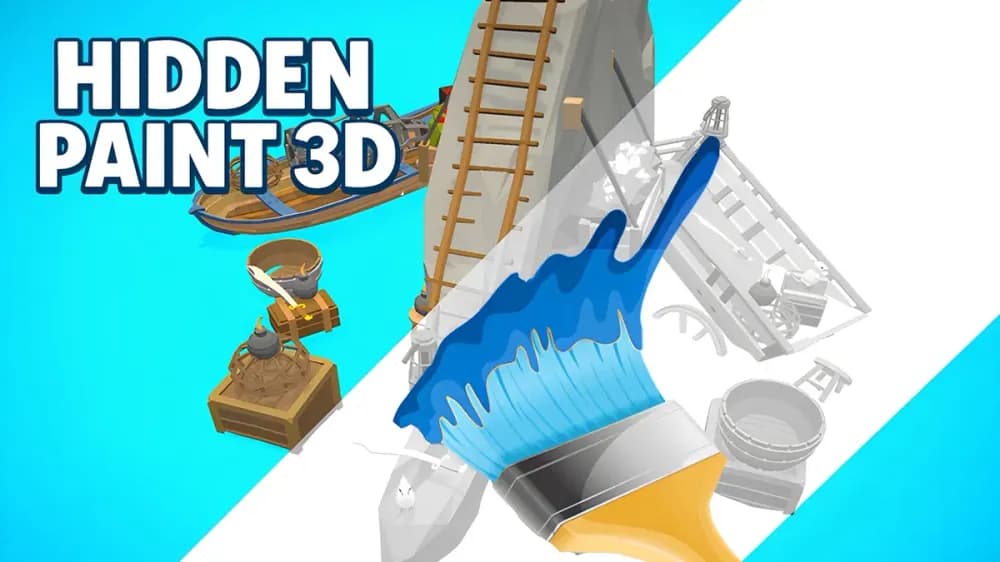
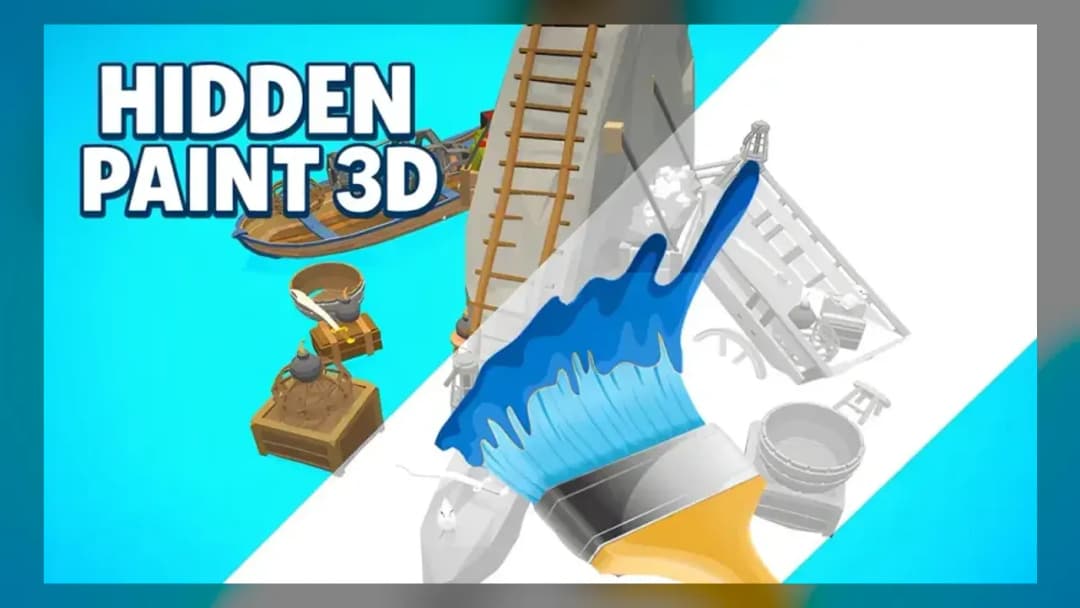
In Hidden Paint 3D you drop into a fully white, three-dimensional diorama and your job is to repaint it one object at a time. A horizontal task panel at the bottom of the screen lists every item you still need to find, and the moment you click a matching shape it instantly floods with vibrant color. Because the whole scene is 3D, items hide behind buildings, under trees, and in narrow gaps — so you spin the camera to hunt them down. That spin-and-tap loop is why people search for Hidden Paint 3D online: it is part hidden-object search, part coloring book, with zero timer pressure.
Each level is its own colorless scene. Clear the whole task list and the finished, fully-colored image unlocks the next scene. There is no scoring race and no fail state — you simply keep looking until every listed object has been stained in.
| Game | Hidden Paint 3D |
|---|---|
| Category | Puzzle / Coloring |
| Platforms | PC, Android, iOS (browser) |
| Modes | Single Player |
| Controls | Mouse drag / touch swipe + click-tap |
| Language | English |
How the Hidden Paint 3D Find-and-Color Loop Works
Start by reading the task panel so you know which shapes you are hunting — a watering can, a bird, a mug, whatever the scene holds. Then scan the white landscape for matching silhouettes. When you spot one, click or tap it and it snaps into color, and its icon clears from the panel. Color every listed item and the level completes. This is the core of any hidden object coloring game: discovery first, color as the reward.
Rotating the 3D Scene to Reveal Hidden Objects
The signature trick is the 360° camera. Many objects simply aren't visible from the starting angle — they're tucked behind structures or nestled in gaps. Click-and-drag with the mouse on desktop, or swipe with one finger on mobile, to orbit the diorama and expose the back of every prop. If an item on the list refuses to appear, it's almost always because you haven't rotated far enough.
Hidden Paint 3D Controls for Desktop and Mobile
| Rotate camera (PC) | Click and drag the mouse |
|---|---|
| Rotate camera (mobile) | One-finger swipe |
| Color an item | Click / tap the object |
That's the entire control set, which is why the game runs identically on a phone, a Chromebook, or a desktop browser with no install.
How to Play Hidden Paint 3D — Quick Checklist
- Read the task panel before touching the scene.
- Rotate the camera a full turn to map the layout.
- Tap matching shapes to color them and clear the list.
Hidden Paint 3D Tips for Clearing Scenes Faster
Work the Hidden Paint 3D tips that experienced players rely on: do one slow full rotation before clicking anything so you spot clustered items in a single pass. Tilt and pan — not just spin — because objects hide under overhangs and inside doorways. Cross-reference the task panel after each color; the shrinking list tells you exactly what shape to keep hunting. Since there's no time limit, prioritize thoroughness over speed and the hardest, most-hidden item usually sits behind the largest structure.
Is Hidden Paint 3D Suitable for Kids?
Yes. The calm, timer-free design, bright palette, and simple tap controls make it friendly for younger players, and there's no violence or failure punishment — just relaxing spatial-awareness practice.
Similar Hidden Object and 3D Games on ZGames
- Snow Rider 3D — same tap-and-go 3D browser casual feel with instant restarts.
- Snow Road 3D — another relaxing 3D arcade run for quick calm sessions.
- Escape Road Unblocked — pick-up-and-play arcade action for school and work networks.
- Escape Road City 2 — fast-paced 3D chase for when you want more energy than coloring.
Browse more in arcade games or the HTML5 games hub. Once you've rotated your first white diorama into a fully-colored scene, the pull of the next locked level — and the next hidden shape waiting behind a wall — is exactly what keeps Hidden Paint 3D on so many play-free tabs.
Advertisement
More Games You'll Love
Controls
Frequently asked questions
How do you find hidden items you can't see in Hidden Paint 3D?
Is there a time limit in Hidden Paint 3D?
What are the controls for Hidden Paint 3D?
How do you complete a level and unlock the next scene?
Can you play Hidden Paint 3D on mobile?
"Hidden Paint 3D" and related names may be trademarks of their respective owners. This page is an informational game directory only; ZGames.io is not sponsored by or affiliated with trademark holders unless a specific game page says otherwise.
Gameplay Video: Hidden Paint 3D
OFFICIAL SOURCES & SITES
Player Reviews
No Reviews Yet
Be the first to share your feedback and rate this game!
Submit Your Review
Keep exploring