Play Quick, Draw! Online Free
Play Quick, Draw!, a Casual game available in your browser. Review the controls, features, and compatibility notes below, then choose Play when you are ready.
Advertisement



















Advertisement
Most Popular This Month
View All results »


































Quick, Draw!
TECHNICAL SPECIFICATIONS
OPERATIONAL GUIDE
- 1. Use the Quick, Draw! controls
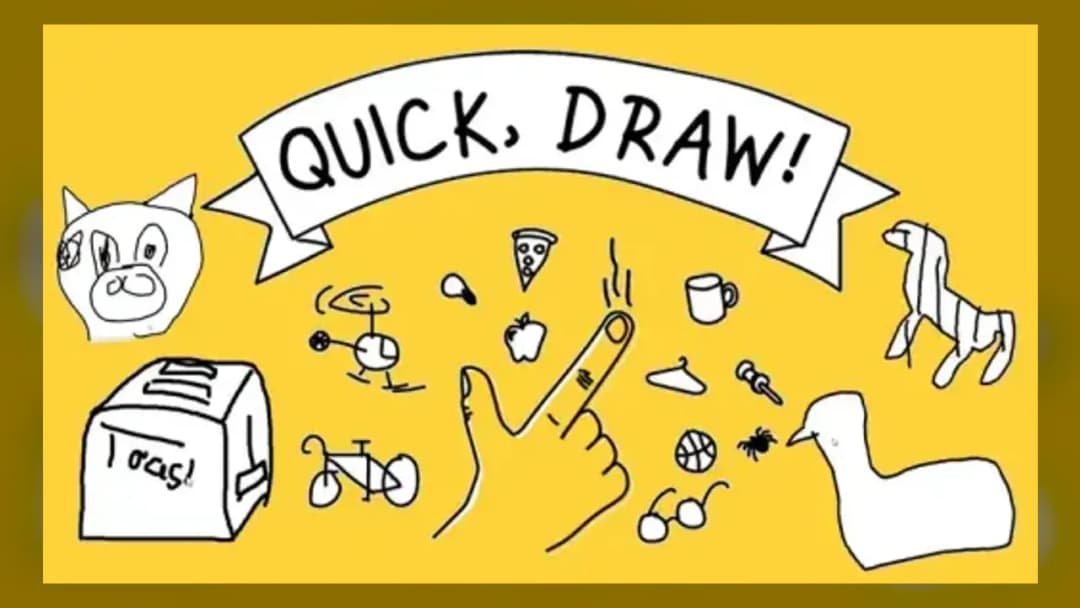
Draw the object described in under 20 seconds and see if the AI recognizes your doodle.
CORE FEATURES
Advertisement
About Quick, Draw!
Sketch fast before Google's neural network guesses your doodle in 20 seconds. Learn tricks to fool the AI and boost your streak. Play Quick, Draw...
What's in this guide

In Quick, Draw! online, you don't just doodle for fun — you race a neural network that tries to identify your sketch in real time, before your 20-second timer runs out. Built by Jonas Jongejan, Henry Rowley, Takashi Kawashima, Jongmin Kim, Nick Fox-Gieg, and the team at Google Creative Lab and Data Arts, this quick draw game turns casual sketching into a live test of machine perception. Every stroke you make feeds a live prediction engine, and watching the AI's guesses shift as you add lines is the entire hook.
The premise is simple but addictive: you're handed a random word, you sketch it on a blank canvas with mouse or touchscreen, and the AI tries to name it before time expires. Get recognized fast and you move to the next prompt; stall too long and the round ends without a match.
Quick Facts About Quick, Draw! Online
| Game | Quick, Draw! |
|---|---|
| Category | casual |
| Publisher | |
| Platform | Browser (Desktop & Mobile) |
| Controls | Mouse (desktop), touchscreen (mobile) |
| Technology | Neural network trained on doodle data |
How the Neural Network Guesses Your Sketch
The quick draw ai isn't scripted — it's trained on a dataset of over 50 million drawings submitted by more than 15 million players worldwide. As you draw, the model continuously compares your evolving lines against patterns it learned from that dataset, calling out its best guesses as they update. This is what separates Quick, Draw! from a static doodle app: the feedback is live and probabilistic, not a simple checklist.
Scoring and the 20-Second Loop
Each of the six rounds gives you a fresh word and a fresh 20-second countdown. There's no traditional score to chase — success is measured by how many of the six prompts the AI correctly identifies. A perfect run means the network named all six sketches before time ran out; near misses and unrecognized doodles get flagged at the end so you can see exactly where the model got confused.
Controls for Playing Quick Draw Online
- Desktop: Click and drag the mouse to draw continuous lines on the canvas.
- Mobile: Use your finger on the touchscreen — the same recognition engine runs identically.
- Skip: Let the timer expire if you can't finish a prompt; the round auto-advances.
Tips for Fooling — and Helping — the AI
- Draw the most recognizable silhouette first — the AI often flags a match within the first few strokes if your outline is iconic.
- Avoid excessive detail — the model favors quick, minimal linework over shaded or highly detailed sketches within the time limit.
- Watch the live label suggestions — if the AI guesses something close, adjust your next stroke to nudge it toward the correct label.
Why the Quick Draw Dataset Matters
Every sketch you submit — correctly guessed or not — contributes to Google's open quick draw dataset, one of the largest doodle datasets ever released for machine learning research. Educators and hobbyist developers use it to study how neural networks generalize simple sketches, making this quick draw game as much a data-collection tool as entertainment.
Is There a Multiplayer Mode?
The official Quick, Draw! experience is strictly single-player versus the AI — there's no built-in mode to play quick draw with friends head-to-head. If you want a live multiplayer drawing-and-guessing format instead, that's a different game genre entirely, closer to party-style Pictionary apps.
More Casual and Reflex Games on ZGames
If you enjoy quick reaction-based challenges, explore these related picks:
- Basketball Orbit — same fast-paced, timer-driven scoring rhythm.
- Outhold — another quick-reflex browser game with instant feedback loops.
- Paper.io 2 — casual browser gameplay with simple controls and quick rounds.
- Geometry Dash Full Version — precision timing under pressure, just like beating the 20-second clock here.
Browse more picks in arcade games or check the new games hub for fresh casual titles. Quick, Draw! online keeps its appeal simple: outsmart a machine that's seen 50 million doodles, one 20-second sketch at a time.
Advertisement
More Games You'll Love
Controls
Frequently asked questions
How do you play Quick, Draw! online?
How does the AI in Quick, Draw! actually work?
Can you play Quick, Draw! online with friends?
Where can I access the Quick, Draw! dataset?
Why does the AI sometimes fail to recognize my drawing?
"Quick, Draw!" and related names may be trademarks of their respective owners. This page is an informational game directory only; ZGames.io is not sponsored by or affiliated with trademark holders unless a specific game page says otherwise.
Gameplay Video: Quick, Draw!
OFFICIAL SOURCES & SITES
Player Reviews
No Reviews Yet
Be the first to share your feedback and rate this game!
Submit Your Review
Keep exploring