Play Deadshot.io Online Free
Play Deadshot.io, a Action game available in your browser. Review the controls, features, and compatibility notes below, then choose Play when you are ready.
Advertisement



















Advertisement
Most Popular This Month
View All results »


































Deadshot.io
TECHNICAL SPECIFICATIONS
OPERATIONAL GUIDE
- 1. Pick a Weapon Class
Choose close, medium, or long-range before you spawn to match the map layout.
- 2. Aim and Shoot
Use your mouse to aim and left-click to fire — target the head for bonus damage.
- 3. Play the Objective
In Point or Domination, hold the zone instead of chasing kills to bank score.
- 4. Rank Up and Unlock
Log into an account to unlock the shop and locker and keep gear permanently.
CORE FEATURES
Advertisement
About Deadshot.io
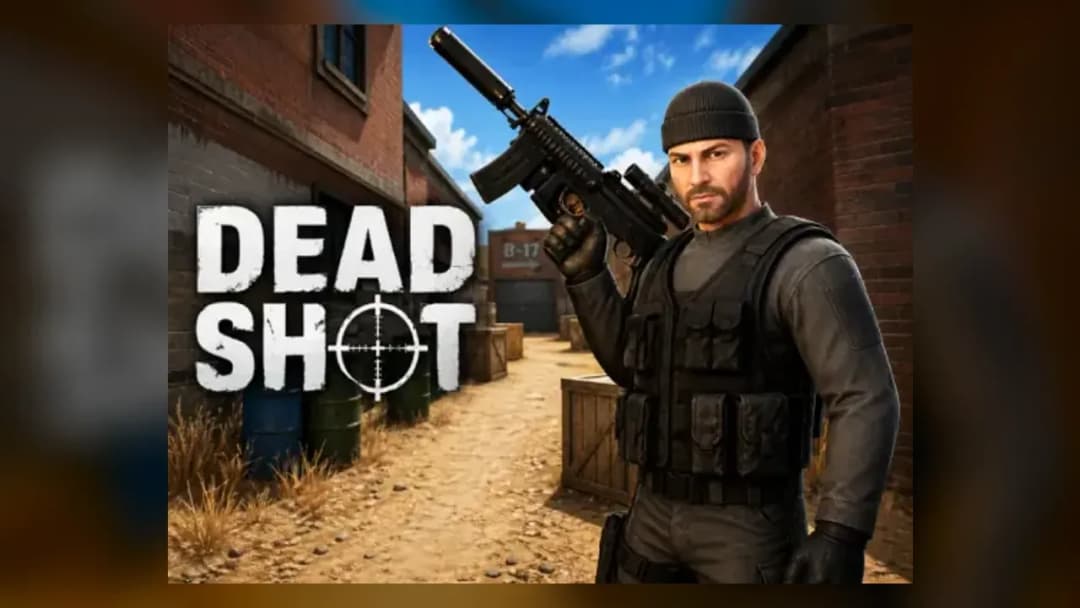
Deadshot.io online is a CS:GO-style browser FPS where you pick close, medium or long-range weapon classes. Rank up to unlock the shop and locker. Play...
What's in this guide

What You Actually Do in Deadshot.io Online
Deadshot.io online drops you into a lobby, hands you a weapon class, and lets you eliminate the enemy team within seconds — no download, no install, no wait. You spawn, aim with your mouse, and left-click to shoot, with headshots dealing extra damage. It's the closest a browser gets to a CS:GO-style match.
Before you spawn you pick a weapon class: close, medium, or long-range. Close-range shreds in tight map corners, medium is the all-rounder, and long-range rewards patient sightlines. That single choice shapes how you play every round.
The official site describes it plainly as a casual, easily accessible first-person shooter — grab friends, join a lobby, and start fighting. This guide covers the controls, every game mode, progression, and mobile support competitor pages gloss over.
| Game | Deadshot.io |
|---|---|
| Category | action |
| Genre | Multiplayer FPS (io game) |
| Platforms | PC, Mobile (Android port), Chromebook |
| Modes | FFA, TDM, Domination, Kill Confirmed, Point/Hardpoint |
| Developer | GoalieSave25 (attributed) |
Deadshot.io Controls: Mouse-Aim and Click-to-Shoot
The deadshot io controls follow standard FPS convention. Aim with your mouse and left-click to fire — headshots deal more damage than body shots, so flick to the head whenever you can. Movement uses the usual keyboard layout, and reviewers describe the aiming as responsive and precise. On the Android port, touch controls replace mouse aim, though some players report controller sensitivity dropping mid-match.
Deadshot Io Game Modes Explained
The deadshot io game modes give each match a different objective:
- FFA (Free-for-All) — everyone is your enemy; highest kill count wins.
- TDM (Team Deathmatch) — two teams race to the highest combined score.
- Domination / Point — capture and hold zones, not just frag; area control decides the round.
- Kill Confirmed (Team KC) — kills only count once you grab the dropped tag.
- Hardpoint — control a rotating point to bank score.
You can spin up a private room, pick the mode, and set a time limit of 5, 10, or 20 minutes for custom matches with friends.
How to Play Deadshot.io and Rank Up
Wondering how to play deadshot.io beyond one match? Playing earns experience and climbs the leaderboard. Logging into an account unlocks the shop and locker, where weapons and cosmetics you buy are stored permanently. Multiple maps rotate through matches to keep engagements fresh, so learning sightlines pays off over time.
Deadshot Io Tips for Winning Duels
These deadshot io tips reward exact inputs over grinding:
- Prioritize headshots — the bonus damage often wins a trade against a full-health enemy.
- Match your weapon class to the map: close-range in corridors, long-range on open maps.
- In Point and Domination, hold the zone instead of chasing kills — objective score outpaces frags.
- In Kill Confirmed, sprint to grab tags before they despawn to deny the enemy the point.
Deadshot Io Mobile and Free Play
Yes — an official deadshot io mobile port exists on Google Play, self-described as "the mobile port of the first-person shooter, Deadshot.io." It's deadshot io free to play there and in the browser. Note one portal claims it can't run on mobile, but that refers to their embed, not the base game.
Games Like Deadshot.io on ZGames
If Deadshot.io gameplay hooks you, these games like deadshot.io keep the reflexes sharp. This is a multiplayer online first person shooter, so try fast arcade and reaction titles too:
- Death Run 3d — twitch-fast reflex dodging that trains the same flick precision.
- Chase Rush — high-speed pursuit runs demanding split-second inputs.
- Cop Simulator — armed action for players who love the shootout side of FPS.
- Tingly Bubble Shooter — a lighter aim-and-fire palate cleanser between matches.
Browse more in action games and popular games.
Whether you queue for a quick FFA or hold a Point zone with friends, Deadshot.io online delivers CS:GO-style shooting straight in your browser. Pick a class, aim for the head, and rank up to fill your locker.
Advertisement
More Games You'll Love
Controls
Frequently asked questions
What are the game modes in Deadshot.io?
How do you unlock the shop and locker in Deadshot.io?
What are the controls for Deadshot.io?
Can you play Deadshot.io on mobile?
Which weapon class should I pick in Deadshot.io?
"Deadshot.io" and related names may be trademarks of their respective owners. This page is an informational game directory only; ZGames.io is not sponsored by or affiliated with trademark holders unless a specific game page says otherwise.
Gameplay Video: Deadshot.io
OFFICIAL SOURCES & SITES
Player Reviews
No Reviews Yet
Be the first to share your feedback and rate this game!
Submit Your Review
Keep exploring