Play Mystic Word Quests Online Free
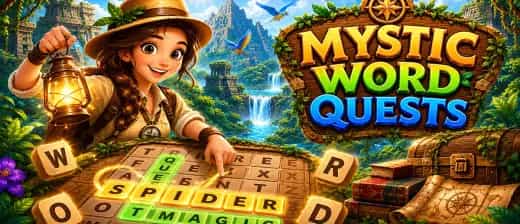
Play Mystic Word Quests, a Casual game available in your browser. Review the controls, features, and compatibility notes below, then choose Play when you are ready.





















Most Popular This Month
View All results »



































Mystic Word Quests
Game Details
How to Play
- 1. Read the goal panel
Check the list of target words before touching the grid so you know exactly what to hunt for.
- 2. Scan by first letter
Pick a word's starting letter and search the grid for it, then check all eight surrounding directions.
- 3. Drag to select
Press and hold the first letter, drag in a straight line across the whole word, and release on the last letter to lock it in.
- 4. Clear the board to advance
Find every listed word to clear the grid and unlock the next, tougher level.
Game Features
About Mystic Word Quests
Drag across the letter grid to snag every hidden word — horizontal, vertical, diagonal, even backward. Clear each board to unlock harder grids. Play...
What's in this guide

What You Do in Mystic Word Quests online
In Mystic Word Quests online, you scan a scrambled letter grid, spot the target words listed in a goal panel, then click-and-drag across the letters to lock each one in. There is no typing and no keyboard combo — every word is captured by dragging your mouse or finger straight across a line of connected letters until the whole board is cleared.
What makes this word search puzzle tricky is direction. Words hide horizontally, vertically, and diagonally, and any of them can run backward. A word you skip because it looks reversed is often the exact answer you need, so training your eye to read both ways is the real skill.
Clear the target list on one grid and you advance. Each new board packs the letters tighter and buries longer words, so the game rewards fast pattern recognition over lucky guessing.
| Game | Mystic Word Quests |
|---|---|
| Category | Word / Puzzle |
| Platform | Browser (HTML5), Desktop, Mobile, Tablet |
| Modes | Single-player, level-based |
| Controls | Mouse drag / touch swipe |
Core Gameplay Loop of Mystic Word Quests
The loop is simple to learn and hard to rush: read the goal panel, hunt the grid, drag to select, repeat until zero words remain. There is no scoring leaderboard or countdown confirmed in the game, so the pressure comes from the grids themselves rather than a timer.
How Words Are Hidden
Every target word sits in a straight line — never bending around corners. The four directions to check are left-to-right, right-to-left, top-to-bottom, and bottom-to-top, plus the diagonals of each. When you find hidden words, the letters highlight and cross off the goal list automatically.
Level Progression
Boards escalate as you clear them. Early grids give short common words in obvious rows; later grids cram in overlapping words, shared letters, and longer entries that force you to trace diagonals carefully. This steady ramp is the whole draw of a good hidden word puzzle.
Mystic Word Quests Controls
The Mystic Word Quests controls are a single input: press and hold on the first letter, drag across the word in a straight line, and release on the last letter. On desktop that is a mouse drag; on mobile it is a finger swipe. That is the complete scheme — mouse interact only, nothing to memorize.
Advanced Tips for This Letter Board Game
- Sweep by first letter: Pick the starting letter of a target word and scan only for that letter across the grid, then check its eight surrounding directions.
- Hunt diagonals last: Rows and columns are easier to spot, so clear those first, then the remaining words are almost always diagonal or reversed.
- Read backward on purpose: If a word won't appear anywhere reading forward, deliberately scan right-to-left and bottom-to-top.
- Chase rare letters: Words containing Q, Z, X or J are fastest to locate because those letters stand out on the board.
How to Play Mystic Word Quests for Beginners
If you're new, start every level by reading the full goal list before touching the grid — knowing what you're hunting for cuts search time in half. This is the fastest way to learn how to play Mystic Word Quests without frustration on the tighter late boards.
Similar Word and Arcade Games on ZGames
- UCN - Ultimate Custom Night — another observation-heavy title that rewards spotting details fast.
- Vex X3M 2 — a reflex-and-pattern challenge with escalating level difficulty.
- Rooftop Run — quick, browser-based single-player fun for short sessions.
- big shot boxing Unblocked — an easy-to-pick-up arcade game for restriction-free play.
Browse more brain-teasers in arcade games or check the popular games hub for the next puzzle to master.
At its heart, playing Mystic Word Quests online is about training your eyes to read a grid in every direction — forward, backward, and diagonal — until no hidden word can escape you. Clear one board and the next dares you to go faster.
More Games You'll Love
Controls
Frequently asked questions
How do you select a word in Mystic Word Quests?
Can words be hidden backward in Mystic Word Quests?
How does the difficulty increase in Mystic Word Quests?
What are the controls for Mystic Word Quests?
What's the fastest way to find every hidden word?
"Mystic Word Quests" and related names may be trademarks of their respective owners. This page is an informational game directory only; ZGames.io is not sponsored by or affiliated with trademark holders unless a specific game page says otherwise.
Gameplay Video: Mystic Word Quests
OFFICIAL SOURCES & SITES
Player Reviews
No Reviews Yet
Be the first to share your feedback and rate this game!
Submit Your Review
Keep exploring