Play Crossy Road Unblocked Online Free

Play Crossy Road Unblocked, a Casual game available in your browser. Review the controls, features, and compatibility notes below, then choose Play when you are ready.

Advertisement
Crossy Road Unblocked

Crossy Road Unblocked

Enjoyed Crossy Road Unblocked? Explore the full Casual Games collection.

Advertisement

  1. Home
  2. Casual
  3. Crossy Road Unblocked

TECHNICAL SPECIFICATIONS

Category
Casual
Developer
Hipster Whale
Released
2014-11-20
Technology
HTML5
Platform
Browser

OPERATIONAL GUIDE

The goal in Crossy Road is to move forward across roads, rivers, train tracks, and open lanes without getting hit, falling in water, or waiting too long. Each forward hop adds to your score, so winning means lasting longer, reading traffic patterns, and making precise moves under pressure.
  1. 1. Read the Lane Pattern

    Watch cars, trains, logs, and moving platforms before you hop. Each lane has a rhythm, and moving only after you identify the gap prevents panic mistakes.

  2. 2. Hop Forward for Score

    Move ahead whenever the route is clear because each forward step increases your score. Sideways movement helps positioning but does not replace forward progress.

  3. 3. Use Logs and Lilypads

    On river sections, land on floating objects and adjust quickly before they carry you off-screen. Treat water lanes as moving platforms, not empty space.

  4. 4. Avoid Stalling

    Do not wait on safe ground for too long. The eagle eventually attacks inactive players, so keep advancing in short, controlled bursts.

  5. 5. Reset After Mistakes

    If you misalign with traffic or water, step sideways to rebuild your route instead of forcing a dangerous forward hop. Survival matters more than speed.

CORE FEATURES

Endless fun with randomized levels
Unique retro pixel art style
Vast collection of characters to unlock
Challenging obstacles like cars and trains
Constantly increasing difficulty and speed

Advertisement

About Crossy Road Unblocked

Play Crossy Road online free with no download. Hop lanes, dodge traffic, ride logs, and chase scores in an unblocked browser game on PC, mobile...

Crossy Road Unblocked Description Image

Crossy Road is an endless arcade crossing game built around one brutally clear rule: move forward without getting crushed, drowned, or caught standing still. This browser edition uses modern HTML5 delivery so players can start instantly on PC, mobile, tablet, and Chromebook through a standard web browser, with no installer, launcher, or plugin layer required.

The core loop looks simple, but its design has sharp technical discipline. The player taps or presses a direction, the character snaps one tile, and the world answers with traffic cycles, train warnings, river platforms, and lane spacing. That fixed-step movement makes Crossy Road readable at high speed while still punishing sloppy timing.

Game NameCrossy RoadCategoryGamesTechnologyHTML5 / Browser NativePlatformsPC, Mobile, Tablet, ChromebookRequires Download?No, Instant Play

What's In This Guide

About Crossy Road

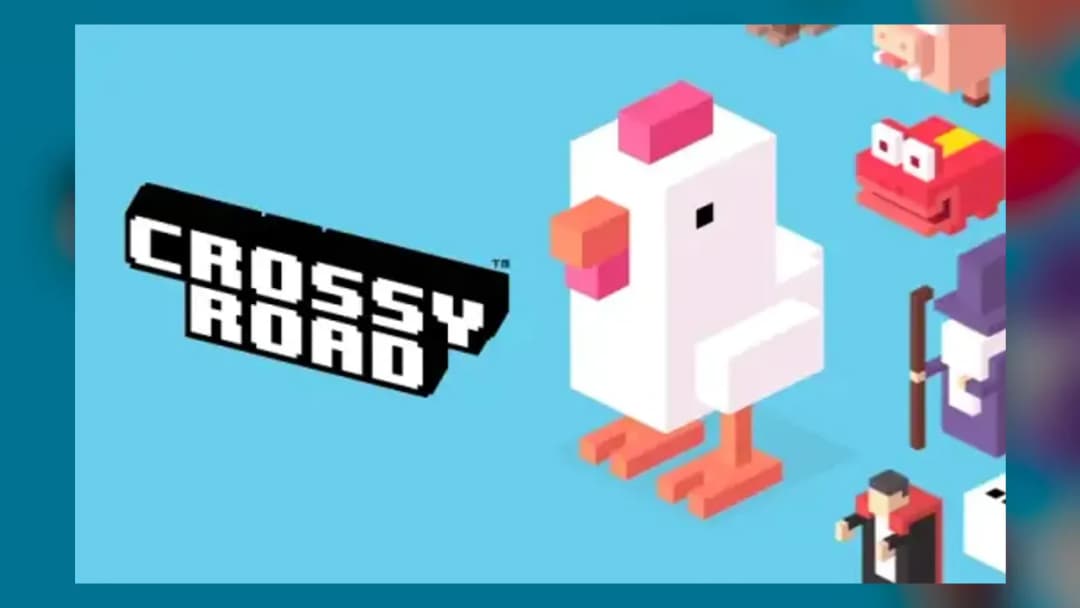
Crossy Road was created by Hipster Whale and became one of the defining mobile arcade games of the 2010s because it rebuilt the old road-crossing formula with cleaner feedback, faster restarts, and collectible characters. It does not lean on long stages or scripted missions. It turns one movement decision into a repeating pressure test.

The game’s philosophy centers on readable danger. Cars move horizontally in predictable streams, trains telegraph their arrival, rivers force platform timing, and the eagle stops players from waiting forever. This pressure creates a strong free-to-play arcade structure: one more hop, one more score, one more mistake you know you could avoid.

In a Crossy Road browser game, HTML5 handles input, rendering, and audio through the browser stack. Lightweight assets and fixed-grid movement help it run smoothly on low-end school laptops and Chromebook devices because the game does not need heavy simulation or large 3D worlds.

  • Engine & Tech: Browser-native rendering keeps the scene simple, readable, and fast, with low input overhead and stable animation timing.
  • Accessibility: The tile-based movement works well on keyboards, trackpads, touchscreens, and compact Chromebook layouts.
  • Updates: Crossy Road has evolved through themed characters, seasonal variants, and version-specific content across platforms.

Complete Crossy Road Controls & Mechanics

Crossy Road feels good because every input produces a clean, discrete hop. On keyboard, arrow keys or WASD move one tile at a time. On mobile, swipes or taps translate into directional steps. The character does not drift like a racing game; it commits to a tile, which makes the danger feel fair.

Collision detection favors clear boundaries. A vehicle hit ends the run immediately, water punishes missed platforms, and train tracks demand respect once warning signals appear. The best players read lanes before moving, then chain inputs only when the path stays mathematically safe.

Momentum is psychological rather than physical. The character stops after each hop, but the screen, eagle timer, and moving hazards force tempo. That creates a strong arcade rhythm: pause for half a beat, hop twice, adjust sideways, then push forward before the safe tile becomes a trap.

  1. Movement: Use WASD or arrow keys on desktop; swipe or tap on mobile. Forward movement increases score, while side movement corrects alignment.
  2. Action: There is no attack button. Your hands manage timing, lane choice, river positioning, and emergency sidesteps.
  3. Mechanics: Traffic cycles, log speed, train warnings, and the eagle timer create the real difficulty curve.

Advanced Crossy Road Strategies & Tips

High-score play starts before you move. Scan at least two lanes ahead and identify the slowest hazard, not the closest one. A safe opening on the first road means nothing if the next lane places a truck directly into your landing tile.

Veteran players route diagonally without wasting score potential. Step sideways only to set up a forward chain, not to wander. The best rhythm usually comes from controlled bursts: two or three forward hops, one correction, then another burst when traffic alignment opens.

Rivers require stricter planning than roads because the platform carries you after landing. If a log moves toward the screen edge, treat it as a countdown. Do not chase a bad platform; wait for a better one or move sideways to reset your angle.

  • Perfect Your Timing: Move the moment a vehicle’s rear clears your landing tile, not when the whole lane looks empty.
  • Manage Resources/Speed: Your only resource is safe space. Spend it by waiting briefly, but never long enough to invite the eagle.
  • Avoid Common Mistakes: Do not stand on train tracks after the warning. Do not jump into rivers without checking the next platform.
  • Optimize Runs: Favor central positioning because it gives more sideways recovery options when lane generation gets ugly.

How to Play Unblocked at School

Crossy Road unblocked means the game can be accessed through a browser page without installing executable software. Schools often restrict downloads, Flash plugins, and unknown programs, but modern HTML5 games run inside the browser sandbox. That difference matters: the browser loads assets, processes input, and keeps the game in memory during play.

A Crossy Road HTML5 game is also Chromebook compatible because Chrome OS already includes the browser technology needed for instant play. No download means fewer permission problems, faster loading, and safer access on managed devices. Network policies still vary, but browser-native arcade games fit the way school hardware actually works.

  • What is Unblocked: It usually refers to browser access that avoids blocked installers, plugins, or restricted app stores.
  • Chromebook Support: The game runs locally in RAM through the browser after loading, making it practical for classroom laptops during allowed breaks.
  • Browser Native: No executables are required, which reduces friction and keeps the experience simple.

Platforms & Versions

Crossy Road is strongly associated with mobile gaming, but its mechanics translate cleanly to desktop browsers. Keyboard controls give precise directional input, while touch controls feel natural because each swipe maps to one hop. The browser version offers the fastest route for players who want Crossy Road free with instant access.

Compared with app versions, the browser experience focuses on convenience. You can play Crossy Road online on PC, tablet, mobile, or Chromebook without storage concerns. It is not an online multiplayer game in the competitive sense; the appeal comes from solo score chasing and comparing results with friends.

  • Browser Version: Best for instant play, school devices, shared computers, and quick sessions.
  • Mobile Experience: Touch input makes forward hops and sideways corrections fast, direct, and easy to learn.

Known Glitches & Quirks

Because Crossy Road depends on tile alignment and moving hazard layers, occasional visual quirks can happen when a character appears close to a vehicle edge or platform boundary. Good versions keep collision logic consistent even when sprites overlap visually for a split second.

The most important quirk is strategic rather than broken: sideways recovery can save a doomed run if used early. Players sometimes call this an exploit, but it is really the game’s grid system rewarding fast correction. Late inputs still lose because the landing tile matters more than intention.

  • Physics Quirks: A character may look barely clipped by a car, but the collision is decided by the active tile and hazard overlap.
  • Visual Desync: Fast objects can create tiny perception gaps, especially on low-refresh displays or busy browser tabs.

Top Alternatives & Competitors

Crossy Road competes with endless runners and reaction arcade games, but it has a distinct pace. Subway Surfers pushes continuous forward motion and lane switching. Temple Run 2 adds turning, jumping, and sliding. Crossy Road strips all of that into one-tile decisions with harsher consequences.

Compared with precision platformers like Geometry Dash, Crossy Road gives players more micro-pauses and route choices. Compared with Slope, it has less physics momentum but more pattern reading. Its difficulty curve rises through density and timing, not speed alone.

  • Subway Surfers: Faster and more cinematic, but less tactical because the runner never fully stops.
  • Frogger-style games: Similar crossing DNA, but Crossy Road modernizes it with collectibles, faster restarts, and mobile-first controls.

Similar Games on ZGames

If you enjoy Crossy Road, you may also like these games:

Conclusion

Crossy Road works because it respects the player’s hands. Every hop is readable, every failure has a clear cause, and every restart arrives fast enough to turn frustration into another attempt. That is why the game remains one of the cleanest examples of arcade design in browser form.

Play Crossy Road directly in your browser if you want a free-to-play, no download, Chromebook compatible arcade game built for quick decisions and high-score pressure. The rules are simple. The timing is not.

Advertisement

More Games You'll Love

Controls

Use WASD or arrow keys to move one tile at a time on desktop. On mobile, swipe or tap in the direction you want your character to hop.

Frequently asked questions

How many levels does Crossy Road have?
Crossy Road does not use traditional numbered levels. It uses an endless lane-generation system where roads, rivers, train tracks, grass, and hazards appear in new sequences as you advance. Your objective is to survive as long as possible, push your score higher, and react to faster, denser obstacle patterns.
What is the highest score possible in Crossy Road?
Crossy Road has no confirmed universal maximum score because the game is built around endless progression and survival. Practical scores depend on player timing, lane generation, character visibility, and device performance. Elite runs focus on safe forward movement, minimal sideways corrections, and avoiding hesitation that triggers the eagle.
How do you unlock new characters in Crossy Road?
In standard Crossy Road, characters are usually unlocked through coins, prize-machine rolls, gifts, special conditions, or themed updates, depending on the version. Some rare characters require hidden actions, such as using a specific mascot or triggering a special event during play, rather than simply reaching a score milestone.
Why does the eagle catch you in Crossy Road?
The eagle appears when you wait too long without moving forward. Crossy Road punishes stalling because the design wants constant pressure, not camping on safe tiles. To avoid the eagle, keep advancing whenever a clear gap opens, even if you need a small sideways adjustment first.

"Crossy Road Unblocked" and related names may be trademarks of their respective owners. This page is an informational game directory only; ZGames.io is not sponsored by or affiliated with trademark holders unless a specific game page says otherwise.

Gameplay Video: Crossy Road Unblocked

Player Reviews

No player reviews yet

No Reviews Yet

Be the first to share your feedback and rate this game!

Submit Your Review

Excellent

Keep exploring

More Casual Games

View all Casual Games »