Play Downtown Parkour Drive Online Free
Play Downtown Parkour Drive, a Driving game available in your browser. Review the controls, features, and compatibility notes below, then choose Play when you are ready.
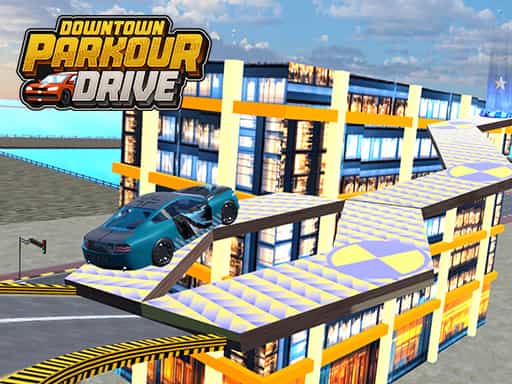
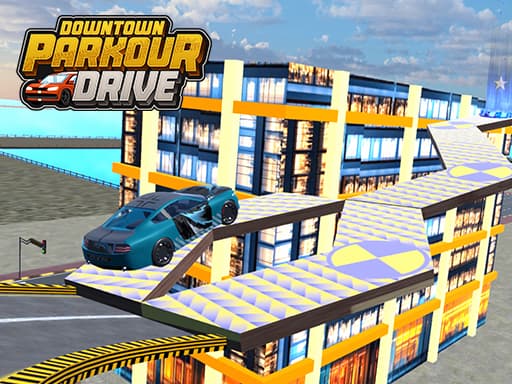
Downtown Parkour Drive









Most Popular This Month
View All results »






























Game Details
How to Play
- 1. Build speed for a ramp
Press W or the Up arrow in short bursts to accelerate straight toward the ramp lip without overshooting.
- 2. Control your landing
Tap S mid-air to pitch the nose forward so the car lands flat on the next platform instead of nose-diving.
- 3. Reach the checkpoint
Steer with A and D to thread tight ledges and finish the course at the checkpoint to complete the level.
- 4. Reset after a fall
Hit the Reset button if you fall or get stuck to respawn safely instead of restarting the whole stage.
Game Features
About Downtown Parkour Drive
Downtown Parkour Drive sends a sports car over ramps and rooftop platforms in a city stunt arena. Nail checkpoints across 30 precision levels and unlock...
What's in this guide
Downtown Parkour Drive online puts you behind the wheel of a sports car that treats a whole city block like a stunt playground — you launch off ramps, land on narrow rooftop platforms, and thread the car through gaps where one twitch of the steering sends you tumbling. The first thing you actually do is drive toward a checkpoint while the layout forces you to time jumps instead of just flooring the gas.
This is a stunt driving game built around precision rather than raw speed. Every stage is a short, hand-built obstacle course of ramps and platforms, and the goal is to reach each checkpoint and finish the course without falling off the track.
It runs in HTML5, so you can play Downtown Parkour Drive free online straight in a browser tab with no download.
| Game | Downtown Parkour Drive |
|---|---|
| Category | driving |
| Levels | 30 |
| Platform | HTML5 browser |
| Modes | Single-player |
| Controls | WASD / Arrow keys + Reset |
How the Downtown Parkour Drive 30 levels work
The core loop across all Downtown Parkour Drive 30 levels is simple to describe and hard to master: spawn, build enough speed to clear a ramp, land cleanly on the next platform, and repeat until you hit the checkpoint that completes the stage. Early levels use gentle jumps; later ones chain ramps, tight ledges, and precision-based obstacles where you must feather the throttle mid-air to control your landing angle. Completing tough parkour sequences and perfect jumps earns bonus points, and clearing stages works toward unlocking additional cars.
Downtown Parkour Drive controls and the reset trick
The Downtown Parkour Drive controls are keyboard-based and consistent across mirrors:
| Action | Key |
|---|---|
| Accelerate | W / Up Arrow |
| Brake / Reverse | S / Down Arrow |
| Steer Left | A / Left Arrow |
| Steer Right | D / Right Arrow |
| Reset car | Reset button |
The Reset is the detail most pages skip: if you overshoot a ramp or fall off the track, use Reset to respawn at the last safe point instead of restarting the whole level. It makes this parkour driving game far less punishing than it looks.
Advanced tips for clearing precision jumps
- Tap, don't hold, W near ledges — short acceleration bursts keep your nose level so you land flat on platforms.
- Brake in mid-air — tapping S while airborne pitches the car forward, saving a jump that would otherwise nose-dive short.
- Approach ramps dead straight — any angle on takeoff is magnified mid-flight, so line up before you hit the lip.
- Use Reset early — the moment a landing goes wrong, reset rather than fighting a tumble; it costs less time than recovering.
Playing Downtown Parkour Drive unblocked on Chromebook and mobile
Because it's HTML5, Downtown Parkour Drive unblocked loads in the same browser you already use, which is why it plays on a school Downtown Parkour Drive chromebook setup with no install. Mobile playability is less certain — some portals tag it as mobile-ready while others report touch controls don't map well, so the keyboard experience on desktop is the reliable one. For more of the same genre, browse our parkour games and driving games hubs, or check new games and popular games.
Similar stunt and driving games on ZGames
- Zombie Derby: Blocky Roads — ramp-launching car stunts with a crash-and-survive twist.
- Subway Moto — high-speed urban riding that rewards the same precise timing.
- Traffic Rider — first-person speed runs through city streets.
- Snow Rider 3D Nostalgia — checkpoint-chasing obstacle dodging on slopes.
Learning to read each ramp before you commit is what turns Downtown Parkour Drive from a frustrating fall-fest into a satisfying flow of clean landings — and once the city block stops feeling like a wall and starts feeling like a playground, all 30 levels open up.
More Games You'll Love
Controls
Frequently asked questions
How do you control the car in Downtown Parkour Drive?
How many levels does Downtown Parkour Drive have?
What do you do if you get stuck or fall off the track?
Can you play Downtown Parkour Drive unblocked on a Chromebook at school?
How do you unlock cars in Downtown Parkour Drive?
"Downtown Parkour Drive" and related names may be trademarks of their respective owners. This page is an informational game directory only; ZGames.io is not sponsored by or affiliated with trademark holders unless a specific game page says otherwise.
Gameplay Video: Downtown Parkour Drive
OFFICIAL SOURCES & SITES
Player Reviews
No Reviews Yet
Be the first to share your feedback and rate this game!
Submit Your Review
Keep exploring