Play Geometry Dash Unblocked Online Free
Play Geometry Dash Unblocked, a Rhythm Games game available in your browser. Review the controls, features, and compatibility notes below, then choose Play when you are ready.


Geometry Dash Unblocked
















Most Popular This Month
View All results »



























- Home
- Rhythm Games
- Geometry Dash Unblocked

Geometry Dash Unblocked
Game Details
How to Play
- 1. Open the game in your browser
Visit the game page in any web browser, since the game runs there with nothing to install.
- 2. Start the first level
Click start and the cube begins moving forward through the level on its own.
- 3. Jump over hazards
Press the space bar or click the mouse at the right moment to clear spikes and gaps.
- 4. Reach the end of the level
Keep timing your jumps through the level; hitting a hazard ends the attempt and you start again.
Game Features
About Geometry Dash Unblocked
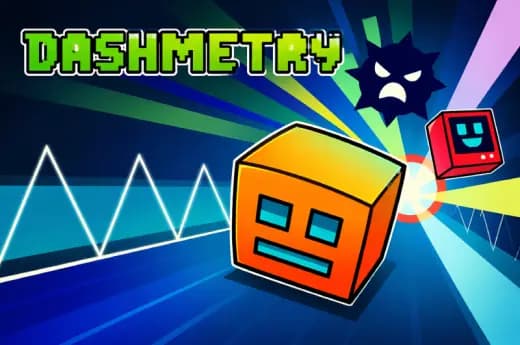
Geometry Dash Unblocked puts you on a beat-synced run: jump spikes and hazards with space or a mouse click to clear each level. Play it free in your browser.
What's in this guide

What You Do in Geometry Dash Unblocked
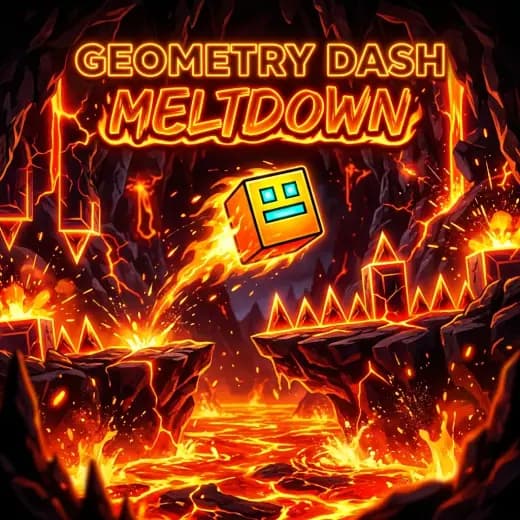
Geometry Dash Unblocked is a rhythm platformer that you play directly in a web browser. You guide a cube through a level filled with spikes and gaps, and your job is to jump over each hazard and reach the end. The music and the obstacles are built around the same beat, so listening to the soundtrack is one of the best ways to know when a jump is coming. Each attempt is short, so a failed run is quick to restart.
The core loop is simple: watch the section ahead, time a jump, land safely, and move on. Early sections teach you the rhythm of a level, and harder ones ask for quicker reactions and more precise timing. If you want the standard version of the game, you can also try Geometry Dash Online. You can browse similar titles in the Rhythm Games category.
How to Play Geometry Dash Unblocked
- Open the game in any web browser. Nothing needs to be installed, so you can start from a school or work Chromebook as easily as from a home computer.
- Click start. The cube then moves forward through the level on its own, so your only job is deciding when it jumps.
- Watch the spikes and gaps ahead and press the space bar or click the mouse at the right moment. A good jump carries the cube over the hazard and back onto solid ground.
- Keep going until you reach the end of the level. If the cube touches a hazard, the attempt ends and you start again. Attempts are tracked for each level, so you can see how far you got.
A level is won by reaching its end. There is no separate score to chase in the basic loop, so your progress is measured by how far through each level you get and how many clean runs you complete.
Geometry Dash Unblocked Controls
| Action | Keys |
|---|---|
| Jump | Space bar |
| Jump | Mouse click |
| Pause | Esc |
Both jump inputs do exactly the same thing, so the game uses one action for every jump. Pick the space bar or the mouse and stick with it, because switching between them can make your timing less consistent.
What Changes Between Sessions
Each session is a run through the levels, and the challenge rises as you move into harder sections. The obstacles and the music together define how each level feels, so learning a level's rhythm is the main way you improve.
Across the wider Geometry Dash series, the cube is not the only form you can control. Other forms described for the series include a rocket ship that you hold to thrust, a gravity ball that flips gravity, a UFO that responds to mid-air taps, a wave that flies on diagonals, and robot and spider forms. Player appearance can also be customised, and death effects and trails are part of the presentation. Progress is saved in the browser, so your place is kept between visits on the same browser. If you enjoy the wave form, you can also try Geometry Dash Tidal Wave.
Tips and Strategy for Geometry Dash Unblocked
- Start with the early levels and focus on the rhythm. Once you can hear when each obstacle is coming, your jumps become more reliable.
- Listen to the music before the hard sections. The beat tells you when spikes and gaps arrive, so you can start your jump before the hazard is fully on screen.
- Jump as soon as you spot a hazard. Waiting until the last moment leaves too little room to clear it, and a late press is one of the most common causes of a failed attempt.
- Keep your eyes on the cube and the ground ahead rather than on the edges of the screen, so you can react in time to each new obstacle.
- Use the same input every time. Choosing either the space bar or the mouse and sticking with it helps your timing become consistent.
- After a failed attempt, replay the section that stopped you instead of starting the whole level from the beginning. Repeating one difficult part builds timing faster than running the same easy opening again and again.
- Pause with Esc when you need a break or want to reset your focus, rather than rushing back into a difficult section while frustrated.
More Games You'll Love
Controls
Frequently asked questions
Can I play Geometry Dash Unblocked on mobile?
Do I need to download anything?
What makes Geometry Dash Unblocked fun?
"Geometry Dash Unblocked" and related names may be trademarks of their respective owners. This page is an informational game directory only; ZGames.io is not sponsored by or affiliated with trademark holders unless a specific game page says otherwise.
Gameplay Video: Geometry Dash Unblocked
OFFICIAL SOURCES & SITES
Player Reviews
No Reviews Yet
Be the first to share your feedback and rate this game!
Submit Your Review
Keep exploring