Play Geometry Arrow Online Free
Play Geometry Arrow, a Arcade game available in your browser. Review the controls, features, and compatibility notes below, then choose Play when you are ready.
Advertisement

















Advertisement
Most Popular This Month
View All results »




































Geometry Arrow
TECHNICAL SPECIFICATIONS
OPERATIONAL GUIDE
CORE FEATURES
Advertisement
About Geometry Arrow
Play Geometry Arrow online free with no download. Guide the arrow through sharp rhythm lanes in this unblocked browser reflex game on any device fast.
What's in this guide
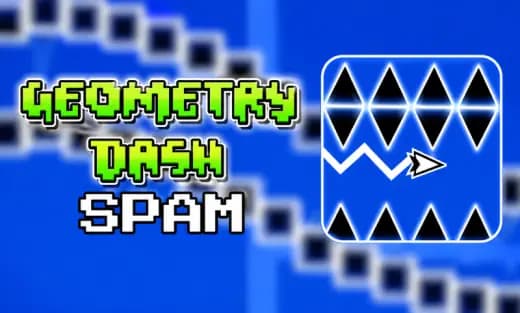
Geometry Arrow is a browser-native precision arcade game built around one of the cleanest ideas in modern HTML5 game design: hold to rise, release to fall, and survive a hostile corridor of angles. The player controls a sharp arrow-shaped icon through geometric lanes filled with spikes, walls, and sudden gaps. It runs as an instant play browser game, so the important action happens inside the page rather than through an installer, launcher, or separate executable.
The game fits the rhythm-skill lineage made popular by wave and geometry runners, but it strips the format down to hand timing. On PC, mobile, tablet, and Chromebook, the loop stays the same: press, release, correct, and repeat. The best runs feel almost musical because each input changes the arrow’s trajectory immediately. Geometry Arrow free play works especially well in short sessions because failure restarts quickly and every crash teaches a visible timing error.
Game NameGeometry ArrowCategoryGamesTechnologyHTML5 / Browser NativePlatformsPC, Mobile, Tablet, ChromebookRequires Download?No, Instant PlayWhat's In This Guide
- About Geometry Arrow
- Complete Controls & Mechanics
- Geometry Arrow Advanced Strategies & Tips
- How to Play Unblocked at School
- Known Glitches & Quirks
- Top Alternatives & Competitors
About Geometry Arrow
Geometry Arrow belongs to the modern wave-control arcade format: a minimalist skill game where readable shapes matter more than decorative clutter. The design philosophy favors immediate feedback. If the arrow hits a spike, the player knows why. If the arrow clears a tunnel, the player feels the exact input rhythm that made it happen. That clarity gives the game its replay value.
The physics model usually uses a fixed upward force while the input is held and a downward trajectory when it is released. This creates a sawtooth movement pattern. The corridor design then tests how well the player can regulate that pattern under pressure. Narrow channels demand micro-taps. Tall chambers allow longer holds. Sudden spike teeth punish panic corrections.
As an HTML5 game, Geometry Arrow can run inside modern browsers using canvas-based rendering and lightweight asset loading. That makes it well suited for Geometry Arrow mobile sessions and for players who want to play Geometry Arrow on Chromebook without heavy system requirements. The game does not need online multiplayer to work; its competition comes from beating your own attempts.
- Engine & Tech: Browser-native rendering keeps the arrow, spikes, and collision zones responsive at typical display refresh rates when the device is stable.
- Accessibility: Simple one-button input lowers the control barrier, while the difficulty comes from timing accuracy rather than complex key combinations.
- Updates: Public build history varies by host, so level changes, polish passes, or seasonal revisions should be treated as version-specific.
Complete Controls & Mechanics
The control scheme makes Geometry Arrow no download gameplay easy to understand and hard to master. On desktop, the player can usually use the mouse button, Space, or an arrow key to climb. On touch screens, pressing the display performs the same function. Releasing the input drops the arrow, so every movement becomes a decision about angle, duration, and recovery space.
The game feels sharp because it does not rely on slow acceleration. A brief input can change the flight path enough to clear a spike, while a fraction too long can slam the arrow into the ceiling. Collision detection focuses on walls, spike tips, and tight corridor boundaries. Good players avoid edges because apparent visual space can disappear quickly at high speed.
Momentum in Geometry Arrow is not realistic airplane physics. It is arcade physics tuned for readable rhythm. The arrow travels forward automatically while the player regulates vertical direction. That forward pressure matters because waiting is never an option. The screen keeps demanding the next input, and the safest path often runs through the center of a lane.
- Movement: Hold to climb and release to descend. Keyboard, mouse, and touch inputs all serve the same purpose, which keeps platform switching simple.
- Action: There is no attack button or inventory. The action is the steering rhythm itself, especially in spike tunnels and narrow diagonals.
- Mechanics: Gravity-style descent, instant upward correction, and unforgiving collision zones create the core challenge.
Geometry Arrow Advanced Strategies & Tips
Strong Geometry Arrow players do not mash. They pulse. The most reliable technique uses short, controlled presses that keep the arrow near the middle of the corridor. Long holds look useful in open space, but they create steep angles that become hard to correct when the next wall appears. The best route is usually boring, centered, and repeatable.
Memorization also matters. Geometry Arrow browser game levels often place hazards in rhythmic clusters: climb, release, tap, tap, hold, drop. Once you identify a cluster, treat it like a beat pattern rather than a visual surprise. This reduces reaction time because your hand already knows the next input length before the arrow reaches the obstacle.
For high-score routing or low-attempt clears, the key skill is recovery. After a near miss, do not oversteer to celebrate the save. Return to small corrections immediately. Many failed runs happen after the dangerous obstacle, not during it, because the player exits the hazard with a bad angle.
- Perfect Your Timing: Tap earlier than feels comfortable in narrow climbs; late inputs force steep recoveries.
- Manage Resources/Speed: Your only resource is vertical room. Spend it carefully by staying centered before rapid spike patterns.
- Avoid Common Mistakes: Do not hug the ceiling after a long climb. Release early and flatten the path before the next tunnel.
- Optimize Runs: Learn each level in chunks, then connect those chunks once the input rhythm feels automatic.
How to Play Unblocked at School
Geometry Arrow unblocked access depends on the network and device rules in place, but HTML5 games have a practical advantage over older Flash games and downloadable executables. Flash required a plugin, and executables require installation permissions. Modern browser games load assets through standard web pages and run inside the browser sandbox, which makes them easier to launch on managed devices when the site is allowed.
On ZGames.io, play Geometry Arrow online through the game page and avoid unknown mirrors. A clean browser page reduces setup friction and keeps the experience consistent across Chrome, Edge, Safari, and mobile browsers. If a school or workplace blocks gaming websites, respect local rules; the technical benefit is instant play, not rule-breaking.
- Chromebook Support: Fully compatible with many school-style devices because the Geometry Arrow HTML5 game runs in the browser and uses lightweight input.
- Browser Native: No executables are required, which avoids installer prompts and keeps the game simple to open.
Known Glitches & Quirks
Like many fast HTML5 arcade games, Geometry Arrow can show small differences between what the eye expects and what the collision system registers. The arrow may appear to clear a spike by a pixel, yet still crash because the active collision boundary touches the hazard. This is not unusual in precision browser games where frame timing and hitbox shape matter.
Performance quirks can also affect feel. If a device drops frames, the arrow may seem heavier or less responsive for a moment. Closing extra tabs, disabling battery saver, or using a stable browser can improve input consistency. Speedrunners and perfection-focused players often treat these quirks as part of learning the safest line.
- Physics Quirks: Very shallow taps can create tiny angle changes that help in cramped tunnels.
- Visual Desync: Rare frame stutter may make a crash look late, especially on low-power devices.
Top Alternatives & Competitors
Geometry Arrow competes most directly with rhythm platformers and endless reflex games. Compared with cube-jump games, it demands continuous steering instead of single jump timing. Compared with runner games, it removes lane switching and focuses on one clean axis of control. That narrower design makes every mistake feel personal.
Players who enjoy fast restarts, hard obstacle reading, and free-to-play mobile gaming will find strong overlap with other skill games on ZGames. The difference is texture: Geometry Arrow feels like drawing a jagged line through danger, while runners feel like reacting to objects that enter lanes.
- Geometry Dash: Similar visual language and rhythm pressure, but cube movement emphasizes jumps, portals, and level choreography.
- Slope: Similar reflex intensity, but its rolling physics use momentum, steering drift, and 3D track reading.
Similar Games on ZGames
If you enjoy Geometry Arrow, you may also like these games:
Conclusion
Geometry Arrow works because it respects the player’s hands. One input controls the entire run, yet that input carries enough nuance for practice, pattern memory, and clean execution. The game suits quick breaks, Chromebook compatible play, and focused skill grinding without installation.
Play Geometry Arrow online free on ZGames.io when you want a no download browser game built around pure timing. Hold, release, correct the line, and try again until the corridor finally gives way.
Advertisement
More Games You'll Love
Controls
Frequently asked questions
How many levels does Geometry Arrow have?
What is the best timing technique for tight zigzag sections in Geometry Arrow?
How is Geometry Arrow different from cube-based geometry games?
Why does my arrow crash when it looks like it cleared the obstacle?
"Geometry Arrow" and related names may be trademarks of their respective owners. This page is an informational game directory only; ZGames.io is not sponsored by or affiliated with trademark holders unless a specific game page says otherwise.
OFFICIAL SOURCES & SITES
Player Reviews
No Reviews Yet
Be the first to share your feedback and rate this game!
Submit Your Review
Keep exploring