Play Head Soccer 2026 Online Free
Play Head Soccer 2026, a Sports game available in your browser. Review the controls, features, and compatibility notes below, then choose Play when you are ready.







Most Popular This Month
View All results »
























Related Tags

Head Soccer 2026
Game Details
How to Play
- 1. Choose your player
Pick your character before the match begins.
- 2. Start the match
Begin the match against your opponent and get ready to move onto the pitch.
- 3. Move and reach the ball
Use the keyboard to move your player into position behind the ball.
- 4. Kick toward the goal
Kick the ball toward the opponent's goal while defending your own net.
Game Features
About Head Soccer 2026
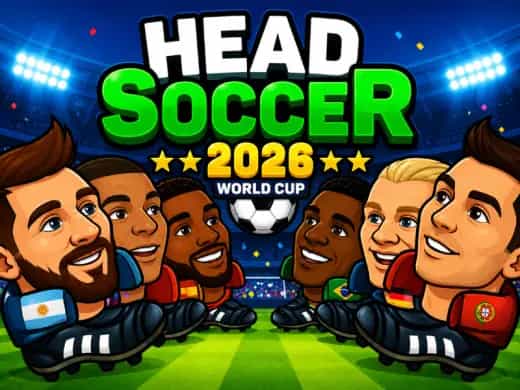
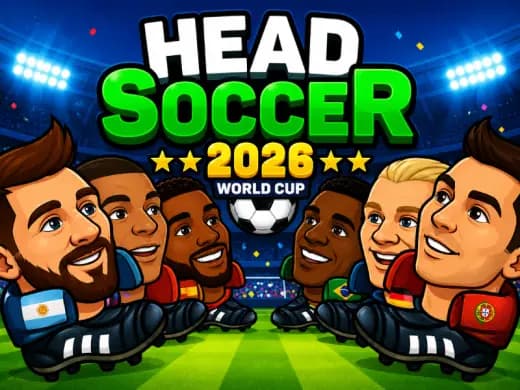
Head Soccer 2026 is a soccer game where you pick a player, move with the keyboard and kick the ball into your opponent's goal. Play it free in your browser.
What's in this guide
What you do in Head Soccer 2026
Head Soccer 2026 is a browser soccer game in which you choose a player and start a match against an opponent. The objective is to kick the ball into the opponent's goal and score more goals than they do, while keeping your own net protected. Each round follows the same loop: move across the pitch, get to the ball, kick it toward the opponent's goal, and watch for the moment the opponent tries to do the same to you.
The game is built with HTML5 and runs in the browser, so you can start a match straight from the page. It is tagged for multiplayer soccer, which means matches are designed around playing against an opponent, and a match is the basic unit of play. Because each match is a single contest, your attention stays on the ball, your position and your opponent for the whole round.
How to Play Head Soccer 2026
- Open the game in your browser and choose your player before the match begins.
- Start the match and wait for play to begin on the pitch.
- Use the keyboard to move your player toward the ball and get into position behind it.
- Kick the ball toward the opponent's goal, and keep an eye on where the ball is heading so you can defend your own net.
- Keep playing until the match ends, then compare the goals each side has scored to see who won.
Scoring is the only way to change the result. Each goal you put into the opponent's net adds to your total, and the player with more goals when the match ends wins. Since the objective is simple, most of your learning comes from timing your kicks and recovering the ball after an opponent's attack.
Head Soccer 2026 Controls
The game uses keyboard controls: you move your player across the pitch with the keyboard and kick the ball toward the opponent's goal with the keyboard as well. The key layout is not listed in the game details, so check the on-screen controls before your first match and confirm which keys move your player and which keys kick, since the same key may not be used the same way in every version.
What changes between matches
Each match starts with you choosing your player, so your character choice is the main setting you make before every round. The core play stays the same from one match to the next: move, reach the ball, kick it toward the goal and defend your own net. Your results depend on how well you control your player and handle the ball during play, rather than on separate levels or stages.
Tips and strategy for Head Soccer 2026
- Spend your first match learning how your character moves before you try to make big kicks. Movement is the foundation for everything else in the game.
- Get into position behind the ball before you kick. A kick from a poor angle is easy for the opponent to block or win back.
- Think about direction. A kick aimed at the opponent's goal can score, while a loose kick gives the opponent a chance to counterattack.
- When the opponent has the ball, move back toward your own goal instead of chasing it into a bad position. Defending your net keeps the match close.
- Watch the opponent's movement and time your own moves for the moment they are about to kick, so you can close the gap in time.
- If two people share one keyboard, agree on which keys each person will use before the match starts, so you do not fight over the controls during play.
- After a goal, reset your position quickly. The next kick often comes from the spot where you recover the ball, not from the spot where you scored.
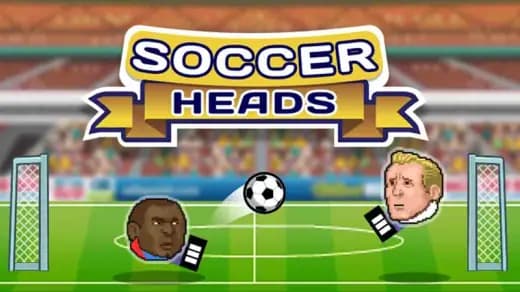
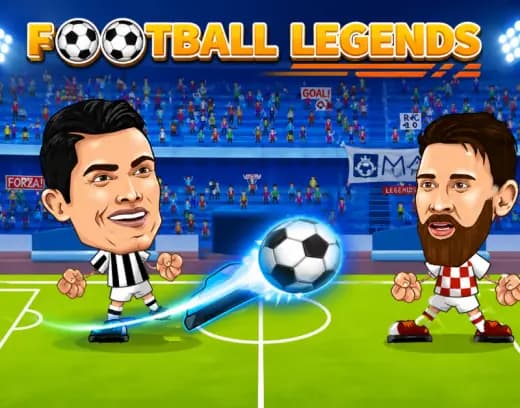
If you enjoy quick, head-to-head soccer, you might also like Football Legends or Football Bros, or browse more sports games and multiplayer games.
More Games You'll Love
Controls
Frequently asked questions
How do I score in Head Soccer 2026?
"Head Soccer 2026" and related names may be trademarks of their respective owners. This page is an informational game directory only; ZGames.io is not sponsored by or affiliated with trademark holders unless a specific game page says otherwise.
Gameplay Video: Head Soccer 2026
OFFICIAL SOURCES & SITES
Player Reviews
No Reviews Yet
Be the first to share your feedback and rate this game!
Submit Your Review
Keep exploring