Play Idol Livestream: Fashion Game Online Free
Play Idol Livestream: Fashion Game, a Girls game available in your browser. Review the controls, features, and compatibility notes below, then choose Play when you are ready.

Idol Livestream: Fashion Game
















Most Popular This Month
View All results »


































Related Tags
Idol Livestream: Fashion Game
Game Details
How to Play
- 1. Start your first styling challenge
Click the game link, wait for it to load, and follow the guided first styling challenge.
- 2. Read the event
Look at the event for the round and decide what kind of look it calls for.
- 3. Style your character
Choose outfits, hairstyles, accessories and makeup with the left mouse button.
- 4. Show the look on the livestream
Present your finished character on the livestream and watch for likes from the audience.
Game Features
About Idol Livestream: Fashion Game
Idol Livestream: Fashion Game lets you dress a character for each event, then go live. Unique looks earn likes and stars that unlock clothes. Play free now.
What's in this guide
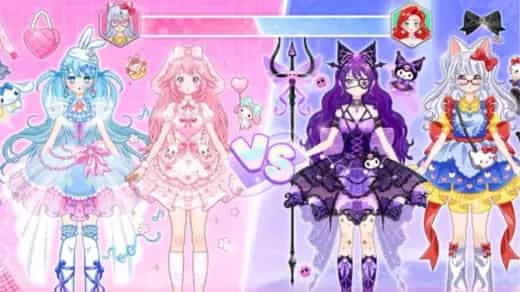
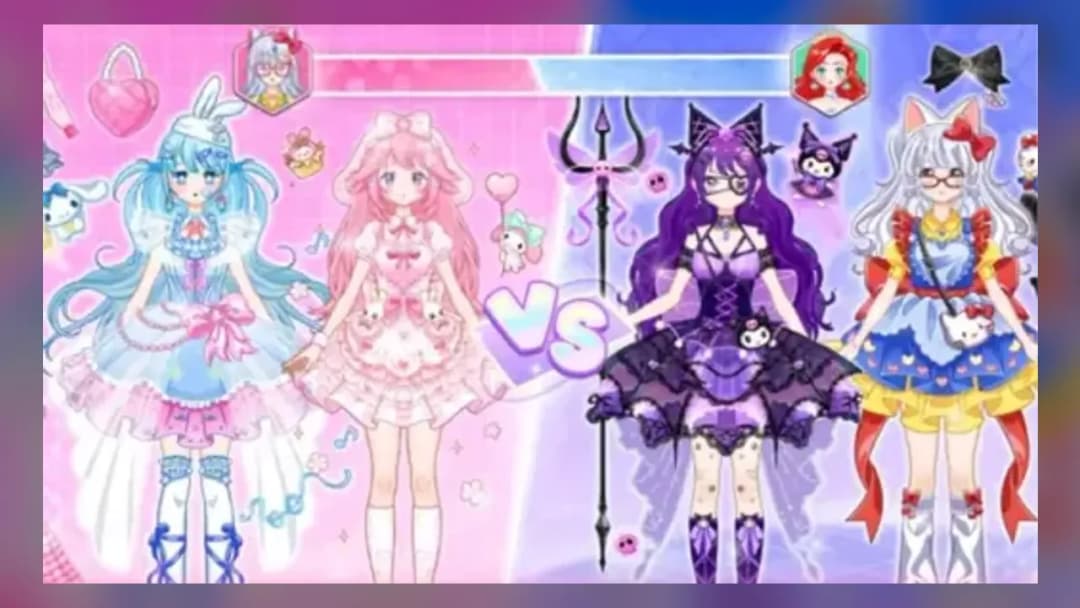
Idol Livestream: Fashion Game is a browser dress-up game in which you style a character for a livestream audience. It is listed in the Girls category and also appears under Casual. Each round asks you to build a look that suits the event, then show it on air.
What You Do in Idol Livestream: Fashion Game
The objective is to style a character so it suits the event and win over the livestream audience. You choose outfits, hairstyles, accessories and makeup. The closer your choices match the event, the more stars you earn.
Stars matter because they unlock new clothing and accessories for your wardrobe. Once your character is styled, you show the look on the livestream, and more unique outfits earn more likes. Each round follows the same core loop: read the event, style the character, show the result, then use what you earned.
How to Play Idol Livestream: Fashion Game
- Open the game and wait for it to load. The game guides you through your first styling challenge.
- Read the event for the round and decide what kind of look it calls for.
- Pick an outfit, then add hairstyle, accessories and makeup to complete the look.
- Show the finished look on the livestream and see how the audience responds with likes.
- Check the stars you earned and use them to unlock new clothing and accessories.
Idol Livestream: Fashion Game Controls
The game is played with the mouse. Use the left mouse button to pick each item and place it on your character.
| Action | Mouse |
|---|---|
| Choose outfits, hairstyles, accessories and makeup | Left mouse button |
| Start the game | Click the game link and wait for it to load |
What Changes Between Sessions
Each round gives you a different event to style for, so the look that wins in one round may not suit the next. The stars and likes you earn unlock new items, which widens the choices available to you over time. Between rounds, your wardrobe grows as you add those pieces, so later looks can mix items you unlocked earlier with new ones.
Competition is part of the design. The game is tagged for voting and style competition, so your finished look is meant to be seen and judged alongside other players' styles on the livestream. Unique outfits are the clearest way to stand out, since they earn more likes.
For more dress-up play, try Magical Diary: Paper Dress Up or Vortella Dress Up.
Tips and Strategy
- Read the event before you start choosing items. A look that fits the event earns more stars than one that only looks good on its own.
- Build the full look by working through outfit, hairstyle, accessories and makeup, so no part of the character feels unfinished.
- Try different combinations. Experimenting helps you learn which pieces suit which events.
- Aim for unique outfits. Showing a distinctive look on the livestream earns more likes.
- Watch the likes after each livestream to see which combinations the audience responds to, and repeat what works.
- Spend the stars you earn on new clothing and accessories so your options grow with each round.
- Avoid piling on too many accessories. A simpler look that matches the event often works better than a cluttered one.
More Games You'll Love
Controls
Frequently asked questions
How do you earn stars in Idol Livestream: Fashion Game?
How do you unlock new clothes in Idol Livestream: Fashion Game?
How do you go live in Idol Livestream: Fashion Game?
"Idol Livestream: Fashion Game" and related names may be trademarks of their respective owners. This page is an informational game directory only; ZGames.io is not sponsored by or affiliated with trademark holders unless a specific game page says otherwise.
Gameplay Video: Idol Livestream: Fashion Game
OFFICIAL SOURCES & SITES
Player Reviews
No Reviews Yet
Be the first to share your feedback and rate this game!
Submit Your Review
Keep exploring