Play MineFun.io Online Free
Play MineFun.io, a Adventure game available in your browser. Review the controls, features, and compatibility notes below, then choose Play when you are ready.
Advertisement



















Advertisement
Most Popular This Month
View All results »



































MineFun.io
TECHNICAL SPECIFICATIONS
OPERATIONAL GUIDE
- 1. Pick a Game Room
Choose Bed Wars, Sky Wars, Parkour, Creative, Hide and Seek, or Infection from the mode menu to set your match type.
- 2. Move and Look
Walk with WASD or arrow keys and aim your view with the mouse to navigate the blocky world.
- 3. Build and Break Blocks
Use the mouse buttons to place or break blocks — essential for bridging in Sky Wars and walling your bed in Bed Wars.
- 4. Jump the Gaps
Press Spacebar at a block's leading edge to clear long parkour jumps or leap between floating islands.
CORE FEATURES
Advertisement
About MineFun.io
Play MineFun.io online: build blocks, defend your bed in Bed Wars, and race parkour across floating Sky Wars islands. Nine multiplayer maps, no download...
What's in this guide

What You Actually Do in MineFun.io Online
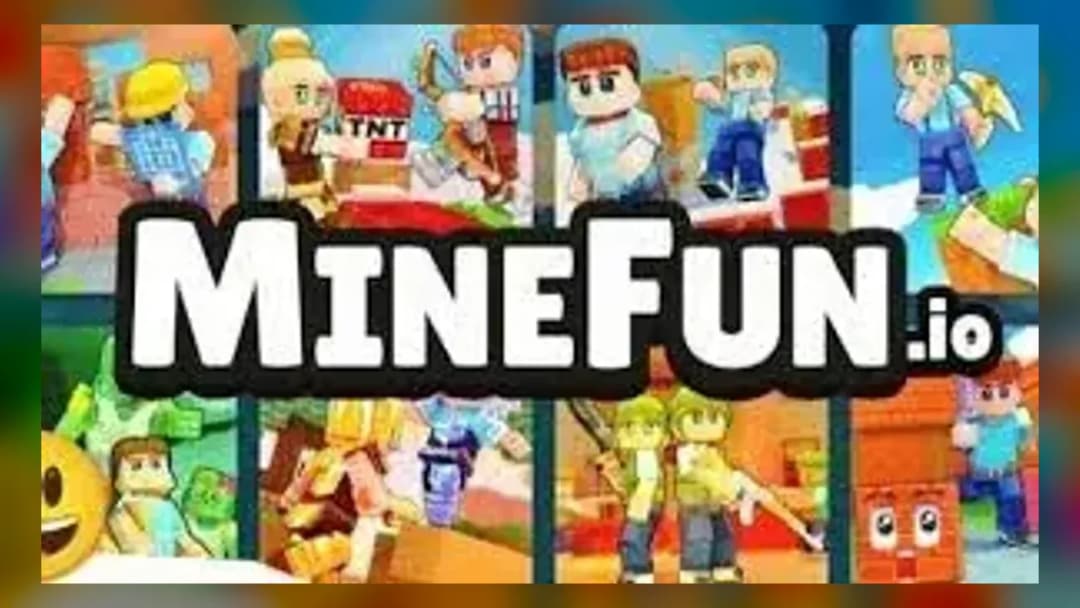
In MineFun.io online you spawn into a blocky, Minecraft-style world and immediately pick a mode — defend a physical bed from rival teams, sprint across floating islands, or dodge a spreading infection. It is a no-download browser game where every match is a fresh multiplayer arena you can join with friends.
Unlike a single sandbox, MineFun.io routes you through distinct rooms: Bed Wars, Sky Wars, Parkour, Creative building, Hide and Seek, and an Infection/zombie survival mode. The catch that competitors gloss over — in Bed Wars your respawn depends on your bed staying intact, so protecting blocks matters as much as fighting.
The game is credited across portals to Vectaria, the studio behind Vectaria.io and Cryzen.io, and runs on desktop and mobile alike.
| Game | MineFun.io |
|---|---|
| Category | adventure |
| Developer | Vectaria |
| Platforms | PC, Mobile, Tablet, Chromebook |
| Modes | Multiplayer (Bed Wars, Sky Wars, Parkour, Creative, Hide and Seek, Infection) |
MineFun.io Bed Wars and Sky Wars Explained
Bed Wars: Break Their Bed, Guard Yours
Each team starts with a bed that anchors respawns. Wall it off with mined blocks, then push to destroy enemy beds — once a bed is gone, that team's eliminations become permanent. This makes early block-gathering the real win condition.
Sky Wars: Floating-Island Combat
You begin on a small floating island in MineFun.io Sky Wars, bridge across gaps with placed blocks, and fight to be the last builder standing. Knocking rivals off the edge is faster than direct combat.
Parkour and Infection
MineFun.io parkour is a timing-and-precision movement gauntlet across jumps of increasing difficulty. Infection is zombie survival — avoid tagged players as the outbreak grows across the map.
How to Play MineFun.io Creative Mode
Wondering how to play MineFun.io creative mode? Pick the Creative room for unlimited resources, then place or break blocks with the mouse and roam with WASD — no threats, just free building. Many players use it to practice bridging before jumping into Sky Wars.
MineFun.io Controls
The core MineFun.io controls across portals:
| Action | Input |
|---|---|
| Move | WASD or Arrow Keys |
| Jump | Spacebar |
| Look | Mouse |
| Place / Break block | Mouse buttons |
| Run | Shift (portal-listed) |
| Crouch | C (portal-listed) |
Note: run and crouch bindings come from third-party portals and may vary in-game. On mobile, on-screen buttons replace the keyboard.
Advanced MineFun.io Tips
- Bed Wars: stack two block layers over your bed diagonally — single walls get broken in one pass.
- Sky Wars: crouch-bridge (hold Shift/C at edges) so you never fall while placing blocks over voids.
- Parkour: tap Space at the block's leading edge, not center, to squeeze extra distance on long jumps.
- Infection: claim high ground early; zombies struggle to reach elevated block towers.
MineFun.io Unblocked and Custom Games
A dedicated Chromebook portal offers a MineFun.io unblocked build for school play, and the sandbox supports MineFun.io custom games so you can shape your own rooms. Because it is HTML5, it loads instantly with no install.
Games Like MineFun.io on ZGames
If you enjoy building-and-battling, these games like MineFun.io hit similar notes. Browse more in action games and HTML5 games.
- Stickman Kombat 2D — PvP arena fighting like MineFun.io's War mode.
- Happy Wheels — physics-timing challenges akin to parkour.
- Family Pet Dog Games — relaxed sandbox play like Creative mode.
- Surviv.io Unblocked — last-player-standing tension like Sky Wars.
Whether you are walling off a bed, bridging between Sky Wars islands, or chaining parkour jumps, MineFun.io online keeps every match built on your own blocks. Pick a room and start building.
Advertisement
More Games You'll Love
Controls
Frequently asked questions
How do you win Bed Wars in MineFun.io?
What are the controls for MineFun.io?
Who created MineFun.io?
How do you play creative mode in MineFun.io?
Is there an unblocked version of MineFun.io for school?
"MineFun.io" and related names may be trademarks of their respective owners. This page is an informational game directory only; ZGames.io is not sponsored by or affiliated with trademark holders unless a specific game page says otherwise.
Gameplay Video: MineFun.io
OFFICIAL SOURCES & SITES
Player Reviews
No Reviews Yet
Be the first to share your feedback and rate this game!
Submit Your Review
Keep exploring