Play Teacher Simulator Christmas Exam Online Free
Play Teacher Simulator Christmas Exam, a Coloring Games game available in your browser. Review the controls, features, and compatibility notes below, then choose Play when you are ready.
Advertisement
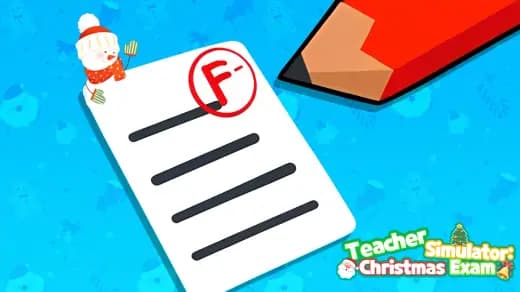
Teacher Simulator Christmas Exam













Advertisement
Most Popular This Month
View All results »



































- Home
- Coloring Games
- Teacher Simulator Christmas Exam
Teacher Simulator Christmas Exam
TECHNICAL SPECIFICATIONS
OPERATIONAL GUIDE
- 1. Evaluate the Exam Answer
Read the classroom prompt, then click or tap the grading option that matches the answer shown.
- 2. Monitor the Christmas Classroom
Observe the students during an exam task and select the pupil indicated by the suspicious behavior.
- 3. Catch the Cheater
Click or tap the correct student rather than choosing randomly when the monitoring challenge asks you to identify cheating.
- 4. Unlock the Next Classroom
Finish every required selection in the current grading or monitoring mission to advance to the following festive classroom.
CORE FEATURES
Advertisement
About Teacher Simulator Christmas Exam
Grade exam papers, check answers, and catch classroom cheats. Finish each festive task to unlock the next room. Play Teacher Simulator Christmas Exam...
What's in this guide
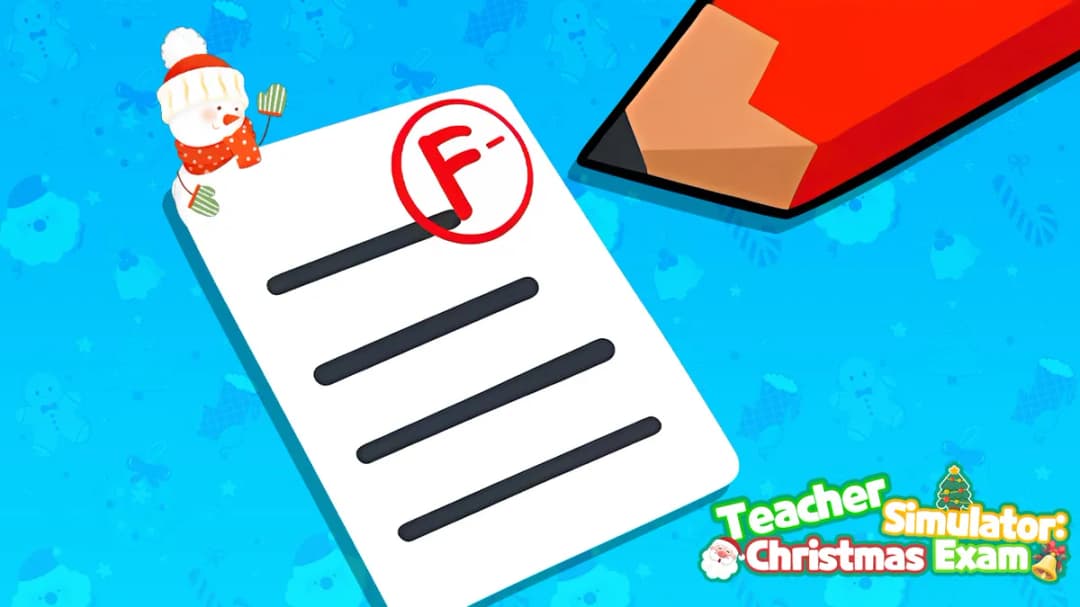
What you do in Teacher Simulator Christmas Exam
In Teacher Simulator Christmas Exam online, you take the teacher’s side of a festive school test: inspect papers, judge answers, monitor students, and identify cheaters. Each activity asks you to click or tap the relevant student, answer, or grading choice rather than control a character with movement keys.
Players looking to play Teacher Simulator Christmas Exam get a task-based classroom simulation rather than a broad school-management game. The verified progression loop is straightforward: resolve the current exam or grading mission correctly, then unlock the next Christmas classroom. That makes this Teacher Simulator Christmas Exam guide useful before your first paper is marked.
Teacher Simulator Christmas Exam quick facts
| Game | Teacher Simulator Christmas Exam |
|---|---|
| Genre | Casual classroom simulation with puzzle and answer-evaluation tasks |
| Brand attribution | YAD |
| Platforms | Desktop browser, Android phone, iPhone, and tablet |
| Controls | Mouse click or touchscreen tap |
| Access | Free browser play without a download |
Teacher Simulator Christmas Exam grading and progression
Checking Christmas exam answers
The core loop alternates among grading papers, selecting correct answers, interacting with pupils, and supervising an exam. Read the displayed prompt before committing to a choice: the important decision is whether the shown response or classroom behavior matches what the task requests. Searchers asking how to play Teacher Simulator Christmas Exam should focus on the prompt and selectable targets, not look for unsupported keyboard commands.
Catching cheaters in the festive classroom
If you are wondering how do you catch cheaters in Teacher Simulator Christmas Exam, observe the students and click or tap the pupil indicated by the suspicious action or task cue. Do not select a student merely because they are closest to the teacher. The game’s challenge comes from evaluating the classroom scene and choosing the intended target.
Unlocking each Christmas classroom
The answer to how do you unlock the next classroom in Teacher Simulator Christmas Exam is to finish the active grading or monitoring mission. Completion advances you to another festive room. No verified source publishes a numeric scoring formula, star threshold, lives system, or universal fail condition, so claims about exact point bonuses or penalties should be treated cautiously.
Teacher Simulator Christmas Exam controls
On a computer, move the pointer to a prompted student, answer, or grading option and click. For Teacher Simulator Christmas Exam mobile, tap that same target on the touchscreen. Keyboard shortcuts, controller mappings, and mandatory drag-and-drop gestures are not confirmed by the official instructions.
- Read the task: identify whether you are grading, checking an answer, or monitoring pupils.
- Inspect the choices: compare the visible answers or student behavior.
- Select once: click on desktop or tap on a phone or tablet.
- Complete the mission: resolve its required choices to reach the next classroom.
Teacher Simulator Christmas Exam browser access
Teacher Simulator Christmas Exam free online runs through a web browser with no separate download required. The phrase Teacher Simulator Christmas Exam unblocked does not guarantee access on every network; school and workplace filters can still restrict gaming sites. If the frame is blank, reload it, permit JavaScript and game content, check content-blocking extensions, clear the site cache, or try an updated browser.
The desktop and mobile editions share click-or-tap interaction. Desktop offers a pointer, while phones and tablets use direct touch. Chromebook support is not explicitly verified, although users can test the browser build if their device and network permit HTML5 games.
Teacher Simulator Christmas Exam notes for parents
The subject matter revolves around school tests, answer checking, and catching academic cheating in a Christmas setting. No authoritative age rating is supplied in the available source material, so parents should preview the game and its advertising environment for younger players. It fits the broader themes of school games and seasonal Christmas games, but it should not be mistaken for a full teaching tool.
Games similar to Teacher Simulator Christmas Exam
- Cute Animals Coloring Book — offers another simple tap-or-click activity for players who enjoy relaxed coloring games.
- My Cake Shop: Bake and Serve — replaces classroom decisions with ordered food-service tasks.
- Coloring Book: Cartoon Veggies — provides a lighter creative activity with clear visual selections.
- Sneaker Art — focuses on completing visual designs through accessible interactions.
Teacher Simulator Christmas Exam stands out by turning festive schoolwork into short judgment calls: grade the answer, watch the class, and select the right pupil. Careful reading and accurate clicks carry you from one holiday classroom to the next.
Advertisement
More Games You'll Love
Controls
Frequently asked questions
What are the Teacher Simulator Christmas Exam controls on PC and mobile?
How do you catch cheaters in Teacher Simulator Christmas Exam?
How do you unlock the next classroom in Teacher Simulator Christmas Exam?
What should you do if Teacher Simulator Christmas Exam shows a blank screen?
Is Teacher Simulator Christmas Exam the same as Teacher Simulator: Exam Time?
"Teacher Simulator Christmas Exam" and related names may be trademarks of their respective owners. This page is an informational game directory only; ZGames.io is not sponsored by or affiliated with trademark holders unless a specific game page says otherwise.
Gameplay Video: Teacher Simulator Christmas Exam
OFFICIAL SOURCES & SITES
Player Reviews
No Reviews Yet
Be the first to share your feedback and rate this game!
Submit Your Review
Keep exploring