Play BedWars Online Online Free
Play BedWars Online, a Action game available in your browser. Review the controls, features, and compatibility notes below, then choose Play when you are ready.
Advertisement




















Advertisement
Most Popular This Month
View All results »


































BedWars Online
TECHNICAL SPECIFICATIONS
OPERATIONAL GUIDE
CORE FEATURES
Advertisement
About BedWars Online
Play BedWars Online online for free: bridge, defend beds, and raid teams in an unblocked browser arena with no download on PC, mobile, Chromebook today.
What's in this guide
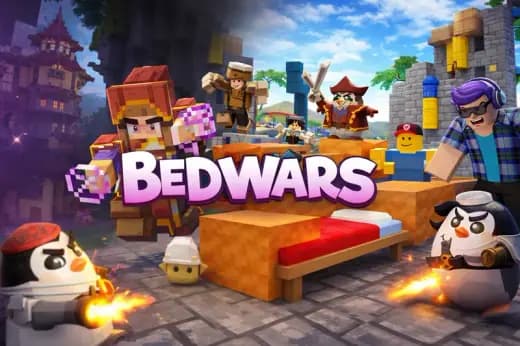
BedWars Online is a browser-native strategy action game built around island warfare, bed defense, bridge construction, resource control, and last-team-standing combat. The game belongs to the modern HTML5 game category, meaning it runs through a standard web browser rather than a downloaded executable. On ZGames.io, players can load the match directly on PC, mobile, tablet, or Chromebook and begin playing with no installation step, no launcher, and no plug-in requirement.
The core design follows a clear competitive loop: protect your bed, collect resources, buy gear, cross the void, break enemy beds, and eliminate players after their respawn point disappears. That loop gives BedWars Online its tension. Every block you place creates a route. Every resource you spend changes the next fight. Every failed bridge can hand control of the map to another team.
Game NameBedWars OnlineCategoryGamesTechnologyHTML5 / Browser NativePlatformsPC, Mobile, Tablet, ChromebookRequires Download?No, Instant PlayWhat's In This Guide
- About BedWars Online
- Complete Controls & Mechanics
- Advanced Strategies & Tips
- How to Play Unblocked at School
- Known Glitches & Quirks
- Top Alternatives & Competitors
About BedWars Online
BedWars Online comes from the wider bed-defense subgenre popularized by block-building multiplayer modes. The format compresses survival crafting, arena PvP, tower defense, and resource routing into short browser sessions. Instead of wandering an open world, players fight across floating islands where movement skill and economy decisions matter every minute.
The design philosophy favors visible consequences. A careless bridge gives enemies a highway into your base. A weak bed shell turns one sneak attack into match failure. A smart purchase order can flip an early disadvantage into a raid. The best players do not merely swing faster; they read the map, track resources, and choose when to defend, rotate, or commit.
As a BedWars Online browser game, the experience prioritizes immediate access over platform complexity. HTML5 and WebGL-style rendering allow blocky arenas, player movement, shop menus, and combat feedback to run inside the browser tab. That matters for mobile gaming and Chromebook compatible play because the game avoids large downloads and heavy system requirements.
- Engine & Tech: The game uses browser-native technology designed for instant play, responsive input, and lightweight rendering across common devices.
- Accessibility: Low-end laptops and school Chromebooks can handle the simple geometry and compact arenas more easily than large 3D client games.
- Updates: Browser versions can change over time, so maps, balance, and interface details may vary by build.
Complete BedWars Online Controls & Mechanics
BedWars Online feels best when you treat movement and camera control as one action. On keyboard, your left hand handles strafing, jumping, and sprint-style positioning while the mouse handles aiming, block placement, attacks, and quick turns. On touch devices, virtual controls replace the keyboard, but the same idea applies: face the target, move cleanly, then act.
Collision matters because the void punishes sloppy inputs. The player body needs enough space to stand on blocks, pass through narrow bridges, and land after jumps. A one-block path feels safe only until another player pressures you with knockback. Strong players widen bridges near their base and leave risky single-block paths near enemy territory.
The economy gives the game its tactical spine. Generators create resources at intervals, shops convert those materials into blocks, weapons, armor, tools, and utility, and beds convert defense into respawn safety. You constantly choose between immediate combat power and long-term map control.
- Movement: Use WASD or arrow keys to move, Space to jump, and mouse movement to aim. On mobile, use the on-screen stick and action buttons.
- Action: Click or tap to attack, place blocks, interact with shops, and break enemy defenses. Tool choice affects how quickly you crack protected beds.
- Mechanics: Knockback, edge spacing, block placement, and respawn timing decide fights as much as raw aim.
BedWars Online Advanced Strategies & Tips
Advanced BedWars Online play starts before the first fight. Your opening resource route should answer one question: are you rushing, defending, or controlling the middle? A rush build buys blocks and basic tools. A defense build protects the bed first. A control build aims for richer generators and upgrades, but it risks giving nearby teams free pressure.
Timing separates clean raids from wasted trips. Do not cross the map with expensive gear if your bed has one thin layer. Do not tunnel into a defense while an enemy respawns behind you. Force attention in one direction, break the bed when defenders rotate away, then retreat before the counterattack arrives.
Resource management also controls morale. Spending small amounts often beats hoarding for a perfect loadout that never arrives. Blocks win space. Tools win beds. Armor wins repeated duels. Utility wins messy fights on bridges. The best purchase is the one that solves the next thirty seconds.
- Perfect Your Timing: Wait for an enemy to leave base, then attack the bed before they can turn around and body-block your tool swing.
- Manage Resources/Speed: Deposit or spend valuable resources before risky bridge fights; void deaths punish greedy routing.
- Avoid Common Mistakes: Never build a direct flat bridge to your bed without adding side coverage, traps, or a second defensive layer.
- Optimize Runs: Use diagonal routes when racing to generators, but widen the return path once your team carries upgrades.
How to Play Unblocked at School
BedWars Online unblocked access works because the game runs as a web-based HTML5 game rather than a traditional installed program. Older school computer restrictions often targeted executables, Flash files, or external launchers. Modern browser games use standard page assets, browser memory, and built-in rendering APIs, so they usually load more like an interactive webpage than a software install.
That does not mean every network will allow every game site. Schools can still block domains. The practical advantage is safety and simplicity: there is no file to install, no administrator permission prompt, and no separate client. For players searching for BedWars Online no download, the browser approach keeps access fast and device-friendly.
- Chromebook Support: Fully compatible with school-style devices because it runs through the browser and uses system memory during play.
- Browser Native: No executables are required, which keeps the experience simple on locked-down machines.
Known Glitches & Quirks
Like many browser multiplayer games, BedWars Online can show small quirks when movement, collisions, and network timing overlap. A block may appear placed for a moment before the server corrects it. A player may look slightly offset during a fast bridge fight. These moments rarely define the match, but veterans learn to expect them near edges and crowded bases.
Collision quirks create both danger and opportunity. Knockback near stairs, slabs, or tight bed shells can push players into awkward angles. Visual clipping can hide part of a defended bed or make a tool swing look shorter than it is. The safest habit is simple: slow down before edges, confirm block placement, and avoid fighting with your back to the void.
- Physics Quirks: Rapid block placement can feel inconsistent if you aim too low on an edge while moving diagonally.
- Visual Desync: Fast players may briefly appear to clip around blocks during bridge fights or respawn rushes.
Top Alternatives & Competitors
BedWars Online competes most directly with block-based PvP and arena survival games. Compared with broad sandbox titles, it cuts the downtime and focuses on one clean objective. You do not mine for hours or craft elaborate bases. You make fast choices under pressure, then prove them in combat.
Against endless runners or reflex games, BedWars Online adds more strategy. A game like Slope tests pure reaction and line control. Geometry Dash tests memorization and rhythm. BedWars tests routes, defense, purchases, aim, and teamwork at once. That layered pressure explains why the format remains one of the strongest browser game concepts.
- Minecraft Bed Wars: The original style offers deeper servers and larger communities, while this browser version favors instant access and no download play.
- Bloxd-style PvP: Similar block movement and arenas, but BedWars Online centers the entire match around bed defense and final eliminations.
Similar Games on ZGames
If you enjoy BedWars Online, you may also like these games:
Conclusion
BedWars Online works because every mechanic feeds the same competitive question: can you protect your respawn point while destroying everyone else's? The answer changes with each bridge, shop purchase, bed layer, and duel. It rewards quick hands, but it rewards smart routing even more.
Play BedWars Online online free on ZGames.io when you want an unblocked browser game with no download, fast loading, and meaningful team-based decisions. It fits short sessions, Chromebook play, mobile gaming, and longer competitive streaks without asking you to install anything.
Advertisement
More Games You'll Love
Controls
Frequently asked questions
What is the best opening strategy in BedWars Online?
Why should I protect the bed before attacking in BedWars Online?
Can I coordinate team roles in BedWars Online matches?
How do you build bridges without falling in BedWars Online?
"BedWars Online" and related names may be trademarks of their respective owners. This page is an informational game directory only; ZGames.io is not sponsored by or affiliated with trademark holders unless a specific game page says otherwise.
Player Reviews
No Reviews Yet
Be the first to share your feedback and rate this game!
Submit Your Review
Keep exploring