Play Doodle Jump Online Free
Play Doodle Jump, a Casual game available in your browser. Review the controls, features, and compatibility notes below, then choose Play when you are ready.
Advertisement




















Advertisement
Most Popular This Month
View All results »



































Doodle Jump
TECHNICAL SPECIFICATIONS
OPERATIONAL GUIDE
- 1. Steer The Doodler
Use Left and Right arrow keys on desktop or tilt your phone to guide the character onto the next platform — jumping is automatic.
- 2. Read the platforms
Land on green for safety, time blue moving platforms, and leave brown breakable platforms instantly before they crumble.
- 3. Grab boosters
Aim for springs, trampolines and jetpacks to launch several screens higher and pad your score.
- 4. Dodge hazards
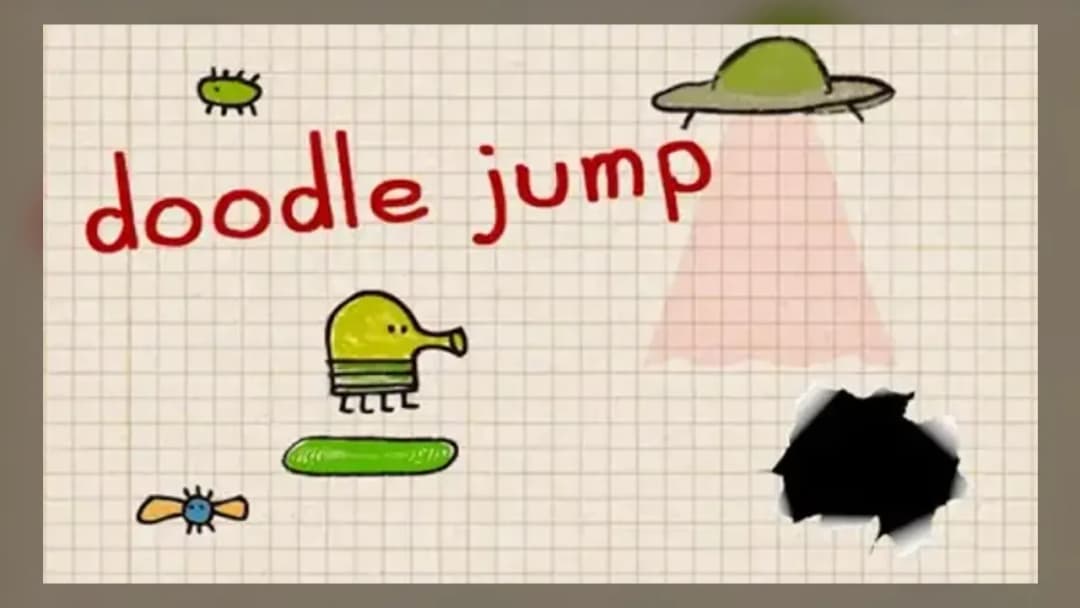
Bounce on monster heads to clear them but steer wide around black holes and UFOs, which end your run on contact.
CORE FEATURES
Advertisement
About Doodle Jump
Guide The Doodler up an endless tower, bouncing on springs, trampolines and jetpacks while dodging monsters and black holes. Chase your highest score...
What's in this guide
What You Actually Do in Doodle Jump online
In Doodle Jump online, you steer a four-legged green creature called The Doodler as it bounces automatically up a never-ending vertical tower drawn on notebook paper. You never press a jump button — the character bounces on its own every time it lands on a platform. Your only job is to move left and right so The Doodler lands on the next ledge instead of falling into the void below.
The genius is in the simplicity: one axis of control, infinite height. Miss a platform and you plummet off the bottom of the screen, ending your run. The goal is a single number — how high can you climb before you fall? That score chase is why the endless-tower formula has stayed addictive since its 2009 mobile debut by Lima Sky.
| Game | Doodle Jump |
|---|---|
| Category | arcade |
| Developer | Lima Sky |
| Original release | 2009 (mobile) |
| Platforms | Browser, Mobile |
| Mode | Single Player |
Core Doodle Jump gameplay loop and scoring
Height equals score. As The Doodler climbs, the camera scrolls up and the platforms below disappear, so there is no going back down. Platforms come in several behaviors you must read on the fly:
- Static green platforms — reliable, always give a normal bounce.
- Moving blue platforms — drift side to side, requiring you to time your landing.
- Breakable brown platforms — crumble after one touch, so never stall on them.
- Disappearing white platforms — vanish once used and cannot be returned to.
Power-ups that launch you higher
Boosters shortcut you up the tower and pad your score. Springs give a small extra bounce, trampolines fling you several screens up, propeller hats and jetpacks rocket you upward with no input needed, and protective bubbles or shields help you survive one hazard. Grabbing these in sequence is how top players build huge runs.
Doodle Jump controls: tilt, keys and touch
The Doodle Jump controls are minimal. On desktop browser play, use the Left and Right arrow keys (or A and D) to steer horizontally; in shooter builds, aim with the mouse and left-click to fire at monsters. On mobile the game uses tilt controls — physically tilt your phone left or right and The Doodler follows. Because there is no jump input, mastering smooth, small steering corrections matters far more than reflexes.
Monsters, black holes and how you lose
Two things end a run: falling off the bottom, or touching a hazard. Colorful monsters block platforms and kill you on contact unless you land squarely on their heads or shoot them. Black holes and UFOs suck The Doodler in instantly, so steer wide around them. Recognizing which enemies can be bounced versus which must be avoided is the core survival skill.
Advanced tips to chase the Doodle Jump world record
Serious score hunters treat this as a game of routing, not luck. Key tactics:
- Hover near screen edges — The Doodler wraps around, so exiting the right side reappears on the left, letting you snake between distant platforms.
- Never chase a power-up if the safe platform below is drifting away; a guaranteed bounce beats a risky jetpack.
- On breakable brown platforms, land and immediately steer toward your next target since it collapses instantly.
- Prioritize trampolines and jetpacks stacked in a line — chaining boosters is how record runs skip huge chunks of tower.
Doodle Jump characters and versions
Beyond the default green Doodler, the game is famous for unlockable Doodle Jump characters and themed skins across its editions. Browser ports let you play Doodle Jump free instantly with no download, while the original mobile app added seasonal themes. Note that Doodle Jump 2 is a separate 2020 sequel — its levels and mechanics differ from this classic endless mode.
Similar arcade games on ZGames
If the one-more-run pull of Doodle Jump hooks you, try these arcade games:
- Pyramid Solitaire — another quick pick-up-and-play score chase you can restart endlessly.
- A Game About Feeding A Black Hole — shares Doodle Jump's black-hole hazard theme with a physics twist.
- Fall Flat Battle — leans on jump-and-balance timing like reading platforms in Doodle Jump.
- Orbit Beats — a reflex-precision arcade climb for players who love tight steering.
At heart, Doodle Jump is one control, one number and one endless tower. You climb until gravity wins, then you tap restart and try to steer that little green Doodler a few platforms higher. Play Doodle Jump online and see how far up you can bounce.
Advertisement
More Games You'll Love
Controls
Frequently asked questions
How high is the Doodle Jump world record and how is it scored?
How do I change the Doodle Jump controls on mobile versus desktop?
How do you kill monsters in Doodle Jump?
What are the different platform types in Doodle Jump?
Is Doodle Jump 2 the same as the original Doodle Jump online?
"Doodle Jump" and related names may be trademarks of their respective owners. This page is an informational game directory only; ZGames.io is not sponsored by or affiliated with trademark holders unless a specific game page says otherwise.
Gameplay Video: Doodle Jump
OFFICIAL SOURCES & SITES
Player Reviews
No Reviews Yet
Be the first to share your feedback and rate this game!
Submit Your Review
Keep exploring