Play Escape Raid Unblocked Online Free
Play Escape Raid Unblocked, a Driving game available in your browser. Review the controls, features, and compatibility notes below, then choose Play when you are ready.
Advertisement
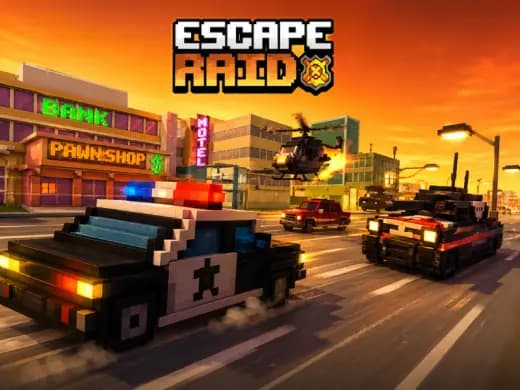
Escape Raid Unblocked














Advertisement
Most Popular This Month
View All results »



































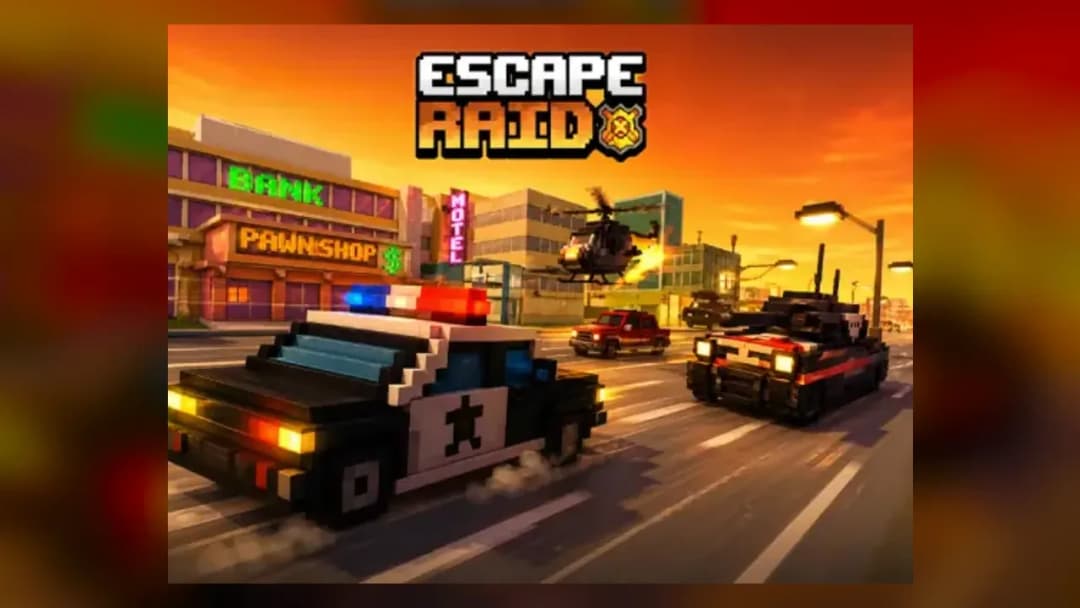
Escape Raid Unblocked
TECHNICAL SPECIFICATIONS
OPERATIONAL GUIDE
- 1. Steer Through Gaps
Use arrow keys, WASD, or touch steering to guide your vehicle through traffic lanes, barricades, and enemy formations without clipping the sides.
- 2. Read Enemy Lines
Watch raider vehicles before they commit to a lane. Move early when they start blocking your path instead of reacting at the last second.
- 3. Collect Useful Pickups
Grab coins, fuel, repair items, or boosts when they sit on a safe racing line. Do not cross into a wall or vehicle cluster just to collect one item.
- 4. Use Boost on Straights
Trigger speed boosts only when you have clear road ahead. Boosting into a turn or crowded section makes collision recovery much harder.
- 5. Extend the Run
Stay alive by balancing speed with control. The longer you survive, the more pressure the chase adds and the higher your final score can climb.
CORE FEATURES
Advertisement
About Escape Raid Unblocked
Play Escape Raid online free, no download. Steer through ambushes, dodge raider cars, grab boosts in an unblocked browser chase game on any device.
What's in this guide
Escape Raid is a browser-based action driving game built for instant play on modern web devices. The core loop is direct: steer a getaway vehicle through hostile lanes, avoid raider traffic, collect useful pickups, and keep the run alive as the pressure rises. Because it runs as an HTML5 game, the play session starts inside the browser without an installer, account setup, or separate launcher.
The game fits the current browser game format: short sessions, fast restarts, readable hazards, and controls that work on PC, mobile, tablet, and Chromebook. Escape Raid free play works best when the player treats every lane change as a decision, not a reflex. The road constantly asks one question: can you keep speed without throwing the vehicle into a wall?
Game NameEscape RaidCategoryGamesTechnologyHTML5 / Browser NativePlatformsPC, Mobile, Tablet, ChromebookRequires Download?No, Instant PlayWhat's In This Guide
- About Escape Raid
- Escape Raid Controls & Mechanics
- Advanced Strategies & Tips
- How to Play Unblocked at School
- Platforms & Versions
- Known Glitches & Quirks
- Top Alternatives & Competitors
About Escape Raid
Escape Raid belongs to the survival-driving branch of arcade web games. Its design favors immediate readability over simulation complexity. The player does not tune engines or manage a garage; the hands stay busy with steering, timing, and route selection. That gives the game a clean skill curve: beginners survive by dodging obvious obstacles, while strong players learn how to chain safe lanes and ignore bait pickups.
The physics model likely uses lightweight arcade collision rather than full vehicle simulation. That means the car responds quickly, momentum exists mainly through steering delay and speed pressure, and crashes register through bounding boxes around vehicles, barricades, and scenery. This is exactly why play Escape Raid online sessions feel sharp on low-power hardware.
Its cultural lane sits beside chase games, endless runners, and HTML5 driving titles made for quick browser access. Escape Raid no download play matters because the format removes friction. A player can open the page on a Chromebook, run a few attempts, and understand the entire ruleset within a minute.
- Engine & Tech: HTML5 rendering keeps assets light, input polling fast, and frame pacing stable in Chrome, Edge, Firefox, and Safari.
- Accessibility: Low texture demands and simple collision math help it run on budget laptops, school Chromebooks, and phones.
- Updates: Public version history is not confirmed, so players should treat visible balance changes as site or build updates rather than official patch notes.
Escape Raid Controls & Mechanics
Escape Raid controls focus on steering discipline. On keyboard, the arrow keys or WASD handle lane movement. On touch screens, the game adapts to thumb input, usually through taps, swipes, or virtual steering zones. The best control style uses short corrections. Holding a turn too long often creates the second crash, the one that happens after you dodge the first danger.
Input latency feels most noticeable during fast lane changes. A browser-native HTML5 game reads input through the page, then updates the vehicle position during the next frame. On a stable device, that delay stays small, but players still need to steer before a barricade reaches the bumper. Late input makes the vehicle look heavy, even when the physics are arcade-light.
Collision detection defines the pressure. The game does not need realistic car damage to feel tense; it only needs clear contact rules. If your vehicle overlaps a raider car, barrier, wall, or obstacle hitbox, the run suffers or ends. Good players learn the true width of the car, then squeeze through gaps that look unsafe to new players.
- Movement: Use WASD, arrow keys, or touch controls to shift lanes and hold a clean racing line.
- Action: Collect boosts, fuel, coins, or repair items only when they sit on a safe approach path.
- Mechanics: Momentum comes from speed, steering commitment, and the time it takes to return to center after a hard turn.
Advanced Strategies & Tips
Strong Escape Raid runs begin before the road gets crowded. Watch two lanes ahead, not the space directly in front of the vehicle. The game punishes tunnel vision because hazards arrive in chains: a barricade forces a lane change, a raider blocks the exit lane, and a tempting pickup sits exactly where panic would send you.
High-score routing depends on restraint. Many players lose runs because they chase every reward item. The smarter play treats pickups as optional unless they extend survival. Fuel, health, and boost items matter more than coins when the road tightens. A clean empty lane beats a dangerous reward lane almost every time.
Speed management separates casual attempts from serious runs. Boost works best on straights and wide sections where the vehicle can accelerate without immediate steering. If you boost into a cluttered bend, you shorten reaction time and amplify every steering mistake. Use speed as a tool, not a habit.
- Perfect Your Timing: Begin lane changes before the obstacle reaches the front third of the screen, then stop steering once the vehicle clears.
- Manage Resources/Speed: Save boost for escape moments when enemy cars create a rolling wall.
- Avoid Common Mistakes: Do not cut diagonally across dense traffic for a single coin or low-value pickup.
- Optimize Runs: Favor outer lanes when center traffic stacks up, but return to center when walls narrow the road.
How to Play Unblocked at School
Escape Raid unblocked means the game can run through a browser page without installing an executable file. Many older games required Flash plugins or downloaded files, which school and work networks often blocked for security. HTML5 games use browser-supported code, images, audio, and canvas rendering, so the session runs inside the browser sandbox.
This does not mean every network allows every website. It means the game format itself is safer and simpler than old plugin-based gaming. If a school Chromebook can open the page, Escape Raid browser game play can load directly into memory and respond to keyboard or touch input without changing system files.
- What is Unblocked: It describes accessible browser play that avoids installers and plugin barriers.
- Chromebook Support: Escape Raid is Chromebook compatible because Chrome can run HTML5 games locally in browser memory.
- Browser Native: No executables are required, which reduces security friction on managed devices.
Platforms & Versions
Escape Raid HTML5 game support covers desktop browsers, mobile browsers, tablets, and Chromebooks. PC players get the most precise control because physical keys allow repeated micro-taps. This helps when the road narrows and the vehicle needs a tiny correction rather than a full lane swing.
Escape Raid mobile play trades precision for convenience. Touch input works well for quick sessions, but the player must account for screen size and thumb coverage. On tablets, the larger display improves hazard reading and makes pickup routing easier. On Chromebooks, the game feels close to PC play, especially with a full keyboard.
- Browser Version: Instant play, free-to-play access, and no download setup make it the most direct version.
- Mobile Experience: Touch controls support mobile gaming, but early steering reads matter more on smaller screens.
Known Glitches & Quirks
Like many browser driving games, Escape Raid can show small quirks when speed, collision boxes, and frame timing overlap. A vehicle may appear to graze an obstacle visually while the hitbox decides the contact was safe, or the opposite may happen near corners. This is normal in lightweight arcade collision systems.
Performance can also affect perception. If another tab consumes memory, the game may stutter for a frame, making a dodge feel late. The safest fix is practical: close heavy tabs, keep the browser updated, and restart the run if input begins to feel inconsistent.
- Physics Quirks: Corner clipping can sometimes let the vehicle scrape past a hazard when only the visual edge overlaps.
- Visual Desync: Fast boosts may create brief animation mismatch between the car sprite and the collision result.
Top Alternatives & Competitors
Escape Raid competes with endless runners and arcade driving games where survival matters more than finishing a fixed track. Compared with Subway Surfers, it puts more emphasis on vehicle width, lane commitment, and collision spacing. Compared with Temple Run 2, it replaces character movement with road-reading and chase pressure.
Players who like physics-heavy reaction games may also enjoy Slope, which demands continuous steering under gravity. Geometry Dash offers a stricter rhythm challenge, where every jump follows a memorized beat. Escape Raid sits between those styles: reactive enough for improvisation, structured enough for route learning.
- Slope: Faster and more gravity-driven, with harsher movement momentum.
- Subway Surfers: Similar chase energy, but more lane-runner structure and collectible routing.
Similar Games on ZGames
If you enjoy Escape Raid, you may also like these games:
Conclusion
Escape Raid works because it understands browser gaming: fast loading, clear controls, short attempts, and immediate consequences. The player’s hands stay active, steering through ambushes and choosing when a pickup is worth the risk.
Play Escape Raid online if you want a free-to-play chase game that runs in your browser with no download required. It is simple to start, sharper than it first looks, and well suited for PC, mobile, tablet, and Chromebook play.
Advertisement
More Games You'll Love
Controls
Frequently asked questions
How do you dodge barricades consistently in Escape Raid?
What is the best way to use boosts and pickups in Escape Raid?
How does scoring work in Escape Raid?
Why does Escape Raid feel harder on mobile controls?
"Escape Raid Unblocked" and related names may be trademarks of their respective owners. This page is an informational game directory only; ZGames.io is not sponsored by or affiliated with trademark holders unless a specific game page says otherwise.
Player Reviews
No Reviews Yet
Be the first to share your feedback and rate this game!
Submit Your Review
Keep exploring