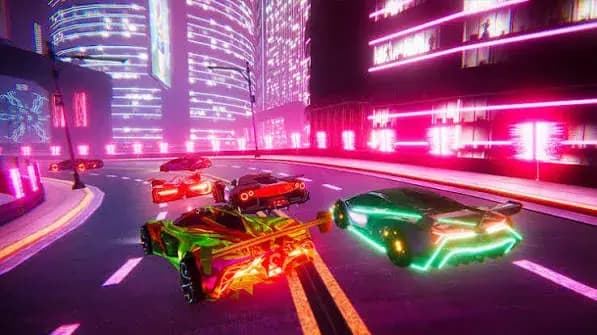
Play Night City Racing Online Free
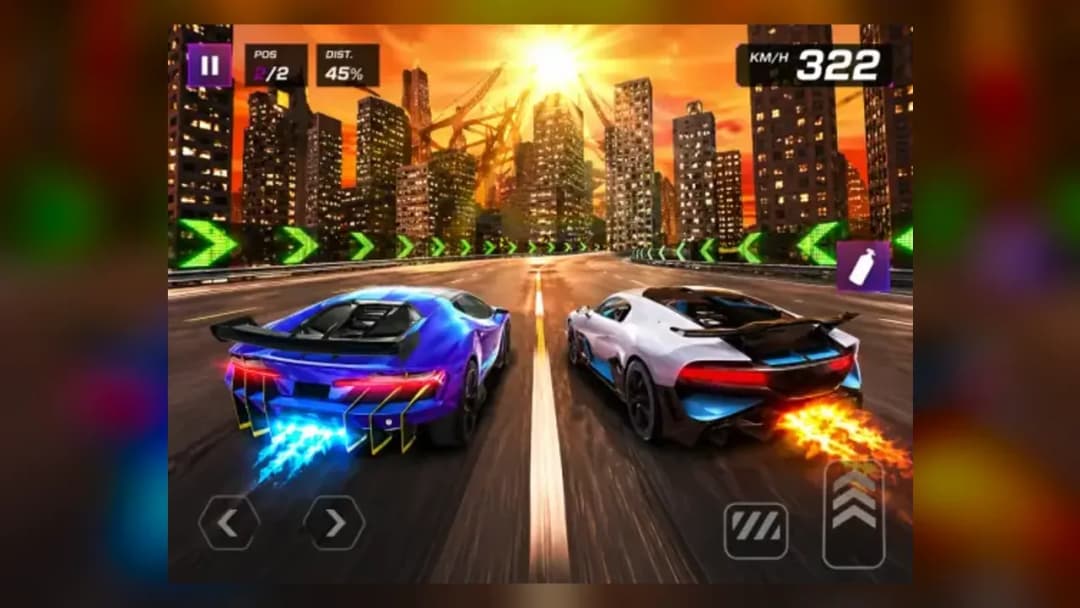
Play Night City Racing, a Driving game available in your browser. Review the controls, features, and compatibility notes below, then choose Play when you are ready.








Most Popular This Month
View All results »


























Related Tags
Night City Racing
Game Details
How to Play
- 1. Select your car
Choose one of the racing cars in the garage before each race.
- 2. Choose a track and mode
Pick a city track and decide between the 1-player CPU mode or the 2-player mode.
- 3. Steer and boost
Use the arrow keys to steer and the spacebar to boost through corners and straights.
- 4. Finish first
Cross the finish line ahead of your rivals to win the race.
Game Features
About Night City Racing
Night City Racing is a driving game with 10 cars to unlock and customize. Race the CPU or take on a friend in 2-player mode. Play it free in your browser.
What's in this guide
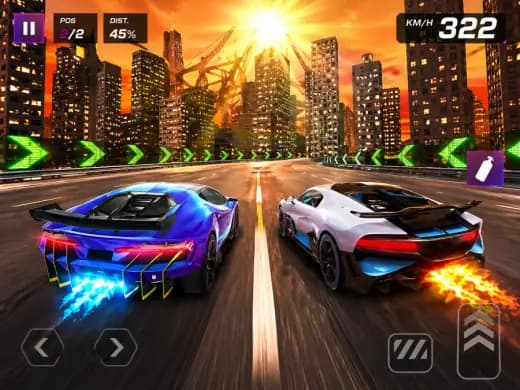
Night City Racing is a browser racing game set in a neon-lit city, where you pick a car, choose a track and race against computer opponents or a friend. It runs in HTML5 in your browser, so there is nothing to install. This guide covers how a race works, the controls and the car choices.
What You Do in Night City Racing
Your core loop is simple: select your car, choose a track, and race to the finish. Each round is a test of steering through corners and timing your speed boosts. Between races you can use what you have unlocked to try different cars and build your own style.
The game offers a 1-player mode against CPU opponents and a 2-player mode for racing a friend. The CPU mode includes an unusual twist: you can race against planes as well as cars.
How to Play Night City Racing
- Open the game and select one of the 10 racing cars available in the garage.
- Choose a track from the city routes and pick your mode, either 1-player against CPU or 2-player.
- When the race starts, steer with the arrow keys and accelerate to build speed.
- Press the spacebar to boost at the right moments, and use the Shift keys to fire NOS for a burst of acceleration.
- Cross the finish line ahead of your rivals. Use R if you need to reset your car's position after a crash.
Night City Racing Controls
| Action | Keys |
|---|---|
| Steer | Arrow keys (or WASD) |
| Accelerate | Arrow keys (or WASD) |
| Boost | Spacebar |
| Activate NOS | Left or Right Shift |
| Reset car position | R |
| Change camera angle | C |
What Changes Between Sessions
The main thing that changes over time is your car selection. The game lists 10 racing cars, and more powerful cars unlock as you progress. You can also customize your car, with options for engine, brake, agility, turbo and NOS, and rims and paints.
Each session can feel different depending on which car you bring and whether you race the CPU or a friend. A car with strong acceleration suits a short track, while a car with good handling is more useful on routes with many corners.
Tips and Strategy for Night City Racing
- Learn the track layout before pushing your top speed. Knowing where the corners and straights are helps you brake and boost at the right points.
- Do not hold the accelerator through every bend. Easing off before a sharp turn keeps the car under control.
- Save your boost for straights or the exit of a corner, where it adds the most speed.
- Use NOS in short bursts rather than all at once so you keep some reserve for the final stretch.
- Pick a car to match the track. Test a few cars in the garage to see how each one handles.
- If you lose control, press R to reset the car instead of losing time off the track.
- In 2-player mode, watch your rival's line and try to block or pass them on corners.
More Games You'll Love
Controls
Frequently asked questions
How many cars are in Night City Racing?
Is there a 2-player mode in Night City Racing?
"Night City Racing" and related names may be trademarks of their respective owners. This page is an informational game directory only; ZGames.io is not sponsored by or affiliated with trademark holders unless a specific game page says otherwise.
Gameplay Video: Night City Racing
OFFICIAL SOURCES & SITES
Player Reviews
No Reviews Yet
Be the first to share your feedback and rate this game!
Submit Your Review
Keep exploring