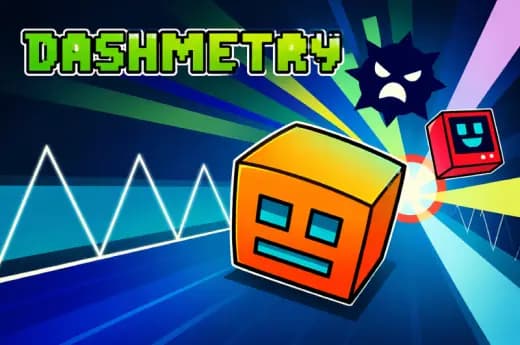
Play Geometry Dash Online Unblocked Online Free
Play Geometry Dash Online Unblocked, a Casual game available in your browser. Review the controls, features, and compatibility notes below, then choose Play when you are ready.
Advertisement
Geometry Dash Online Unblocked



















Advertisement
Most Popular This Month
View All results »



































Geometry Dash Online Unblocked
TECHNICAL SPECIFICATIONS
OPERATIONAL GUIDE
- 1. Time Each Jump
Press Space, click, or tap just before the cube reaches spikes, gaps, or raised blocks. The cube moves automatically, so timing matters more than direction.
- 2. Use Jump Pads
Hit yellow or blue pads on the ground to launch automatically. Do not tap again unless the next obstacle demands an extra manual jump.
- 3. React to Portals
Pass through portals to change gravity, speed, size, or vehicle behavior. Watch the next platform immediately because portal exits often lead into tight hazards.
- 4. Memorize Hazard Patterns
Repeat difficult sections until the spike rhythm becomes predictable. Geometry Dash rewards pattern memory as much as reflex speed.
- 5. Finish the Level Cleanly
Survive to the final percentage marker without touching spikes, walls, or unsafe blocks. A single crash restarts the run, making consistency the real win condition.
CORE FEATURES
Advertisement
About Geometry Dash Online Unblocked
Play Geometry Dash Online online free with no download. Jump to the beat, dodge spikes, and master unblocked browser rhythm levels on PC or mobile today.
What's in this guide
Geometry Dash Online is a browser-native rhythm platformer built around automatic forward movement, one-touch jumping, and obstacle layouts synchronized to electronic music. The player controls a geometric cube that advances at a fixed speed while the browser renders spikes, platforms, jump pads, portals, and moving visual effects through modern HTML5 technology. Because the game runs inside the web page, it works as an instant play HTML5 game on PC, mobile, tablet, and Chromebook without a separate installer.
The core appeal comes from a brutal but readable loop: attempt a level, crash, restart instantly, and use memory to push a few percentage points farther. A good run feels less like steering a character and more like playing a percussion line with your thumb, mouse button, or Spacebar. That makes Geometry Dash Online free, fast, and sharply suited to short browser sessions.
Game NameGeometry Dash OnlineCategoryGamesTechnologyHTML5 / Browser NativePlatformsPC, Mobile, Tablet, ChromebookRequires Download?No, Instant PlayWhat's In This Guide
- About Geometry Dash Online
- Complete Controls & Mechanics
- Advanced Strategies & Tips
- How to Play Unblocked at School
- Platforms & Versions
- Known Glitches & Quirks
- Top Alternatives & Competitors
About Geometry Dash Online
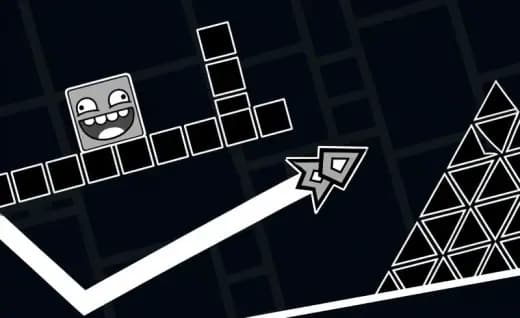
Geometry Dash began as a precision platforming idea with an unusually strict rule: the character never stops moving. Geometry Dash Online adapts that design for browser game play, preserving the same demand for timing while removing the friction of installation. The result sits between rhythm game and arcade platformer. You do not explore. You execute.
Its physics model depends on fixed horizontal velocity, predictable jump arcs, and binary collision checks. Spikes usually punish any contact, while safe blocks allow clean landings if the player commits at the correct frame window. Portals change state variables such as gravity, speed, size, or movement mode, which gives each level a technical grammar.
Culturally, the game became famous because failure feels fair. The track tells you when to press. The level shows you where you died. The restart is immediate. This design supports streaming, speedrunning, school Chromebook sessions, and mobile gaming because every attempt produces readable improvement.
- Engine & Tech: The browser version uses HTML5 rendering and lightweight assets to keep motion responsive at common display refresh rates.
- Accessibility: Low-end Chromebooks can handle the fixed-camera layouts because the game tracks limited objects and loads quickly in RAM.
- Updates: Browser builds may differ, but the formula has evolved through community demand for sharper levels, cleaner input, and better device support.
Complete Controls & Mechanics
Controls stay deliberately minimal. On keyboard, press Space, Up Arrow, or sometimes W to jump. On desktop, a mouse click performs the same action. On mobile, tapping the screen gives the cleanest input. The cube advances automatically, so your hand controls vertical timing only.
The jump has weight because it follows a consistent arc. You cannot shorten most standard jumps after leaving the ground, but holding the input across certain vehicle sections or chained pads can affect timing. That creates a rhythm problem: press too early and you hit the ceiling or front edge of a spike; press too late and the cube clips the hazard.
Collision detection defines the difficulty. The game asks players to understand the difference between visual decoration and deadly geometry. Portals introduce state changes instantly, so a calm section can become inverted gravity or a faster route within one beat.
- Movement: The cube moves forward automatically; use Space, Up Arrow, mouse click, or touch to jump.
- Action: Jump pads, orbs, and portals trigger launches or form changes when touched or activated at the right moment.
- Mechanics: Gravity swaps, speed portals, and tight collision boxes turn memorization into the main skill ceiling.
Advanced Strategies & Tips
Strong players stop reacting to every spike and start reading sections as rhythm patterns. Count beats. Watch the ground line. Learn where the level wants a tap, where it wants a held input, and where it wants silence. The best route is usually the one that removes unnecessary presses.
Frame-perfect sections reward consistency more than raw speed. Keep your wrist still, use one input method, and avoid changing between keyboard and mouse during practice. If the music drifts from your focus, use the visual spacing of blocks as your backup metronome.
High-score routing in Geometry Dash Online means reaching later percentages with fewer mistakes. Do not chase coins during first clears. Learn the main path, identify every portal transition, then return for risky collectibles once the level no longer surprises you.
- Perfect Your Timing: Tap at the front edge of platforms, not at the spike tip, to give the arc room to clear hazards.
- Manage Resources/Speed: After speed portals, shorten your decision window and rely on memorized beats instead of visual reaction.
- Avoid Common Mistakes: Never spam jumps through triple spikes; one clean input beats panic tapping.
- Optimize Runs: Practice portal exits separately because many deaths happen one obstacle after a transformation.
How to Play Unblocked at School
Geometry Dash Online unblocked means the game can run through a standard browser page without requiring an executable file, app store installation, or plug-in. Older Flash games needed external runtimes. Modern HTML5 games use browser-supported code, graphics, and audio, which makes them easier to load on managed devices.
School networks often restrict downloads and unknown programs, but browser-native games can work when the site itself remains accessible. Always follow local rules, but technically the advantage is clear: no installer, no admin permission, and no storage-heavy files. That makes it practical to play Geometry Dash Online on Chromebook during allowed breaks.
- What is Unblocked: It refers to access through a web page without a blocked download or external launcher.
- Chromebook Support: The game runs in the browser and uses device memory during play.
- Browser Native: No executable file reduces friction and keeps the session simple.
Platforms & Versions
The browser version prioritizes speed. Click the page, load the level, and play Geometry Dash Online online without waiting for installation. Desktop players get precise keyboard or mouse input, which helps with strict spike corridors and quick restart practice.
Mobile players use touch controls, and the game suits that format because it needs only one primary action. Tablets provide a larger view of incoming hazards, while Chromebooks offer the best balance of keyboard accuracy and school-friendly portability.
- Browser Version: Best for instant play, no download access, and quick sessions across devices.
- Mobile Experience: Touch input feels natural because each tap maps directly to a jump or activation.
Known Glitches & Quirks
Like many precision browser games, Geometry Dash Online can feel different across devices if frame rate, browser load, or audio sync changes. A crowded tab session may create tiny stutters, and those stutters matter in a game where one late input ends the run.
Some visual effects may appear to clip around portals or fast transitions. These quirks rarely break the game, but they can make a section look harsher than it is. Serious players should close extra tabs and keep one input method for stable timing.
- Physics Quirks: Certain jump pad chains can feel automatic if you resist pressing extra inputs.
- Visual Desync: Music and movement may feel slightly offset on overloaded devices or muted browser tabs.
Top Alternatives & Competitors
Compared with endless runners, Geometry Dash Online demands memorization rather than lane switching. Games like Subway Surfers test reaction and route scanning, while Geometry Dash tests exact timing against a fixed obstacle script. That makes each clear feel earned.
Against Slope, the difference is control philosophy. Slope uses continuous steering and physics drift. Geometry Dash uses discrete taps and hard failure points. Both punish hesitation, but Geometry Dash builds difficulty through rhythm and pattern density.
- Slope: Faster camera motion and steering-based survival with rolling momentum.
- Subway Surfers: More forgiving lane changes, collectibles, and chase pacing instead of one-hit spike precision.
Similar Games on ZGames
If you enjoy Geometry Dash Online, you may also like these games:
Geometry Dash Online Conclusion
Geometry Dash Online remains one of the cleanest examples of a free-to-play rhythm platformer because every system serves the same idea: press at the right moment or restart. The browser format makes that loop immediate, readable, and easy to practice.
Play directly in your browser when you want a no download HTML5 game with sharp timing, fast resets, mobile support, and Chromebook compatible performance. The rules look simple. The execution is not.
Advertisement
More Games You'll Love
Controls
Frequently asked questions
How many levels are in Geometry Dash Online?
How do you control jumps more accurately in Geometry Dash Online?
What is practice mode used for in Geometry Dash Online?
How do you collect hidden coins in Geometry Dash Online levels?
"Geometry Dash Online Unblocked" and related names may be trademarks of their respective owners. This page is an informational game directory only; ZGames.io is not sponsored by or affiliated with trademark holders unless a specific game page says otherwise.
Gameplay Video: Geometry Dash Online Unblocked
OFFICIAL SOURCES & SITES
Player Reviews
No Reviews Yet
Be the first to share your feedback and rate this game!
Submit Your Review
Keep exploring