Play Drift.io Online Free
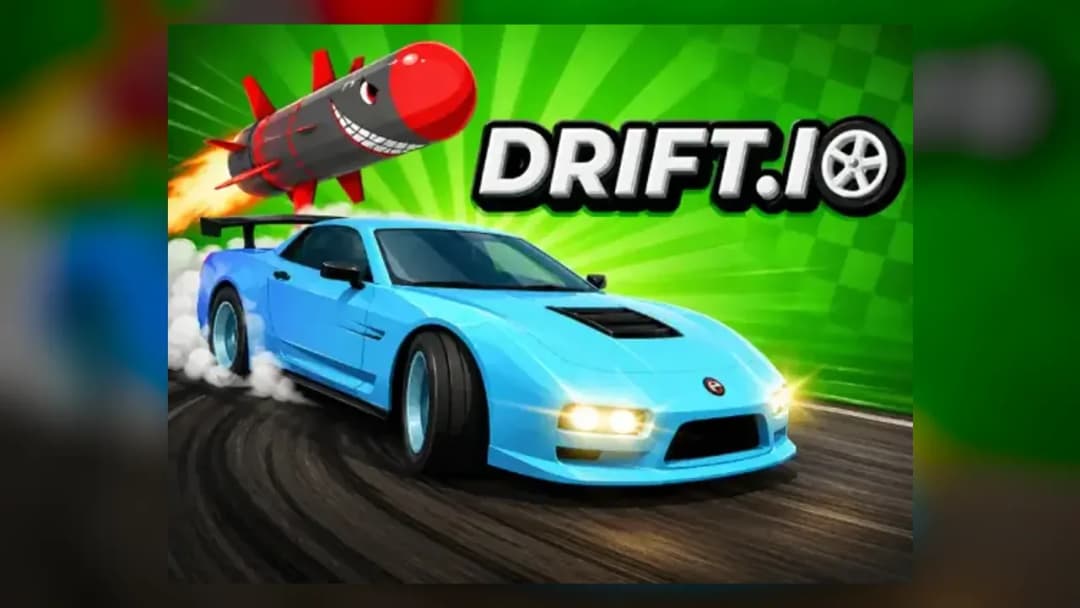
Play Drift.io, a Driving game available in your browser. Review the controls, features, and compatibility notes below, then choose Play when you are ready.
Advertisement












Advertisement
Most Popular This Month
View All results »
































Drift.io
TECHNICAL SPECIFICATIONS
OPERATIONAL GUIDE
- 1. Charge a Drift.io drift
Approach a bend under control, steer with A or D, and hold Left Shift. Watch the rear-wheel effects, which indicate that drift charge is building.
- 2. Release the Drift.io boost
Release Left Shift as the car points toward the corner exit. The stored charge becomes a temporary speed boost, so avoid releasing while you still need a sharp steering correction.
- 3. Deploy a Grand Prix item
Collect an available item during the race and press Space to activate the equipped item. Do not press Space to initiate a drift; the verified drift input is Left Shift.
- 4. Recover with the Drift.io brake
Press S to brake before an overly fast corner or to reverse after getting stuck. Regain a straight line before accelerating so the recovery does not turn into another spin.
- 5. Choose the matching Drift.io objective
Race for position across two laps in Grand Prix, use arena weapons in Battle, or focus on clean lap time in Time Trials. Apply the mode objective rather than treating every event as a drift-score contest.
CORE FEATURES
Advertisement
About Drift.io
Hold Left Shift through corners, then release it for a boost. Race two-lap Grands Prix, battle with weapons, and unlock crates. Play Drift.io online.
What's in this guide

Drift.io online turns every controlled slide into acceleration: hold Left Shift through a bend, watch the rear-wheel effect build, and release the key to convert that charge into a temporary exit boost. That drift-and-release rhythm powers three distinct competitive objectives—two-lap Grand Prix racing, weapon-based Battle arenas, and leaderboard-focused Time Trials.
This Drift.io guide explains what players actually do, corrects the common Space-versus-Shift control mix-up, and separates verified mechanics from uncertain community claims. It also covers progression, private matches, mobile and controller input, and practical fixes for loading or connection problems. Players searching for a Drift.io game, play Drift.io, or Drift.io free experience can use the sections below to choose a mode and learn its objective before joining a match.
| Game | Drift.io |
|---|---|
| Category | Racing |
| Developer | Slipstream Games |
| Initial public availability | By the end of 2021 |
| Platforms | Desktop, mobile, and tablet web browsers |
| Mode | Online multiplayer |
| Orientation | Landscape |
| Keyboard input | WASD, Left Shift, Space, and Escape |
How the Drift.io gameplay loop develops
The central Drift.io gameplay loop is not simply “slide to earn points.” You steer through a race course or combat arena, use Left Shift to initiate a charged drift, release that input for a burst of speed, and adapt to the objective of the selected mode. Grand Prix rewards race position, Battle emphasizes weapon use and survival in an arena, and Time Trials measure lap performance. A long drift is therefore useful only when its boost and trajectory help the current objective.
Charging and releasing the Drift.io corner boost
Pressing Left Shift by itself is not the complete technique. Enter the bend, steer with A or D, and hold Left Shift while the car slides. Visible effects near the rear wheels indicate charge. Release Left Shift when the vehicle is aligned with the exit; the stored drift becomes a temporary boost. Releasing too early can send the car toward the outside edge while it is still turning, whereas releasing too late wastes acceleration on a poor exit line.
For anyone asking how to drift in Drift.io, the important correction is that Space does not initiate the slide. Space activates an equipped item. Confusing those inputs can waste a weapon and leave the vehicle entering a corner without a charged boost.
Winning a Drift.io Grand Prix
Grand Prix is multiplayer circuit racing with collectible items and weapons. Current matching coverage describes races as two laps. Your practical objective is to complete those laps in a stronger finishing position while using drifts for exit speed and items to attack, defend, or disrupt competitors. There is no verified basis for describing general drift points as the victory condition.
The first lap is useful for learning item locations, corner direction, and hazardous sections, but it still affects track position. On the final lap, preserve an item if firing immediately would provide no positional benefit. A well-timed Space press near a contested section is more valuable than emptying the item slot on a distant opponent without a clear line.
Fighting through Drift.io Battle mode
Battle changes the priority from lap position to free-for-all vehicle combat. Documented weapon types include rockets, freezing effects or laser beams, explosives, and TNT-style traps. Steering and drift boosts remain relevant because mobility lets you leave a blast area, create distance, or approach from a less predictable direction.
The exact kill, stock, or score presentation can change with the current client, so follow the live Battle HUD rather than assuming Grand Prix rules apply. Treat rockets and freezing attacks as direct pressure tools. Place trap-style explosives where another vehicle is likely to drive—such as a route into an active fight—rather than on an isolated area that nobody needs to cross.
Improving Drift.io Time Trials
Time Trials centers on lap time and monthly leaderboard competition. Update history also indicates that later versions added multiplayer presence to Time Trial servers, so it should not automatically be described as a strictly offline solo mode. Other vehicles may be present, but the measurable target remains a faster, cleaner lap.
To improve Time Trial times, establish a repeatable line before attempting aggressive drifts. Brake with S before a corner if excess entry speed would force a wide exit. Charge Left Shift through the turn, point the car down the next section, and release for acceleration. Compare complete laps rather than judging a corner solely by how dramatic the slide looks.
Verified Drift.io controls and input setup
The default Drift.io controls reported consistently by matching game listings are:
| Action | Keyboard control |
|---|---|
| Accelerate | W |
| Turn left | A |
| Brake or reverse | S |
| Turn right | D |
| Hold to drift | Left Shift |
| Use equipped item | Space |
| Pause | Escape |
Keep one hand on WASD and a finger available for Left Shift. On a standard layout, this makes it possible to accelerate, steer, and charge a drift at the same time. Space should remain a deliberate item input, particularly in Grand Prix and Battle where an accidental activation can remove an option you intended to save.
Drift.io controller and mobile controls
Controller support and customizable bindings are documented in the version 2.0.0 update history. However, reliable current sources do not provide a complete universal gamepad mapping, so verify acceleration, braking, drifting, and item use in the live binding menu. Do not enter a competitive event until drift and item activation are assigned to separate, comfortable buttons.
Mobile and tablet play uses on-screen controls and a landscape layout according to current portal information and update records. Exact touch-button placement may vary by device or client version. Rotate the screen to landscape, confirm the drift and item icons before a match, and avoid assuming that an older portal's desktop-only notice reflects current device support.
Drift.io Grand Prix, Battle, and custom games
Players learning how to play Drift.io with friends should use the custom-game or private-lobby option. Private matches are supported, allowing a group to organize its own session instead of relying only on public matchmaking. Sources disagree about current capacity: one current listing and a developer-posted description mention eight friends, while another specialist page reports ten players. The safest approach is to check the capacity displayed by the live lobby rather than promising a fixed number.
Grand Prix suits groups that want racing plus item interference. Battle is the direct choice for players interested in car battle games, since rockets, freezing attacks, bouncy explosives, and TNT-style hazards take precedence over lap placement. Time Trials works for players who prefer precision and monthly leaderboard targets. Together, these systems distinguish Drift.io from multiplayer racing games that offer only conventional finish-line competition.
A no-pressure Free Drive option has been described by Drifted, but it is not confirmed by every current listing. Check the current mode menu before relying on it as an available practice mode.
Drift.io crates, garage, and cosmetic progression
Progression includes crates containing vehicles, tires, wraps, and other cosmetic rewards. Wraps can have pattern and wear values, creating visual variations in both design and condition. Current coverage and update records also describe coins, gems, player levels, challenges, a shop, an inventory, and a garage.
For players asking how to unlock cars in Drift.io, the supported answer is to engage with the crate and progression systems and review the shop, challenges, and available currencies. Public evidence does not establish a permanent drop-rate table or fixed price list, so avoid guides that promise a particular vehicle after an exact number of crates unless the current client displays that requirement.
Do Drift.io cars and tires change performance?
Specialist third-party coverage reports identical handling across vehicles and tires, suggesting that these choices are cosmetic instead of performance upgrades. That detail is not documented in a detailed first-party specification, so treat it cautiously and inspect the current garage for stat panels or explicit descriptions. If no performance difference is shown, choose a vehicle, tire set, and wrap for visibility and appearance rather than searching for an unsupported “fastest car.”
Managing Drift.io garage space and currencies
Review the inventory before opening or buying more customization items so you understand what is already owned and how the garage presents duplicates or variants. Pattern and wear values may make two wraps look different even when they belong to the same general design. Coins and gems are documented currencies, but current earning rates, prices, and any account-specific offers should be read directly in the live client.
Advanced Drift.io drifting guide and Battle tactics
Build Drift.io boosts around the exit line
- Reduce excess entry speed: tap or hold S before the turn when full acceleration would carry the vehicle wide.
- Begin the charged slide: steer with A or D and hold Left Shift once the car is committed to the bend.
- Watch the vehicle direction: keep the nose moving toward the road or escape route instead of extending the slide for appearance.
- Release on alignment: let go of Left Shift when the next section is open and the car needs acceleration.
- Correct before the next input: stabilize steering before triggering an item or beginning another drift.
Use Drift.io items with positional purpose
Press Space only when an equipped item can influence the immediate contest. A projectile is easier to exploit when opponents are confined by a corner or route. Freezing effects can interrupt movement during a fight or race. Trap-like TNT is more useful on a traveled approach than in unused space. Bouncy explosives add area pressure, so leave yourself an exit rather than following them into the same congested zone.
Separate verified Drift.io tactics from rumors
No authoritative current source provides a complete list of universal Drift.io shortcuts or proves that “smart steering” should always be on or off. Track layouts and settings can change, so test any route against the timer and reset it if it loses time. If the current settings menu offers steering assistance, compare several clean laps with the same vehicle and course; use measured lap consistency rather than an unsupported one-setting-fits-all claim.
Drift.io development and update timeline
Drift.io began as a weekend project by Ryan and Sam in April 2021. The developers later incorporated as Slipstream Games LLC, while the community wiki identifies the original creators by the handles sam and not_ry. The game was reportedly publicly available by the end of 2021.
Version 2.0.0, dated September 21, 2023 in the community update record, introduced Grand Prix and power-ups and documented controller support. Battle arrived with version 3.0.0 on January 17, 2025. CrazyGames lists August 2024 as its portal release and December 16, 2025 as its portal update field; those dates should not be mistaken for the original creation date or guaranteed latest official-site update.
The multiplayer backend uses Edgegap orchestration according to an Edgegap case study about Slipstream Games. This identifies infrastructure, not the visual game engine. No authoritative source in the available evidence establishes Unity, Unreal, Three.js, or another specific development engine.
Drift.io browser, mobile, and connection troubleshooting
Current listing data supports desktop, mobile, and tablet browsers in landscape orientation. It does not justify claiming flawless compatibility with every browser, device, network, or Chromebook configuration. Use an updated browser with WebGL and hardware acceleration available, permit the site to use necessary scripts and storage, and close extensions that interfere with embedded or externally hosted game content.
When Drift.io is not loading or shows a black screen
- Reload the page once, then reopen it in a current version of a mainstream browser.
- Confirm that JavaScript, WebGL, and hardware acceleration are enabled.
- Temporarily disable content-blocking extensions for the game page.
- Clear cached site data if an old client file appears to be stuck.
- Try another supported browser or device to separate a local browser issue from a server issue.
When a Drift.io match has lag or high ping
Pause large downloads and video streams, prefer Ethernet or a strong Wi-Fi connection, and avoid congested public networks. Rejoin or try another available lobby if one session is unstable. Drift boost timing and item use are sensitive to latency, so test steering response before committing to a leaderboard run.
No verified public documentation explains a universal account-linking process. Use only account options visible in the current client and never enter credentials into unofficial forms. Likewise, searches for Drift.io unblocked do not identify a verified official edition by that name; school and workplace network restrictions should not be bypassed.
Drift.io guidance for parents and younger players
The game contains competitive vehicle combat with rockets, freezing effects, explosives, and TNT-style traps. No authoritative age rating was established in the available browser-game sources, so parents should review a live Battle match and the game's online multiplayer context before deciding whether it is suitable.
Crates, coins, gems, a shop, and progression are documented, but the available evidence does not establish a complete current purchase policy. Adults should inspect the live shop and account settings, supervise any transaction prompts, and remind younger players not to share personal information in online spaces.
Games similar to Drift.io on ZGames
Players who enjoy Drift.io can browse more vehicle challenges in arcade games, competitive titles in action games, and the wider selections of popular games and best games. The new games hub is useful for recent additions, while HTML5 games collects other instant-play browser options without claiming Drift.io's underlying engine.
- Drift Hunters Unblocked — focuses on sustained drifting and tuning for players who want cornering practice without Drift.io's weapon battles.
- Madalin Stunt Cars Pro — adds open stunt driving and high-speed vehicle experimentation.
- Traffic Rider — swaps arena combat for first-person traffic navigation and close passing.
- Crazy Taxi — emphasizes urgent routes and aggressive arcade driving against the clock.
Drift.io is most rewarding when the slide is treated as a setup rather than the final goal: charge through the corner, release toward open road, and preserve Space for the item that can change the contest. Once that input distinction becomes automatic, Grand Prix, Battle, and Time Trials each reveal a different use for the same drift boost.
Advertisement
More Games You'll Love
Controls
Frequently asked questions
How do you get a drift boost in Drift.io?
What are the correct Drift.io keyboard controls?
How do you play Drift.io with friends in a private lobby?
How do you unlock cars and wraps in Drift.io?
Do cars have different stats in Drift.io?
What can you do when Drift.io is not loading or has high ping?
Does Drift.io support controllers and custom keybindings?
"Drift.io" and related names may be trademarks of their respective owners. This page is an informational game directory only; ZGames.io is not sponsored by or affiliated with trademark holders unless a specific game page says otherwise.
Gameplay Video: Drift.io
OFFICIAL SOURCES & SITES
Player Reviews
No Reviews Yet
Be the first to share your feedback and rate this game!
Submit Your Review
Keep exploring