Play Hide and Paint: Meccha Chameleon Online Free
Play Hide and Paint: Meccha Chameleon, a Multiplayer game available in your browser. Review the controls, features, and compatibility notes below, then choose Play when you are ready.
Advertisement

Hide and Paint: Meccha Chameleon
















Advertisement
Most Popular This Month
View All results »


































- Home
- Multiplayer
- Hide and Paint: Meccha Chameleon
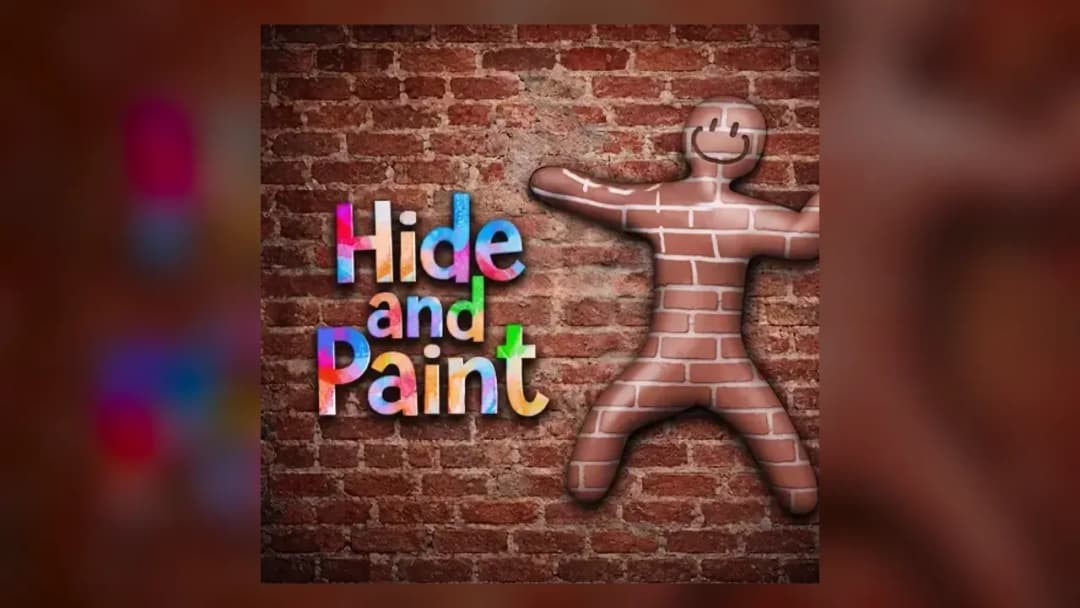
Hide and Paint: Meccha Chameleon
TECHNICAL SPECIFICATIONS
OPERATIONAL GUIDE
- 1. Enter Paint Mode
Press the paint key (commonly F) to open the brush and color picker as soon as you reach your chosen spot.
- 2. Sample and Apply Color
Use the color picker to sample the surface, apply it with the brush, and nudge the slider until the shade matches exactly.
- 3. Check Your Back
Rotate with the middle mouse button to confirm no unpainted areas give you away to Seekers.
- 4. Lock a Pose
Freeze into a static pose that mimics the object's shape to break your human silhouette before Seekers are released.
CORE FEATURES
Advertisement
About Hide and Paint: Meccha Chameleon
Paint your white body to melt into walls and lock a pose before Seekers hunt you in Meccha Chameleon. Master the color picker to outsmart 2–10 players...
What's in this guide
In Hide and Paint: Meccha Chameleon online you drop into a lobby as a blank white figure, grab an in-game paintbrush, and race to smear your body with the exact color of a wall, floor, or crate before the Seekers are unleashed. This is not classic prop hunt — you don't swap into an object, you literally paint yourself and freeze into a pose to break your human silhouette.
The whole match hangs on one tense window: reach a spot, sample a color, apply it, and lock a pose before the timer flips. Fumble the paint menu and a Seeker walks straight past a suspiciously flesh-toned lump on the wall — you.
It's a fast, funny, social Meccha Chameleon hide and seek game built around artistic skill rather than reflexes alone, which is exactly why it exploded on Steam before spreading to browser and extension versions.
| Game | Hide and Paint: Meccha Chameleon |
|---|---|
| Category | Multiplayer hide-and-seek |
| Modes | Hider vs Seeker |
| Players | 2–10 recommended |
| Platforms | PC, Nintendo Switch 2 (cross-play) |
How the Meccha Chameleon Paint System Wins Rounds
The core loop splits everyone into two teams. As a Hider you use a paintbrush, a color picker, and a color slider to match your body to a nearby surface, then lock a static pose so you read as scenery. As a Seeker your job is to tag every hidden player before the round timer expires.
Hider vs Seeker: Two Different Jobs
Hiders win by staying unfound; Seekers win by tagging all Hiders in time. The Meccha Chameleon paint system rewards Hiders who match not just color but the texture and angle of a surface — a flat matte wall hides you far better than a shiny curved object where a painted silhouette still bulges.
Meccha Chameleon Controls and the Color Picker
According to player guides, you open paint mode (commonly the F key), sample and apply colors with the Meccha Chameleon color picker, and rotate your view with the middle mouse button to check your own back before committing. That back-check matters: players who forget it leave an unpainted rear that Seekers spot instantly. Treat exact keybinds as version-dependent, but the flow is always sample → apply → pose → hold.
Best Meccha Chameleon Hiding Spots
The strongest Meccha Chameleon hiding spots are large single-color surfaces at the edge of a Seeker's likely path — long corridors, shadowed corners, and clusters of identical crates where one more "crate" won't be counted. Avoid isolated objects that draw the eye. Pose to mimic the object's shape, not just its color.
Advanced Meccha Chameleon Paint Tips
- Pre-scout your spot on spawn so you spend paint time coloring, not running.
- Match the darkest shade near a light source — cast shadows expose an overly bright coat.
- Use the slider to nudge saturation; a hair too vivid is the #1 giveaway.
- As Seeker, sweep low and flat surfaces where posed Hiders flatten themselves.
Playing Meccha Chameleon Multiplayer Online
This is a Meccha Chameleon multiplayer experience for 2–10 players (host network dependent). You can run private lobbies with friends or join open public servers to face strangers worldwide. The original PC release now supports Nintendo Switch 2 with full cross-play.
Similar Multiplayer Games on ZGames
- Racing Bros — another chaotic head-to-head multiplayer built for lobby laughs.
- Crazy Taxi — arcade timing pressure like Meccha's paint window.
- Las Vegas Blackjack — reading opponents and bluffing, chameleon-style.
- Elevator Fight — tight-space tactics against other players.
Browse more in action games and popular games. When you play Hide and Paint: Meccha Chameleon online, remember it always comes back to that one held breath — brush loaded, color matched, pose locked — hoping the Seeker mistakes you for the wall.
Advertisement
More Games You'll Love
Controls
Frequently asked questions
How do you paint your character in Meccha Chameleon?
What are the best hiding spots in Meccha Chameleon?
What's the difference between Hiders and Seekers in Meccha Chameleon?
How many players can join a Meccha Chameleon match?
Is Meccha Chameleon the same as prop hunt?
"Hide and Paint: Meccha Chameleon" and related names may be trademarks of their respective owners. This page is an informational game directory only; ZGames.io is not sponsored by or affiliated with trademark holders unless a specific game page says otherwise.
Gameplay Video: Hide and Paint: Meccha Chameleon
OFFICIAL SOURCES & SITES
Player Reviews
No Reviews Yet
Be the first to share your feedback and rate this game!
Submit Your Review
Keep exploring