Play Piano Kids - Music & Songs Online Free
Play Piano Kids - Music & Songs, a Kids game available in your browser. Review the controls, features, and compatibility notes below, then choose Play when you are ready.
Advertisement
Piano Kids - Music & Songs















Advertisement
Most Popular This Month
View All results »


































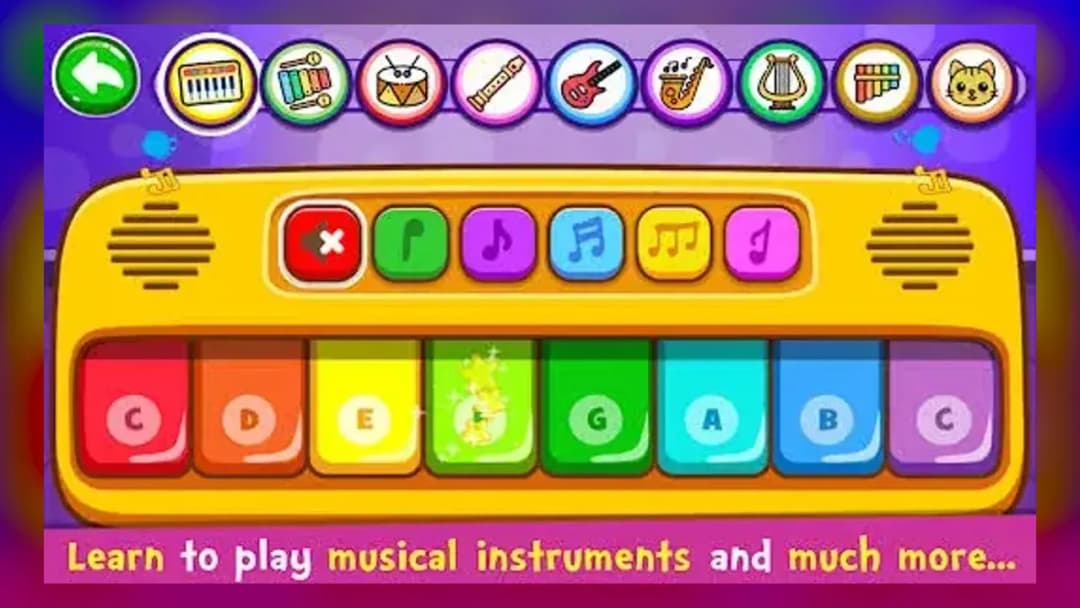
Piano Kids - Music & Songs
TECHNICAL SPECIFICATIONS
OPERATIONAL GUIDE
- 1. Pick an instrument
Open Instruments mode and tap a key or pad on the xylophone, drum kit or piano to hear it play instantly.
- 2. Start Auto Play
Enter Songs mode, choose one of the 30 songs, and let Auto Play perform the melody first.
- 3. Follow the note guide
Replay the song yourself by tapping each key the cartoon character highlights, in order.
- 4. Switch notation or instrument
Change to C-D-E notation or swap instruments to practice the same song in a new way.
CORE FEATURES
Advertisement
About Piano Kids - Music & Songs
Tap 7 instruments and learn 30 songs with Auto Play guiding each note in Piano Kids - Music & Songs. Explore Instruments, Songs, Sounds and Games modes...
What's in this guide
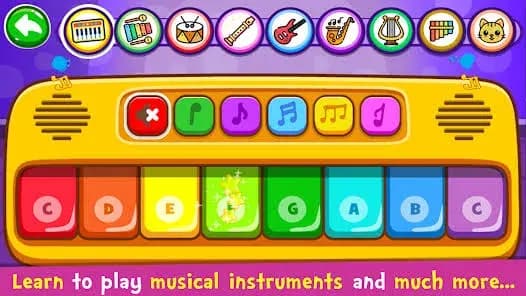
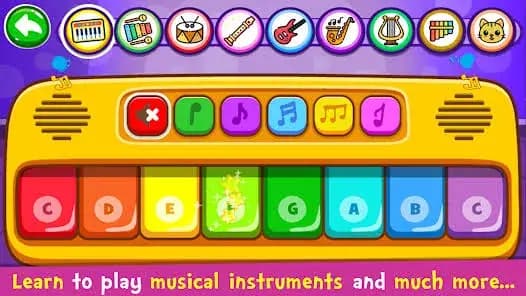
In Piano Kids - Music & Songs online you tap colorful keys and pads to play seven real instruments — a kids xylophone, drum kit, piano, saxophone, trumpet, flute and electric guitar — while friendly cartoon characters tell you exactly which note comes next. It is less a strict rhythm game and more a guided musical playground where children build melodies by ear and finger.
The standout mechanic is the Auto Play loop: the app first performs a song so kids hear the melody, then hands over control and highlights each note so they can replay it unassisted. This turns 30 famous tunes into bite-sized, follow-along lessons that reward curiosity rather than punishing mistakes.
Developed by Orange Studios Games (legal entity ORANGE ESTUDIOS S.A.S.), the app has been on Google Play since February 2016 and sits at a 4.40 rating across 622,140 reviews — making it the authoritative title among several clones that share the name.
| Game | Piano Kids - Music & Songs |
|---|---|
| Category | Educational / Casual Music |
| Developer | Orange Studios Games |
| Release | February 2016 |
| Modes | Instruments, Songs, Sounds, Games |
| Platforms | Android 6.0+, browser (HTML5) |
| Controls | Tap / touch |
How the four modes shape Piano Kids - Music & Songs gameplay
The app splits into four distinct modes so children can move from free play to structured learning at their own pace:
- Instruments — tap-to-play the xylophone, drum kit, saxophone, trumpet, flute and electric guitar.
- Songs — learn to play 30 famous songs, choosing which instrument performs each one.
- Sounds — explore and recognize everyday object sounds plus the pronunciation of colors, numbers and letters in English, Spanish and Portuguese.
- Games — mini-games that teach counting, the alphabet, geometric shapes, pixel art, puzzles, painting and a memory game, including play with baby shark and fish.
Controls: tapping your way through Piano Kids
Because this is a touchscreen-first title, there are no keyboard keybindings — you simply tap or drag your finger across the on-screen keys and pads. In the browser HTML5 port you tap the simulated piano keys with a mouse or touch. A helpful option lets you switch note labels between DO-RE-MI and C-D-E notation to match how a child is learning music.
Advanced tips for learning 30 songs faster
Start a new song in Auto Play, then immediately replay it with the character prompts on — muscle memory forms fastest right after hearing the melody. Switch the same song between flute and electric guitar to train pitch recognition rather than key memorization. Use C-D-E notation if your child is learning formal lessons, since it bridges to real sheet music and easy piano songs for kids.
Which Piano Kids - Music & Songs is the real one?
Several apps share this title. The Orange Studios Games version (package com.orange.kidspiano.music.songs) with 100M+ downloads is the original. Avoid confusing it with the "NEW" iOS app by Be Nguyen, the Amazon "Instruments" edition by Judson Perkinsaz Inc, or House of Juniors' "Piano Game: Kids Music Songs." You can grab the official piano kids music songs apk for Android, run piano kids music songs for pc via Google Play Games, or play directly in a browser.
For parents
The app carries an Everyone content rating and works offline, making it travel-friendly. Content focuses on music, colors, numbers and shapes across three languages. Check your store listing for ad behavior and any optional in-app purchases before handing over the device.
Similar games on ZGames
- MMA Card Battles — another tap-driven title where timing your inputs decides the outcome.
- Snake Clash — a simple one-finger arcade pick for younger casual players.
- Subway Surfers San Francisco — bright, kid-friendly swipe controls and endless rhythm of inputs.
- snow rider 3d unblocked — easy pick-up gameplay that works instantly in the browser.
Browse more in arcade games or the HTML5 games hub. From the very first tap, Piano Kids - Music & Songs turns curiosity into melody — follow the characters, master the 30 songs, and let kids build their own tunes across seven instruments.
Advertisement
More Games You'll Love
Controls
Frequently asked questions
How does Auto Play mode work in Piano Kids - Music & Songs?
How many instruments and songs are in Piano Kids - Music & Songs?
Which Piano Kids - Music & Songs is the official one by Orange Studios Games?
Can you play Piano Kids - Music & Songs on PC or in a browser?
Can you switch note labels in Piano Kids - Music & Songs?
"Piano Kids - Music & Songs" and related names may be trademarks of their respective owners. This page is an informational game directory only; ZGames.io is not sponsored by or affiliated with trademark holders unless a specific game page says otherwise.
Gameplay Video: Piano Kids - Music & Songs
OFFICIAL SOURCES & SITES
Player Reviews
No Reviews Yet
Be the first to share your feedback and rate this game!
Submit Your Review
Keep exploring