Play Subway Surfers San Francisco Online Free
Play Subway Surfers San Francisco, a Rhythm Games game available in your browser. Review the controls, features, and compatibility notes below, then choose Play when you are ready.
Advertisement
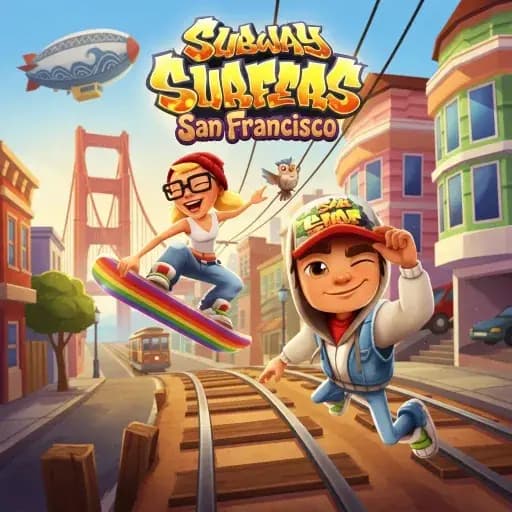
Subway Surfers San Francisco



















Advertisement
Most Popular This Month
View All results »


































- Home
- Rhythm Games
- Subway Surfers San Francisco
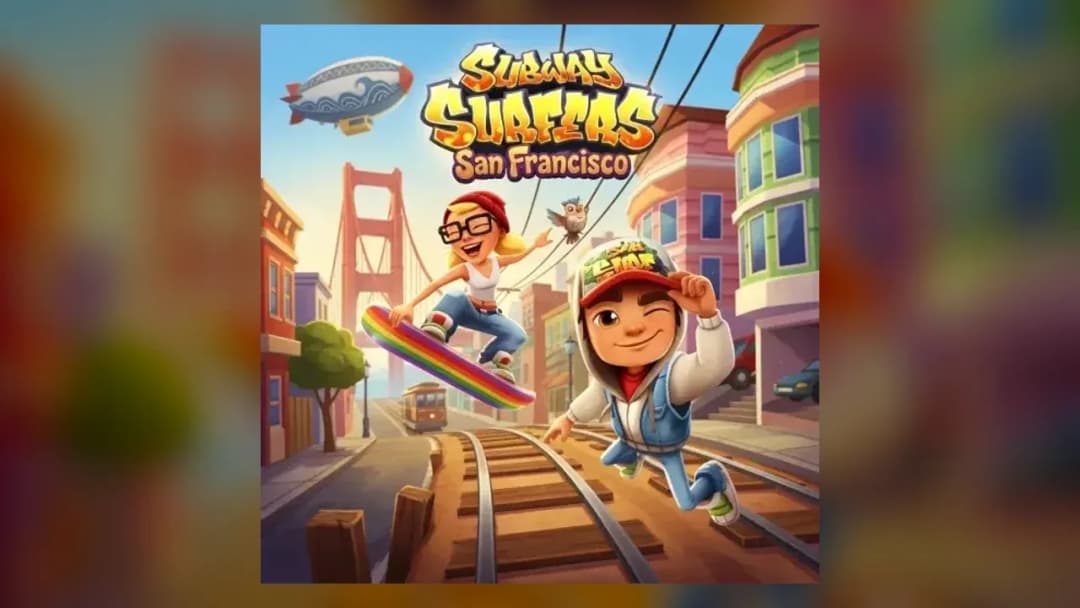
Subway Surfers San Francisco
TECHNICAL SPECIFICATIONS
OPERATIONAL GUIDE
- 1. Switch Lanes
Use the left and right arrow keys on desktop, or swipe left and right on touch, to move between the three lanes and dodge oncoming trains and barriers.
- 2. Jump And Slide
Press up or swipe up to jump over barriers and onto trains; press down or swipe down to slide under overhead hazards and cancel a jump early.
- 3. Collect Coins
Grab gold coins along the ground, rooftops, and in the air to build your score and bank currency for unlocking characters, outfits, and hoverboards.
- 4. Use Power-Ups
Pick up jetpacks, super sneakers, coin magnets, and score multipliers to survive longer and boost your run's total.
- 5. Deploy Your Hoverboard
Double-tap on touch or use the mapped key to activate a hoverboard, which absorbs one crash and gives you a short protective window during fast sections.
CORE FEATURES
Advertisement
About Subway Surfers San Francisco
Play Subway Surfers San Francisco online free — sprint across steep SF hills, dodge cable cars and trains, grab coins, and outrun the inspector in your...
What's in this guide
Why Subway Surfers San Francisco Beats a Plain City Run
Same runner. New city. Bigger challenge.
Most endless runners drop you on a flat track and hope the speed does the work. Subway Surfers San Francisco doesn't. The San Francisco setting throws steep hills, cable-car-style hazards, and landmark-packed streets into a loop that already tests your reflexes. You still switch lanes, jump, slide, and grab coins — but the SF theme changes what your eyes have to track.
Here's the short version if you just searched for it: Subway Surfers San Francisco online is a browser endless runner where your character sprints forward on its own while you dodge trains and barriers across three lanes, scoop up coins, and stay ahead of a pursuing inspector and his dog. Survive longer, score higher. That's the whole hook — and it's why the game stands out from generic runners in the genre.
You don't install anything. You don't sign up. You load the page and go. Below, we answer the exact questions players ask before and during a run — controls, hills, hoverboards, power-ups, and how to squeeze more distance out of every sprint.
| Game | Subway Surfers San Francisco |
|---|---|
| Category | Endless runner / rhythm-games games |
| Technology | HTML5 |
| Platforms | PC, Mobile, Tablet, Chromebook |
| Players | Single-player |
| Setting | San Francisco-themed tracks |
How To Play Subway Surfers San Francisco Without Crashing In 10 Seconds
New runners crash fast. Here's how to not.
The character runs automatically. You never make it go forward — your job is pure reaction. Three lanes. Trains ahead. Barriers between them. You pick a path.
On a phone or touch device, the controls follow the classic swipe scheme: swipe left or right to change lanes, swipe up to jump, and swipe down to roll or cancel a jump. That gesture set is the official Subway Surfers control language, and it carries over to mobile-browser play. On desktop, browser builds generally map those same actions to the arrow keys — left and right shift lanes, up jumps, down slides. Because the exact keybindings depend on this specific build, confirm them the moment you start by tapping each direction once.
The rhythm is simple to describe and hard to master: read the track, commit to a lane, and time your jump or slide to land clean.
The Core Loop In One Breath
Run. Dodge. Collect. Repeat — faster each second.
Speed climbs the longer you last. Early on you have time to think. Deep into a run, the track scrolls fast enough that hesitation kills you. Every coin adds to your total, and coins are the currency you spend on characters, outfits, and hoverboards in the shop. Crash into a train or barrier and the inspector closes the gap — that's your run over.
Reading San Francisco's Hills And Cable Cars
SF-themed tracks lean into the city's identity. Steep inclines and cable-car-style obstacles replace some of the flat, generic scenery you'd see in other editions. That means the visual read matters more: hazards can crest a hill before you fully see them. The fix is to keep your eyes high on the screen rather than glued to your character.
Subway Surfers San Francisco Controls: Keyboard And Touch
Two input styles. Same actions.
- Change lanes: Left / Right arrow keys on desktop, or swipe left / right on touch.
- Jump: Up arrow, or swipe up — clears barriers and lets you land on top of trains.
- Slide / roll: Down arrow, or swipe down — ducks under overhead hazards and cancels a jump early.
- Deploy hoverboard: Double-tap on touch; on desktop, use the build's mapped hoverboard key.
If you're wondering about Subway Surfers San Francisco controls before you commit to a run, test all four directions on a safe stretch of track first. It costs you nothing and saves you a first-obstacle wipeout.
The Coin-To-Unlock Engine That Keeps You Running
Coins aren't just points. They're progress.
Every gold coin you grab feeds two systems at once: your current score and your bank for the shop. Spend those coins to unlock new characters, outfits, and hoverboards. That loop — run, earn, unlock, run again with a fresh board — is the reason a game with one simple goal keeps pulling you back.
Coins sit on the ground, ride along rooftops, and float in the air where only a well-timed jump can reach them. Chasing every coin is a trap, though. Swerving out of a safe lane for a single coin line is how good runs end early. Grab what's on your path; skip the greedy detours when the track gets tight.
Power-Ups That Change A Run
Grab the right item and a shaky run becomes a record.
- Jetpack: Lifts you above the tracks for a stretch of obstacle-free flight while you hoover up a stream of coins.
- Super sneakers: Boost your jump height so you clear hazards you'd normally have to weave around.
- Coin magnet: Pulls nearby coins straight to you — no lane-swerving required.
- Score multiplier: Cranks up how fast your score climbs, turning a long survival run into a leaderboard-worthy total.
- Hoverboard: Not a pickup you find so much as a board you deploy — it absorbs one crash and buys you a short protective window.
The smart play: chain a magnet with a multiplier. Coins pour in automatically while every one of them counts for more. That's the fastest legitimate way to spike your high score.
Advanced Tactics For Longer SF Runs
Distance is a skill. Build it deliberately.
Ride The Rooftops
When you can, jump onto the top of a train and stay there. The elevated line gives you a clearer view of what's coming and keeps you clear of ground-level barriers. It's the single best habit for surviving deep into the speed ramp.
Fix Your Swipe Timing
The most common crash isn't bad luck — it's timing. Players jump too early, land before the obstacle, and clip it anyway. Others react too late. Anticipate the hazard, then move as you reach it. Precise, not panicked.
Save Your Hoverboard For The Chaos
Don't burn a hoverboard early when the track is easy. Hold it for the fast, cluttered late-game stretch where one mistake would otherwise end everything. That one saved crash can double your distance.
Playing Subway Surfers San Francisco Free In Your Browser
No download. No wait. Just a tab.
This is a Subway Surfers San Francisco browser game built in HTML5, which is why it loads directly on PC, mobile, tablet, and Chromebook without extra software. To play Subway Surfers San Francisco online, open the page, let the game load, and start your first sprint. Progress in a browser build is typically saved to your browser's local storage, so your coins and unlocks live on the device you played on rather than syncing to a phone app.
Because you can jump in for a single run or grind out a long session, it fits into any spare minute — which is exactly how a fast, one-goal runner like this is meant to be played. And since it's a Subway Surfers San Francisco free web build, there's no barrier between you and the next attempt.
Where San Francisco Sits In The World Tour
SF isn't a spin-off. It's a themed chapter.
Subway Surfers is an endless runner from the wider series co-created by Kiloo and SYBO Games, with SYBO holding the IP. The San Francisco setting comes from the official World Tour: San Francisco content — documented as a themed edition released on mobile on January 21, 2016 — which introduced the San Francisco backdrop along with a themed character and hoverboard in the app. The browser build carries that visual identity into a quick-play web format.
More Runners And Rhythm Challenges On ZGames
Liked the sprint-and-dodge rhythm? These hit the same nerve.
- Geometry Dash Unblocked — a rhythm-timed obstacle runner where one mistimed tap ends the whole attempt.
- Subway Surfers New York — the same three-lane coin-chasing loop set on New York-themed tracks.
- Geometry Dash Tidal Wave — a punishing beat-synced challenge for players who want tighter reflex tests.
- Hollow Knight: Silksong — for when you want precise movement and reaction skill in a bigger adventure.
If you like the tension of a track that never stops speeding up, San Francisco's hills are the best excuse to prove you can read a lane faster than the inspector can catch you.
Advertisement
More Games You'll Love
Controls
Frequently asked questions
What makes the San Francisco edition different from other Subway Surfers cities?
How do you use a hoverboard while running?
Do I keep my coins and unlocks between sessions in the browser version?
What's the best way to survive the hilly San Francisco tracks?
Which power-ups help you rack up the highest score?
Are Jenny and the Groovy board available in this browser build?
"Subway Surfers San Francisco" and related names may be trademarks of their respective owners. This page is an informational game directory only; ZGames.io is not sponsored by or affiliated with trademark holders unless a specific game page says otherwise.
Player Reviews
No Reviews Yet
Be the first to share your feedback and rate this game!
Submit Your Review
Keep exploring