Play Bowling Stars Online Free
Play Bowling Stars, a Casual game available in your browser. Review the controls, features, and compatibility notes below, then choose Play when you are ready.



Most Popular This Month
View All results »





Bowling Stars
Game Details
How to Play
- 1. Start the tutorial
Open Bowling Stars and follow the on-screen tutorial to learn how to throw.
- 2. Flick to throw
Use a flick with swipe or touch, or mouse input, to send your ball down the lane.
- 3. Add spin for curve
Flick and spin to curve the ball and hit the pins at the best angle for a strike.
- 4. Upgrade your balls
Spend the trophies and cash you earn on ball upgrades to keep progressing.
Game Features
About Bowling Stars
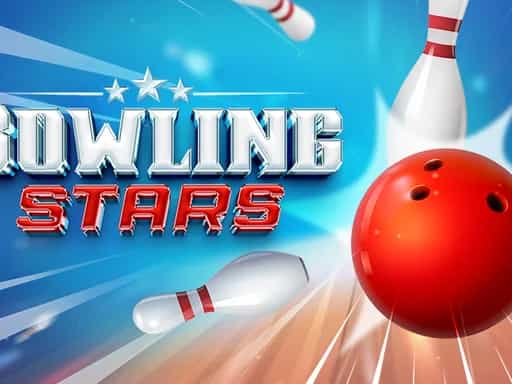
Play Bowling Stars in your browser. Flick and spin the ball to knock down pins, score strikes and aim for a perfect 300. Play it free, no download needed.
What's in this guide
What You Do in Bowling Stars
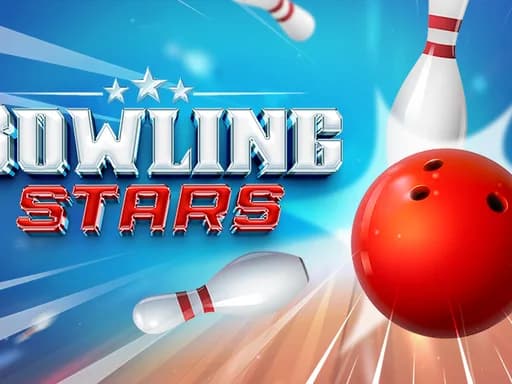
Bowling Stars is a bowling game you play in your browser. Your goal is to knock down pins and score strikes, with a perfect 300 as the top score to aim for. Each throw is a chance to adjust your line and spin, so the game rewards careful aiming as much as quick play.
The core loop is simple. You throw, see what the pins do, and use what you earn to improve your equipment. Bowling Stars also has a trophy road: you earn trophies by defeating opponents, and the game gives you ways to upgrade your balls with cash.
How to Play Bowling Stars
- Start the game and follow the on-screen tutorial, which shows you how to throw and steer your shot.
- Line up your throw and flick to release the ball. A flick with swipe or touch sends the ball down the lane.
- Add spin or curve to your flick to change the path of the ball and try to hit the pins at the best angle for a strike.
- Watch the scoring after each frame. Strikes raise your score, and the closer you get to a perfect 300, the better your run.
- Use the trophies and cash you earn to upgrade your bowling balls and keep moving along the trophy road.
Bowling Stars Controls
The game shows you its controls in the tutorial and supports mouse, keyboard or touch input. The table below lists the main actions.
| Action | Mouse / Touch |
|---|---|
| Throw the ball | Flick with swipe or touch, or use mouse input |
| Curve or spin the shot | Flick and spin with swipe or touch |
| Follow the tutorial | Use the on-screen prompts shown when you start |
What Changes Between Sessions
Your progress comes from earning trophies by defeating opponents and spending cash on upgrades. Balls are customisable, and the game offers more than a dozen ball styles to choose from. As you move up, your equipment and opponents give each session a different feel.
Because the game runs in the browser with no download, you can drop in for a quick round or play a longer session on the same page.
Tips and Strategy
- Spend the first few throws learning how the flick affects your ball before you try for big curves.
- Aim for the pocket between the head pin and the pins behind it, since clean hits are what produce strikes.
- Do not rush every throw. A slower, more controlled flick is often more accurate than a hard one.
- Practice spin on different shots so you know how much curve to add when the lane setup changes.
- Save cash for upgrades that improve your ball rather than spending it all at once.
- Track your strikes across a session and treat each frame as a chance to build toward a perfect 300.
- If you play on a phone or tablet, use a steady swipe so the ball follows the line you planned.
If you enjoy skill-based games like this, try penalty shooters or browse more in Casual games.
More Games You'll Love
Controls
Frequently asked questions
How do you play Bowling Stars?
How do trophies and upgrades work in Bowling Stars?
"Bowling Stars" and related names may be trademarks of their respective owners. This page is an informational game directory only; ZGames.io is not sponsored by or affiliated with trademark holders unless a specific game page says otherwise.
Gameplay Video: Bowling Stars
OFFICIAL SOURCES & SITES
Player Reviews
No Reviews Yet
Be the first to share your feedback and rate this game!
Submit Your Review
Keep exploring