Play Annoying Uncle Punch Online Free
Play Annoying Uncle Punch, a Casual game available in your browser. Review the controls, features, and compatibility notes below, then choose Play when you are ready.
Advertisement
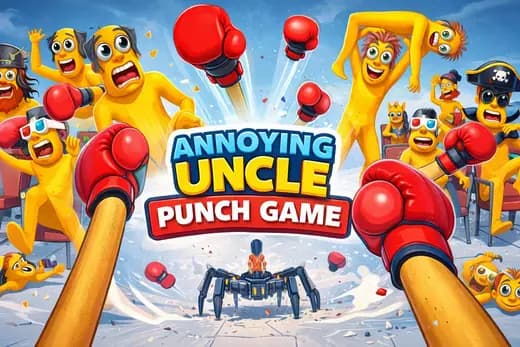
Annoying Uncle Punch



















Advertisement
Most Popular This Month
View All results »


































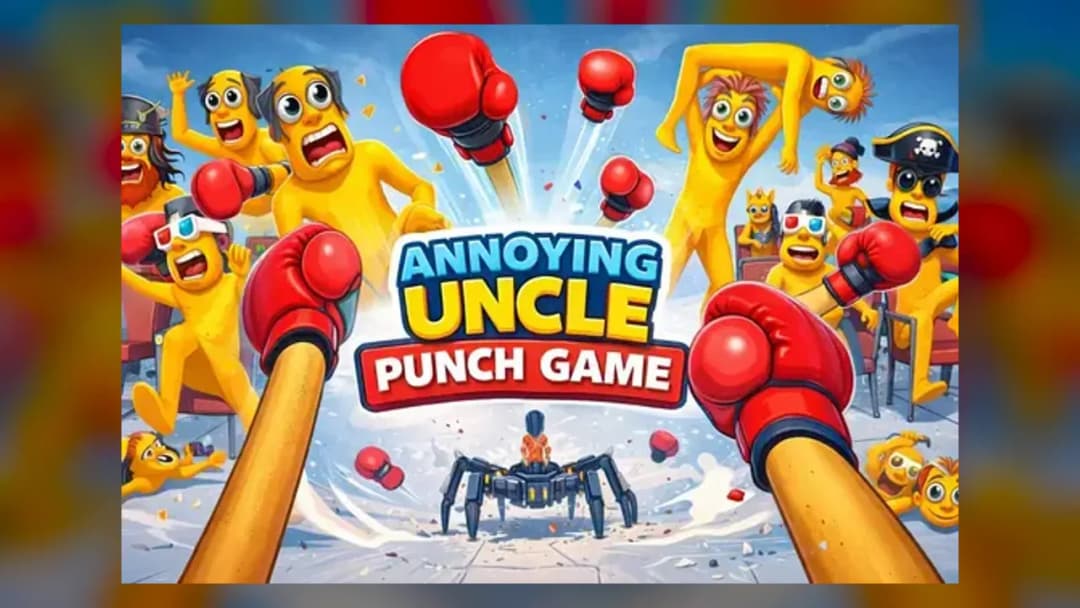
Annoying Uncle Punch
TECHNICAL SPECIFICATIONS
OPERATIONAL GUIDE
- 1. Load the browser build
Open Annoying Uncle Punch online on ZGames — it runs instantly with no download.
- 2. Tap to punch
Click on desktop or tap on mobile directly on the uncle to land a punch.
- 3. Punch in a steady rhythm
Wait for each reaction animation and tap in a consistent cadence for cleaner, higher-scoring hits.
- 4. Clear the scenario to advance
Meet the level's punch goal to move to the next scenario, from offices to playgrounds and beyond.
CORE FEATURES
Advertisement
About Annoying Uncle Punch
Tap to land punches on the annoying uncle across offices, playgrounds and wild setups. Clear escalating levels for laughs and instant stress relief. Play...
What's in this guide
Annoying Uncle Punch online: what you actually do
Annoying Uncle Punch online is a one-tap comedy game where you repeatedly punch an over-the-top "annoying uncle" character in escalating, exaggerated scenarios. There is no aiming stick, no combo dial-in — you tap (or click) the target and the uncle reacts with cartoon-loud, physics-y flailing. The whole point is fast, relatable stress relief in ten-second bursts.
What separates this from a plain clicker is the scenario variety: instead of one static punching bag, the game drops the uncle into diverse settings — offices, playgrounds and unusual character formations — so each level reframes the same simple punch mechanic with fresh visual gags.
Because the Annoying Uncle Punch game online loads straight in the browser, there is nothing to install; you open the page and start swinging immediately, which is the main draw over the App Store and Google Play versions.
| Game | Annoying Uncle Punch |
|---|---|
| Category | casual |
| Modes | Single player |
| Controls | Tap / click to punch |
| Platforms | PC, Mobile, Chromebook (browser) |
Core loop of the Annoying Uncle Punch game
The loop is deliberately minimal: a scene loads, the uncle appears, and you tap the punch target to land hits. Each successful hit triggers an exaggerated reaction, and clearing the on-screen goal advances you to the next scenario. There is no permadeath — the game is built around comedic repetition rather than failure, so "losing" mostly means an incomplete level rather than a game over.
Annoying Uncle Punch levels and scenarios
The Annoying Uncle Punch levels rotate through distinct backdrops — an office desk, a playground, and stranger set-piece formations — and later stages introduce new tools or contexts around the same punch input. That variety is what keeps a one-button game from feeling flat: the mechanic stays identical while the joke changes.
Annoying Uncle Punch controls
The Annoying Uncle Punch controls are as simple as the genre gets:
- Desktop: Left-click on the punch target / uncle to strike.
- Mobile & Chromebook: Tap the screen where the uncle is shown.
That single input covers everything, which is why the game runs equally well as the Annoying Uncle Punch game free play browser build and on touchscreens.
How to play Annoying Uncle Punch: tips that actually help
Since the mechanic is one tap, the skill is in rhythm and timing, not complexity. A few concrete Annoying Uncle Punch tips:
- Tap in a steady cadence rather than mashing — panicked mashing often registers fewer clean hits than a consistent tempo.
- Watch the reaction animation before re-tapping so each punch lands on a fresh frame instead of overlapping.
- Learn each scenario's target zone — the uncle's hit point shifts between office, playground and formation levels.
- Play in short sessions; the design rewards quick stress-relief bursts more than marathon runs.
Safe Mode and content for parents
Some editions of this game include humor and gestures that skew older, and at least one variant offers a Annoying Uncle Punch safe mode that filters out the more mature levels. If you're sharing the game with younger players, enable Safe Mode where available and preview a level or two first — reviews of the wider franchise have flagged crude gags, so parental spot-checking is sensible. For an ad-lighter experience, players also search for the Annoying Uncle Punch game no ads versions on app stores.
Similar games on ZGames
- Life Simulator — same one-more-tap casual pull with escalating everyday scenarios.
- Brick Breaker Rush — simple input, satisfying impact and quick-session progression.
- Paper.io 2 — pick-up-and-play arcade loop you can win in seconds.
- Blocky Rush — fast reaction-timing challenge in short bursts.
Browse more in arcade games and action games, or check popular games and HTML5 games for the same instant-play appeal.
At its heart, Annoying Uncle Punch is still just you, one tap, and an uncle who never stops being annoying — but the rotating offices, playgrounds and oddball setups keep that single joke landing. Load it in the browser and start punching whenever you need a laugh.
Advertisement
More Games You'll Love
Controls
Frequently asked questions
What are the controls for Annoying Uncle Punch online?
How do the levels in Annoying Uncle Punch change as you progress?
Is there a Safe Mode in Annoying Uncle Punch?
Do I need to download Annoying Uncle Punch to play it?
What makes Annoying Uncle Punch different from other clicker games?
"Annoying Uncle Punch" and related names may be trademarks of their respective owners. This page is an informational game directory only; ZGames.io is not sponsored by or affiliated with trademark holders unless a specific game page says otherwise.
Gameplay Video: Annoying Uncle Punch
OFFICIAL SOURCES & SITES
Player Reviews
No Reviews Yet
Be the first to share your feedback and rate this game!
Submit Your Review
Keep exploring