Play Unpark Jam Online Free
Play Unpark Jam, a Puzzle game available in your browser. Review the controls, features, and compatibility notes below, then choose Play when you are ready.
Advertisement




















Advertisement
Most Popular This Month
View All results »



































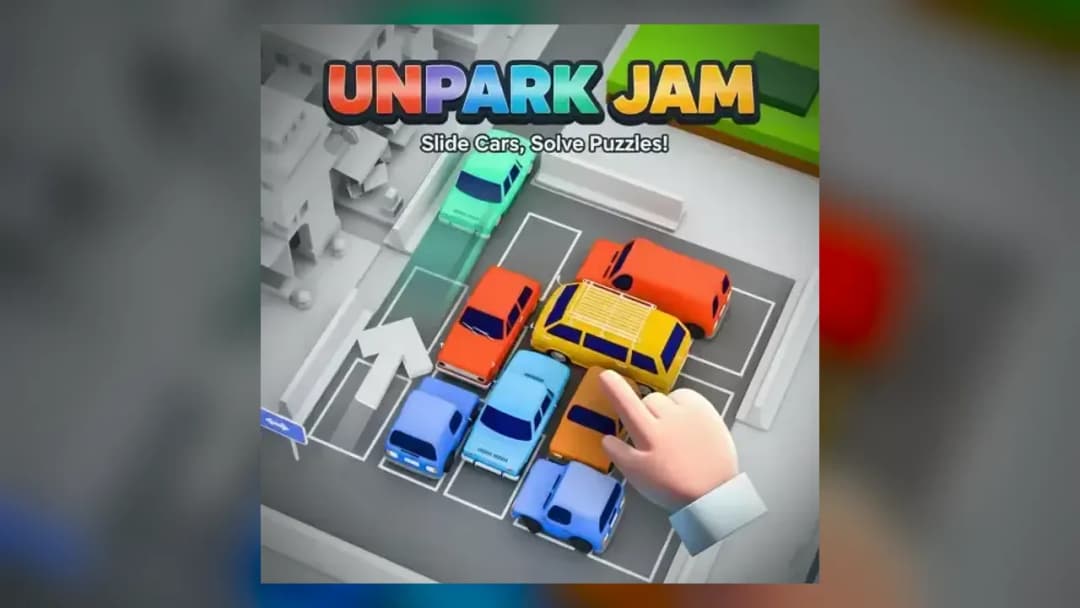
Unpark Jam
TECHNICAL SPECIFICATIONS
OPERATIONAL GUIDE
- 1. Read the Parking Jam
Scan the top-down lot to see which cars are horizontal, which are vertical, and where the exit is before you move anything.
- 2. Select and Slide a Car
Click and drag a car on desktop, or tap and swipe it on mobile, along its lane forward or backward — cars can't turn.
- 3. Free the Blocked Cars
Move vehicles out of the way in the right order so the cars trapped behind them gain a clear lane to the exit.
- 4. Send Cars to the Exit
Once a lane is fully clear, slide that car out through the marked exit to remove it from the lot.
- 5. Clear the Whole Lot
Repeat the chain of moves until every car has left, then progress to the next of the 20 levels.
CORE FEATURES
Advertisement
About Unpark Jam
Play Unpark Jam online — a top-down parking puzzle where you slide lane-locked cars forward and back to clear all 20 levels and free every vehicle to the...
What's in this guide
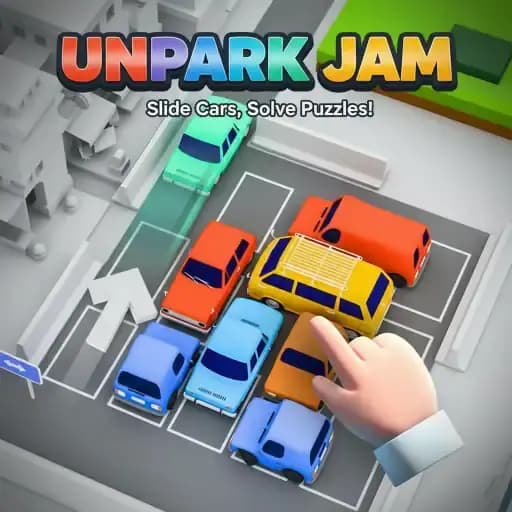
Here's the one rule that decides everything in this game: cars can't turn. Ever. Each vehicle is locked to the lane it's sitting in, so a horizontal car only slides left and right, and a vertical car only slides up and down. Once that clicks, the whole puzzle changes from "a messy parking lot" into "a chain of moves I have to solve in the right order."
So if you searched for how to unjam a level and free every car, the short answer is this: you don't muscle cars out — you clear a path for each one by moving the vehicles blocking it first, then slide them toward the exit one at a time. That's the entire loop, and it's why Unpark Jam online rewards planning over speed.
Let's break down exactly how it plays, how to control it, and how to get unstuck when a later board looks impossible.
The Fastest Way to Understand Unpark Jam
You're looking at a top-down parking lot packed with colored cars and a marked exit. Your job is to get every car out through that exit. Because vehicles are stuck on their lanes, the challenge is figuring out which car to move first so the one behind it can finally slide free.
There's no timer and no reflex test. You can stare at a board for as long as you want, plan a five-move chain, and only then start dragging. That's what makes it a genuine logic puzzle rather than an arcade game — patience beats panic every time.
| Game | Unpark Jam |
|---|---|
| Category | Puzzle (parking slide puzzle) |
| Technology | HTML5 |
| Platforms | PC, Mobile, Tablet, Chromebook |
| Levels | 20 |
| Perspective | Top-down parking lot |
| Timer | None — solve at your own pace |
| Controls | Mouse drag (desktop), tap and swipe (touch) |
How the Core Slide Puzzle Actually Works
Every level hands you a fresh layout of vehicles and static obstacles. The board is deliberately crowded, so at first glance nothing seems able to move. That's the puzzle: find the one car that can slide, move it, and watch a new gap open up.
Lane-Locked Movement Is the Whole Game
Since cars only move along their current orientation, direction is fixed the moment you look at a vehicle. A car pointed up-and-down can only push toward the top or bottom of the lot; a sideways car can only slide across. You can't pivot, reverse into another lane, or squeeze diagonally. Understanding which cars are "vertical" and which are "horizontal" is half the solve.
Clearing Cars in Sequence
You free vehicles one at a time. In the opening levels a single move might send a car straight to the exit. Deeper into the 20 levels, you'll have to move one car purely to open the lane for another — a multi-step chain where the order matters. Move the wrong car into the wrong spot and you can wall off a vehicle you still need to escape.
Collisions and Barriers
Bumping isn't a game-over. If a car runs into a barrier or another vehicle, the level generally keeps going — the barrier just gives you visual feedback that the path is blocked. Treat a bump as information: it's telling you that lane isn't clear yet, so go free whatever is in the way first.
Obstacles That Force a Detour
Some boards add fixed blocks and barriers that can't be moved at all. These reshape the routes cars can take to the exit, so you have to plan around them. Later levels lean on these to crank up the logical difficulty without ever adding time pressure.
Unpark Jam Controls, Desktop and Mobile
The control scheme is intentionally tiny, which is a big reason the game works on so many devices.
| Device | Input | Action |
|---|---|---|
| Desktop | Mouse | Click a car and drag it forward or backward along its lane |
| Mobile / Tablet | Touch | Tap a car and swipe it in the direction it faces |
That's it. On desktop you're using click-and-drag; on a phone or tablet you're using tap-and-swipe. Because the Unpark Jam controls are pointer-based rather than key-based, the game plays comfortably on a laptop trackpad, a Chromebook, an iPad, or a phone without any remapping.
How to Play Unpark Jam Step by Step
- Read the whole board first. Before touching anything, scan which cars are horizontal and which are vertical, and spot where the exit is.
- Find the car that can already move. There's almost always at least one vehicle with a clear lane. Move it to open space.
- Free the blocked cars in order. Slide vehicles out of the way so the car behind them gains a clear path.
- Send cars to the exit. Once a lane is clear all the way out, drag or swipe that car through.
- Clear the whole lot. Repeat until every car has left, and the level is solved.
Beating the Harder Late Levels
The last stretch of levels is where players usually get stuck, so here's how to think through them.
Work backward from the exit. Decide which car should leave last, then figure out what's blocking the cars nearest the exit right now. Solving from the goal outward stops you from making early moves that box you in.
Only move cars that actually free your path. Every move should either send a car out or open a lane for one that needs to escape. Random shuffling wastes space and often traps a vehicle you'll need later.
Watch where you park a car you're just relocating. When you slide a vehicle out of the way, make sure its new position doesn't block another lane you'll need. This is the single most common mistake in tight late-game boards.
Slow down. Because there's no timer, the smart play is to plan the full chain in your head before you start dragging. If a level feels impossible, you're usually one move away from a trap, not one move away from a win.
Why It Runs Anywhere
Unpark Jam is built in HTML5, so it loads straight in a modern browser with no install. That's why you can play Unpark Jam free on a desktop, a laptop, a Chromebook, a tablet, or a phone — the same lane-locked puzzle, the same tap or drag controls, scaled to whatever screen you're on. As a browser game, it's a quick pick-up whether you've got two minutes or twenty.
Who This Puzzle Is For
If you like calm, think-it-through logic puzzles — the kind that reward planning a sequence over quick fingers — this Unpark Jam browser game fits perfectly. It's approachable enough for younger players thanks to the simple controls and no-timer design, but the later levels give experienced puzzle fans a real spatial workout. Anyone who's enjoyed sliding-block or traffic-jam style puzzles will feel right at home.
More Puzzle and Casual Games on Z Games
If untangling the parking lot scratched an itch, these picks keep the same puzzle-and-timing energy going:
- Skip Love — another tap-to-solve puzzle where getting the sequence of moves right is the whole challenge.
- CityMix Solitaire — a relaxed, no-pressure card puzzle for players who like planning ahead move by move.
- Blocky Rush — a snappy, block-based challenge that rewards quick spatial reads.
- Haunted School 2 — swap gears with a puzzle-driven escape adventure when you want more of a story.
Master that one rule — cars slide, cars never turn — and every jam in all 20 levels turns from a chaotic mess into a puzzle you can actually read and solve.
Advertisement
More Games You'll Love
Controls
Frequently asked questions
Do I have to clear every car or just one specific vehicle in Unpark Jam?
Why can't I move a car in the direction I want?
How many levels does Unpark Jam have?
Is there a time limit in Unpark Jam?
What happens if a car bumps into a barrier or another car?
Does Unpark Jam save my progress between sessions?
How do I get unstuck on the harder late levels?
"Unpark Jam" and related names may be trademarks of their respective owners. This page is an informational game directory only; ZGames.io is not sponsored by or affiliated with trademark holders unless a specific game page says otherwise.
OFFICIAL SOURCES & SITES
Player Reviews
No Reviews Yet
Be the first to share your feedback and rate this game!
Submit Your Review
Keep exploring