Play Geometry Wave Online Editor Online Free
Play Geometry Wave Online Editor, a Casual game available in your browser. Review the controls, features, and compatibility notes below, then choose Play when you are ready.
Advertisement
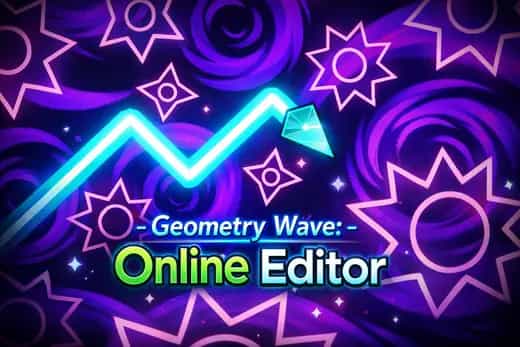

Geometry Wave Online Editor



















Advertisement
Most Popular This Month
View All results »


































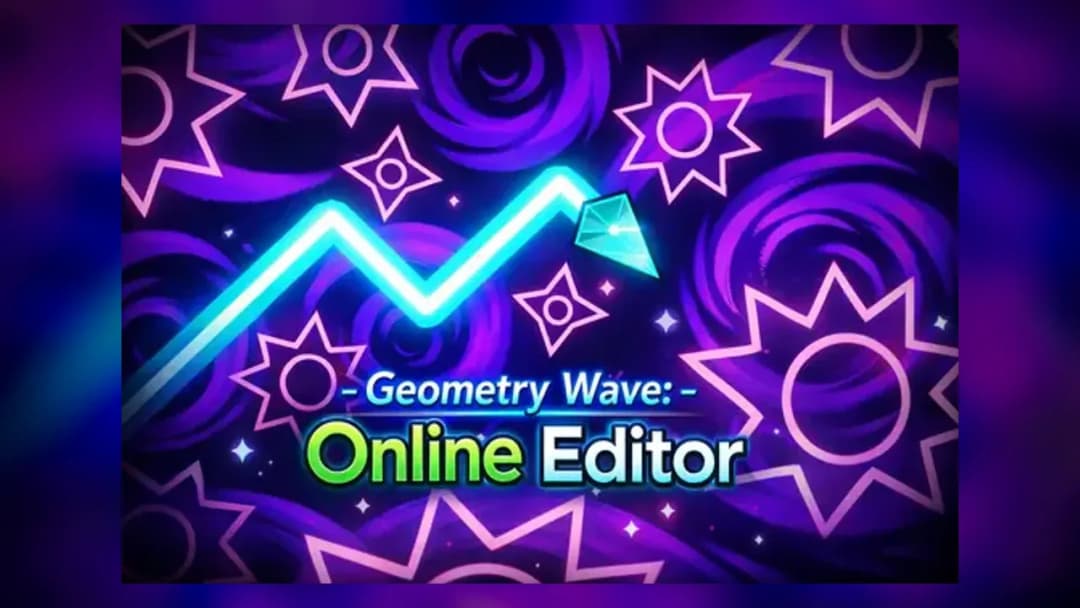
Geometry Wave Online Editor
Game Details
How to Play
- 1. Hold to fly up
Press and hold W, Space, Up Arrow, or left mouse to angle the wave sharply upward.
- 2. Release to dive down
Let go of the input to send the wave descending at the same angle through a gap.
- 3. Set a checkpoint in Practice Mode
Open the pause menu, enable Practice Mode, and drop checkpoints before tricky spikes or portals.
- 4. Build a level in the editor
Enter the online editor, place spikes, saws and portals, then upload your stage for others to rate.
Game Features
Advertisement
About Geometry Wave Online Editor
Hold to fly the wave up, release to dive through spike-tight tunnels across 65 handcrafted levels. Build your own courses in the online editor and rate...
What's in this guide
In Geometry Wave Online Editor online you steer a single arrow-shaped wave through razor-thin gaps: hold any input to angle sharply upward, release to dive back down. That's the entire control scheme, and it's why every mistake is a one-touch death against spikes, saws and shrinking corridors.
This is the standalone build of the wave mode made famous by Geometry Dash 3D, rebuilt as a browser game with its own creation suite. The pitch is simple: clear 65 handcrafted stages, then never run out of content because the geometry wave level editor feeds you an endless library of player-made levels.
Because timing is measured in pixels and beats, the difficulty curve is deliberate — you learn a corridor by dying in it, not by grinding a menu.
| Game | Geometry Wave Online Editor |
|---|---|
| Category | skill |
| Developer | Kokim_ |
| Levels | 65 handcrafted + unlimited community |
| Platforms | PC, Mobile, Chromebook (HTML5) |
| Mode | Single-player |
How the Geometry Wave Online Editor Wave Loop Works
Every stage is a scroll from left to right. Your only job: reach the finish line by threading the wave through every obstacle. The wave climbs at a fixed 45-degree angle while held and falls at the same angle when released, so navigating a tunnel means tapping in rhythm — long holds for wide gaps, rapid micro-taps for tight zig-zags. Touch anything and you restart from the top unless a checkpoint is set.
Stars, Coins and Crystals
Completing levels earns stars, coins and crystals. Crystals are the meaningful currency — they feed the in-game store and unlock editor tools, so grinding cleaner runs directly expands what you can build.
Geometry Wave Online Editor Controls
The geometry wave online editor controls are intentionally minimal:
| Action | Input |
|---|---|
| Fly up | Hold W / Space / Up Arrow / Left Mouse |
| Fly down | Release the input |
| Element info | Tap the in-game 'i' icon |
On phones and tablets the same rule applies — tap-and-hold to rise, lift to fall — making mobile play viable even though most guides only list keyboard input.
Normal Runs vs. Practice Mode
Open the pause menu to switch into Practice Mode. It lets you drop checkpoints mid-corridor so you can drill a single 3-second death trap over and over instead of replaying the whole stage. Use it on a hard section, then run the level clean in normal mode for the star reward.
Building and Sharing in the Level Editor
The geometry wave level editor is the reason the 65 geometry wave online editor levels are effectively unlimited. You place spikes, saws and portals, tune the spacing and difficulty, then upload the result. Other players browse, tackle and rate your creation, and you can play and rate theirs back — a full community loop rather than a fixed campaign.
Advanced Tips to Clear Tight Corridors
- Micro-tap the ceiling-floor zig-zags — short 0.1s taps keep the wave nearly flat instead of over-shooting into a spike.
- Set checkpoints before portals in Practice Mode; portals flip gravity or speed and are where clean runs usually die.
- Watch the beat, not the wave — the level's rhythm telegraphs when to hold, so listen more than you stare.
- Bank crystals early to unlock editor tools before you start designing your own stages.
Geometry Wave vs. Geometry Dash Wave Mode Online
Searching geometry dash wave mode online usually points people here because this game isolates that exact mechanic. The difference: Geometry Dash bundles wave into a larger multi-vehicle campaign, while this title is wave-only plus a creation suite, so it's the fastest way to practice wave timing with no download.
Similar Games on ZGames
- Tennis Open 2024 — another reflex-and-timing skill game rewarding precise inputs.
- World Guesser — quick-session browser challenge with score chasing.
- Water Sort Puzzle — calm puzzle counterpoint when wave runs get punishing.
- Secret Staycation - Puzzle — relaxed problem-solving to reset your reflexes.
Browse more in arcade games and HTML5 games. Whether you play Geometry Wave Online Editor unblocked at school or play Geometry Wave Online Editor free at home, it all comes back to one truth: hold to rise, release to fall, and let the beat tell you when.
Advertisement
More Games You'll Love
Controls
Frequently asked questions
What are the controls for Geometry Wave Online Editor?
How many levels does Geometry Wave Online Editor have?
Can you create your own levels in Geometry Wave Online Editor?
How do you practice hard sections in Geometry Wave Online Editor?
Is Geometry Wave Online Editor the same as Geometry Dash?
"Geometry Wave Online Editor" and related names may be trademarks of their respective owners. This page is an informational game directory only; ZGames.io is not sponsored by or affiliated with trademark holders unless a specific game page says otherwise.
Player Reviews
No Reviews Yet
Be the first to share your feedback and rate this game!
Submit Your Review
Keep exploring