Play Hidden Paint 3D Unblocked Online Free
Play Hidden Paint 3D Unblocked, a Puzzle game available in your browser. Review the controls, features, and compatibility notes below, then choose Play when you are ready.
Advertisement
Hidden Paint 3D Unblocked




















Advertisement
Most Popular This Month
View All results »



































TECHNICAL SPECIFICATIONS
OPERATIONAL GUIDE
CORE FEATURES
Advertisement
About Hidden Paint 3D Unblocked
Play Hidden Paint 3D online for free with no download. Rotate 3D models, fill numbered zones, and reveal hidden art in this unblocked browser coloring...
What's in this guide
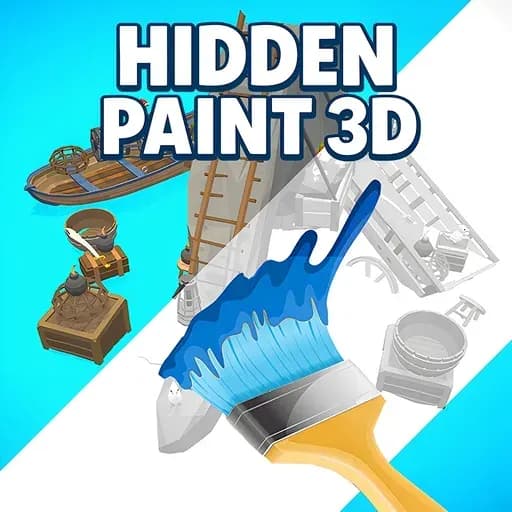
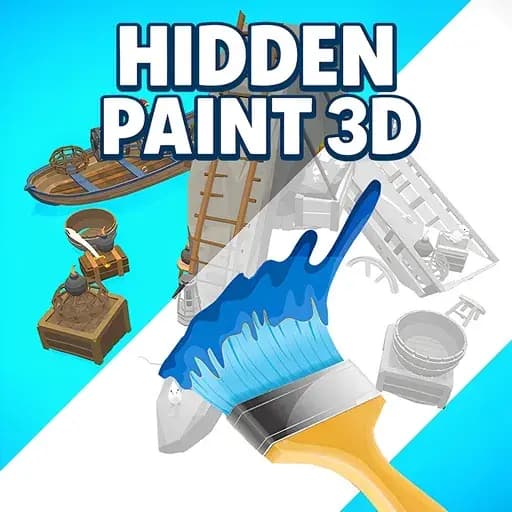
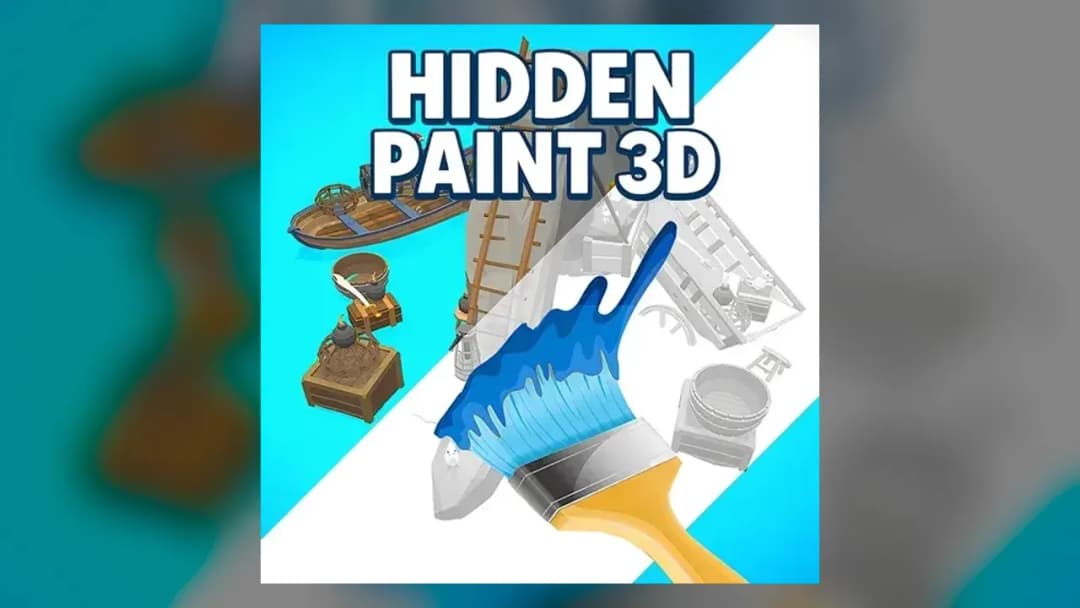
Hidden Paint 3D is a browser-based color-by-number puzzle game built with HTML5 and WebGL, letting players fill segmented three-dimensional models with the correct colors to reveal polished artwork. Unlike flat 2D coloring games, every model in Hidden Paint 3D is a rotatable object rendered in real time, meaning zones hide on undersides, rear faces, and interior corners that only appear when you spin the shape. The result is a calm, methodical painting experience that rewards observation and patience rather than reflexes.
The game runs entirely inside modern browsers with no download, no plugin, and no installation. Because the rendering pipeline uses hardware-accelerated WebGL, Hidden Paint 3D stays smooth even on lightweight machines, making it a strong fit for Chromebooks, budget laptops, phones, and tablets. You select a color from a numbered palette, tap matching zones on the model, rotate to find hidden segments, and complete every zone to trigger the reveal. It is a satisfying loop that blends the meditative pace of paint-by-number with the spatial depth of 3D interaction.
Game NameHidden Paint 3DCategoryPuzzle / ColoringTechnologyHTML5 / WebGL / Browser NativePlatformsPC, Mobile, Tablet, ChromebookRequires Download?No, Instant PlayWhat's In This Guide
- About Hidden Paint 3D
- Complete Controls & Mechanics
- Advanced Strategies & Tips
- How to Play Unblocked at School
- Platforms & Versions
- Known Glitches & Quirks
- Top Alternatives & Competitors
About Hidden Paint 3D
Hidden Paint 3D belongs to a growing wave of relaxation-focused casual puzzle games that translated the classic paint-by-number concept into interactive 3D space. The core idea is simple and instantly readable: a plain, uncolored model sits on screen, its surface split into dozens of small numbered zones. Each number corresponds to a specific color. Your job is to fill every zone with its matching shade until the object transforms from a blank template into a fully finished sculpture. What separates this title from ordinary coloring apps is dimensionality. You are not painting a picture. You are painting an object.
The engine driving all of this is WebGL, the browser graphics standard that gives Hidden Paint 3D real-time rotation, lighting, and shading without any external software. Because the game streams as an HTML5 package, it loads directly in a browser tab and executes locally in memory. There is no heavy client to install, no account wall to clear, and no forced update cycle. That architecture is why the game performs consistently across a wide spread of hardware, from high-refresh gaming monitors to modest school-issued Chromebooks running on limited RAM.
Design-wise, Hidden Paint 3D leans hard into the low-pressure, satisfaction-driven end of the puzzle spectrum. There is no timer breathing down your neck, no failure state, and no punishing scoreboard. The pleasure comes from the steady rhythm of filling zones, the small dopamine hit when a color region snaps complete, and the final reveal when the numbers vanish and the artwork stands finished. This makes it an ideal palate-cleanser game, something you play between more intense sessions or when you want a mental reset.
- Engine & Tech: Built on HTML5 and WebGL for hardware-accelerated 3D rendering, delivering smooth rotation and stable frame rates directly in the browser.
- Accessibility: Lightweight assets and efficient rendering let Hidden Paint 3D run without lag on low-end devices, including Chromebooks with minimal RAM.
- Updates: The gallery of models can expand over time, giving returning players fresh objects and art pieces to complete.
Complete Controls & Mechanics
The control scheme in Hidden Paint 3D is deliberately minimal, which is part of what makes it so approachable. On desktop, everything runs through the mouse. You left-click a color swatch from the palette strip to load that number onto your cursor, then left-click each visible zone bearing that number to fill it. To rotate the model, you press and hold the left button and drag across the canvas, spinning the object freely along both horizontal and vertical axes. There is no clunky keyboard mapping to memorize, no combo inputs, and no timing windows.
The tactile feel of painting is where the design shines. Zone selection uses precise raycasting, meaning the game casts an invisible ray from your cursor into the 3D scene to detect exactly which surface segment you clicked. This makes filling accurate even on densely subdivided models, and it prevents accidental spillover into neighboring zones. If you click a zone whose number does not match your active color, nothing happens. That soft-lock protection removes the frustration of mistakes and keeps the experience focused entirely on progression rather than error correction.
Rotation physics are damped and weighted so the model glides to a stop rather than spinning wildly. This controlled momentum matters, because many zones hide on faces you can only reach by turning the object. A short flick nudges the model a few degrees for fine inspection, while a full drag sweeps it around to expose the back. The camera stays fixed at a comfortable distance, and on supported devices you can zoom to inspect tightly packed zone clusters. Every input is designed to feel calm and deliberate.
- Movement: Click and drag with the mouse, or swipe with one finger, to rotate the model along both axes with smooth damped momentum.
- Action: Tap a palette swatch to select a color, then tap each matching numbered zone to flood-fill it instantly via raycast detection.
- Mechanics: Wrong-color taps are ignored, hidden zones require rotation to access, and completing all zones triggers the finished-model reveal animation.
Advanced Strategies & Tips
Hidden Paint 3D looks effortless, but efficient players develop real routines that shave minutes off each model. The single biggest gain comes from painting one color completely before touching another. Because your active swatch only interacts with zones sharing its number, working color-by-color means you sweep the entire model once per color and never waste taps. Jumping randomly between shades forces constant palette switching and repeated rotation, which is where slow completions come from.
The second core skill is disciplined rotation. Rather than spinning the model chaotically, adopt a fixed inspection pattern: front, right, back, left, top, bottom. Applying this same rotation cycle for every color guarantees you never miss a hidden face. Many players stall near the end of a model because a single zone tucked under an arm, inside a curve, or on a base plate refuses to reveal itself. A systematic six-angle sweep eliminates that dead time entirely.
Watch the zone counter closely. Most versions display how many zones remain, and that number is your best diagnostic tool. If the counter says three zones left but you cannot see any, the missing zones are guaranteed to be on a hidden face, so keep rotating instead of scanning the visible surface again. Combining the counter with your fixed rotation cycle turns the endgame from a frustrating scavenger hunt into a quick, confident finish.
- Perfect Your Timing: Fill every zone of one color in a single rotation sweep before switching swatches to avoid redundant palette changes.
- Manage Rotation: Use a consistent front-right-back-left-top-bottom inspection order so hidden faces are checked systematically every pass.
- Avoid Common Mistakes: Do not assume a model is done when the visible side looks complete; always confirm the zone counter reads zero.
- Optimize Runs: Start with the color that has the most zones to build momentum, then finish with rare single-zone colors last.
How to Play Hidden Paint 3D Unblocked at School
Hidden Paint 3D is a natural fit for restricted networks because it is a pure HTML5 game delivered over standard HTTPS. When a page requests the game, the browser simply downloads harmless web assets and executes them in the tab's sandbox. There is no installer, no executable file, and no separate application that a school firewall would flag or block. The entire game lives inside the browser process, which is exactly why it slips through filters that target downloadable programs and legacy plugins.
The term "unblocked" refers to a game that loads normally on managed or filtered connections such as school and workplace Wi-Fi. Because Hidden Paint 3D uses no Flash, no external client, and no restricted ports, it behaves like any ordinary website. It runs locally in your device's RAM through the browser engine, so nothing is written to disk and nothing needs administrator permission. That combination makes it one of the safest and most reliable puzzle games to reach on limited networks.
- What is Unblocked: The game bypasses network filters because it requires no download and loads like a normal secure web page over HTTPS.
- Chromebook Support: Fully compatible with school-issued Chromebooks since it executes locally in browser memory without installation.
- Browser Native: No executables or plugins are involved, so strict firewalls treat it as ordinary web traffic.
Platforms & Versions
Hidden Paint 3D is primarily a browser title, and the browser build is the most convenient way to play. You open a tab, the game loads, and you are painting within seconds. This instant-play model removes storage requirements entirely, which matters on devices with limited disk space. The desktop browser version gives you the largest canvas and the most precise pointer control, making it the best choice for detailed models with tightly packed zones.
On phones and tablets, the same HTML5 build adapts to touch. Color swatches enlarge for finger tapping, rotation maps to single-finger swipes, and the layout reflows to fit portrait or landscape orientation. The mobile experience trades pointer precision for portability, and it is excellent for casual sessions on the go. Whether you play on PC, mobile, or a Chromebook, the underlying game is identical, so your skills and strategies carry across every device without relearning anything.
- Browser Version: Instant play with no installation, the largest canvas, and precise mouse-driven zone selection ideal for complex models.
- Mobile Experience: Touch-optimized swatches and swipe rotation deliver a comfortable, portable painting session on phones and tablets.
Known Glitches & Quirks
Like most WebGL puzzle games, Hidden Paint 3D has a few harmless quirks tied to its rendering approach. The most common is minor z-fighting, where two zones sit on nearly the same depth plane and flicker slightly as you rotate. This is purely cosmetic and does not affect which zone your tap registers, since selection relies on raycasting rather than what appears on top. A tiny nudge of the model usually settles the flicker instantly.
Another quirk involves very fast rotation flicks, which can occasionally overshoot the model past the angle you intended due to the damped momentum system. Players sometimes use this deliberately as a quick way to whip the object around to the far side in one gesture. On rare occasions a hidden zone tucked deep inside a concave section can be hard to tap at certain angles; rotating slightly to change the surface normal fixes the selection immediately.
- Physics Quirks: Fast rotation flicks can spin the model further than expected, which speedy players exploit to reach rear faces quickly.
- Visual Desync: Overlapping coplanar zones may flicker during rotation, a purely cosmetic effect that never impacts tap accuracy.
Top Alternatives & Competitors
The relaxing coloring-puzzle space has several strong entries, and Hidden Paint 3D stands out by adding a genuine third dimension. Compared to flat pixel-art coloring games, which restrict you to a static grid, Hidden Paint 3D demands spatial awareness because zones hide behind the object itself. That single design choice makes it more engaging and slightly more challenging than typical tap-to-fill titles, while keeping the same soothing, low-stress rhythm.
Against faster casual puzzle games, Hidden Paint 3D positions itself firmly on the calm end. There is no timer, no fail state, and no escalating difficulty spike. Where action-puzzle hybrids reward reflexes, this game rewards observation and methodical completion. That makes it a better fit for players seeking a wind-down experience rather than an adrenaline test, and it pairs nicely as a break between more demanding browser games.
- Competitor 1: Compared to 2D color-by-number apps, Hidden Paint 3D adds rotatable models and hidden zones for deeper spatial engagement.
- Competitor 2: Compared to timed casual puzzlers, it offers a slower, pressure-free pace focused on satisfying completion.
Similar Games on ZGames
If you enjoy Hidden Paint 3D, you may also like these games:
Conclusion
Hidden Paint 3D turns the familiar comfort of paint-by-number into a tactile 3D experience you can enjoy in seconds, with no download and no installation. Select a color, sweep the model, rotate to catch every hidden zone, and watch each blank object bloom into finished art. Its WebGL foundation keeps it fast on PC, mobile, tablet, and Chromebook alike, so the experience stays smooth wherever you play.
Because Hidden Paint 3D runs entirely in your browser and stays unblocked on filtered networks, it is one of the easiest relaxing puzzle games to start playing right now. Open the game, pick your first color, and begin painting directly in your browser without downloading a thing.
Advertisement
More Games You'll Love
Controls
Frequently asked questions
How does the numbered zone system work in Hidden Paint 3D?
How do you rotate the 3D models in Hidden Paint 3D?
What happens when you finish painting a model in Hidden Paint 3D?
Are there hidden zones you can miss in Hidden Paint 3D?
Can you play Hidden Paint 3D with a touchscreen?
Does Hidden Paint 3D save your painting progress?
What is the best strategy to paint faster in Hidden Paint 3D?
"Hidden Paint 3D Unblocked" and related names may be trademarks of their respective owners. This page is an informational game directory only; ZGames.io is not sponsored by or affiliated with trademark holders unless a specific game page says otherwise.
OFFICIAL SOURCES & SITES
Player Reviews
No Reviews Yet
Be the first to share your feedback and rate this game!
Submit Your Review
Keep exploring