Play Jumping Shell Unblocked Online Free
Play Jumping Shell Unblocked, a Action game available in your browser. Review the controls, features, and compatibility notes below, then choose Play when you are ready.
Advertisement

Jumping Shell Unblocked



















Advertisement
Most Popular This Month
View All results »

































Jumping Shell Unblocked
TECHNICAL SPECIFICATIONS
OPERATIONAL GUIDE
CORE FEATURES
Advertisement
About Jumping Shell Unblocked
Play Jumping Shell online free and solve shell-swap platform puzzles in an unblocked browser game with no download on PC, mobile, or Chromebook today.
What's in this guide

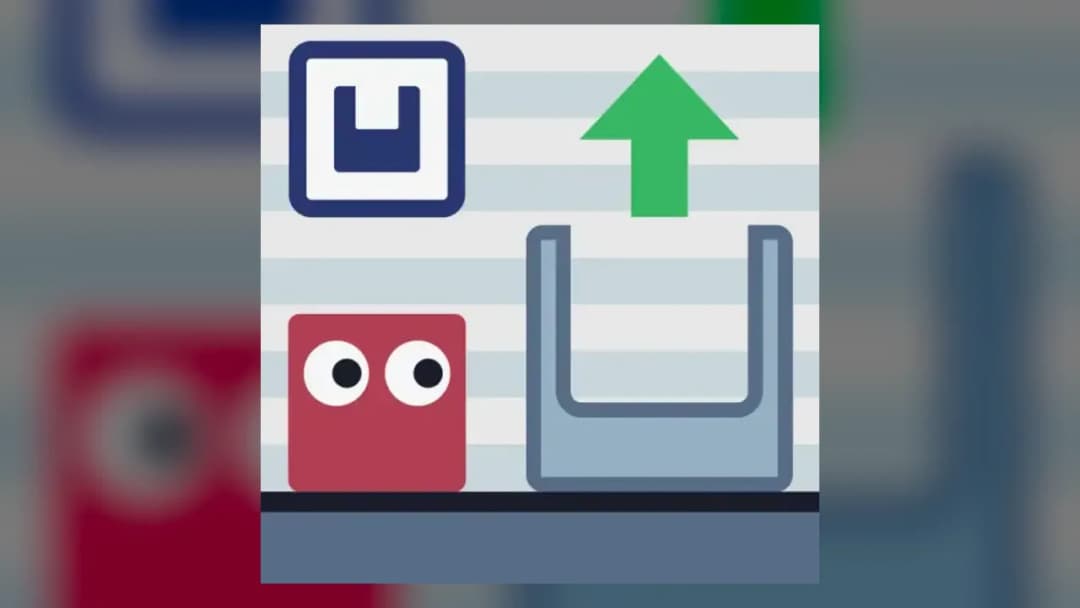
Jumping Shell is a browser-native puzzle platformer built around one brilliant rule: the character can leave its shell, change size, and use that shell as part of the solution. It runs as an HTML5 game in modern browsers, which makes it suitable for instant play on PC, mobile, tablet, and Chromebook without a separate installer or executable file.
The game belongs to the precision puzzle-platform tradition, but it avoids simple run-and-jump repetition. Each level asks the player to read terrain, judge jump arcs, and decide when the shell should remain attached or become a tool left behind. That small mechanical decision gives Jumping Shell its identity and makes the Jumping Shell browser game unusually satisfying for short sessions.
Game NameJumping ShellCategoryGamesTechnologyHTML5 / Browser NativePlatformsPC, Mobile, Tablet, ChromebookRequires Download?No, Instant PlayWhat's In This Guide
- About Jumping Shell
- Complete Controls & Mechanics
- Advanced Strategies & Tips
- How to Play Unblocked at School
- Platforms & Versions
- Known Glitches & Quirks
- Top Alternatives & Competitors
About Jumping Shell
Jumping Shell follows the design language of compact web puzzle games: short levels, immediate restarts, clean silhouettes, and mechanics that explain themselves through play. The shell mechanic gives the game a strong central verb. You do not just jump; you commit. Leaving the shell changes the character profile, alters access to spaces, and often creates the missing step in a route.
The physics use readable platformer logic rather than heavy simulation. Gravity pulls the character down quickly enough to make landings feel sharp, while horizontal movement gives just enough correction in midair to reward skilled hands. Collision detection favors clarity: platforms, walls, doorways, and shell positions communicate what the player can touch, stand on, or squeeze through.
Its cultural appeal comes from the way it compresses puzzle solving into seconds. A failed attempt rarely feels wasted because the level layout stays visible and the cause of failure usually makes sense. That makes Jumping Shell free play ideal for browser audiences who want fast resets, fair logic, and visible improvement.
- Engine & Tech: The game uses browser-native HTML5 rendering, allowing smooth 2D animation without Flash or external plugins.
- Accessibility: Simple geometry and lightweight assets help it run on low-end Chromebooks and classroom laptops.
- Updates: Public update history is limited, so players should treat the available web version as the main stable release.
Complete Controls & Mechanics
Jumping Shell feels precise because the controls focus on three actions: move, jump, and separate from the shell. Keyboard input usually gives the cleanest experience. The player taps left or right to line up with ledges, then uses jump timing to clear gaps or reach platforms. On mobile, touch controls translate the same logic into directional buttons and jump input.
The important mechanic is shell ejection. When the character leaves a shell, the body becomes smaller and more mobile in tight corridors, but the shell remains in the level as a physical object or positional resource. That creates a risk-reward decision. Spend the shell too early and the exit route may collapse. Carry it too long and the character may not fit through the next gap.
Momentum matters, but Jumping Shell never turns slippery. The jump arc stays readable, and the game teaches players to feather movement rather than hold a direction blindly. Skilled players use short taps to land on exact tiles, preserve spacing, and avoid bumping into walls that kill upward movement.
- Movement: Use WASD or arrow keys for left and right movement; touch players use on-screen directional input when available.
- Action: Jump with Space, W, or Up, then use the shell-exit mechanic when a level demands a smaller form or placed shell.
- Mechanics: Gravity, collision boxes, and shell placement create puzzles based on height, width, timing, and route order.
Advanced Strategies & Tips
Advanced Jumping Shell play starts before the first input. Scan the whole level. The exit door tells you the final destination, but the platforms tell you the order. If a low tunnel appears near the finish, expect to leave the shell before reaching it. If a high ledge blocks progress, preserve the shell until it provides the needed jump height or platform position.
Frame-perfect play rarely matters as much as route-perfect play. The strongest players treat the shell as a limited resource and use restarts aggressively. A five-second failed route can teach more than a slow, improvised attempt. Watch where the shell lands, how much room the character needs to re-enter, and whether a jump requires full speed or a controlled tap.
For high-score routing or faster clears, reduce unnecessary corrections. Every extra shuffle at a platform edge costs time and increases the chance of misalignment. Jump early when crossing long gaps, jump late when clearing vertical walls, and avoid ejecting the shell while pressed against tight geometry unless the level clearly demands it.
- Perfect Your Timing: Release jumps from stable ground, not while sliding off an edge, to keep the arc consistent.
- Manage Resources/Speed: Save shell exits until they solve a visible obstacle; random ejections usually create dead routes.
- Avoid Common Mistakes: Do not abandon the shell in cramped corners where you cannot recover position or jump cleanly.
- Optimize Runs: Restart quickly after a bad shell placement instead of forcing a route that already lost its key tool.
How to Play Unblocked at School
Jumping Shell unblocked means the game can load through a web page without requiring a software download, local installation, or blocked executable file. Modern HTML5 games differ from old Flash games because the browser handles rendering, audio, and input directly. That makes Jumping Shell no download play practical on managed devices.
School and work networks often restrict installers, unknown applications, and file downloads. A Jumping Shell HTML5 game page can run inside the browser sandbox instead, using local RAM while the page is open. Access still depends on the rules of the network, but the technical model is safer and simpler than running standalone programs.
- What is Unblocked: It describes browser access that avoids installers and file-based game clients.
- Chromebook Support: The game is Chromebook compatible because it runs through Chrome rather than desktop software.
- Browser Native: No executables are required, which keeps instant play clean and lightweight.
Jumping Shell Platforms & Versions
You can play Jumping Shell online through a desktop browser, mobile browser, tablet browser, or Chromebook. The PC version gives the most precise input because physical keys make short taps easier. Chromebook play feels close to PC play because the keyboard layout and Chrome browser environment match the game’s control style.
Jumping Shell mobile works best on screens large enough to show the level clearly. Touch controls suit casual progress, but tight levels may feel easier with a keyboard. There is no need to compare it with online multiplayer games because Jumping Shell focuses on single-player puzzle execution rather than lobbies, matchmaking, or shared worlds.
- Browser Version: The best version for instant play, no download, and fast restarts.
- Mobile Experience: Touch input supports mobile gaming, though precision sections favor larger screens.
Known Glitches & Quirks
Like many lightweight platformers, Jumping Shell can produce small physics quirks when the character, shell, and platform edge meet at the same time. These moments usually appear as slight clipping, unusual shell resting positions, or a jump that feels lower after contact with a wall. They rarely break the game, but they can affect speedrun-style attempts.
Players may also notice visual desync when restarting rapidly on slower devices. The input state resets faster than the eye expects, which can make the first movement after a restart feel abrupt. The practical fix is simple: wait a fraction of a second after reset or use clean, deliberate first inputs.
- Physics Quirks: Edge contact can slightly change jump height when the shell touches geometry at an awkward angle.
- Visual Desync: Fast restarts may create tiny animation skips on underpowered hardware.
Top Alternatives & Competitors
Jumping Shell competes with puzzle platformers that turn one mechanic into a full campaign. Compared with Geometry Dash, it is slower and more cerebral. Geometry Dash tests rhythm memory and reaction speed, while Jumping Shell tests spatial planning, shell placement, and controlled movement.
Compared with Slope or Temple Run 2, Jumping Shell demands less reflex endurance and more route analysis. Those games build pressure through speed. Jumping Shell builds pressure through commitment. One wrong shell exit can ruin the solution, and that gives each button press weight.
- Geometry Dash: Faster, rhythm-driven, and harsher on timing than Jumping Shell.
- Slope: More momentum-based and reflex-heavy, with less puzzle structure.
Similar Games on ZGames
If you enjoy Jumping Shell, you may also like these games:
Conclusion
Jumping Shell earns its place as a sharp free-to-play browser game because every level revolves around a clear mechanical idea. You move, jump, leave the shell, and solve the route with your hands rather than menus or upgrades.
Play Jumping Shell online free when you want a no download puzzle platformer that loads quickly, runs on Chromebook, and rewards precise thinking. It is compact, technical, and built for instant browser play.
Advertisement
More Games You'll Love
Controls
Frequently asked questions
How many levels are in Jumping Shell?
How does the shell-jumping mechanic work in Jumping Shell?
What is the best strategy for difficult Jumping Shell levels?
Does Jumping Shell have multiplayer or co-op gameplay?
"Jumping Shell Unblocked" and related names may be trademarks of their respective owners. This page is an informational game directory only; ZGames.io is not sponsored by or affiliated with trademark holders unless a specific game page says otherwise.
Player Reviews
No Reviews Yet
Be the first to share your feedback and rate this game!
Submit Your Review
Keep exploring