Play Orbit Kick Online Free
Play Orbit Kick, a Arcade game available in your browser. Review the controls, features, and compatibility notes below, then choose Play when you are ready.















Most Popular This Month
View All results »


























Related Tags
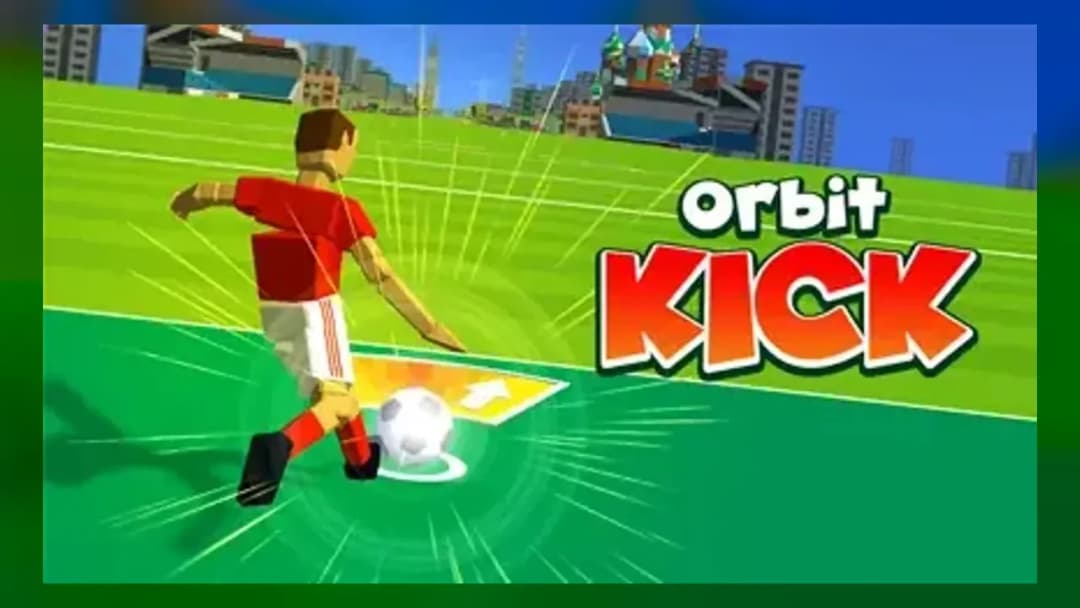
Orbit Kick
Game Details
How to Play
- 1. Aim with the mouse
Move the mouse to aim your kick toward the target area before you start.
- 2. Stop the power indicator in the smallest zone
Click to start the kick and click again to stop the power indicator, aiming for the smallest zone for maximum force.
- 3. Earn coins from distance
Watch the ball travel, since the distance it covers is what earns your coins.
- 4. Buy upgrades
Spend your coins on Power, Bounce or Offline Earnings to improve your next kicks.
Game Features
About Orbit Kick
Orbit Kick is a casual soccer game where you kick the ball toward targets with your mouse, earn coins and upgrade your power. Play it free in your browser.
What's in this guide
What You Do in Orbit Kick
Orbit Kick is an arcade game played in your browser. You aim a ball in space and kick it toward targets, and the goal is to kick the ball as far as possible. The distance each kick covers decides how many coins you earn, so every shot has a direct reward attached to it.
A round follows a simple loop: aim, time your kick, watch where the ball travels, then spend the coins you earned on upgrades. Each upgrade gives you a better chance on your next kick. As your distances grow, new levels open up, so the game rewards steady improvement more than rushed shots. If you want more quick arcade action after a session, you can browse other titles in the Arcade category.
How to Play Orbit Kick
- Open the game in your browser and wait for the ball to appear. It runs in the browser on HTML5 technology, so there is nothing to install.
- Move the mouse to aim your kick toward the target area. Take a moment to read the angle before you commit.
- Click to start the kick, then click again to stop the power indicator. The smallest zone on the indicator gives the maximum force.
- Watch the ball travel. The distance it covers is what earns your coins, so a longer flight pays more.
- Spend your coins on Power, Bounce or Offline Earnings, then try a longer kick with your upgraded setup.
Your first session is mostly about learning the timing of the power indicator. Once you can reliably stop it in the smallest zone, start paying attention to where the ball lands and how far it travels, because that information tells you how to adjust your next aim.
Orbit Kick Controls
| Action | Mouse / Keys |
|---|---|
| Aim the kick | Mouse |
| Start the kick and stop the power indicator | Left click |
| Quick actions | Keyboard shortcuts (optional) |
The mouse handles all of the core play: you aim with it and click to kick toward the targets. The keyboard shortcuts are optional and are there to help if you want them. Most players will find the mouse enough for every shot.
What Changes Between Sessions
Progress in Orbit Kick comes from the coins you earn by distance. You spend those coins on upgrades that change how your kicks behave. Power affects how hard you kick, and Bounce affects how the ball rebounds after it lands. Offline Earnings is designed to keep coins coming in while you are away from the game, so you can return to a balance you can spend.
As you move forward, distance milestones unlock new levels, which change the setting you play in and the challenge you face. Because the upgrades and milestones build on one another, a session you return to after a break often starts with more options than the last one ended with.
Tips and Strategy for Orbit Kick
- Practise the power indicator before anything else. Clicking when it sits in the smallest zone gives the strongest kick, and that one habit affects almost every shot.
- Slow down your aim. A well-aimed kick with moderate force can travel farther than a powerful kick sent in the wrong direction.
- Spend your first coins on Power. Because distance is what earns coins, a stronger kick also helps you earn faster.
- Test Bounce once you have it, and watch how the ball behaves after it lands. Use what you see to plan the angle of your next kick.
- Return between sessions. Offline Earnings can add coins while you are away, so checking back gives you more to spend on upgrades.
- Use the keyboard shortcuts only if they help you act faster. Keep your mouse aim accurate, since aiming is the part of the game that matters most.
- Pay attention to level changes. When a new level unlocks, expect the setting and challenge to shift, so take a few kicks to adjust your timing.
If you enjoy quick, score-driven games with simple controls, you may also like Stumble Guys or Aquapark.io, which are also listed in the arcade and action space.
More Games You'll Love
Controls
Frequently asked questions
How do you play Orbit Kick?
How do you earn coins in Orbit Kick?
What upgrades are in Orbit Kick?
How do you kick the ball farther in Orbit Kick?
"Orbit Kick" and related names may be trademarks of their respective owners. This page is an informational game directory only; ZGames.io is not sponsored by or affiliated with trademark holders unless a specific game page says otherwise.
Gameplay Video: Orbit Kick
OFFICIAL SOURCES & SITES
Player Reviews
No Reviews Yet
Be the first to share your feedback and rate this game!
Submit Your Review
Keep exploring