Play Going Balls Online Free
Play Going Balls, a Casual game available in your browser. Review the controls, features, and compatibility notes below, then choose Play when you are ready.
















Most Popular This Month
View All results »






























Going Balls
Game Details
How to Play
- 1. Start your run
Open the game in your browser, where it runs without a download on Browser, PC and Chromebook.
- 2. Steer the ball
Use a swipe or the WASD or arrow keys to keep the ball rolling along the track.
- 3. Avoid obstacles
Adjust your line ahead of each obstacle, because hitting one or falling ends the attempt.
- 4. Reach the finish line
Collect coins on the way and keep the ball moving until it reaches the finish line.
Game Features
About Going Balls
Play Going Balls in your browser. Roll a ball along tracks, avoid obstacles, collect coins to unlock ball skins and reach the finish. Play it free now.
What's in this guide

What You Do in Going Balls
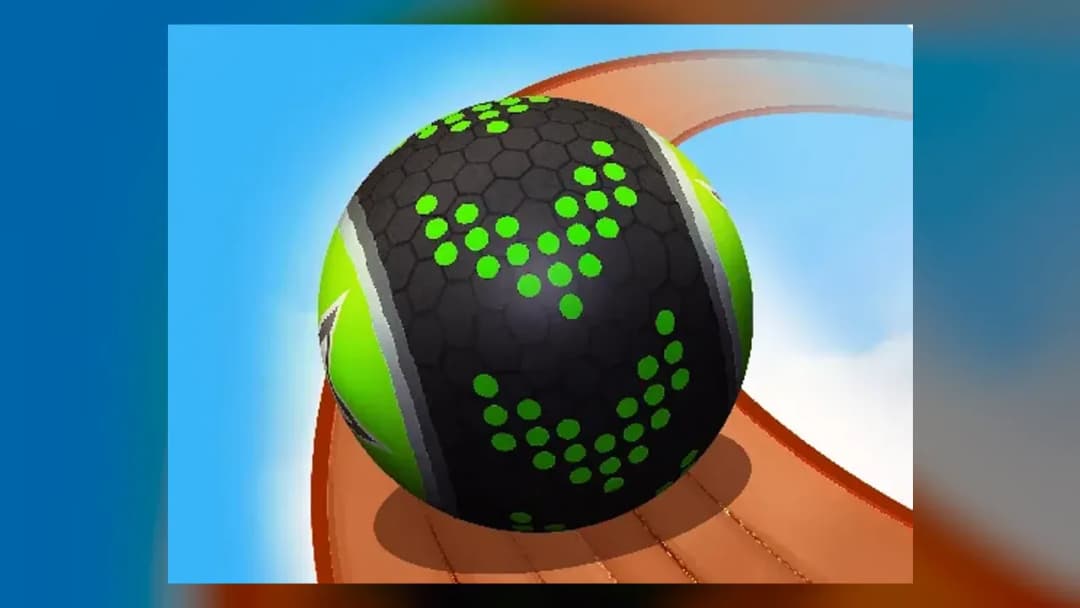
Going Balls is a casual browser game in which you roll a ball along tracks, steer past obstacles and try to reach the finish line without falling off. Each course asks you to keep the ball balanced and moving forward while you watch for the hazards ahead.
While you roll, you can collect coins. Coins are used to unlock new ball skins, so every run gives you a reason to pick up coins on your route as well as reach the end of the track.
How to Play Going Balls
- Open the game in your browser. It runs without a download on Browser, PC and Chromebook.
- Start rolling and steer the ball along the track using a swipe or the movement keys.
- Look ahead at the obstacles and set your line before you reach them, because a collision or a fall ends the attempt.
- Collect coins when they sit on your route, then keep the ball rolling until it crosses the finish line.
A first session is mostly about learning how the ball responds to your steering. Early tracks give you time to find a comfortable rhythm before the layout asks for quicker decisions.
Going Balls Controls
The game accepts swipe input and the keyboard keys listed below. Use whichever suits your device.
| Action | Keys |
|---|---|
| Move the ball | Swipe, WASD or Arrow keys |
What Changes Between Sessions
Progression in Going Balls centres on coins and ball skins. Collecting coins unlocks new skins, which change how your ball looks. Coins are the only progression mentioned for the game, so the reward for a good run is a new look for the ball.
The challenge rises as you advance. Tracks become narrower and contain more obstacles, which leaves less room for error and calls for more precise steering. Early runs are a good place to learn the controls before the harder sections appear.
Going Balls Tips and Strategy
- Read the track ahead early. Steering late is the most common reason the ball drifts toward an edge.
- Make small, smooth steering adjustments rather than sharp corrections, since sudden movements can throw the ball off balance.
- Plan your line around each obstacle before you reach it, not after you are already inside it.
- Grab coins when they are on your route, but avoid detours that bring the ball close to an edge.
- As the tracks narrow, slow your inputs down and aim for the centre of the path to leave yourself room to correct.
- If you use a keyboard, practise with WASD or the arrow keys until your movements feel steady, then try swiping if you prefer it.
- On a Chromebook or PC, keep the game window focused so your inputs register right away.
For more quick browser games with similar rolling and balance play, try Crowded Sky, Dune or Giant Snowball Rush, or browse all Casual games.
More Games You'll Love
Controls
Frequently asked questions
How do you play Going Balls?
Can you unlock ball skins in Going Balls?
"Going Balls" and related names may be trademarks of their respective owners. This page is an informational game directory only; ZGames.io is not sponsored by or affiliated with trademark holders unless a specific game page says otherwise.
Gameplay Video: Going Balls
OFFICIAL SOURCES & SITES
Player Reviews
No Reviews Yet
Be the first to share your feedback and rate this game!
Submit Your Review
Keep exploring