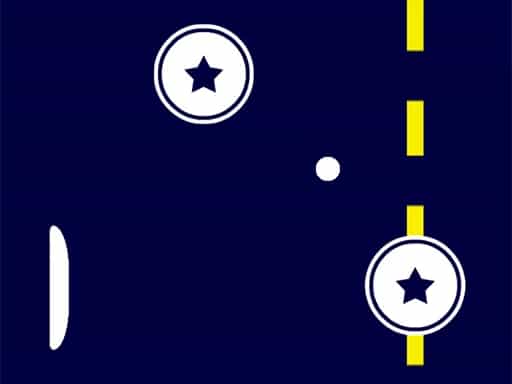
Play Retro Ping Pong Online Free
Play Retro Ping Pong, a Casual game available in your browser. Review the controls, features, and compatibility notes below, then choose Play when you are ready.













Most Popular This Month
View All results »



























Retro Ping Pong
Game Details
How to Play
- 1. Pick a mode
Choose classic mode for the standard game or action mode for rounds with a special rule.
- 2. Move your paddle
Use the arrow keys to move up and down, or drag your paddle on a touch screen.
- 3. Return the ball
Position your paddle to hit the ball back each time it reaches your side.
- 4. Reach 7 points
Keep scoring until one player has 7 points to win the match.
Game Features
About Retro Ping Pong
Play Retro Ping Pong free online and race to 7 points. Pick the classic game or action mode, where every round brings a new rule that changes the match.
What's in this guide
What You Do in Retro Ping Pong
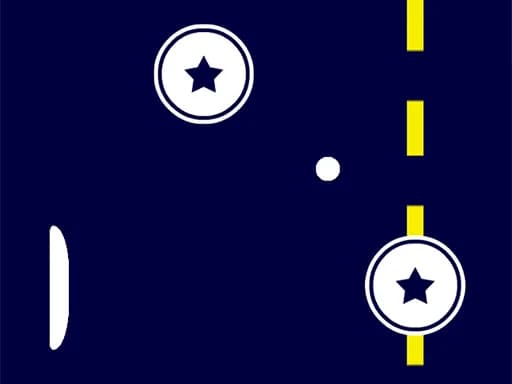
Retro Ping Pong is a table tennis game you play in your browser. You move a paddle to hit the ball back past your opponent, and each rally is a chance to win a point. The game is built around a simple loop: serve, return, score, and repeat until one side reaches 7 points.
You can play the arcade classic mode or try action mode. Action mode adds a special rule to each round, so the match does not play the same way twice. Both modes use the same basic paddle controls.
How to Play Retro Ping Pong
- Choose a mode from the start screen: classic mode for the standard arcade game, or action mode for rounds with a special rule.
- Get your paddle ready. Use the arrow keys to move it up and down, or drag it on a touch screen.
- Return the ball each time it reaches your side. Missing the ball gives your opponent a point.
- Keep scoring until one player reaches 7 points. The first player to 7 wins the match.
- In action mode, read the special rule shown at the start of each round, since it changes how the ball and paddle behave.
Retro Ping Pong Controls
| Action | Keys or Touch |
|---|---|
| Move paddle (single player) | Arrow keys |
| Move paddle (touch screen) | Drag your paddle |
| Player 1 paddle in two-player mode (left side) | W and S |
| Player 2 paddle in two-player mode | Arrow keys |
What Changes Between Sessions
The two main choices are classic mode and action mode. Classic mode is the familiar arcade game of paddle and ball. Action mode is the variant with a new special rule in each round, which keeps every round fresh and gives you a reason to adjust your play. Two-player mode lets a second person join on the same device, with the left player using W and S.
Tips and Strategy for Retro Ping Pong
- Start in classic mode to learn how fast the ball moves and how your paddle responds before trying action mode.
- Keep your paddle near the centre of your side, so you can reach shots to either corner.
- Move early toward where the ball is heading rather than chasing it after it passes.
- In action mode, check the special rule at the start of every round and adjust your positioning before the first serve.
- Avoid large, sudden paddle movements. Smaller, steady moves usually give you better control of where the ball goes.
- In two-player mode, agree on who covers which side of the table so you do not both move for the same ball.
- Stay focused after you score. A lapse right after a point is a common way to give the point back.
More Games You'll Love
Controls
Frequently asked questions
How many points do you need to win in Retro Ping Pong?
What is action mode in Retro Ping Pong?
Can you play Retro Ping Pong with two players?
"Retro Ping Pong" and related names may be trademarks of their respective owners. This page is an informational game directory only; ZGames.io is not sponsored by or affiliated with trademark holders unless a specific game page says otherwise.
Gameplay Video: Retro Ping Pong
OFFICIAL SOURCES & SITES
Player Reviews
No Reviews Yet
Be the first to share your feedback and rate this game!
Submit Your Review
Keep exploring