Play wave dash Online Free
Play wave dash, a Casual game available in your browser. Review the controls, features, and compatibility notes below, then choose Play when you are ready.
Advertisement



















Advertisement
Most Popular This Month
View All results »



































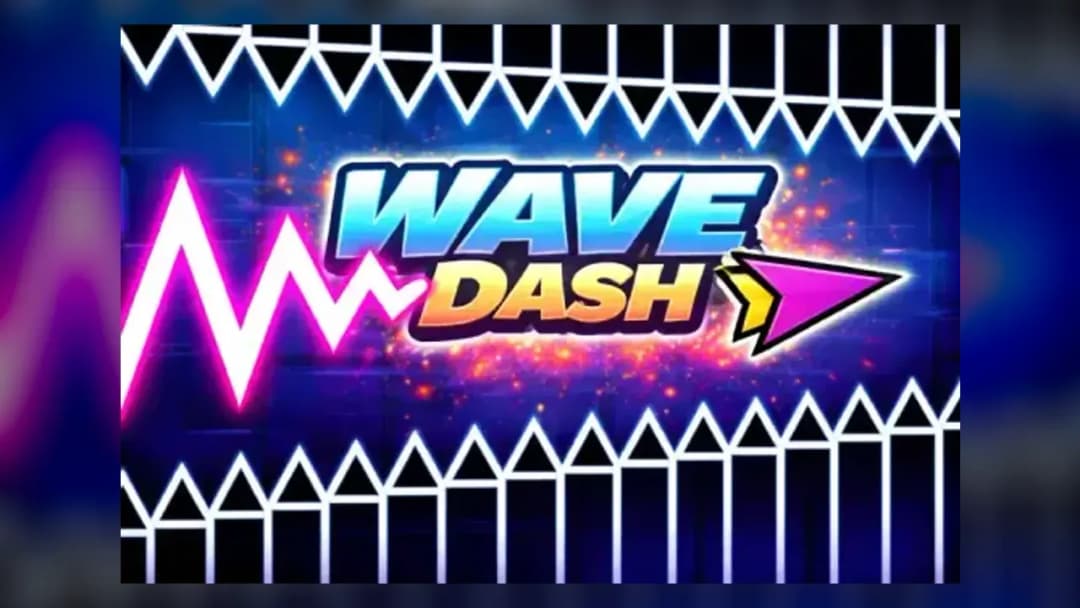
wave dash
TECHNICAL SPECIFICATIONS
OPERATIONAL GUIDE
CORE FEATURES
Advertisement
About wave dash
Play wave dash online free: steer a sharp zigzag runner through tight gates with no download in an unblocked browser game on mobile or Chromebook...
What's in this guide
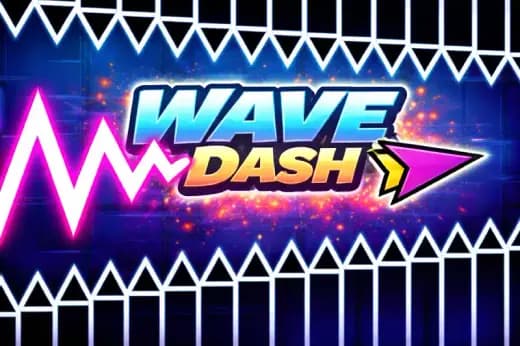
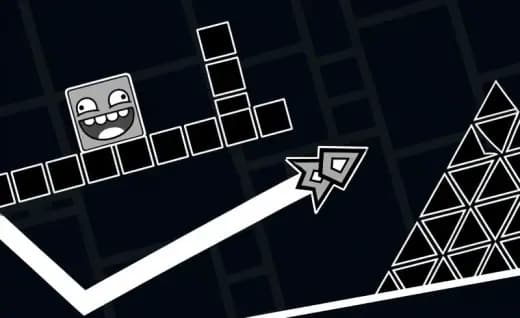
wave dash is a precision arcade browser game built around one of the cleanest movement ideas in modern skill games: press to climb, release to fall, and carve a sharp diagonal path through hostile geometry. The player does not manage an inventory, upgrade tree, or dialogue system. The hands do the work. Every tap changes the craft’s angle, every release commits it to a downward line, and every wall contact ends the run.
On ZGames.io, wave dash runs as an HTML5 game inside a standard web browser, which makes it suitable for PC, mobile, tablet, and Chromebook play. The format supports instant play, no download, and fast restarts. Because the action depends on input timing, the best experience comes from a stable browser frame rate, clean keyboard or touch input, and a display that makes narrow gaps easy to read.
Game Namewave dashCategoryGamesTechnologyHTML5 / Browser NativePlatformsPC, Mobile, Tablet, ChromebookRequires Download?No, Instant PlayWhat's In This Guide
- About wave dash
- Complete wave dash Controls & Mechanics
- Advanced wave dash Strategies & Tips
- How to Play Unblocked at School
- Known Glitches & Quirks
- Top Alternatives & Competitors
About wave dash
wave dash belongs to the wave-runner branch of arcade design, a style shaped by one-button flight, instant failure, and obstacle memorization. Its roots sit close to classic side-scrolling avoidance games and rhythm-adjacent platformers, but the movement model feels more severe. Instead of jumping in arcs, the player produces hard diagonal lines. That gives the game its identity: the route looks simple until the corridor narrows and the input window shrinks.
The design philosophy values readability over decoration. A good wave dash layout teaches the eye to scan negative space: the safe tunnel between spikes, walls, blocks, and angled hazards. The physics usually rely on fixed upward and downward velocities rather than simulated mass. That makes the craft feel light, immediate, and brutally honest. If the player crashes, the error usually came from holding one fraction too long or releasing one beat too late.
Culturally, games like wave dash thrive because they produce repeatable failure without wasting time. The restart loop matters. Players can test a route, crash, adjust the rhythm, and try again within seconds. That loop supports speedrun habits, high-score competition, and classroom-friendly short sessions, even though wave dash is not an online multiplayer game in the traditional sense.
- Engine & Tech: The game uses browser-native HTML5 rendering, commonly through Canvas or WebGL-style draw calls, to update obstacles and player movement at a smooth visual cadence.
- Accessibility: Low-end Chromebooks handle the game well because the scene uses simple shapes, limited assets, and direct input polling instead of heavy 3D simulation.
- Updates: Public versions may vary by host, but the core evolution of this genre usually centers on new obstacle layouts, visual themes, and tuning changes.
Complete wave dash Controls & Mechanics
The control scheme is intentionally sparse. On keyboard, players usually press Space, the up arrow, W, or the mouse button to rise. On mobile, a finger press performs the same action. Releasing the key, mouse, or screen sends the wave downward. The entire game lives inside that binary switch, which is why input latency matters more here than in slower browser games.
The wave does not drift like a spaceship with gradual acceleration. It snaps into an upward or downward diagonal trajectory, creating a sawtooth path. That harsh geometry creates the signature feel. The player must control amplitude: large pulses move quickly across vertical space, while small pulses keep the craft centered. Tight tunnels punish oversized movements immediately.
Collision detection usually favors simple hitboxes. The craft may appear as an arrow, wave icon, or small geometric marker, but the playable space depends on the internal collision shape. Skilled players learn to leave a safety margin because visual edges and collision boundaries do not always match perfectly on every display scale.
- Movement: Use Space, W, arrow keys, mouse, or touch to drive the wave upward; release to descend. Fast alternating taps produce a compact zigzag.
- Action: There is no attack button. The action is route control: threading gates, clearing spikes, and correcting angle before impact.
- Mechanics: Gravity is expressed as a forced downward diagonal, while input creates the opposing upward diagonal. Momentum feels instant rather than floaty.
Advanced wave dash Strategies & Tips
Advanced wave dash play starts with restraint. New players often hold the input until the craft nearly hits the ceiling, then overcorrect downward. That creates a huge zigzag and leaves no recovery room. High-score players use short, even pulses that keep the wave near the centerline of the corridor. The goal is not dramatic movement. The goal is controlled geometry.
Frame-perfect moments appear when a gate follows immediately after a slope or spike cluster. In those sections, the correct input often begins before the craft reaches the visible opening. Good players read the next two hazards as one combined pattern. They do not react to each wall separately; they route the whole phrase.
Resource management in wave dash means speed and space management. Since the player cannot slow the scrolling field, vertical space becomes the real resource. Every unnecessary climb spends that resource. Every clean micro-tap preserves it. If a corridor widens, use that gap to recenter rather than chasing risky edges.
- Perfect Your Timing: Tap before the craft reaches the center of the gap, not after it passes the hazard. Late inputs create wall-first crashes.
- Manage Resources/Speed: Use wider rooms to reset your rhythm and enter narrow tunnels from the middle rather than from a ceiling or floor angle.
- Avoid Common Mistakes: Do not panic-hold after clipping close to a spike. A short counter-tap usually saves more runs than a full correction.
- Optimize Runs: Memorize repeating patterns as tap groups, such as short-short-long or hold-release-tap, instead of treating every obstacle as new.
How to Play Unblocked at School
wave dash unblocked works best when the school or workplace network permits access to browser game pages. Modern HTML5 games differ from old Flash files and downloaded executables because the game logic loads inside the browser sandbox. There is no installer, no desktop program, and no separate launcher. That structure makes wave dash no download play simple on managed devices.
Chromebook users benefit most from this model. ChromeOS was built around web apps, so a wave dash browser game can run directly through Chrome with keyboard, trackpad, or touch input. Always follow local device rules and network policies. If access is allowed, the game provides a quick free-to-play session without storage changes.
- Chromebook Support: Fully compatible with school-style devices because it runs in browser memory and uses lightweight 2D rendering.
- Browser Native: No executables are required, which keeps play separate from operating-system installs and traditional software permissions.
Known Glitches & Quirks
Like many HTML5 arcade games, wave dash can show small quirks when frame rate, browser zoom, or display scaling changes. A sudden frame drop may make a narrow gate feel harsher because the craft advances farther between visible updates. This does not usually break the game, but it can make precision sections feel inconsistent on overloaded tabs.
Collision quirks also matter. The visible sprite may include decorative edges, while the actual hitbox may be smaller or slightly centered. Speedrunners sometimes use that difference to skim close to walls. Casual players should avoid relying on it, because different versions or resolutions may make the same route less reliable.
- Physics Quirks: Very small tap intervals can create unusually flat zigzags, useful for long tunnels but risky near sudden vertical shifts.
- Visual Desync: Minor clipping can appear when the wave passes close to angled blocks, especially under browser zoom or low frame rate.
Top Alternatives & Competitors
wave dash sits near Geometry Dash in spirit, especially the famous wave-style movement that rewards memorized input patterns and clean rhythm. The difference is focus. Geometry Dash mixes jump pads, portals, cube sections, ship sections, and music timing. wave dash strips the formula down until the wave itself becomes the entire challenge.
Slope offers another useful comparison. Slope tests steering, lane reading, and 3D downhill momentum, while wave dash tests vertical pulse control in a flatter 2D space. Temple Run 2 and Subway Surfers lean on lanes, swipes, and pickups. wave dash is harsher and more minimal: one input, one route, one mistake.
- Geometry Dash: More varied and rhythm-heavy, but wave dash delivers a purer diagonal movement test.
- Slope: Faster in 3D space, while wave dash demands tighter tap discipline and sharper corridor reading.
Similar Games on ZGames
If you enjoy wave dash, you may also like these games:
Conclusion
wave dash earns its appeal through clarity. The player presses, releases, corrects, and survives. No download interrupts the loop, no complicated menu slows the first attempt, and the HTML5 structure keeps the game accessible across desktop browsers, mobile screens, tablets, and Chromebooks.
Play wave dash online when you want a fast browser game that measures timing with zero patience for sloppy inputs. It works as a short break, a high-score grind, or a precision practice tool for players who enjoy clean mechanics over excess decoration.
Advertisement
More Games You'll Love
Controls
Frequently asked questions
What is the best tapping rhythm for wave dash?
Why does my wave crash into walls so quickly in wave dash?
How do you score higher in wave dash?
Do different characters or skins change gameplay in wave dash?
"wave dash" and related names may be trademarks of their respective owners. This page is an informational game directory only; ZGames.io is not sponsored by or affiliated with trademark holders unless a specific game page says otherwise.
Gameplay Video: wave dash
OFFICIAL SOURCES & SITES
Player Reviews
No Reviews Yet
Be the first to share your feedback and rate this game!
Submit Your Review
Keep exploring