Play coloring mosaic by symbols Online Free
Play coloring mosaic by symbols, a Casual game available in your browser. Review the controls, features, and compatibility notes below, then choose Play when you are ready.
Advertisement

coloring mosaic by symbols



















Advertisement
Most Popular This Month
View All results »



































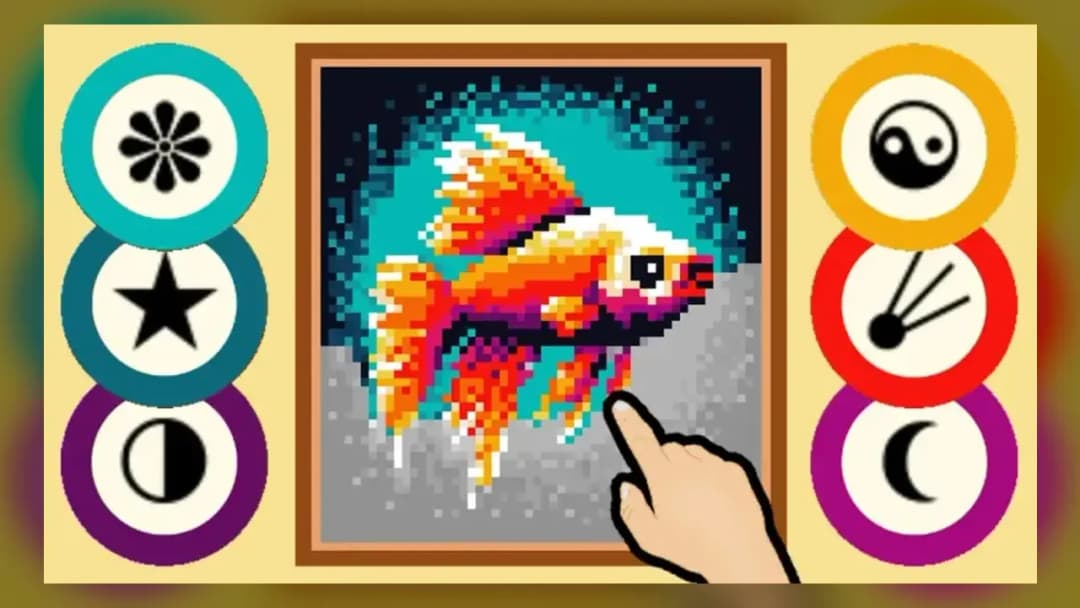
coloring mosaic by symbols
TECHNICAL SPECIFICATIONS
OPERATIONAL GUIDE
- 1. Zoom into the grid
Scroll on desktop or pinch on mobile until the symbols inside each cell become clearly visible.
- 2. Select a symbol color
Tap or click a symbol swatch in the palette to load its matching color.
- 3. Paint matching cells
Tap single cells or drag across a run of same-symbol cells to fill them continuously.
- 4. Sell or keep the finished mosaic
When the last cell is colored, choose to sell for coins or keep it, then unlock a new pack.
CORE FEATURES
Advertisement
About coloring mosaic by symbols
Zoom into pixel grids and paint each cell by its symbol — heart, star, flower — in this diamond mosaic game. Sell finished art for coins to unlock new...
What's in this guide
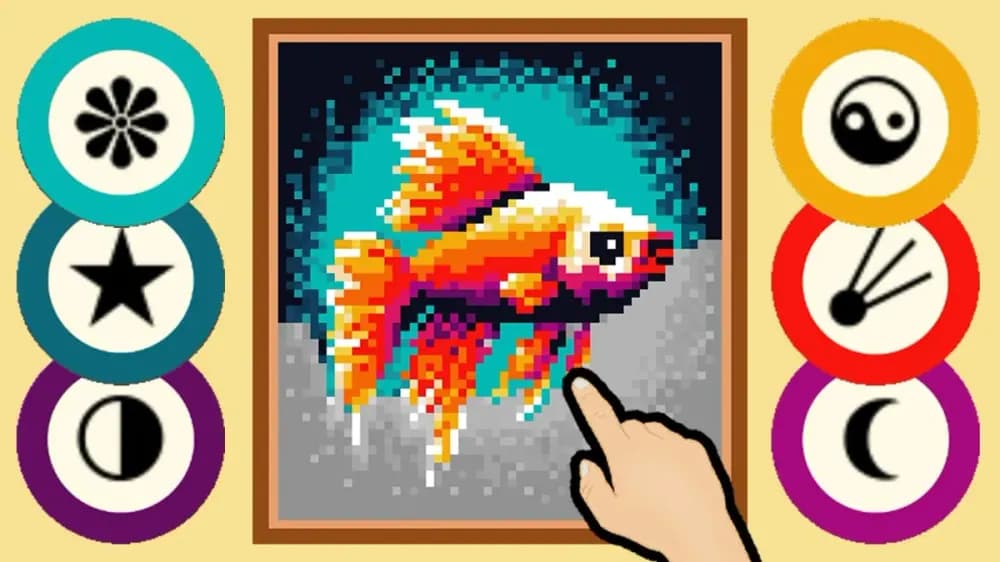
Coloring mosaic by symbols online drops you into a grid of tiny pictograms — hearts, stars, flowers — where every symbol maps to a single color. You zoom in until the marks are readable, tap the matching color in the palette, then drag across every cell carrying that symbol until the hidden image emerges. It is a relaxation game built around one satisfying loop: match, paint, reveal.
Unlike static color-by-number sheets, this is an idle coloring game with a working economy. You start with 1,000 gold coins, buy locked painting sets, earn coins that drop as you fill cells, and decide whether to sell each finished mosaic or keep it in your gallery. The goal is simple: paint over as many pictures as possible.
Developed by Dreampetus, it runs entirely in your browser via Unity WebGL — no download needed on PC or mobile.
| Game | coloring mosaic by symbols |
|---|---|
| Category | Arcade / Relaxation |
| Developer | Dreampetus |
| Platforms | PC, Mobile browser |
| Technology | HTML5 (Unity WebGL) |
| Modes | Single Player |
How the Symbol-Matching Paint Loop Works
The canvas loads packed with small symbols instead of numbers. That is the core twist of this symbol-based coloring game: each symbol — a heart, a star, a flower — is bound to one palette color. Pick a symbol, and every cell wearing it is your target. Because the drag brush fills continuously even across non-adjacent pixels, you clear whole symbol groups fast rather than tapping one cell at a time.
You finish a diamond mosaic coloring game board when the final symbol cell is filled. The picture reveals itself piece by piece as each symbol group is completed — landscapes, animals, travel scenes, fantasies and fairy tales.
The Coin Economy and Painting Packs
Coins fall out of cells while you paint, and after finishing you choose: sell the mosaic for extra coins, or keep it. Earned coins unlock new picture packs with fresh themes. Symbol Upgrades let you unlock 3 skills per symbol using Flowers, which you earn by completing pictures — a light progression layer that speeds up future boards.
Coloring Mosaic by Symbols Controls
The controls are pure point-and-paint, which is why coloring mosaic by symbols controls confuse players expecting keyboard input:
- Zoom: pinch on mobile or scroll on desktop until symbols in the cells are clearly visible.
- Select color: tap or click the symbol swatch in the palette bar.
- Paint: tap single cells or drag across a run of matching cells to fill them.
- Sell/Keep: confirm at the end-of-painting screen to bank coins.
Advanced Tips for Coloring Mosaic by Symbols Free Play
Playing coloring mosaic by symbols free rewards efficiency. Work one symbol group fully before switching swatches — hunting scattered cells for a color you already deselected wastes zoom. Zoom in tighter on dense regions so drag strokes don't skip cells. Reinvest early coins into Symbol Upgrades before buying pricier packs; the Flower-fueled skills pay back on every later board. Sell repeat themes you won't revisit to fund a broader gallery faster.
Play Coloring Mosaic by Symbols Unblocked
Because the whole title is HTML5, you can run coloring mosaic by symbols unblocked from any modern browser with no installer — the same experience whether you open it on a school Chromebook, phone, or desktop.
Similar Relaxation and Arcade Games on ZGames
- Bubble Pop Legend — another cozy match-and-clear loop with satisfying visual payoff.
- Meme Myth:Wukong Unblocked — instant browser play with no download, like this mosaic game.
- Obby +1 Power! — a light progression grind for players who like unlocking upgrades.
- Escape Road 3 Unblocked — quick pick-up-and-play sessions in your browser.
Browse more in arcade games or check popular games and HTML5 games.
At its heart, coloring mosaic by symbols is that first moment repeated: a grid of symbols becomes a finished picture under your cursor, coins spill out, and a new locked pack tempts you to start again.
Advertisement
More Games You'll Love
Controls
Frequently asked questions
How do the symbols work in Coloring: Mosaic by Symbols?
Should I sell or keep my finished mosaic?
What are Flowers and Symbol Upgrades used for?
Why won't the keyboard controls work in Coloring Mosaic by Symbols?
How do you earn coins while painting?
"coloring mosaic by symbols" and related names may be trademarks of their respective owners. This page is an informational game directory only; ZGames.io is not sponsored by or affiliated with trademark holders unless a specific game page says otherwise.
OFFICIAL SOURCES & SITES
Player Reviews
No Reviews Yet
Be the first to share your feedback and rate this game!
Submit Your Review
Keep exploring