Play Cube Worlds Online Free
Play Cube Worlds, a IO Games game available in your browser. Review the controls, features, and compatibility notes below, then choose Play when you are ready.
Advertisement



















Advertisement
Most Popular This Month
View All results »

































Cube Worlds
TECHNICAL SPECIFICATIONS
OPERATIONAL GUIDE
CORE FEATURES
Advertisement
About Cube Worlds
Experience Cube Worlds online for free! Dive into this unblocked browser game with no download required and enjoy endless fun.
What's in this guide
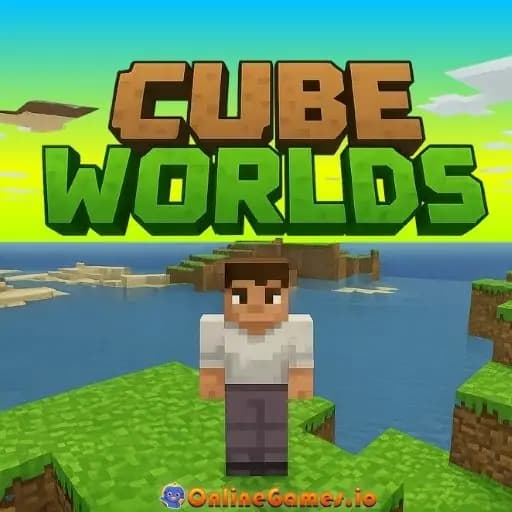
Experience the vibrant world of Cube Worlds online! This exciting game brings the best of crafting and exploration into your browser, offering a unique blend of adventure and creativity. Whether you want to build sprawling structures, explore vast terrains, or engage in multiplayer battles, Cube Worlds provides endless opportunities for fun—all without the need for downloads!
What Is Cube Worlds?
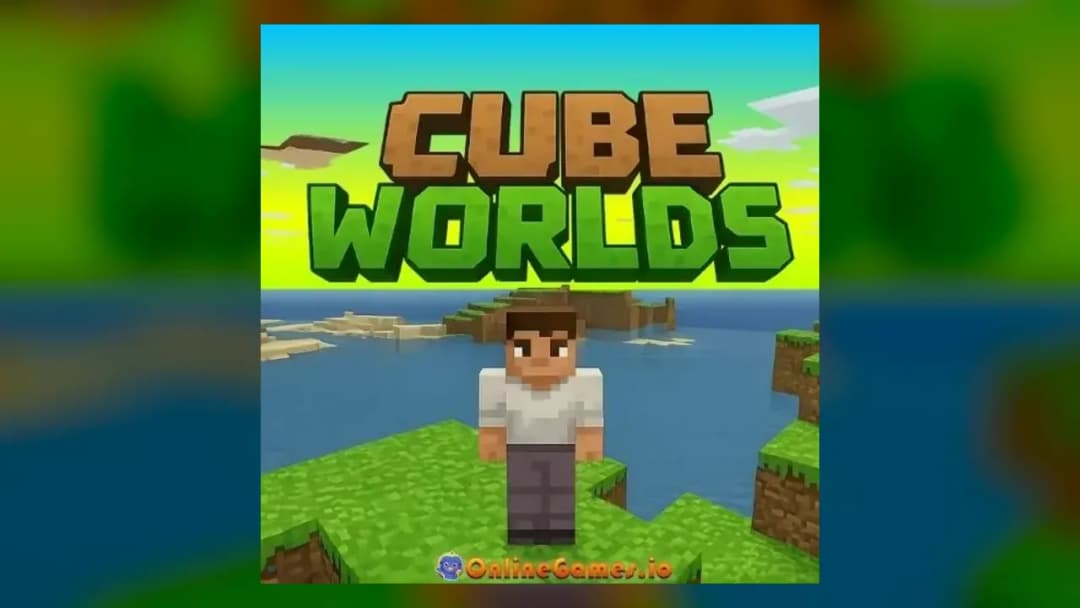
Cube Worlds is an innovative browser-based multiplayer game where players immerse themselves in a cubic universe filled with distinctive landscapes and challenges. You can explore various terrains—mountains, plains, and forests—filled with resources and creatures. The game embraces freedom by allowing players to create their own worlds, craft items, and develop their characters while interacting with others in real-time.
Cube Worlds Gameplay Overview
In Cube Worlds, players can engage in various gameplay mechanics that include exploration, crafting, and building. The objectives often revolve around gathering resources, building structures, and protecting your creations from adversaries. The graphics are vividly designed in a cubic style, reminiscent of popular sandbox games, yet it adds its own twist with an interactive community experience. Expect to encounter numerous quests and challenges that enhance the gameplay, offering a unique blend of building experience and strategic planning.
How to Play Cube Worlds
Getting started with Cube Worlds is simple and accessible. Here’s a quick guide for beginners:
Controls
- Movement controls: Use WASD or arrow keys to navigate your character through the world.
- Action controls: Spacebar for jump, and mouse buttons for various actions like crafting and attacking.
- Special abilities: Each character has unique abilities which can be activated using number keys 1-5.
Best Tips and Strategies for Cube Worlds
To excel in Cube Worlds, players should focus on resource management, collaborate with teammates for multiplayer strategies, and regularly explore to discover unique items and crafting materials. Understanding the strengths and weaknesses of your chosen character can give you an edge when facing opponents or tackling quests. Remember to build defensive structures around key resources and keep an eye on the environment, as new challenges may arise unexpectedly!
Main Features of Cube Worlds
- Vibrant 3D Graphics to enhance your gaming experience.
- Multiplayer modes that let you team up or compete with players globally.
- Crafting mechanics that enable players to create tools, weapons, and structures.
- Exploration of unique realms filled with surprises and secrets.
- Customizable characters to enhance your gameplay experience.
Can You Play Cube Worlds Online?
Yes! Cube Worlds is designed specifically for online play, letting you jump in anytime from your browser. The game supports a seamless online experience, ensuring players can connect and interact easily.
Play Cube Worlds Unblocked at School
Cube Worlds is perfect for playing in environments such as schools or workplaces since it is unblocked. Just ensure that you have an internet connection, and you can enjoy this game without any restrictions, providing lighthearted entertainment during breaks.
Do You Need to Download Cube Worlds?
One of the best features of Cube Worlds is that you do not have to download anything! Just navigate to the website and start playing immediately. No cumbersome installation or updates are required, making it an accessible option for everyone.
Is Cube Worlds Available on Mobile?
Cube Worlds is fully compatible with mobile devices! Whether you're using an Android or iPhone, you can join the fun and experience the game wherever you are, allowing for a truly mobile gaming experience.
Cube Worlds Platform Support
The game supports various platforms, ensuring players can enjoy Cube Worlds on their preferred devices:
- PC: Play seamlessly on your computer.
- Mobile: Fully functional on smartphones for gaming on the go.
- Tablet: Enjoy Cube Worlds on your tablet device for a larger screen experience.
- Chromebook: Access the game smoothly on Chromebook devices.
Similar Games Like Cube Worlds
If you enjoy Cube Worlds, you may also like these games:
FAQs About Cube Worlds
Can I play Cube Worlds on mobile devices?
Yes, Cube Worlds runs smoothly on most mobile devices, allowing you to enjoy gameplay on the go.
Is downloading required to play Cube Worlds?
No download is needed! You can play Cube Worlds online directly from your web browser.
What makes Cube Worlds unique compared to other games?
Cube Worlds combines crafting, exploration, and adventure elements in a visually stunning online environment.
Conclusion
Ready to embark on an adventure? Play Cube Worlds online for free today on ZGames.io. Dive into this incredible experience that offers endless exploration and creative freedom all from your browser. Don’t miss out on the fun!
Advertisement
More Games You'll Love
Controls
Frequently asked questions
Can I play Cube Worlds on mobile devices?
Is downloading required to play Cube Worlds?
What makes Cube Worlds unique compared to other games?
"Cube Worlds" and related names may be trademarks of their respective owners. This page is an informational game directory only; ZGames.io is not sponsored by or affiliated with trademark holders unless a specific game page says otherwise.
Player Reviews
No Reviews Yet
Be the first to share your feedback and rate this game!
Submit Your Review
Keep exploring