Play Dreamy Room Online Free
Play Dreamy Room, a Girls game available in your browser. Review the controls, features, and compatibility notes below, then choose Play when you are ready.




















Most Popular This Month
View All results »



































Dreamy Room
Game Details
How to Play
- 1. Select furniture
Click or tap an item in the furniture tray to pick a piece of furniture or decor.
- 2. Drag and drop into the room
Hold and move the item with your mouse or touch to position it on the floor plan.
- 3. Rotate and resize
Turn the object to face any direction and scale it up or down to fit the layout.
- 4. Recolor, save and share
Apply a color palette or theme to walls and furniture, then save and share your finished room.
Game Features
About Dreamy Room
Drag, rotate and recolor furniture to design a cozy room in Dreamy Room, a no-timer browser decor game. Save and share layouts across unlimited themes...
What's in this guide
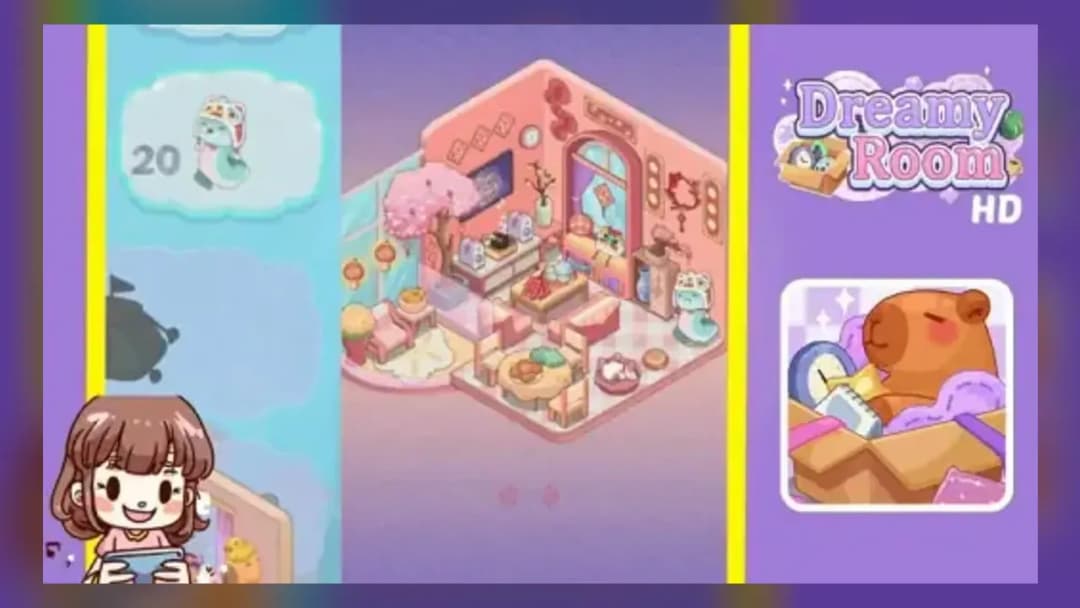
In Dreamy Room online you do one thing exceptionally well: you decorate. From the first click you are dragging furniture into an empty space, rotating a sofa to face a window, resizing a rug, and swapping a wall color until the room finally feels like yours. There is no timer, no score meter, and no fail state — the only goal is a room you are happy to look at and share.
This is a pure interior-design sandbox, not a puzzle. That matters, because several mobile apps share the name "Dreamy Room" and are actually unpacking or level-based puzzle games. The browser version here is a free-form Dreamy Room game built in HTML5, so it loads instantly and runs the same on desktop, laptop or phone.
| Game | Dreamy Room |
|---|---|
| Category | Girls / Decoration |
| Technology | HTML5 |
| Platform | Browser (PC & Mobile) |
| Controls | Mouse / Touch drag-and-drop |
| Player Rating | 5.0 / 5 |
How the Dreamy Room Decoration Loop Works
The core loop is simple and repeatable: open the furniture menu, pick an item, drag it onto the floor plan, then fine-tune its placement. You can rotate objects to any orientation, resize them to fit a corner, and layer small decor pieces on top of larger furniture. Because there are no win or lose conditions, the "progression" is entirely creative — each room you complete can be saved and shared, so your reward is a growing gallery of personal designs.
Furniture, Layouts and Color Themes
You build from a variety of furniture options — beds, sofas, shelving, plants, lamps and small decorative items — and arrange them across multiple room layouts. The design tools let you experiment with full color palettes and themes, so the same empty room can become a soft pastel bedroom or a bold modern lounge. Swapping a wall shade or re-tinting the floor instantly re-styles the whole space.
Dreamy Room Controls: How to Play With Mouse or Touch
The Dreamy Room controls are designed so anyone can start in seconds. Learning Dreamy Room how to play takes one minute:
- Select — click or tap an item in the furniture tray.
- Drag & drop — hold and move the item into the room with mouse or touchpad.
- Rotate — turn an object to change which way it faces.
- Resize — scale an item up or down to fit the layout.
- Recolor — apply a new palette or theme to furniture and walls.
- Save & share — store a finished design or share it with others.
Advanced Dreamy Room Styling Tips
Start with the largest anchor piece — usually the bed or sofa — and place it against a wall before adding anything small, so you never box yourself into an awkward corner. Lock your color theme early; choosing a two-colour palette first and only then adding furniture keeps busy rooms from clashing. Use layering deliberately: place a rug, then the sofa on top, then a lamp and a plant beside it to build believable depth instead of scattering items flat across the floor. When a room feels empty, add height with tall plants or shelves rather than more floor clutter.
Why Play Dreamy Room Unblocked in Your Browser
Because it is a lightweight HTML5 title, you can play Dreamy Room unblocked and Dreamy Room free directly on this page with no download or install. It is a true Dreamy Room online game, meaning progress and sharing happen in the browser, and the touch controls make it just as comfortable on a phone as on a desktop.
Games Like Dreamy Room on ZGames
If you enjoy this relaxed design your dream room game, these creative and makeover titles scratch the same itch. For more, browse our girls games and new games hubs.
- Funny Doctor Emergency — another relaxed tap-and-interact game with a satisfying, no-pressure loop.
- Princess Makeup: Beauty Salon — swap decorating for styling with the same creative, makeover-driven gameplay.
- Merge Haven — build and beautify a cozy space through calm, progression-based merging.
- TB World — a customization-heavy sandbox for players who love personalizing every detail.
Every session of Dreamy Room ends the way it starts — with a room that is entirely yours. Drag in one more plant, recolor a wall, save the layout, and your dream space is ready to share in seconds.
More Games You'll Love
Controls
Frequently asked questions
How do you rotate and resize furniture in Dreamy Room?
Is Dreamy Room online the same as the Dreamy Room mobile puzzle app?
Can you save and share your Dreamy Room designs?
Does Dreamy Room have levels or a way to lose?
Can you play Dreamy Room on mobile and unblocked at school?
"Dreamy Room" and related names may be trademarks of their respective owners. This page is an informational game directory only; ZGames.io is not sponsored by or affiliated with trademark holders unless a specific game page says otherwise.
Gameplay Video: Dreamy Room
OFFICIAL SOURCES & SITES
Player Reviews
No Reviews Yet
Be the first to share your feedback and rate this game!
Submit Your Review
Keep exploring