Play Geometry Vibes Online Free
Play Geometry Vibes, a Arcade game available in your browser. Review the controls, features, and compatibility notes below, then choose Play when you are ready.
Advertisement














Advertisement
Most Popular This Month
View All results »



































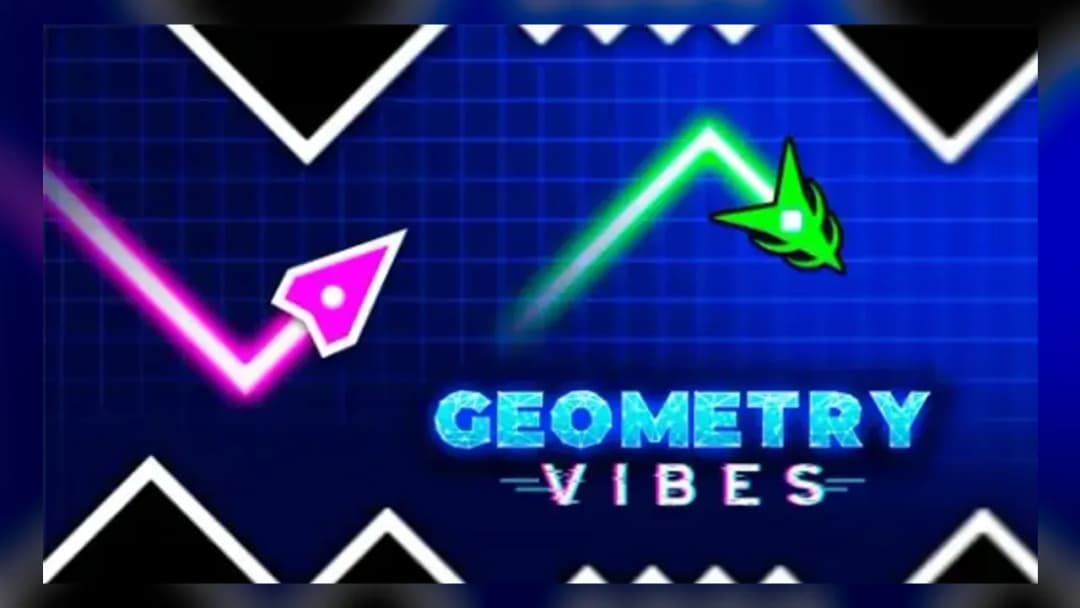
Geometry Vibes
TECHNICAL SPECIFICATIONS
OPERATIONAL GUIDE
- 1. Fly the arrow up
Hold Mouse Left-Click or the Up Arrow to make your arrow climb.
- 2. Dive to dodge
Release the button to let the arrow plummet and slip under spikes and walls.
- 3. Reach the portal in Classic
Clear all obstacles in a stage to hit the end portal across 10 rising-difficulty levels.
- 4. Race a friend
Switch to Race mode and assign each of the 2 to 4 players a single key on one keyboard.
CORE FEATURES
Advertisement
About Geometry Vibes
Fly one arrow up or dive down through spike walls in Geometry Vibes — there's no brake button. Beat 10 Classic levels, survive Endless, or race up to 4...
What's in this guide
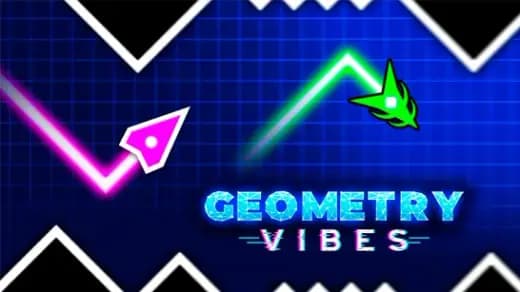
What You Actually Do in Geometry Vibes online
In Geometry Vibes online you steer a single arrow along a moving route: hold to climb, release to plummet. That's the whole input — but there is no way to slow the arrow down, so every spike wall and bump-out is a pure reaction test. Waves of obstacles rush toward you and one touch ends the run.
Unlike a jump-timing platformer, this is continuous flight. You are constantly feathering height, not tapping a jump button, which makes the Geometry Vibes arrow game feel closer to a helicopter-dodge than to a rhythm runner. That distinction matters when players search "Geometry Vibes vs Geometry Dash" — Dash locks you to fixed jumps, while here you own the vertical axis every frame.
| Game | Geometry Vibes |
|---|---|
| Category | arcade |
| Genre | Reaction / dodge |
| Modes | Classic, Endless, Race (up to 4 players) |
| Controls | Left-click or Up Arrow to fly up |
| Platform | Browser (PC, Mobile, Chromebook) |
Core Loop: Keep the Arrow on the Route
The objective loop is simple to state and brutal to master: keep your arrow airborne and clear of hazards for as long as possible. You'll meet spikes, walls and various bump-outs; contact loses the level instantly. Because the arrow never stops moving forward, your only real skill is height management under pressure.
Geometry Vibes controls
The Geometry Vibes controls are single-key by design. Hold Mouse Left-Click or the Up Arrow to ascend; release to dive. On touchscreens, press and hold anywhere to fly up and lift off to drop. Nothing else — no dash, no shield, no brake.
Three Modes: Classic, Endless, Race
Geometry Vibes classic mode is the level-based campaign: reach the portal at the end of each stage without crashing, across 10 levels of rising difficulty. Geometry Vibes endless mode strips out the portal and throws unlimited waves at you for pure high-score survival. Geometry Vibes race mode is the local-multiplayer draw — a Geometry Vibes 2 player setup that scales to 3 and 4 players sharing one keyboard, each mapped to a single key such as Up Arrow, H and L.
Advanced Tips to Push Deeper into Geometry Vibes
- Tap in short pulses. Long holds send the arrow into the ceiling row of spikes; quick taps hold a stable mid-lane through most Classic gaps.
- Read two obstacles ahead. Since you can't brake, plan your next height while clearing the current wall — reacting late is the #1 cause of level-1-to-3 deaths.
- Use the Endless plateau. Find the vertical band where consecutive gaps overlap and micro-adjust rather than swinging top to bottom.
- In Race mode, pick edge keys. When four share a keyboard, the player on the Up Arrow gets the cleanest travel — rotate it between rematches for fairness.
Is Geometry Vibes unblocked and free?
Geometry Vibes runs as an HTML5 build straight in the browser, so you can play Geometry Vibes unblocked at school, home or work with no download and no account. It sits alongside the wider Geometry Vibes family — including Geometry Vibes 3d and the X-Ball, X-Arrow and Monster spin-offs — but the core arrow-dodge here is the original two-dimensional reaction arcade game.
Similar Games on ZGames
- Tap Road — one-touch reaction dodging with the same never-slow-down tension.
- Cart Ride Obby — obstacle-course pacing for players who like level-by-level runs.
- Race Survival: Arena King — head-to-head racing pressure like Geometry Vibes race mode.
- Bob the Robber — precise timing and hazard avoidance in a different arcade flavor.
Browse more in arcade games and action games, or jump to popular games and HTML5 games.
It all comes back to that single arrow and the one rule you can never break: keep it on the route. Master the pulse-tap rhythm in Classic, chase forever in Endless, then hand a friend a key for Race — and remember, there's still no brake.
Advertisement
More Games You'll Love
Controls
Frequently asked questions
How do the Geometry Vibes controls work?
What are the three game modes in Geometry Vibes?
Can you play Geometry Vibes with friends on one keyboard?
Is Geometry Vibes the same as Geometry Dash?
Is Geometry Vibes unblocked and does it need a download?
"Geometry Vibes" and related names may be trademarks of their respective owners. This page is an informational game directory only; ZGames.io is not sponsored by or affiliated with trademark holders unless a specific game page says otherwise.
OFFICIAL SOURCES & SITES
Player Reviews
No Reviews Yet
Be the first to share your feedback and rate this game!
Submit Your Review
Keep exploring