Play Idol Livestream: Doll Dress Up Online Free
Play Idol Livestream: Doll Dress Up, a Girls game available in your browser. Review the controls, features, and compatibility notes below, then choose Play when you are ready.
Advertisement
Idol Livestream: Doll Dress Up

















Advertisement
Most Popular This Month
View All results »



































Idol Livestream: Doll Dress Up
TECHNICAL SPECIFICATIONS
OPERATIONAL GUIDE
- 1. Use the Idol Livestream: Doll Dress Up controls
Pick a doll, choose outfits, and start dressing up for the livestream event!
CORE FEATURES
Advertisement
About Idol Livestream: Doll Dress Up
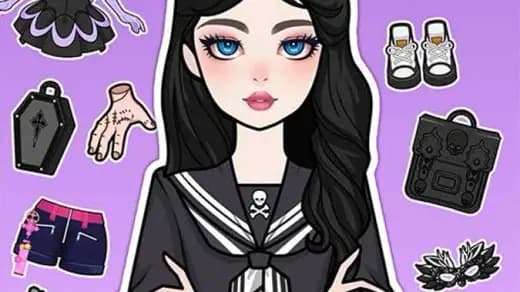
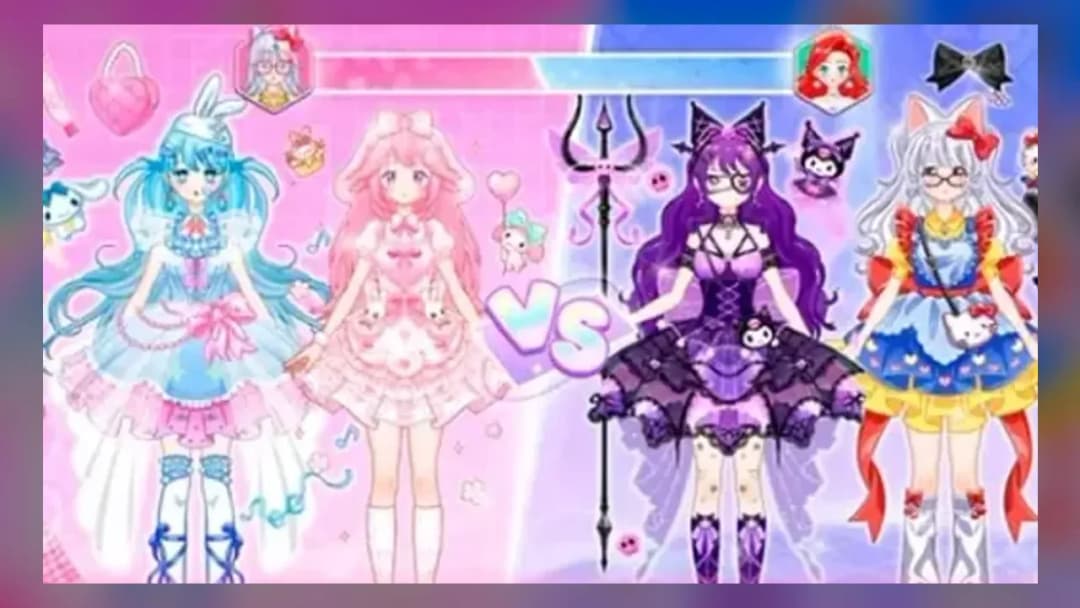
Dress an idol doll for VS fashion battles or livestream Perform shows. Earn gift boxes, unlock outfits, and pose your doll. Play Idol Livestream: Doll...
What's in this guide
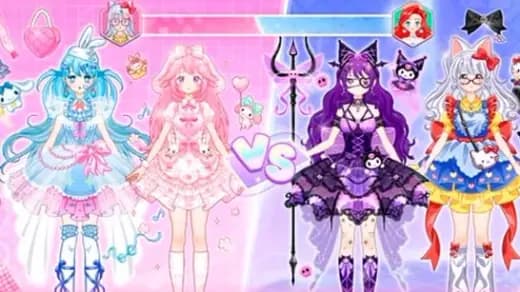
In Idol Livestream: Doll Dress Up, you take charge of an animated social-media influencer doll and style her for two very different challenges: a head-to-head VS mode fashion contest judged by a jury, or a Perform mode livestream fashion show set against randomly rotating scenes like Christmas, Halloween, the beach, and Valentine's Day. Every outfit choice feeds into two in-game currencies plus gift boxes that unlock new clothing pieces.
Unlike a static paper-doll game, Idol Livestream: Doll Dress Up ties your styling decisions directly to a competitive loop — win the jury's approval in VS mode or wow the livestream audience in Perform mode, then spend what you earn on furniture, accessories, and a daily bonus.
| Game | Idol Livestream: Doll Dress Up |
|---|---|
| Category | girls |
| Genre | fashion / dress up |
| Game Modes | VS mode, Perform mode |
How Idol Livestream: Doll Dress Up Online Works
The dressing screen lets you customize skin color, hair, face, dress, top, bottom, accessories, socks, shoes, hairpiece, eyewear, and a special magical princess effect. A lower-left Dress Up button opens the wardrobe, while a Pose/Switch button changes the doll's stance so you can preview each look from a different angle before committing.
VS Mode: Fashion Contest Battles
Tapping the V.S button pairs your styled doll against a rival doll in front of a jury. The look you finalize before confirming is what gets judged, so matching the required theme or scenario shown briefly before play matters more than random outfit-stacking.
Perform Mode: The Livestream Fashion Show
The Prepare button readies your doll for a livestream fashion show, with the scene randomly selected each time — Christmas, Halloween, beach, and Valentine's Day are among the confirmed rotating themes. Success in this mode often requires watching an ad, a recurring friction point reported across multiple portals hosting this game.
Controls in Idol Livestream: Doll Dress Up
A six-sided button in the upper-left corner opens avatar customization. The lower-left V.S button or lower-right Perform button locks in your styled look and starts the corresponding challenge. Menus are click/tap-based, consistent with the game's browser-based HTML5 build.
Earning Currency, Gift Boxes, and Furniture
Winning either mode pays out gift boxes and the game's two currencies, which unlock new outfit pieces and furniture for the doll's home. A daily bonus and a personal channel for posting selfies are both accessed from the home screen, giving players a reason to return between fashion battles.
Advanced Styling Tips
Before entering VS mode, check the theme prompt shown at the start of the round and prioritize color-matching accessories over volume — a jury reportedly rewards cohesive looks. In Perform mode, since the scene is random each session, keeping a few all-purpose themed outfits (beachwear, holiday pieces) saved makes prepping faster when an unfavorable scene appears.
For Parents
Idol Livestream: Doll Dress Up is marketed as a free-to-play girls game with no violent content, focused entirely on dress-up and styling. Be aware that Perform mode is frequently gated behind video ads, and premium items may prompt additional unlock prompts.
Similar Games on ZGames
If you enjoy the styling-and-showcase loop here, these titles offer related mechanics:
- Vortella Dress Up — another layered wardrobe dress-up game with themed outfit sets.
- Vampiric Roulette Romance — swaps fashion judging for a narrative-driven styling choice loop.
- Secret Office Kiss — a character-styling game built around scenario-based outfit decisions.
- Funny Doctor Emergency — for players who like character-costume customization with a role-play twist.
Browse more titles in girls games or check the new games hub for fresh dress-up releases.
Whether you're chasing jury approval in VS mode or perfecting a Halloween-themed livestream look in Perform mode, Idol Livestream: Doll Dress Up keeps every styling decision tied to a real payoff of currency, gift boxes, and unlockable furniture — that loop is what separates it from a simple paper-doll app.
Advertisement
More Games You'll Love
Controls
Frequently asked questions
What's the difference between VS mode and Perform mode in Idol Livestream: Doll Dress Up?
Why does Idol Livestream: Doll Dress Up ask me to watch ads before Perform mode?
What themes can show up in the Perform mode livestream fashion show?
How do you customize the doll's pose in Idol Livestream: Doll Dress Up?
Can you unlock furniture in Idol Livestream: Doll Dress Up?
"Idol Livestream: Doll Dress Up" and related names may be trademarks of their respective owners. This page is an informational game directory only; ZGames.io is not sponsored by or affiliated with trademark holders unless a specific game page says otherwise.
Gameplay Video: Idol Livestream: Doll Dress Up
OFFICIAL SOURCES & SITES
Player Reviews
No Reviews Yet
Be the first to share your feedback and rate this game!
Submit Your Review
Keep exploring