Play Poor Eddie Unblocked Online Free
Play Poor Eddie Unblocked, a Puzzle game available in your browser. Review the controls, features, and compatibility notes below, then choose Play when you are ready.
Advertisement
Poor Eddie Unblocked




















Advertisement
Most Popular This Month
View All results »


































Poor Eddie Unblocked
TECHNICAL SPECIFICATIONS
OPERATIONAL GUIDE
- 1. Trigger Level Devices
Click or tap switches, buttons, levers, cannons, and moving platforms to change the level and push Eddie toward the exit.
- 2. Control Eddie’s Momentum
Wait for his ragdoll body to settle before launching or lifting him again, because uncontrolled momentum often sends him into spikes or dead zones.
- 3. Use Traps as Tools
Treat fans, springs, launchers, and hazards as puzzle pieces; many dangerous objects are designed to move Eddie into the next safe position.
- 4. Sequence Each Mechanism
Activate devices in the right order so doors open, platforms align, and Eddie reaches buttons or ramps at the correct moment.
- 5. Restart and Reroute
If Eddie gets wedged or misses a target, restart quickly and adjust the timing, angle, or order of interactions.
CORE FEATURES
Advertisement
About Poor Eddie Unblocked
Play Poor Eddie online free: launch Eddie through traps, lifts, cannons, and ragdoll puzzles in an unblocked browser game with no download on any device.
What's in this guide
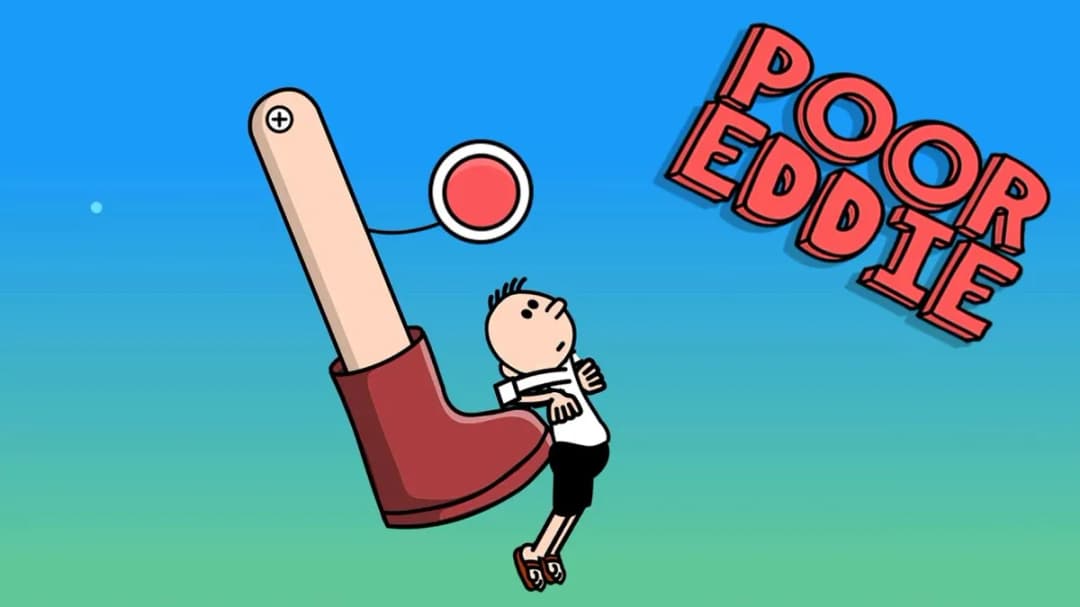
Poor Eddie is a browser-based HTML5 physics puzzle game built around ragdoll movement, environmental triggers, and short level solutions. Instead of giving players direct walking controls, the game asks them to manipulate the stage itself: press switches, fire cannons, raise lifts, activate fans, and let gravity do the dirty work. That design makes Poor Eddie a clean fit for instant play on PC, mobile, tablet, and Chromebook because the core simulation runs inside the browser without an installer.
The game belongs to the modern wave of lightweight HTML5 game design that replaced older Flash puzzle titles. Its appeal comes from readable cause and effect. Eddie is fragile, floppy, and constantly at the mercy of momentum, but the level objects follow clear rules. A button opens a gate. A launcher changes velocity. A platform redirects a fall. The comedy comes from watching a tiny mistake turn into a full-body disaster.
Game NamePoor EddieCategoryGamesTechnologyHTML5 / Browser NativePlatformsPC, Mobile, Tablet, ChromebookRequires Download?No, Instant PlayWhat's In This Guide
- About Poor Eddie
- Complete Poor Eddie Controls & Mechanics
- Advanced Strategies & Tips
- How to Play Unblocked at School
- Poor Eddie Platforms & Versions
- Known Glitches & Quirks
- Top Alternatives & Competitors
About Poor Eddie
Poor Eddie uses the language of classic physics puzzle games: compact stages, visible mechanisms, instant resets, and a character who moves like a loose-limbed test dummy. The player does not simply steer Eddie from left to right. The player reads the room, predicts how objects will collide, and triggers the correct device at the correct time. That makes each level feel closer to a tiny machine than a standard platformer.
The design philosophy favors slapstick clarity. Eddie’s ragdoll body communicates force through rotation, bounce, drag, and impact. When he tumbles down a ramp or gets launched by a cannon, the player can immediately see why the attempt succeeded or failed. This visual feedback gives the game its learning loop: observe, adjust, repeat, solve.
As a Poor Eddie browser game, the title benefits from HTML5 delivery. The game can load assets, process inputs, and render motion directly through the browser stack, which helps it run on school laptops and low-power devices. It does not require Flash, plugins, or an executable file.
- Engine & Tech: Poor Eddie runs as an HTML5 game, using browser-native rendering and input handling for fast restarts and simple cross-device access.
- Accessibility: The limited control scheme reduces hardware demands, making it practical for Chromebooks, tablets, and older laptops.
- Updates: Public version details are not officially documented, so players should treat the hosted browser edition as the reference version.
Complete Poor Eddie Controls & Mechanics
Poor Eddie controls like a physics toybox. On desktop, the player mainly uses the mouse to click interactive objects. On mobile, the same actions become taps. The simplicity matters because the challenge does not come from finger gymnastics; it comes from timing and sequencing. One early click can ruin a route. One delayed tap can save it.
The physics feel intentionally loose. Eddie does not snap into perfect animations like a traditional platform hero. He rolls, folds, flips, and sometimes lands badly. That ragdoll behavior creates comedy, but it also creates depth. A clean launch needs the right angle, the right timing, and enough room for the body to settle before the next interaction.
Collision detection drives almost every puzzle decision. Platforms stop Eddie’s fall, ramps translate downward motion into forward movement, and bumpers or springs redirect force. The player wins by understanding how the stage transfers energy into Eddie’s body.
- Movement: Eddie usually moves because the player activates objects around him, not because the player holds left or right. Mouse clicks and touch taps control the level.
- Action: Cannons, lifts, doors, switches, fans, traps, and bounce objects create the main interactions. Each one changes position, speed, or path.
- Mechanics: Gravity, momentum, collision angles, and ragdoll rotation decide whether Eddie lands safely, hits a trigger, or gets stuck.
Advanced Strategies & Tips
Strong Poor Eddie players think in sequences. Before touching anything, scan the whole level and identify the final exit, the blocking objects, and the devices that can move Eddie through each phase. The fastest route is rarely the loudest one. Controlled movement beats random launches.
Timing matters most after impacts. A ragdoll body needs a fraction of a second to stop spinning or sliding. Triggering the next launcher while Eddie is angled poorly can send him into a wall instead of across a gap. Patient players often solve hard stages faster because they avoid messy recoveries.
High-score style routing, if the version tracks speed or stars, depends on repeatable inputs. Use the same device order, wait for the same visual cue, and avoid unnecessary bounces. A clean two-step launch usually beats a chaotic chain reaction.
- Perfect Your Timing: Fire cannons when Eddie’s body aligns with the barrel or platform, not while he is still tumbling sideways.
- Manage Resources/Speed: Save big launchers for gaps and vertical climbs. Use small lifts or ramps to position Eddie first.
- Avoid Common Mistakes: Do not trigger every object immediately. Many levels punish panic clicking by trapping Eddie behind closed gates.
- Optimize Runs: Restart quickly after a bad angle. Clean early movement saves more time than improvising around a failed launch.
How to Play Unblocked at School
Poor Eddie unblocked means the game can be accessed through a browser page without installing separate software. Modern HTML5 games differ from older Flash games and downloadable executables because they run inside standard browser security rules. The browser loads game files, stores them in memory, and handles input through ordinary web APIs.
This matters for schools and Chromebooks. Many managed devices block installers, plugins, and unknown programs, but still allow browser-based educational and entertainment sites. Poor Eddie no download access reduces friction because the player opens the page and plays through the web session.
- What is Unblocked: It means the game is playable through a web page on networks where the site is allowed and no external installer is required.
- Chromebook Support: Poor Eddie is Chromebook compatible because it runs in the browser and uses lightweight input.
- Browser Native: No executable file, launcher, or Flash plugin is needed for normal play.
Poor Eddie Platforms & Versions
You can play Poor Eddie online through a modern browser on desktop and laptop systems. Chrome, Edge, Firefox, and Safari-style browsers handle HTML5 games well when hardware acceleration and standard JavaScript features remain enabled. The browser version gives the cleanest instant-play experience because it avoids app stores and account setup.
Poor Eddie mobile play works because the core interactions map naturally to touch. A tap replaces a mouse click, making switches and launchers easy to use on phones and tablets. Smaller screens can make tight timing harder, but the short level format suits mobile gaming sessions.
- Browser Version: Best for Poor Eddie free instant play, no download access, and quick restarts.
- Mobile Experience: Touch controls keep the puzzle structure intact, especially for levers, buttons, and launchers.
Known Glitches & Quirks
Physics games always carry strange edge cases, and Poor Eddie uses them as part of its personality. Ragdoll limbs can catch on corners, rotations can alter a landing, and a slightly different impact angle can produce a different result. These quirks rarely break the game; they create its funniest failures.
Players may also see minor visual clipping when Eddie lands awkwardly against moving platforms or doors. Speedrunners often treat these quirks as routing opportunities, using extra bounce or wall contact to skip a slower mechanism.
- Physics Quirks: A body part catching an edge can slow Eddie down or accidentally hold him in a useful spot.
- Visual Desync: Brief clipping can appear during fast impacts, especially near moving objects and narrow gaps.
Top Alternatives & Competitors
Poor Eddie sits near games that value timing, physics, and readable failure. Compared with twitch platformers, it moves slower and asks for more planning. Compared with pure puzzle games, it feels more physical because every solution must survive gravity and collision behavior.
Players who enjoy Poor Eddie may also enjoy obstacle runners and rhythm platformers, but the pacing differs. Poor Eddie rewards observation before execution. Its best moments come from building a chain reaction that looks dangerous but lands exactly where planned.
- Happy Wheels: Both games use ragdoll comedy, but Poor Eddie focuses more on compact puzzle sequencing than long obstacle courses.
- Cut the Rope: Both require cause-and-effect planning, though Poor Eddie uses body physics and traps instead of rope timing.
Similar Games on ZGames
If you enjoy Poor Eddie, you may also like these games:
Conclusion
Poor Eddie works because it turns simple clicks into mechanical consequences. The player studies the level, activates the right objects, and watches a fragile ragdoll become the centerpiece of a clever physics puzzle. It is funny, technical, and easy to restart.
Play Poor Eddie online free directly in your browser when you want an HTML5 game with no download, quick levels, and strong Chromebook support. The best runs come from patience, timing, and treating every trap like a tool.
Advertisement
More Games You'll Love
Controls
Frequently asked questions
How many levels does Poor Eddie have?
How do cannons work in Poor Eddie?
What should I do when Eddie gets stuck in a level?
What is the best strategy for hard Poor Eddie stages?
"Poor Eddie Unblocked" and related names may be trademarks of their respective owners. This page is an informational game directory only; ZGames.io is not sponsored by or affiliated with trademark holders unless a specific game page says otherwise.
Gameplay Video: Poor Eddie Unblocked
OFFICIAL SOURCES & SITES
Player Reviews
No Reviews Yet
Be the first to share your feedback and rate this game!
Submit Your Review
Keep exploring