Play Screwdom 3D Online Free
Play Screwdom 3D, a Casual game available in your browser. Review the controls, features, and compatibility notes below, then choose Play when you are ready.
Advertisement




















Advertisement
Most Popular This Month
View All results »


































Screwdom 3D
TECHNICAL SPECIFICATIONS
OPERATIONAL GUIDE
- 1. Loosen a screw
Tap or left-click any screw to loosen it from the plate.
- 2. Match the color box
Drag the loose screw into the box whose color matches it to fill a slot.
- 3. Free the top plates first
Remove top-layer plates before lower ones to expose the nuts locked underneath.
- 4. Keep a buffer box
Leave one color box empty so you always have room to sort tricky screws.
CORE FEATURES
Advertisement
About Screwdom 3D
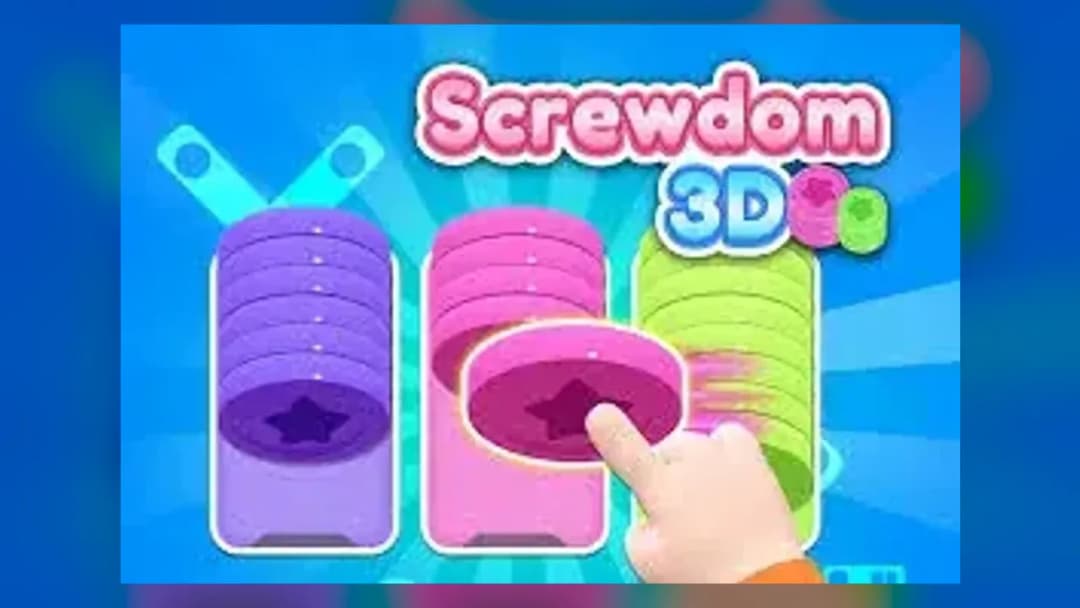
Screwdom 3D online is a color-sorting puzzle where you unscrew layered 3D objects and drop each screw in its matching box. Free top plates first to...
What's in this guide
What You Actually Do in Screwdom 3D online
Screwdom 3D online is a color-sorting puzzle where you tap screws to loosen them, then drag each one into a box that matches its color. Every 3D object — a cube, a rubber duck, a house, a car — is built from stacked plates held together by dozens of colored screws. Clear a box by filling it with matching screws, and the plate above pops free.
The twist is the layering: some plates pin others down, and screws underneath are locked until the top plate is removed. That reveal loop — where hidden sections of the model appear piece by piece — is what makes Screwdom 3D more satisfying than a flat matching game.
Developed by iKame Games – Zego Studio, it runs free in a browser with no download, so you can play Screwdom 3D online free and pick up right where a level left you. There is no timer — you solve at your own pace.
| Game | Screwdom 3D |
|---|---|
| Category | Puzzle |
| Developer | iKame Games – Zego Studio |
| Platforms | PC, Mobile, iPad, Chromebook |
| Mode | Single-player |
| Time limit | None |
The Unscrew-and-Sort Loop of Screwdom 3D
Each level gives you colored boxes with limited slots. Your job is to route every screw into its matching box before you run out of open slots. When a box fills, it clears and frees space. If every box is full with mismatched colors and no screw fits, you're stuck — that's the lose condition. Progression works by revealing the full 3D model: the last screw uncovers the finished object.
Screwdom 3D levels and difficulty curve
Across hundreds of Screwdom 3D levels, early stages use two or three colors on a single plate. Later levels stack four to five layers with screws deliberately blocking one another, so Screwdom 3D level 168 and other tough house-model stages demand you plan the removal order in advance instead of grabbing the nearest screw.
Controls: How to Play Screwdom 3D
Learning Screwdom 3D how to play takes seconds. On mobile you use one finger; on desktop you click and drag.
- Tap / left-click a screw — loosens it from the plate.
- Drag to a color box — drops the screw into its matching slot.
- Rotate the model — drag empty space to spin the 3D object and spot hidden screws.
Screwdom 3D Tips and Strategy for Stuck Levels
The best Screwdom 3D tips come down to order, not speed:
- Free the top plates first — the biggest beginner mistake is starting with the easiest-looking screws. Clear top-layer plates to expose the nuts locked underneath.
- Keep one box empty as a buffer — never fill every box; you need spare slots to sort awkward colors.
- Rotate before you commit — a good Screwdom 3D strategy is to spin the whole model and count how many screws of each color exist before touching one.
Screwdom 3D game keeps freezing? Ad solution
If your Screwdom 3D game keeps freezing, it's usually a booster or bonus ad that fails to load. A common Screwdom 3D ad solution in the browser build is to refresh the page — level progress is saved, so you won't lose your spot, and the ad is skipped.
Screwdom 3D vs screw sort 3D
People often compare it with screw sort 3D. Both share the color-matching screw mechanic, but Screwdom 3D wraps it around fully modeled 3D objects with multi-layer reveals rather than flat pin boards.
Similar Puzzle Games on ZGames
- Mystic Word Quests — same calm, no-timer brain-teaser pacing.
- Drive Mad 2 — physics-based order-of-operations planning.
- Orbit Kick — quick, satisfying arcade reward loop.
- Super Onion Boy 2 Unblocked — pick-up-and-play unblocked arcade fun.
Browse more in arcade games and HTML5 games, or jump to popular games.
Every level of Screwdom 3D comes back to that one hook: unscrew the right plate, reveal the hidden model, and watch a jumbled object turn into a duck or a house. Free the top layers, keep a spare box, and you'll clear even the hardest stages.
Advertisement
More Games You'll Love
Controls
Frequently asked questions
How do you beat Screwdom 3D level 168?
Why does my Screwdom 3D game keep freezing?
What's the biggest beginner mistake in Screwdom 3D?
Do you need to sort screws by color in Screwdom 3D?
How is Screwdom 3D different from screw sort 3D?
"Screwdom 3D" and related names may be trademarks of their respective owners. This page is an informational game directory only; ZGames.io is not sponsored by or affiliated with trademark holders unless a specific game page says otherwise.
Gameplay Video: Screwdom 3D
OFFICIAL SOURCES & SITES
Player Reviews
No Reviews Yet
Be the first to share your feedback and rate this game!
Submit Your Review
Keep exploring