Play We Are In A Simulation Simulator Online Free
Play We Are In A Simulation Simulator, a Simulation game available in your browser. Review the controls, features, and compatibility notes below, then choose Play when you are ready.
Advertisement

We Are In A Simulation Simulator
















Advertisement
Most Popular This Month
View All results »


































- Home
- Simulation
- We Are In A Simulation Simulator
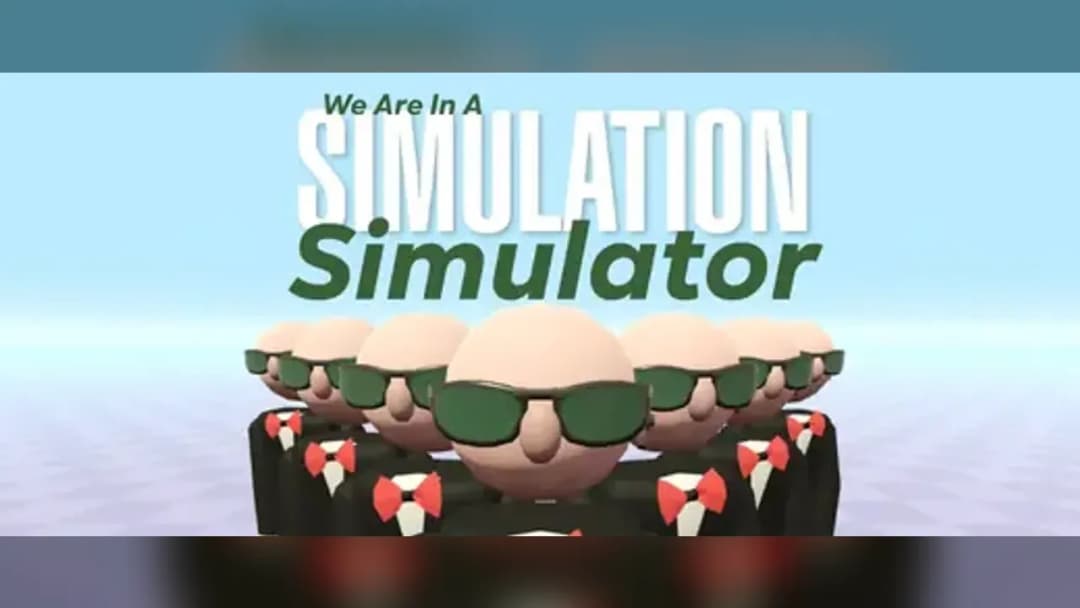
We Are In A Simulation Simulator
TECHNICAL SPECIFICATIONS
OPERATIONAL GUIDE
CORE FEATURES
Advertisement
About We Are In A Simulation Simulator
Play We Are In A Simulation Simulator online for free with no download. Master this unblocked browser game exploring glitchy reality on PC, mobile, and...
What's in this guide

We Are In A Simulation Simulator is a browser-based exploration game built on HTML5 and WebGL, designed to run instantly in modern web browsers without any installation. The game places players inside a rendered digital world that behaves like a computer simulation, complete with deliberate visual glitches, corrupted textures, and reality-bending physics. Rather than a conventional action title, it functions as an interactive experience where the environment itself is the puzzle, and the player's job is to probe the boundaries of the simulated space.
The title runs entirely client-side, meaning the JavaScript and WebGL rendering execute directly inside the browser tab using your device's memory and graphics processing. This architecture allows it to load on low-powered machines, including Chromebooks and older laptops, without a dedicated download. Because it relies on standard web technology rather than a native executable or legacy plugin, it launches on any device with a current version of Chrome, Firefox, Edge, or Safari, making it a genuinely cross-platform experience.
Game NameWe Are In A Simulation SimulatorCategorySimulationTechnologyHTML5 / WebGL / Browser NativePlatformsPC, Mobile, Tablet, ChromebookRequires Download?No, Instant PlayWhat's In This Guide
- About We Are In A Simulation Simulator
- Complete Controls & Mechanics
- Advanced Strategies & Tips
- How to Play Unblocked at School
- Platforms & Versions
- Known Glitches & Quirks
- Top Alternatives & Competitors
About We Are In A Simulation Simulator
We Are In A Simulation Simulator belongs to a growing family of experimental exploration games that treat the game engine itself as the central theme. The core premise is simple but conceptually rich: you are a consciousness trapped inside a running simulation, and your only path forward is to find, provoke, and exploit the flaws in the code that renders your surroundings. Every glitch, texture pop, and physics error you encounter is not a bug to be tolerated but a deliberate feature you must engage with to progress.
The game's rendering pipeline uses WebGL to draw 3D environments in real time, with a shader system that intentionally distorts geometry and lighting as the simulation destabilizes. This gives the world a signature aesthetic where solid walls shimmer, objects flicker between states, and the horizon occasionally folds in on itself. The design philosophy leans into the uncanny, using visual instability as both storytelling and gameplay signaling. When the environment starts to break, that is the game telling you that you are on the right path.
What makes the experience compelling is how it rewards curiosity over speed. There is no health bar to manage or enemy to outrun in the traditional sense. Instead, progress is measured by how thoroughly you investigate the anomalies scattered across each layer. The tension comes from the escalating strangeness of the world rather than from combat, and the payoff is the gradual revelation that the simulation runs far deeper than it first appears. This slow-burn discovery loop is the heart of the entire design.
- Engine & Tech: Built on HTML5 and WebGL, the game targets a smooth 60 frames per second on capable hardware while gracefully scaling shader complexity down on weaker devices to preserve responsiveness.
- Accessibility: The lightweight asset streaming and RAM-based browser execution allow Chromebooks and budget laptops to run the experience without stutter, since nothing is installed to disk.
- Updates: As a browser title hosted on ZGames, the build can be refreshed with new anomalies and layers over time, ensuring the content pool stays fresh for returning players.
Complete Controls & Mechanics
Control in We Are In A Simulation Simulator is built around a first-person navigation scheme familiar to anyone who has played a walking-simulator or exploration title. Movement is handled with the WASD cluster or the arrow keys, while the mouse governs the camera and looking direction. Interaction is bound to contextual keys, and the input pipeline is tuned for low latency so that examining a flickering object registers the instant you press the key. This precision matters because many anomalies only respond within a narrow window of instability.
The physics model is where the game distinguishes itself. Movement carries a subtle momentum, meaning you accelerate into a walk and decelerate when releasing input rather than snapping instantly to a stop. Collision detection is deliberately imperfect in certain zones, allowing you to clip through geometry that has been flagged as unstable. This is not sloppy programming but a designed mechanic: the simulation is broken, and the player is meant to feel that brokenness through the way their character interacts with walls, floors, and floating debris.
Interactions form the third pillar of the mechanics. Pressing the examine key on a glitching object triggers a resolution event, where the game evaluates whether that object contains a fragment or an anomaly counter. Some objects require repeated interaction, cycling through corrupted states before yielding their reward. The action key can also trigger larger simulation events that temporarily warp gravity or invert the environment, opening pathways that were previously sealed. Learning which inputs produce which reactions is central to mastering the flow.
- Movement: Use WASD or arrow keys to walk and strafe, with mouse look controlling your view on desktop; mobile uses a virtual joystick paired with touch-drag for the camera.
- Action: Press E to examine and interact with objects, and Space to trigger simulation events that reshape the environment around you.
- Mechanics: Momentum-based movement, intentionally soft collision on unstable surfaces, and state-cycling objects that respond differently to repeated interaction.
Advanced Strategies & Tips
Advanced play in We Are In A Simulation Simulator is less about reflexes and more about reading the environment like a system. Veteran players learn to scan for the telltale signs of interactable anomalies: shimmering edges, objects that hover slightly off their intended position, and textures that flicker at irregular intervals. Prioritizing these targets over blind exploration dramatically shortens each layer, because anomaly interactions push your progress counter far faster than simply covering ground on foot.
Resource routing also plays a role once you understand that fragments are the true currency of progress. Rather than sweeping every corner of a layer, experienced players map the shortest path connecting the highest-density anomaly clusters. Because triggering large simulation events with the action key can reshape the map, timing these events strategically lets you skip entire sections. Knowing when to destabilize an area versus when to preserve its current layout is the difference between a slow crawl and an efficient run.
Frame-aware players exploit the momentum system to their advantage. Because movement carries acceleration, you can build speed along open corridors and carry that velocity through the soft-collision zones to clip past obstacles that would otherwise block a stationary character. This requires deliberate approach angles and a feel for exactly where the collision softens, but once mastered it transforms navigation. The best runs chain these movement tricks together to slide through the simulation like water finding cracks in stone.
- Perfect Your Timing: Interact with flickering objects during their corrupted state rather than their stable state, as the resolution event only counts when the anomaly is actively glitching.
- Manage Fragments: Collect fragments in tight clusters and avoid backtracking; plan a loop that ends near the layer exit so no distance is wasted.
- Avoid Common Mistakes: Do not trigger every simulation event immediately, since reshaping the map too early can seal off anomalies you still need to reach.
- Optimize Runs: Use momentum to clip through flagged soft-collision walls, cutting travel time between distant anomaly clusters on the larger layers.
How to Play Unblocked at School
Playing We Are In A Simulation Simulator unblocked comes down to how modern browser games are delivered. The term unblocked simply means the game loads and runs even on networks with strict content filters, such as school or workplace systems. Because this title is a pure HTML5 and WebGL application served over HTTPS, it streams directly into your browser tab without ever downloading an executable file. Firewalls that block installers, launchers, and legacy plugins have nothing to intercept, since everything runs as standard web code inside the page.
This is a fundamental shift from the old era of downloadable games and Flash content. Network filters were built to stop unauthorized software from being installed on managed devices, but a WebGL game never installs anything to disk. It executes entirely in your device's RAM through the browser's rendering engine, leaving no permanent footprint. That is precisely why the game works flawlessly on locked-down school Chromebooks, which are designed to run web applications and little else.
- What is Unblocked: The game bypasses network filters because it requires no downloads and delivers all content as safe, standard web code over HTTPS.
- Chromebook Support: Fully compatible with school Chromebooks since it runs locally in RAM through the browser rather than installing to storage.
- Browser Native: No executables or plugins are required, so strict firewalls have no installer or launcher to block.
Platforms & Versions
We Are In A Simulation Simulator is primarily a browser experience, and that is where it shines. The browser version launches with a single click, requires zero setup, and automatically adapts its rendering quality to the device it detects. On a desktop or gaming laptop, you get the full shader effects, crisp texture distortion, and buttery frame rates that make the simulation's instability feel intentional and immersive. There is no patching, no account gate, and no wait beyond the initial asset load.
On mobile and tablet devices, the game reconfigures its interface for touch. Movement shifts to an on-screen virtual joystick while camera control moves to touch-drag gestures, and interaction becomes a matter of tapping directly on anomalies. The experience remains complete, though the smaller screen makes spotting subtle glitches slightly harder, which is why landscape orientation is recommended. The underlying simulation logic is identical across every platform, so no content is lost when moving between devices.
- Browser Version: Instant play with full WebGL effects, adaptive quality scaling, and no installation, offering the definitive experience on PC and Chromebook.
- Mobile Experience: Touch-optimized controls with a virtual joystick and tap-to-interact system, best enjoyed in landscape mode for maximum visibility of anomalies.
Known Glitches & Quirks
Given that the entire premise revolves around a broken simulation, distinguishing intentional glitches from genuine engine quirks is part of the fun. Some collision boundaries in the game are flagged as soft, letting players intentionally clip through walls into hidden zones. These out-of-bounds pockets sometimes contain bonus fragments or developer messages, and speedrunners have learned to trigger them reliably by approaching specific corners at speed. This turns what looks like a bug into a legitimate exploration reward.
Other quirks are purely cosmetic and stem from the aggressive shader distortion. Objects occasionally appear to Z-fight or clip through one another when the simulation destabilizes, and lighting can flicker in ways that seem accidental but are baked into the visual language. These effects are harmless and do not affect progress. Players who lean into the chaos often discover that the strangest-looking corners of a layer hide the most rewarding secrets, since the developers use visual noise to mask hidden interactables.
- Physics Quirks: Soft-collision walls in unstable zones let you clip out of bounds into hidden rooms packed with bonus fragments and easter eggs.
- Visual Desync: Aggressive shader distortion causes harmless texture flickering and geometry overlap that reinforce the simulation's broken aesthetic.
Top Alternatives & Competitors
We Are In A Simulation Simulator sits within a niche of meta-exploration and reality-bending browser games, and it invites comparison to several genre neighbors. Compared to fast-paced arcade titles, its pacing is deliberately slower and more contemplative, focused on observation and discovery rather than twitch reactions. This makes it a strong choice for players who want atmosphere and mystery over adrenaline, and it stands apart by making the game engine's imperfections the actual subject of play.
When stacked against other exploration games, its physics-driven glitch mechanics give it a distinct identity. Where many walking simulators keep their environments static, this title constantly reshapes itself, rewarding players who experiment with the environment rather than following a fixed path. The difficulty curve is gentle at first but ramps sharply in the deeper layers as the world becomes harder to read, offering a satisfying escalation that competitors in the same lightweight browser space often lack.
- Competitor 1: Against endless-runner style games like Slope, this title trades reflex challenge for slower, puzzle-driven exploration and atmosphere.
- Competitor 2: Compared to rhythm-precision platformers like Geometry Dash, it emphasizes environmental interaction and discovery over frame-perfect timing.
Similar Games on ZGames
If you enjoy We Are In A Simulation Simulator, you may also like these games:
Conclusion
We Are In A Simulation Simulator delivers a genuinely distinctive browser experience by turning the concept of a broken game engine into the core of its design. Every glitch, distortion, and physics quirk serves a purpose, guiding you deeper into a layered digital reality that constantly reshapes itself around your choices. It runs instantly as an HTML5 game with no download, no installation, and no barriers, making it accessible on PC, mobile, tablet, and Chromebook alike.
Because the game is unblocked and browser native, you can start exploring the simulation in seconds directly in your current tab. Load it up, probe the anomalies, exploit the soft-collision zones, and work your way toward the final layer without ever installing a thing. We Are In A Simulation Simulator is free to play right now, and the deepest secrets of the code are waiting for anyone curious enough to look for the cracks.
Advertisement
More Games You'll Love
Controls
Frequently asked questions
How do you trigger glitch events in We Are In A Simulation Simulator?
How many simulation layers are in We Are In A Simulation Simulator?
What is the fastest way to progress through early sections?
Why does the environment distort while playing We Are In A Simulation Simulator?
Does We Are In A Simulation Simulator save your progress?
What controls work best on mobile for We Are In A Simulation Simulator?
Are there hidden secrets or easter eggs in We Are In A Simulation Simulator?
How do you reach the final layer in We Are In A Simulation Simulator?
"We Are In A Simulation Simulator" and related names may be trademarks of their respective owners. This page is an informational game directory only; ZGames.io is not sponsored by or affiliated with trademark holders unless a specific game page says otherwise.
Player Reviews
No Reviews Yet
Be the first to share your feedback and rate this game!
Submit Your Review
Keep exploring