Play 3D Flight Simulator Online Free
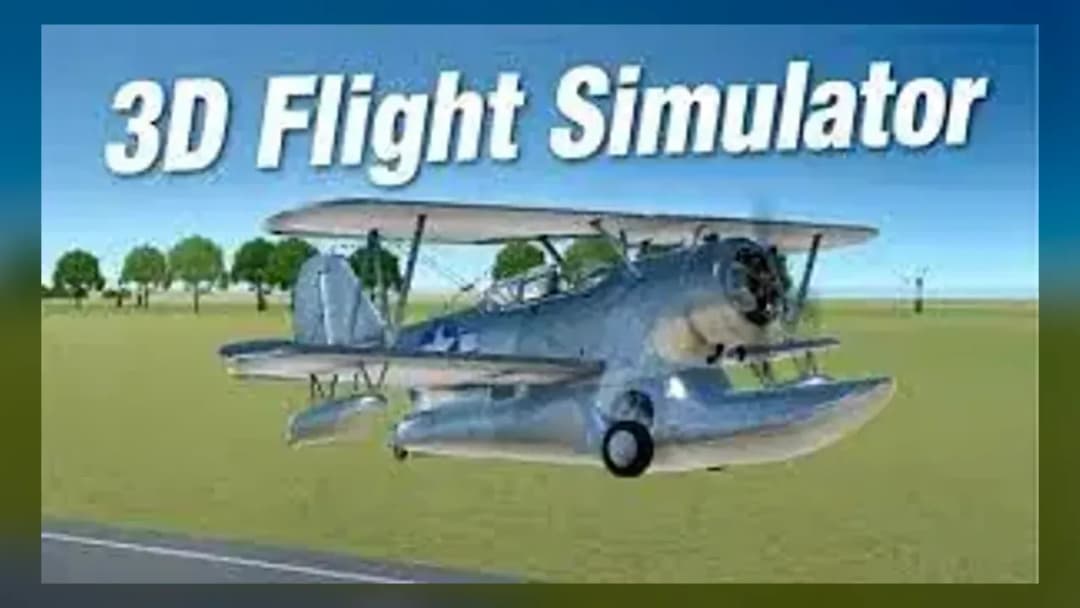
Play 3D Flight Simulator, a Simulation game available in your browser. Review the controls, features, and compatibility notes below, then choose Play when you are ready.
Advertisement
3D Flight Simulator

















Advertisement
Most Popular This Month
View All results »

































- Home
- Simulation
- 3D Flight Simulator
3D Flight Simulator
TECHNICAL SPECIFICATIONS
OPERATIONAL GUIDE
CORE FEATURES
Advertisement
About 3D Flight Simulator
Play 3d Flight Simulator online for free with no download required. Enjoy the unblocked browser version on PC, mobile, and Chromebook.
What's in this guide
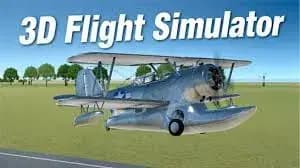
Get ready to experience the thrill of flying with the 3d Flight Simulator. This engaging browser game allows you to soar through the skies without any download requirements. Whether you're using a PC, mobile device, or Chromebook, you can play 3d Flight Simulator online free and unblocked. Experience breathtaking views and the adrenaline rush of flight in this exciting HTML5 game.
What Is 3d Flight Simulator?
The 3d Flight Simulator is an immersive simulation game that lets players take control of various aircraft and navigate through realistic environments. Whether you dream of soaring through the clouds or landing on distant runways, this game provides an exhilarating experience without the need for downloads. It’s designed to be accessible for everyone, allowing you to enjoy instant play directly in your web browser.
3d Flight Simulator Gameplay Overview
In this engaging game, players can choose from a variety of aircraft, each with its own unique characteristics and flight dynamics. The objective is to successfully control your plane, navigate through challenges, and complete missions while enjoying stunning graphics that enhance your flying experience. Flight controls are intuitive, allowing new players to get started quickly while providing enough depth for experienced pilots.
How to Play 3d Flight Simulator
Getting started with 3d Flight Simulator is a breeze. Simply visit the game page, and you are ready for takeoff. The mechanics are designed for all skill levels, allowing even beginners to enjoy the action without a steep learning curve.
Controls
- Movement controls: Use the arrow keys to navigate your aircraft in all directions.
- Action controls: Utilize the space bar for throttle and special maneuvers.
- Special abilities: Discover unique flight skills for each aircraft to enhance your gaming experience.
Best Tips and Strategies for 3d Flight Simulator
To excel in 3d Flight Simulator, practice makes perfect! Start with the basics of takeoff and landing, then gradually work your way to more complex aerial maneuvers. Pay attention to your fuel levels and aircraft stats to ensure a successful flight experience. Engaging with challenges and multiplayer modes will also sharpen your skills.
Main Features of 3d Flight Simulator
- Fast-paced gameplay with smooth flight mechanics.
- Browser-based gaming that requires no installation.
- Access to multiple aircraft, each offering a unique flying experience.
- Stunning graphics that bring the skies to life.
- Mobile support enables gameplay on various devices.
Can You Play 3d Flight Simulator Online?
Yes, you can play 3d Flight Simulator online directly through your web browser, making it incredibly convenient and accessible for players of all ages. Engage in the flight simulations without worrying about downloads or complicated setups.
Play 3d Flight Simulator Unblocked at School
One of the great advantages of 3d Flight Simulator is that it's often unblocked in school settings. This means you can enjoy some flight time during breaks or free periods without encountering restrictions. Just ensure compliance with your school’s policies while gaming.
Do You Need to Download 3d Flight Simulator?
No, 3d Flight Simulator requires no downloads, making it hassle-free to start playing. Simply launch the game from your browser, and you're good to go!
Is 3d Flight Simulator Available on Mobile?
Yes, 3d Flight Simulator is fully compatible with mobile devices. Whether you are on an Android or iOS device, you can enjoy flying the skies anytime and anywhere just by accessing the game through your mobile browser.
3d Flight Simulator Platform Support
The game supports a wide range of platforms, including:
- PC
- Mobile
- Tablet
- Chromebook
Similar Games Like 3d Flight Simulator
If you enjoy 3d Flight Simulator, you may also like these games:
FAQs About 3d Flight Simulator
Can I play 3d Flight Simulator online for free?
Yes, you can play 3d Flight Simulator online for free! The game is accessible without any hidden charges.
Is 3d Flight Simulator unblocked at school?
Yes, this game is designed to be unblocked, so you can enjoy it during school hours without any issues.
Does 3d Flight Simulator work on mobile?
Absolutely! 3d Flight Simulator is mobile-friendly, allowing you to play on your smartphone or tablet with ease.
Conclusion
Don't miss your chance to fly high in the 3d Flight Simulator. With its free online access and no download requirements, you can start flying today! Experience the joy of soaring through the skies, navigating thrilling challenges, and mastering the art of flight all from the comfort of your chosen device!
Advertisement
More Games You'll Love
Controls
Frequently asked questions
Can I play 3d Flight Simulator online for free?
Is 3d Flight Simulator unblocked at school?
Does 3d Flight Simulator work on mobile?
"3D Flight Simulator" and related names may be trademarks of their respective owners. This page is an informational game directory only; ZGames.io is not sponsored by or affiliated with trademark holders unless a specific game page says otherwise.
Player Reviews
No Reviews Yet
Be the first to share your feedback and rate this game!
Submit Your Review
Keep exploring