Play Armed Forces Unblocked Online Free
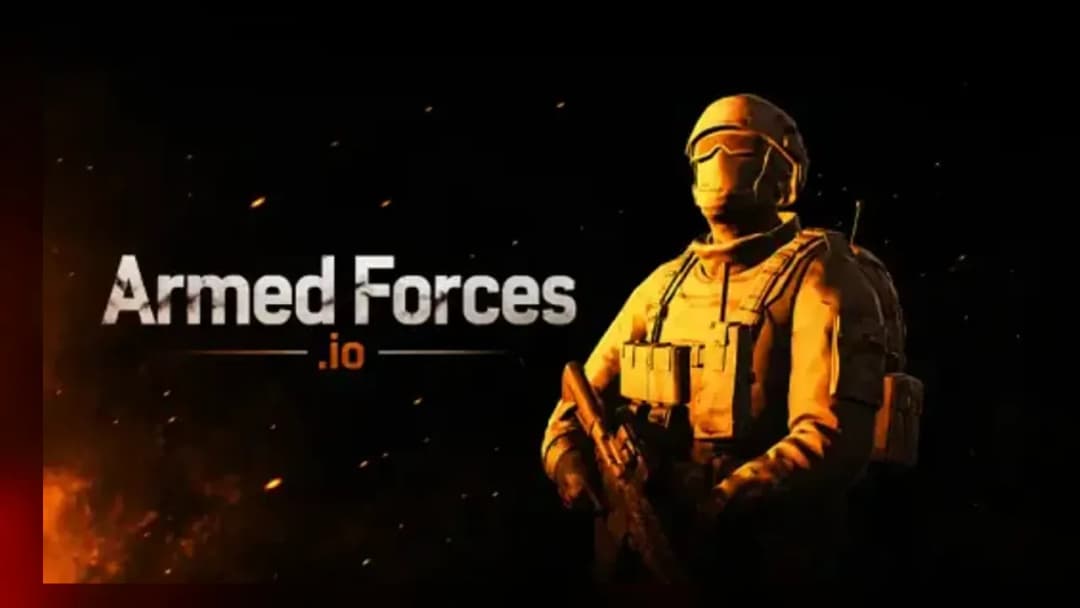
Play Armed Forces Unblocked, a Action game available in your browser. Review the controls, features, and compatibility notes below, then choose Play when you are ready.
Advertisement
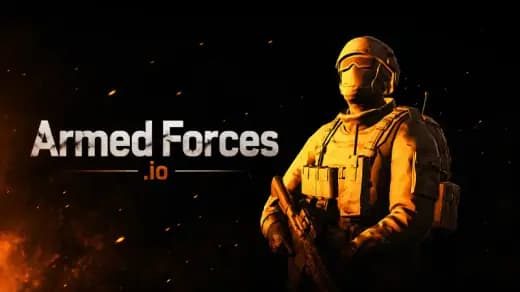
Armed Forces Unblocked


















Advertisement
Most Popular This Month
View All results »

































Armed Forces Unblocked
TECHNICAL SPECIFICATIONS
OPERATIONAL GUIDE
- 1. Control the Soldier
Use WASD to move through corridors, rooms, and open lanes while keeping your aim centered where enemies are likely to appear.
- 2. Aim and Fire
Move the mouse or drag on touch controls to aim, then shoot in controlled bursts to reduce spread and land more reliable hits.
- 3. Reload Behind Cover
Press R only after moving behind a wall, crate, or doorway; reloading in open space gives opponents a free target.
- 4. Switch Weapons
Use number keys or the weapon selector when a magazine runs dry, especially during close-range fights where a quick sidearm can finish the duel.
- 5. Hold Strong Angles
Watch choke points and entrances instead of standing in the center of the map, forcing enemies to enter your crosshair first.
CORE FEATURES
Advertisement
About Armed Forces Unblocked
Play Armed Forces online free: clear rooms, swap guns, and win FPS firefights in an unblocked browser game with no download on PC, mobile, Chromebook.
What's in this guide
Armed Forces is a browser-based first-person shooter built for instant play on modern devices, including Windows PCs, Macs, tablets, phones, and Chromebooks. The game uses HTML5-era web technology rather than a traditional installer, so the action runs inside the browser tab with keyboard, mouse, and touch input depending on the device. Its core loop is direct: move, aim, fire, reload, reposition, and repeat under pressure.
As an Armed Forces browser game, it sits in the same web-shooter tradition as compact arena FPS titles: short sightlines, fast respawns, readable weapon feedback, and constant threat scanning. The appeal comes from hand-level decisions. Players strafe around cover, snap the crosshair toward enemy movement, manage ammunition, and decide when to push or hold. That mechanical clarity makes Armed Forces free-to-play, Chromebook compatible, and practical for mobile gaming without requiring a dedicated client.
Game NameArmed ForcesCategoryGamesTechnologyHTML5 / Browser NativePlatformsPC, Mobile, Tablet, ChromebookRequires Download?No, Instant PlayWhat's In This Guide
- About Armed Forces
- Complete Controls & Mechanics
- Advanced Armed Forces Strategies & Tips
- How to Play Unblocked at School
- Platforms & Armed Forces Versions
- Known Glitches & Quirks
- Top Alternatives & Competitors
About Armed Forces
Armed Forces belongs to the modern wave of HTML5 shooters that replaced older plugin-based web games. Instead of relying on Flash or a separate executable, the game runs through browser-native rendering and input systems. That shift matters because it lowers friction: a player can open the page, load the match, and begin shooting without managing files, launchers, or operating-system permissions.
The design philosophy favors readable combat over simulation-heavy realism. Movement feels immediate, weapon feedback stays simple, and arenas encourage repeated contact. The player constantly solves a spatial problem: which angle is exposed, which corner hides danger, and which route gives the next clean shot. Good play comes from crosshair placement, not random panic spraying.
Culturally, games like Armed Forces helped prove that browser shooters could deliver quick FPS sessions on school laptops, shared computers, and low-spec machines. The format works because sessions start fast and punish sloppy fundamentals immediately. Miss a reload, overpeek a hallway, or ignore footsteps, and the next opponent usually capitalizes.
- Engine & Tech: The browser handles rendering, input polling, audio, and memory allocation. Performance depends on frame pacing, GPU support, and how efficiently the scene draws enemies, weapons, walls, and effects.
- Accessibility: Low-end Chromebooks can run it because the workload stays inside the browser and avoids large installed assets. Closing extra tabs improves RAM headroom.
- Updates: Public web builds can change over time through server-side updates, but no verified release history is provided here.
Complete Controls & Mechanics
Armed Forces feels best when the player treats movement and aim as one combined action. WASD controls positioning while the mouse controls vision and fire direction. The hands work together: left hand creates angles, right hand confirms targets. Touch controls compress those actions into virtual sticks and buttons, which works, but precision players usually prefer mouse aim.
Input latency matters in every duel. A small delay between mouse movement and camera rotation makes tracking harder, especially when an enemy strafes across the sightline. Stable frame rate also affects perceived recoil and hit confirmation. If frames drop during muzzle flashes or close combat, burst firing becomes safer than holding the trigger.
Collision rules define how cover works. Walls, crates, corners, and doorways break line of sight, but they also create predictable choke points. The player should avoid scraping against geometry while aiming because a blocked strafe can ruin a duel. Momentum remains readable: stop before firing at range, strafe during close fights, and never reload while crossing open ground.
- Movement: Use WASD or arrow keys to advance, retreat, and strafe. On mobile, use the virtual movement pad while dragging to aim.
- Action: Fire with the mouse or on-screen button, reload with R, jump with Space, sprint when available, and switch weapons with number keys or the weapon interface.
- Mechanics: Accuracy improves when shots stay controlled. Cover blocks damage only when the full body clears the firing lane, so half-peeks require discipline.
Advanced Armed Forces Strategies & Tips
Strong Armed Forces players do not chase every target. They build advantage before the fight starts. The simplest advanced habit is pre-aiming: place the crosshair where a head or torso will appear before entering a room. That reduces reaction time because the mouse moves less when contact happens.
Resource management decides many close rounds. Ammunition is not just a number; it controls when you can pressure a doorway. Reload after a confirmed elimination only if cover sits within one step. If an enemy rushes while the magazine is low, weapon swapping often beats waiting through a reload animation.
High-score routing comes from map memory. Learn where players spawn, which corridors create repeat fights, and which objects provide safe shoulder peeks. The best route avoids long empty rotations and keeps the player near active lanes without standing in the most obvious firing lane.
- Perfect Your Timing: Peek after hearing or seeing enemy fire, because many players expose themselves during reload recovery.
- Manage Resources/Speed: Sprint to reposition, not to enter a duel. Slow down before contact so the first burst lands accurately.
- Avoid Common Mistakes: Do not reload after every kill in the open. Do not stare at one angle so long that another route becomes free.
- Optimize Runs: Rotate through cover clusters and return to high-traffic chokepoints after each elimination instead of wandering through empty space.
How to Play Unblocked at School
Armed Forces unblocked means the game can be accessed through a browser page without installing software. Many school and workplace filters block executable files, game launchers, and legacy plugin content because those formats require deeper system access. HTML5 games are different: they load web assets into the browser, then run using standard browser features.
This does not mean every network allows every game site. Filters can still block domains. The technical advantage is that an Armed Forces HTML5 game avoids downloads, plugins, and admin installation prompts. That makes it safer and easier to launch on managed devices, including Chromebooks, when the page itself remains accessible.
- What is Unblocked: It describes access through a browser without a local installer, which helps avoid restrictions aimed at executable files.
- Chromebook Support: The game can run in Chrome using memory and browser rendering rather than a Windows-only program.
- Browser Native: No executable launcher is required, so instant play stays simple and device-friendly.
Platforms & Armed Forces Versions
You can play Armed Forces online on desktop browsers with the strongest control setup: keyboard for movement and mouse for aim. That version gives the cleanest FPS feel because turning, tracking, and target snapping all benefit from a physical mouse. It is also the best option for players who care about competitive consistency.
Armed Forces mobile works through touch input, making it useful for phones and tablets, but aiming requires more deliberate thumb movement. To play Armed Forces on Chromebook, keep the browser updated and close heavy tabs. The game is especially practical as an Armed Forces no download option because it avoids storage limits on managed devices.
- Browser Version: The fastest route to play, with instant loading and no installer.
- Mobile Experience: Touch controls adapt movement and firing to on-screen inputs, trading precision for portability.
Known Glitches & Quirks
Browser shooters can show quirks when frame rate, network timing, or device load changes during combat. A shot may feel delayed if the browser drops frames during effects, and fast camera movement can make enemy animation look less smooth. These issues usually come from hardware load rather than a single visible bug.
Collision quirks can appear around tight corners. A player may think the model is fully hidden while a shoulder or weapon still sits in the firing lane. Treat cover conservatively: step deeper behind walls before reloading, and avoid hugging corners so tightly that movement sticks during a retreat.
- Physics Quirks: Corner friction can interrupt strafing if the player presses into geometry while aiming.
- Visual Desync: Minor clipping may appear when weapons, walls, or enemy models overlap during close-range movement.
Top Alternatives & Competitors
Armed Forces competes with other lightweight browser shooters by emphasizing immediate firefights rather than long progression systems. Compared with larger PC shooters, it trades deep loadouts and massive maps for faster access and shorter tactical loops. That trade suits players who want aim practice without a launcher.
Against movement-heavy arcade games, Armed Forces demands more crosshair discipline and cover usage. The difficulty curve comes from reading sightlines, managing reload timing, and learning map rhythm. It is less about spectacle and more about repeated mechanical decisions under pressure.
- Krunker: Faster movement and more aggressive slide-style pacing, but Armed Forces feels more straightforward for basic FPS fundamentals.
- Mini Royale: Stronger battle-royale structure, while Armed Forces focuses more on direct arena engagements and quick respawns.
Similar Games on ZGames
If you enjoy Armed Forces, you may also like these games:
Conclusion
Armed Forces works because it strips the browser FPS down to the decisions that matter: movement, aim, reload timing, cover discipline, and route control. It gives players a clear skill test without forcing an installation or a long setup process.
If you want Armed Forces free in a browser, launch it directly on ZGames.io and play online free with no download. The game fits desktop sessions, mobile breaks, and Chromebook play while keeping the core shooting loop fast, readable, and competitive.
Advertisement
More Games You'll Love
Controls
Frequently asked questions
What is the best aiming strategy in Armed Forces firefights?
Which weapons should I use first in Armed Forces?
Does Armed Forces have bot matches or multiplayer battles?
How can I reduce lag while playing Armed Forces on a Chromebook?
"Armed Forces Unblocked" and related names may be trademarks of their respective owners. This page is an informational game directory only; ZGames.io is not sponsored by or affiliated with trademark holders unless a specific game page says otherwise.
Gameplay Video: Armed Forces Unblocked
OFFICIAL SOURCES & SITES
Player Reviews
No Reviews Yet
Be the first to share your feedback and rate this game!
Submit Your Review
Keep exploring