Play Bad Parenting Online Free
Play Bad Parenting, a Horror game available in your browser. Review the controls, features, and compatibility notes below, then choose Play when you are ready.
Advertisement



















Advertisement
Most Popular This Month
View All results »



































Bad Parenting
TECHNICAL SPECIFICATIONS
OPERATIONAL GUIDE
CORE FEATURES
Advertisement
About Bad Parenting
Play Bad Parenting online free, no download. Explore a tense home, inspect clues, and face Mr. Red Face in an unblocked browser horror game today.
What's in this guide
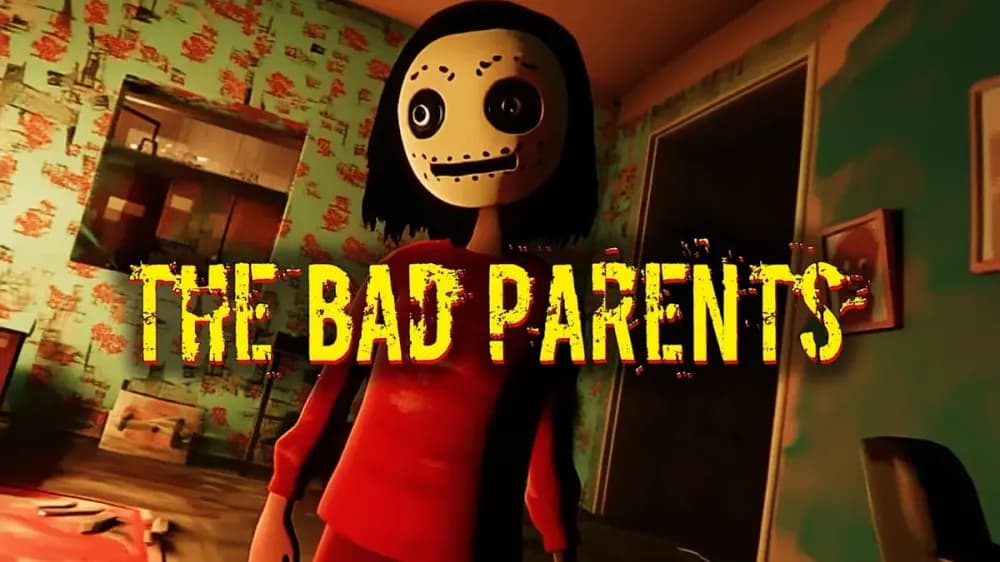
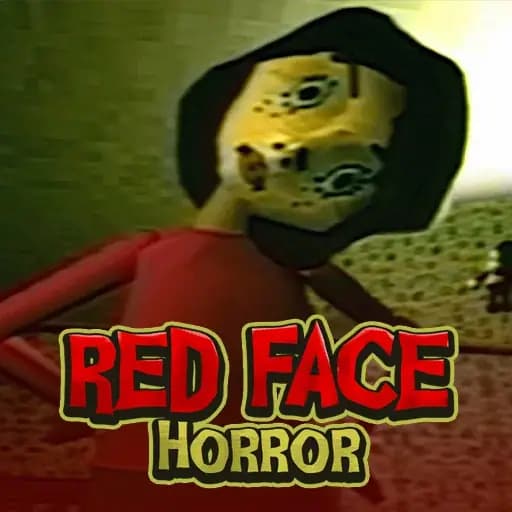
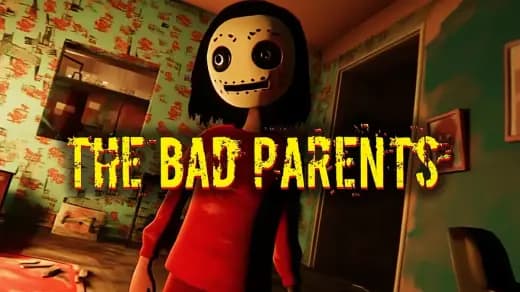
Bad Parenting is a first-person psychological horror browser game built around exploration, object inspection, scripted tension, and the disturbing presence of Mr. Red Face. On ZGames, it runs as an instant play HTML5 game in a modern browser environment, with WebGL-style rendering support where the device allows it. The result suits PC, mobile, tablet, and Chromebook players because the game does not require an installer, launcher, or external client.
The core design places the player inside a domestic space and makes ordinary rooms feel unsafe. You move with direct inputs, rotate the camera, inspect household objects, and react to audio cues. Bad Parenting free play works best for players who like slow-burn horror, environmental storytelling, and short-form narrative games that focus on atmosphere instead of combat or online multiplayer systems.
Game NameBad ParentingCategoryGamesTechnologyHTML5 / Browser NativePlatformsPC, Mobile, Tablet, ChromebookRequires Download?No, Instant PlayWhat's In This Guide
- About Bad Parenting
- Complete Bad Parenting Controls & Mechanics
- Advanced Bad Parenting Strategies & Tips
- How to Play Unblocked at School
- Known Glitches & Quirks
- Top Alternatives & Competitors
About Bad Parenting
Bad Parenting belongs to the viral indie horror wave that uses childhood memory, family spaces, and folklore-like threats to create unease. Instead of building fear through weapons or chase-heavy combat, it relies on recognition. A room looks normal. A hallway feels familiar. Then a sound shifts, an object appears wrong, and the player understands that the home has stopped following safe rules.
The design philosophy favors observation over reflex spam. The player studies environmental changes, tests doors, checks corners, and interprets what the game wants next. Mr. Red Face works as both character and pressure system: the figure gives the story a recognizable threat while letting the apartment itself carry much of the fear. This makes Bad Parenting browser game sessions easy to understand but hard to forget.
Technically, the browser version benefits from compact scene design. Small interiors reduce draw distance, asset load, and physics overhead, which helps the Bad Parenting HTML5 game stay playable on low-powered school laptops and Chromebooks. Horror games often need stable frame pacing more than visual excess; a sudden hitch can ruin timing, while smooth camera movement keeps tension readable.
- Engine & Tech: The browser build uses HTML5 delivery and browser-native rendering, with 3D scenes handled through accelerated graphics when supported. Stable frame pacing matters because camera turns, object focus, and scare timing depend on clean input response.
- Accessibility: The game works well on low-end devices because it uses contained rooms, limited active characters, and short interaction chains rather than large open worlds. That makes play Bad Parenting on Chromebook a practical option.
- Updates: Public update history varies by hosted version, so ZGames presents the available instant play build without claiming unofficial patch notes or developer timelines.
Complete Bad Parenting Controls & Mechanics
Bad Parenting feels like a compact first-person horror investigation. Your hands handle three jobs: movement, camera control, and interaction. WASD or arrow keys move the character through rooms, the mouse rotates the view, and clicking inspects objects or triggers context actions. On mobile, virtual movement and touch camera input replace the keyboard-mouse setup.
Input latency matters because the game asks players to read tiny changes. A delayed camera sweep can make a doorway feel clumsy instead of tense. The best approach uses steady turns rather than frantic spinning. Move into a room, stop, scan left to right, then interact. That rhythm gives the scripted horror room to breathe and prevents missed triggers.
Collision detection keeps the player inside a controlled apartment layout. Furniture, walls, and door frames define the route, while interaction zones sit close to important objects. The game does not depend on advanced parkour physics or momentum tricks. Its physical language stays grounded: walk, look, click, listen, return, and notice what changed.
- Movement: Use WASD or arrow keys on desktop. On touch screens, use the on-screen stick or swipe controls when available. Short, deliberate movement beats sprinting into corners.
- Action: Click, tap, or press the interaction key near readable objects, doors, and story triggers. If nothing happens, adjust your distance and camera angle.
- Mechanics: The game uses proximity-based interaction, room boundaries, scripted event triggers, and audio-led direction rather than score multipliers or combat systems.
Advanced Bad Parenting Strategies & Tips
Strong Bad Parenting players treat the apartment like a map of possible triggers. They do not wander randomly. They build a mental route: bedroom, hallway, living area, door, sound source, changed object. That route helps when the game alters the environment because the player can identify what changed immediately.
Audio gives the most reliable information. Headphones help because knocks, voices, and footsteps often suggest direction before the camera confirms it. If you play Bad Parenting online in a noisy room, keep volume high enough to catch quiet cues. The game’s fear design depends on timing, and sound usually leads the next interaction.
For cleaner runs, avoid over-clicking every surface while moving. Stop before interacting. Center the object. Click once. If the scene does not progress, inspect nearby objects and return after the next event. Many horror games use state-based progression, meaning the correct object may only activate after a previous scene completes.
- Perfect Your Timing: Pause after each major sound and scan the room before charging forward. Scripted horror often rewards a half-second of reading the scene.
- Manage Resources/Speed: Your main resource is attention. Move slowly in new spaces, then speed up only when returning through a known route.
- Avoid Common Mistakes: Do not stare at the floor while walking. Keep the camera at door-handle height so interactable objects and hallway changes stay visible.
- Optimize Runs: Recheck rooms after dialogue, sudden audio stings, or lighting changes. Those moments usually mark a new progression state.
How to Play Unblocked at School
Bad Parenting unblocked access works because modern browser games differ from old Flash files and installed executables. Flash required a deprecated plugin. Executables require system permission. HTML5 games run inside the browser sandbox, using standard web technologies that schools already allow for normal websites.
A Bad Parenting no download session reduces friction on managed devices. The browser loads game assets, stores temporary data in memory or cache, and renders the scene without asking the operating system to install unknown software. That model supports safe instant play and makes the game easier to launch on Chromebooks.
- Chromebook Support: Fully compatible with school devices because it runs locally in RAM through the browser and uses lightweight scenes instead of heavy desktop installation.
- Browser Native: No executables are required, which keeps access simple on restricted systems and makes Bad Parenting mobile play practical through supported browsers.
Known Glitches & Quirks
Browser horror games can show small quirks because every device handles graphics acceleration, touch input, and memory differently. In Bad Parenting, the most common issues players may notice are brief camera stutters during asset loading, slight interaction angle sensitivity, or visual clipping near tight furniture and door frames.
These quirks rarely break the core experience because the game uses contained spaces and scripted sequences. If an object does not respond, step back, center it in the camera, and try again. If mobile camera movement feels too fast, use shorter swipes and avoid dragging while tapping interactable items.
- Physics Quirks: Corners and furniture can sometimes stop movement earlier than expected. Use wider turns around objects instead of scraping against collision edges.
- Visual Desync: Minor clipping can appear when the camera presses close to walls or props. Backing up usually restores the intended view.
Top Alternatives & Competitors
Bad Parenting competes with short-form psychological horror games that value atmosphere, interpretation, and domestic fear. Compared with mascot horror, it uses less running and more dread. Compared with puzzle horror, it keeps mechanics simpler so the player focuses on story signals, room changes, and Mr. Red Face.
Players who prefer faster action may find chase-heavy horror more intense, but Bad Parenting succeeds because it respects silence. Its pacing gives the player time to suspect the environment before the next trigger lands. That slower tempo makes it different from arcade horror and closer to narrative exploration.
- Granny: Granny emphasizes hiding, item routes, and enemy patrols. Bad Parenting is more scripted and psychological, with less inventory routing and more environmental reading.
- Baldi: Baldi uses surreal school panic and resource pressure. Bad Parenting uses apartment familiarity, family unease, and tighter narrative pacing.
Similar Games on ZGames
If you enjoy Bad Parenting, you may also like these games:
Conclusion
Bad Parenting stands out because it turns simple first-person controls into a focused psychological horror loop. Move through the home, inspect the wrong details, listen to the room, and let the story pull you toward Mr. Red Face. It does not need complex combat to create pressure.
You can play Bad Parenting online free on ZGames as an instant browser game with no download required. It supports PC, mobile, tablet, and Chromebook play, making it a strong choice for players who want a compact horror experience that launches quickly and gets straight to the unsettling part.
Advertisement
More Games You'll Love
Controls
Frequently asked questions
What do you investigate in Bad Parenting to progress the story?
How does Mr. Red Face affect gameplay in Bad Parenting?
What controls are best for Bad Parenting on PC?
Why does the apartment layout matter in Bad Parenting?
"Bad Parenting" and related names may be trademarks of their respective owners. This page is an informational game directory only; ZGames.io is not sponsored by or affiliated with trademark holders unless a specific game page says otherwise.
Player Reviews
No Reviews Yet
Be the first to share your feedback and rate this game!
Submit Your Review
Keep exploring