Play BedWars Online Free
Play BedWars, a Action game available in your browser. Review the controls, features, and compatibility notes below, then choose Play when you are ready.
Advertisement



















Advertisement
Most Popular This Month
View All results »





























BedWars
TECHNICAL SPECIFICATIONS
OPERATIONAL GUIDE
CORE FEATURES
Advertisement
About BedWars
Play the BedWars game online free: defend your bed, bridge for resources, raid rivals, and survive in an unblocked browser battle with no download now.
What's in this guide

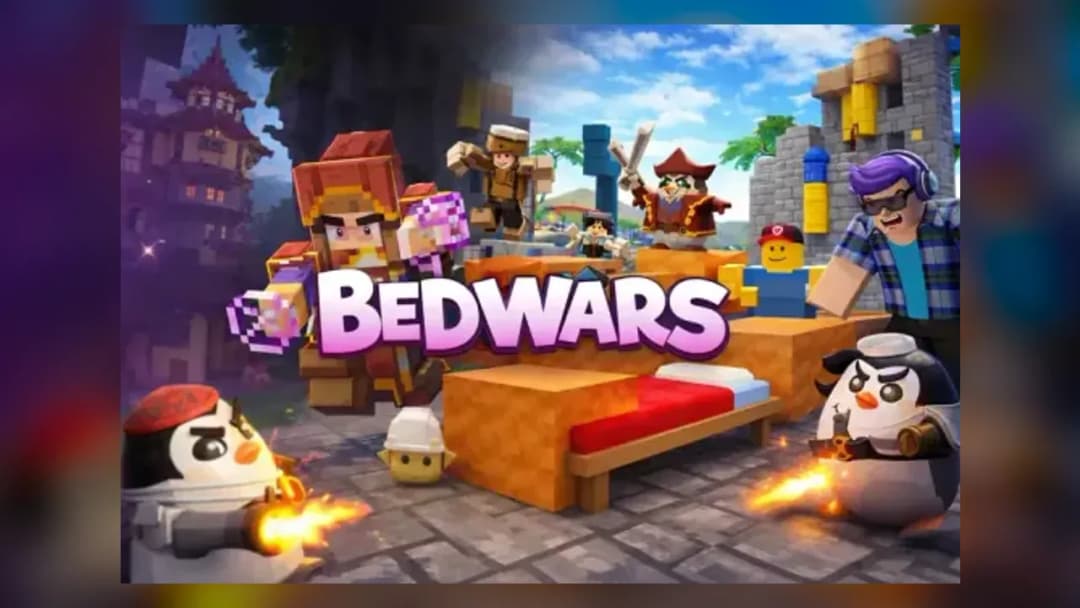
The BedWars game is a browser-native arena strategy game built around one blunt rule: protect your bed, or lose your second chance. This HTML5 game format adapts the famous block-based team mode into instant play on PC, mobile, tablet, and Chromebook, using the browser as the client instead of a separate installer. Players gather resources, buy gear, place blocks by hand, cross void gaps, and attack enemy islands in short, tactical rounds.
As a BedWars browser game, the appeal comes from visible decisions. Every bridge exposes a route. Every block layer buys time. Every resource purchase changes the next fight. The loop rewards mechanical accuracy, map awareness, and calm reactions more than random luck, which makes BedWars free play especially strong for quick sessions on school devices, home laptops, and mobile browsers that support modern HTML5 rendering.
Game NameBedWarsCategoryGamesTechnologyHTML5 / Browser NativePlatformsPC, Mobile, Tablet, ChromebookRequires Download?No, Instant PlayWhat's In This Guide
- About BedWars game
- Complete Controls & Mechanics
- BedWars game Advanced Strategies & Tips
- How to Play Unblocked at School
- Known Glitches & Quirks
- Top Alternatives & Competitors
About BedWars game
BedWars grew from the wider block-building multiplayer scene, where teams needed a cleaner win condition than endless fighting. The bed solved that problem. It gives each team a respawn point, creates a target worth defending, and turns every destroyed bed into a sudden-death situation. Browser versions keep that readable structure while trimming the friction around setup.
The design philosophy is simple and ruthless. The map starts symmetrical, but player choices break symmetry fast. One team rushes with wool, another saves for armor, another controls diamonds and upgrades. That creates a strategy game with action-game hands: you place blocks, jump gaps, aim hits, swap tools, and decide when a risky bed break matters more than survival.
Technically, BedWars no download play relies on modern browser features rather than old plug-ins. HTML5, canvas-based drawing, and sometimes WebGL-style acceleration allow quick loading and responsive input. Performance depends on the specific browser build and device, but the core format suits Chromebook compatible gaming because the maps use simple shapes, clear textures, and direct controls.
- Engine & Tech: Browser-native rendering reduces installation barriers and supports instant play through standard web input.
- Accessibility: Low visual complexity helps budget laptops and Chromebooks keep matches readable.
- Updates: Browser releases can change balance, maps, and interface details without forcing players to manage files.
Complete Controls & Mechanics
BedWars feels best when movement stays predictable. On keyboard, players usually move with WASD or arrow keys, jump with Space, aim with the mouse, and use hotbar keys or clicks to swap blocks, tools, and weapons. On mobile, touch controls map movement and camera control to on-screen input, which works well for basic defense and resource collection but demands practice for fast bridging.
The most important mechanic is block placement. Your hand movement decides bridge speed, staircase shape, and emergency cover. A clean bridge lets you pressure mid; a messy bridge traps your own team. Collision detection also matters because narrow paths over the void punish sloppy strafing. One missed step can erase armor, resources, and momentum.
Combat sits on top of that movement layer. Players need to judge reach, knockback, and recovery time while watching the bed. A fight near your base differs from a fight on a bridge: bridge duels reward positioning and knockback, while base fights reward tool swaps, path blocking, and reading the attacker’s route to the bed.
- Movement: Use WASD or arrow keys for directional control, Space to jump, and careful strafing near void gaps.
- Action: Place blocks, swing weapons, break defenses, open shops, and switch hotbar items under pressure.
- Mechanics: Gravity makes bridges dangerous, collision turns narrow ledges into traps, and knockback can win fights without long damage trades.
BedWars game Advanced Strategies & Tips
Strong BedWars players do not buy randomly. Early blocks create routes. Early tools create threats. Early armor prevents cheap eliminations. A good opening usually secures the nearest resource point, builds a safe return lane, and checks enemy bridge direction before committing to a rush. The fastest team is not always winning; the team with safe access and correct purchases usually controls the round.
Resource management defines the mid-game. Diamonds often support team upgrades, traps, and protection, while emeralds push late-game pressure through stronger gear or mobility items. Hoarding resources without spending them creates a hidden risk: one fall into the void gives opponents the tempo. Spend before risky attacks, especially when your bed already faces pressure.
Bed breaking rewards patience. Do not hit the outer defense blindly while enemies respawn beside you. Watch for gaps in movement, approach from side angles, and bring the right tool. If the bed breaks but you die instantly, that can still be a winning trade, but only if your team can finish the now-vulnerable survivors.
- Perfect Your Timing: Place blocks at a steady rhythm instead of spamming; consistent placement prevents bridge holes.
- Manage Resources/Speed: Buy before crossing dangerous bridges, especially with diamonds or emeralds in hand.
- Avoid Common Mistakes: Never chase one player so far that your own bed becomes undefended.
- Optimize Runs: Take diamond control early, then attack when team upgrades give you a fight advantage.
How to Play Unblocked at School
BedWars unblocked access usually works best on sites that run the game directly in the browser and do not require executable files. Modern HTML5 games differ from older Flash games because they use standard browser technology, current security models, and device memory instead of outdated plug-ins. That makes them easier for school Chromebooks to load when the website itself is allowed by the network.
Players should always follow local rules, but the technical benefit is clear: BedWars no download play avoids installers, launchers, and file permissions. A BedWars HTML5 game can open in a tab, receive keyboard or touch input, and run as an instant play session without changing the device.
- Chromebook Support: Fully compatible with many school-style devices because it runs through the browser and uses system memory during play.
- Browser Native: No executables are required, which keeps access simple and device-safe when the site is permitted.
Known Glitches & Quirks
Browser arena games can show small quirks when movement, collision, and network timing meet. Players may see brief clipping on block edges, delayed hit feedback, or a moment where a placed block appears late during fast bridging. These issues usually come from latency, frame timing, or device performance rather than from a single dramatic bug.
Skilled players sometimes turn quirks into tactics. Narrow bridges amplify knockback. Stair bridges can confuse pathing. Fast block placement may create panic cover even when the shape looks ugly. None of these quirks replace fundamentals, but they add texture to high-pressure rounds.
- Physics Quirks: Edge movement can feel unforgiving because collision boxes leave little room on one-block bridges.
- Visual Desync: Minor placement delay or clipping can appear on slower devices during crowded fights.
Top Alternatives & Competitors
BedWars competes with block combat, parkour, survival, and arena battle games, but its bed mechanic gives it a sharper match structure. Pure deathmatch games focus on aim and damage. BedWars adds infrastructure: bridges, shops, defenses, traps, and resource routes. That extra layer makes each fight part of a larger map economy.
Compared with endless runners or reflex platformers, the pace changes constantly. One minute you defend quietly, the next you sprint across a bridge with tools in hand. That mix makes play BedWars online sessions feel less scripted than level-based arcade games, while still remaining readable enough for fast browser sessions.
- Block combat games: Similar camera control and building logic, but BedWars centers every match on bed defense and permanent elimination.
- Parkour runners: Similar movement precision, but BedWars adds shops, weapons, team pressure, and base strategy.
Similar Games on ZGames
If you enjoy BedWars, you may also like these games:
Conclusion
The BedWars game works because every action has a visible cost. A block placed badly exposes a bridge. A greedy resource run delays defense. A mistimed raid gives the enemy free upgrades. That clarity makes the game easy to understand and difficult to master.
Play BedWars on Chromebook, desktop, tablet, or mobile through the browser when you want free-to-play strategy without installers. The no download format keeps the focus where it belongs: defending the bed, building smarter routes, breaking enemy bases, and surviving the final fight.
Advertisement
More Games You'll Love
Controls
Frequently asked questions
What does the bed do in BedWars gameplay?
Which upgrades should you buy first in BedWars?
How do you bridge safely between islands in BedWars?
What is the best way to protect your bed in BedWars?
"BedWars" and related names may be trademarks of their respective owners. This page is an informational game directory only; ZGames.io is not sponsored by or affiliated with trademark holders unless a specific game page says otherwise.
Player Reviews
No Reviews Yet
Be the first to share your feedback and rate this game!
Submit Your Review
Keep exploring